Amphtml: Fix amp-consent-ui Styling for Safari
relates to #20738
cc @zhouyx
Seems like amp-consent styling gives a different behavior in safari, causing issues. See the issue for more context.
 torch2424
All 17 comments
 MARQAS
on 22 Feb 2019
MARQAS
on 22 Feb 2019
Any update on this @torch2424?
MARQAS
on 26 Feb 2019
@MARQAS Hello! I was out for an extra day over the weekend. Just got back today.
Sorry to hear that the CSS didn't work for you. Currently getting an EU VPN set up, and doing some more investigation, since it may be more than a CSS issue.
Will update you as I learn more 😄 Thank you for your patience!
torch2424
on 26 Feb 2019
Hello! So I still didn't get the EU VPN access, but I think I may have a quick fix for you.
So I was investigating on our example: https://github.com/ampproject/amphtml/blob/master/test/manual/amp-consent-geo.html And it does work on safari, so I had to figure out what the difference was for you and us.
So one thing about the way amp-extensions get loaded is that, they won't be rendered if they have something like display: none, or have no / 0px width or height.
Because of this, I realized that your amp-consent element had a width and height of 0px. The reason being, your child elements are position: fixed. And when I ran through our proxy for your site, and added the following css to our extension:
amp-consent {
  min-height: 100px;
  min-width: 100px;
}
Everything worked. Therefore, either add both a min-height and a min-width, or make your child elements not position: fixed. I'll try and get a fix out for this ASAP. but it will take two weeks to get through our release cycle 😄
Thank you very much for finding the bug, and reporting it. My apologies for the delayed response, and thank you very much for your patience! 👍
torch2424
on 26 Feb 2019
Hi @torch2424, The solution which you have provided is not working. It's only working in Android but not in IOS. See the screenshots.
Android: https://monosnap.com/file/TwUEzPP6ezPgp2AzWLBfEdkI9Aa4aa
IOS: https://monosnap.com/file/cmMc7ax0vwq4D3NewfG11hOq2iKg4L
Can you please look into it again?
MARQAS
on 28 Feb 2019
@MARQAS Hello!
So I did look into this again, and I confirmed everything to be working with the following urls:
http://localhost:8000/test/manual/amp-consent-geo.html#amp-geo=nz (Our build server example, works out of the box)
https://amisducocker.com/#amp-geo=FR (Worked out of the box)
https://www.ilnotiziangolo.it/27025/big-little-lies-2/amp/#amp-geo=de (By adding the CSS I gave you above).
Notice the amp-geo=COUNTRY_CODE. I am using this to force my location for the extension. And it only works if you haver your browser on the dev channel.
And here are some screenshots:
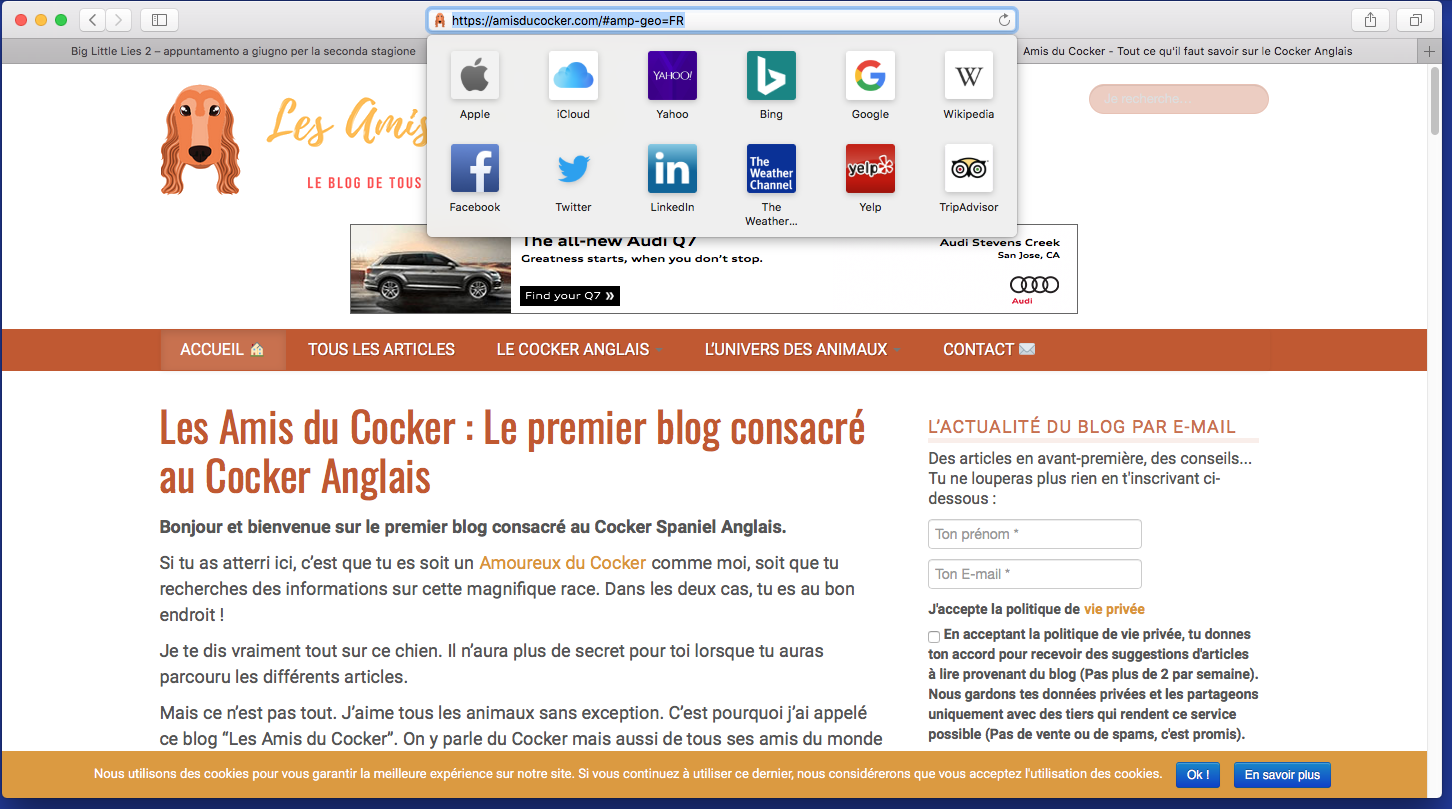
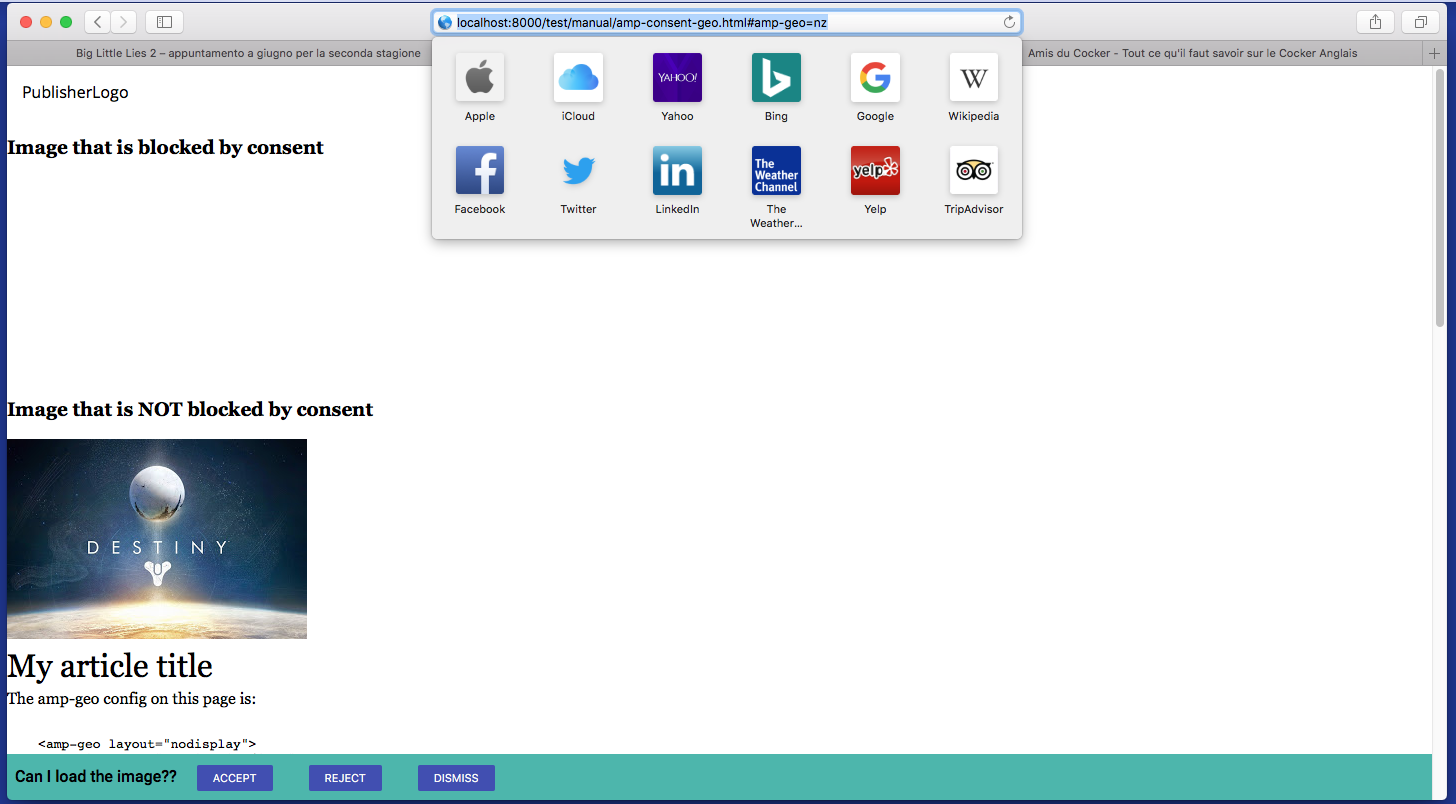
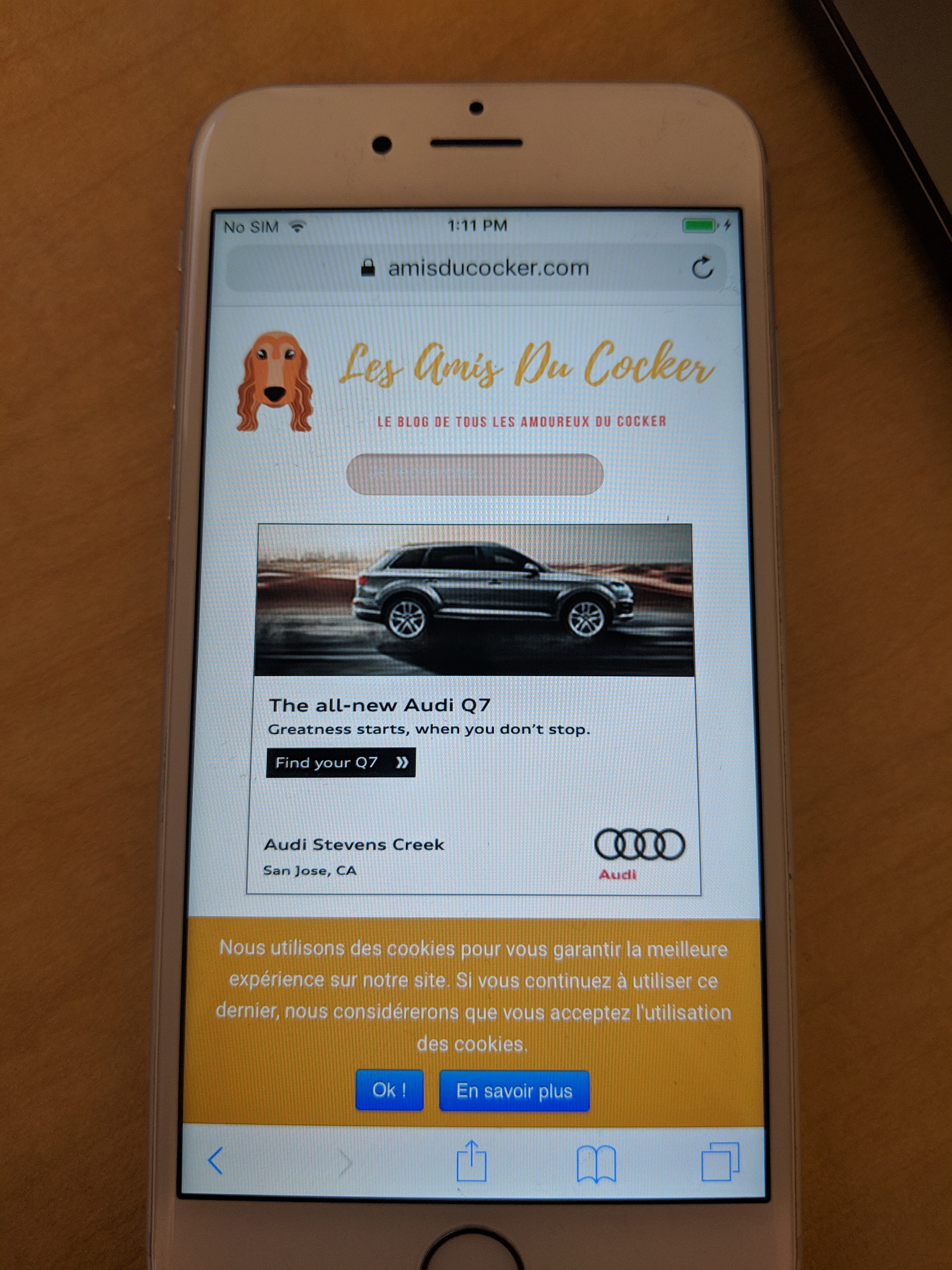
Are you checking the request origin by any chance to include the extension? Let me know if I am doing something wrong.
Thank you for your patience! 😄
P.S I do notice that our consent dialogs look different. I don't speak the language, but they both mention cookies, so I am assuming that it is about consent 😂 .Also, I did notice that sometimes on the first load, the consent won't pop up. But it does on refresh. Though, I have reason to think that it is because of the amp-geo=COUNTRY_CODE.
torch2424
on 28 Feb 2019
@torch2424 What you are looking at https://amisducocker.com/#amp-geo=FR is not GDPR, it's just a notification created with amp-user-notification. That's why it is working fine. He disabled the GDPR as it is not working on IOS. So I've contacted the user to enable GDPR on his website, once he does that I will immediately contact you here and will let you know to check again.
MARQAS
on 4 Mar 2019
@MARQAS Ah, that makes sense. Thank you!
If it is not working on IOS, instead of re-enabling it could you perhaps just create an isolated example that doesn't work for you? That way you don't have to deploy a broken website, and I can have an easier time debugging 😄 As you can see above, our current amp-geo amp-consent example works for us. So perhaps modifying this in a way so that it doesn't may help us both?
My apologies we haven't been able to determine a fix for this so far. I am quite eager to solve this for you. 😢
That being said, yes please let me know how to continue on this. Thank you! 😄
torch2424
on 4 Mar 2019
Hi @torch2424, I am sorry for the delay.
You can check here: https://magazine3.com/garage/amp/
This is our Test site. Please do check, it is working fine in Android but not in IOS.
Let me know if you need any more info
MARQAS
on 8 Mar 2019
@MARQAS Thanks for the demo site!
Sorry for the late reply, currently in South Africa for the week for an AMP event. And I don't have access to our test devices.
@zhouyx if you get the chance, could you please test this out? 😄
torch2424
on 11 Mar 2019
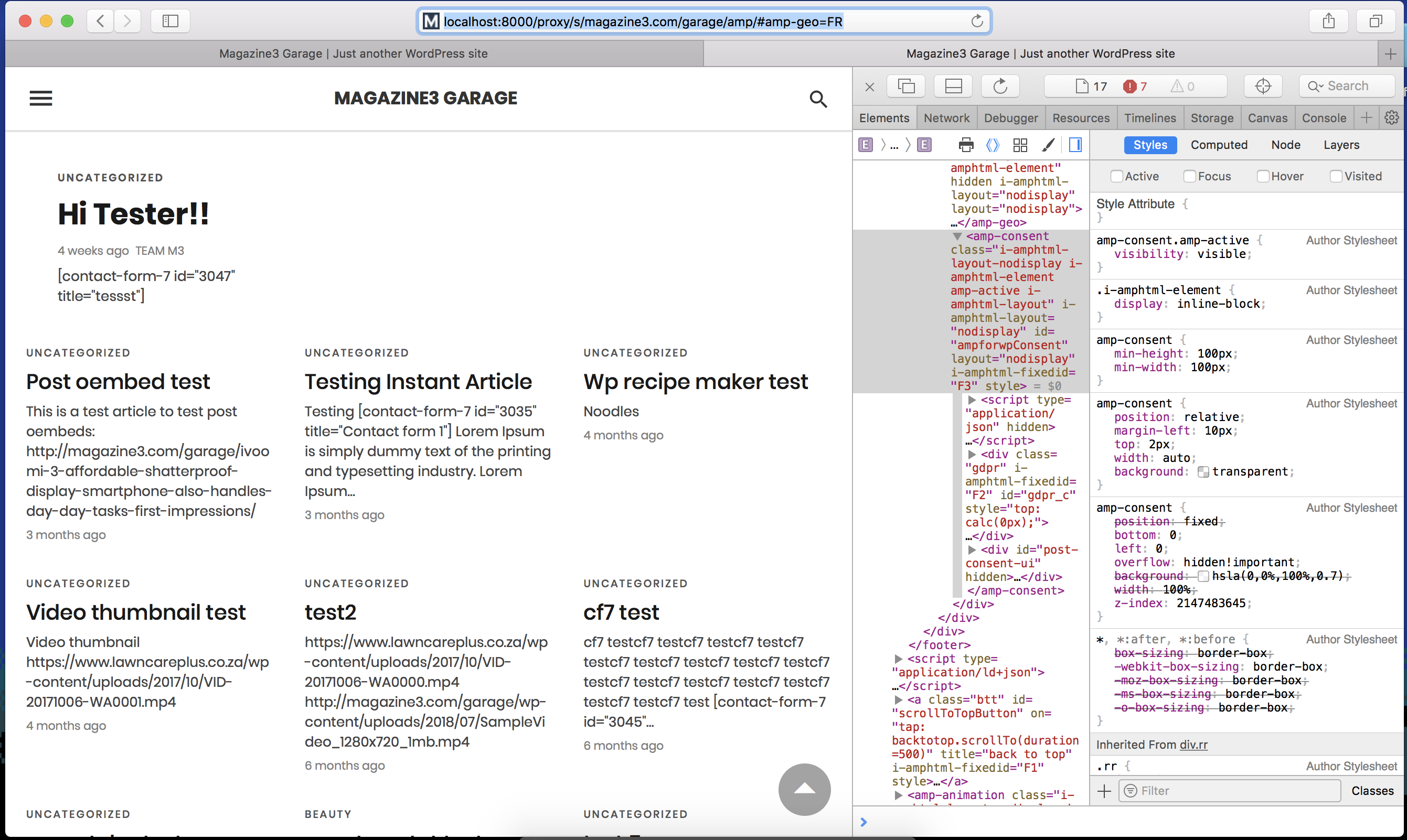
@zhouyx I played with this in desktop safari a bit, and yeah it seems the extension isn't being laid out, even with a min-width and height.
And for some reason on desktop safari, it is not hidden if loaded through the proxy (maybe because I don't build extensions) and nothing is shown even though the UI is visible, but on the live site it is never un-hidden.
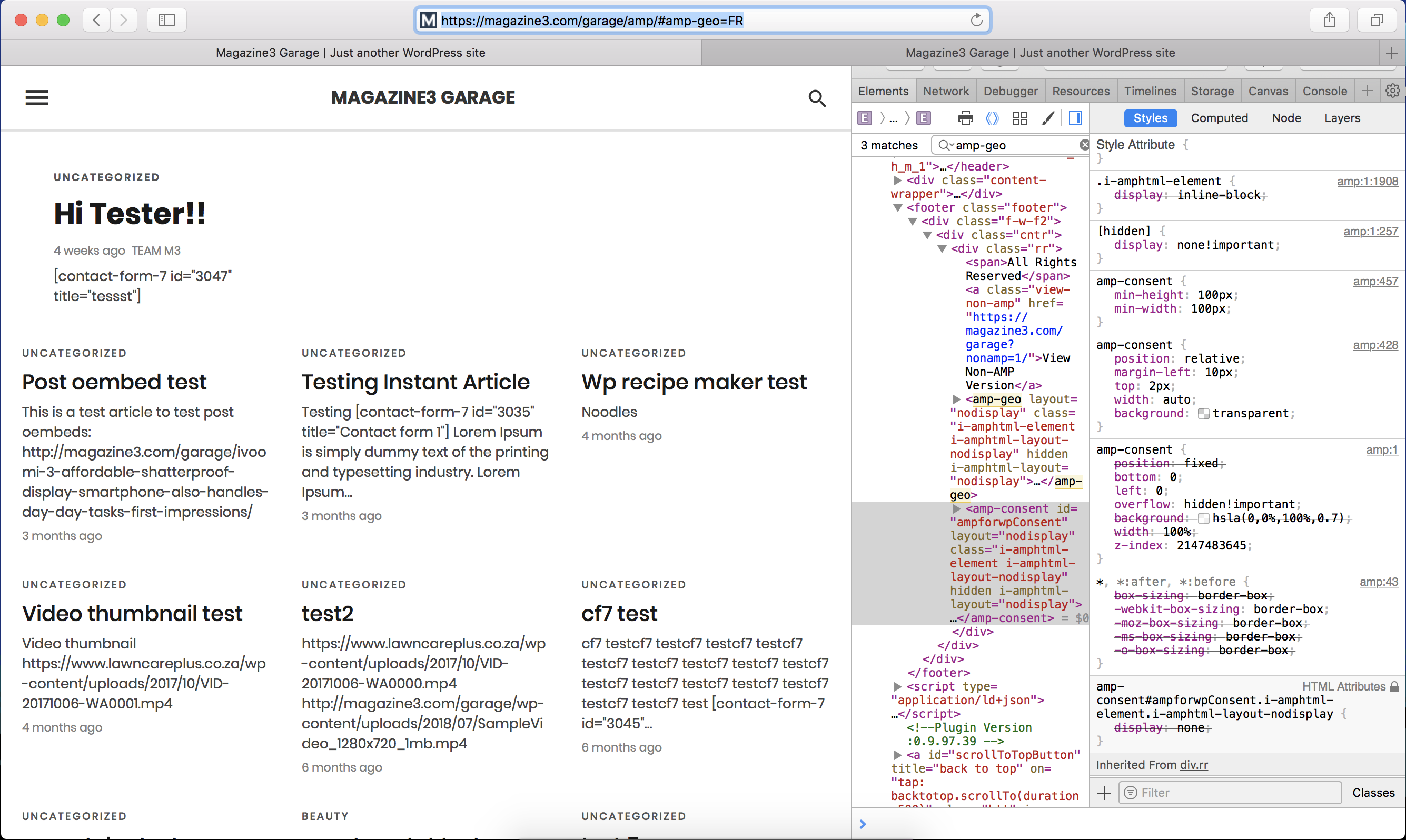
torch2424
on 11 Mar 2019
Thank you @torch2424 and @MARQAS for the example and investigation. Here's what I found out yesterday.
The bug is caused by a known webkit issue
The bug is affecting position: fixed element when it's placed inside position:relative; overflow:hidden; element with zIndex. I saw you override the parent <amp-consent> element to have position:relative. Which triggers this bug.
To fix this, I think you can keep <amp-consent> to still have position:fixed and set the child prompt dialog to width:100vw; height:100vh instead. Let me know if that help
 zhouyx
on 13 Mar 2019
zhouyx
on 13 Mar 2019
Thank you @zhouyx ! I knew it must be something weird.
@MARQAS Sorry for going in circles on this issue, please let us know if this works! 😄
torch2424
on 19 Mar 2019
Thanks, @zhouyx,
But it seems that the code which you have given is not working. Or maybe I added it in the wrong way?
I made some other changes which seem to be working. Check here: https://magazine3.com/garage/embeds-test/amp/
Please let me know If I have done it correctly or not.
If you want, I can give you access to our staging site.
MARQAS
on 23 Mar 2019
@MARQAS So I tested this out, and I'm having trouble getting the "headline" consent dialog (Which I assume is the consent prompt) to show up.
Could you set the .gdpr element to not be position: fixed? I think that may help in at least getting something to work in the meantime. The parent amp-consent element is already position: fixed. Thus you could add your styles to that if that works for you. 👍
Thanks! 😄
torch2424
on 28 Mar 2019
Hi @torch2424, can you share where you have tested it? at least screenshots?
I have tested it on 2 servers and it seems to be working fine. Maybe I am missing something? I would be very grateful if you can help me with this.
Can you please test this as well @zhouyx?
MARQAS
on 2 Apr 2019
@MARQAS So to be honest, when I tested, I just used the same #amp-geo=FR, and I was flying without internet access. So my testing probably wasn't the most representative 😂 Thus, I can test this again if you would like, but if it is working for you on an expected environment then that should be the expected results.
I have tested it on 2 servers and it seems to be working fine. Maybe I am missing something?
If this is working for you know, we are glad to hear that. Our plan then is too keep this issue open, in regards to the styling approach you took, and how we want to handle that going forward.
Thanks! 😄
torch2424
on 3 Apr 2019
Related issues
 Download
·
3Comments
Download
·
3Comments
 samanthamorco
·
3Comments
samanthamorco
·
3Comments
 choumx
·
3Comments
choumx
·
3Comments
 jpettitt
·
3Comments
jpettitt
·
3Comments
 akshaylive
·
3Comments
akshaylive
·
3Comments
Most helpful comment
Thank you @torch2424 and @MARQAS for the example and investigation. Here's what I found out yesterday.
The bug is caused by a known webkit issue
The bug is affecting
position: fixedelement when it's placed insideposition:relative; overflow:hidden;element withzIndex. I saw you override the parent<amp-consent>element to haveposition:relative. Which triggers this bug.To fix this, I think you can keep
<amp-consent>to still haveposition:fixedand set the child prompt dialog towidth:100vw; height:100vhinstead. Let me know if that help