Amp-wp: CSS sanitizer removes CSS variables
Bug Description
CSS variables (such as border-color:rgba(0,0,0,var(--border-opacity))) are not included in the CSS output on AMP pages.
Expected Behaviour
If the HTML marktup contains a CSS class with a CSS variable (such as --border-opacity: 0;) the styling for that css variable should be included in the CSS output.
Steps to reproduce
- Edit a template file (such as
single.php). - add a CSS class with a CSS variable (such as
<h1 class="border-opacity-0">Blah...</h1>). - add styling for that CSS class and the CSS variable (such as
--border-opacity: 0;and.border-opacity-0 { border-color: rgba(0,0,0,var(--border-opacity))}) or load Tailwind CSS . - Visit the regular version of the page and see that the styling is applied.
- Visit the AMP version of the page and see that the styling is not applied.
Additional context
- WordPress version: 5.4.2
- Plugin version: 1.5.4
- AMP plugin template mode: Transitional
CSS variables are commonly used in the popular Tailwind CSS framework.
_Do not alter or remove anything below. The following sections will be managed by moderators only._
Acceptance criteria
Implementation brief
QA testing instructions
Demo
Changelog entry
 sboerrigter
All 7 comments
This should not be the case. Our included CSS tree shaker only removes unused CSS from AMP pages; if the CSS is not targeting an HTML element on the page, it will be removed.
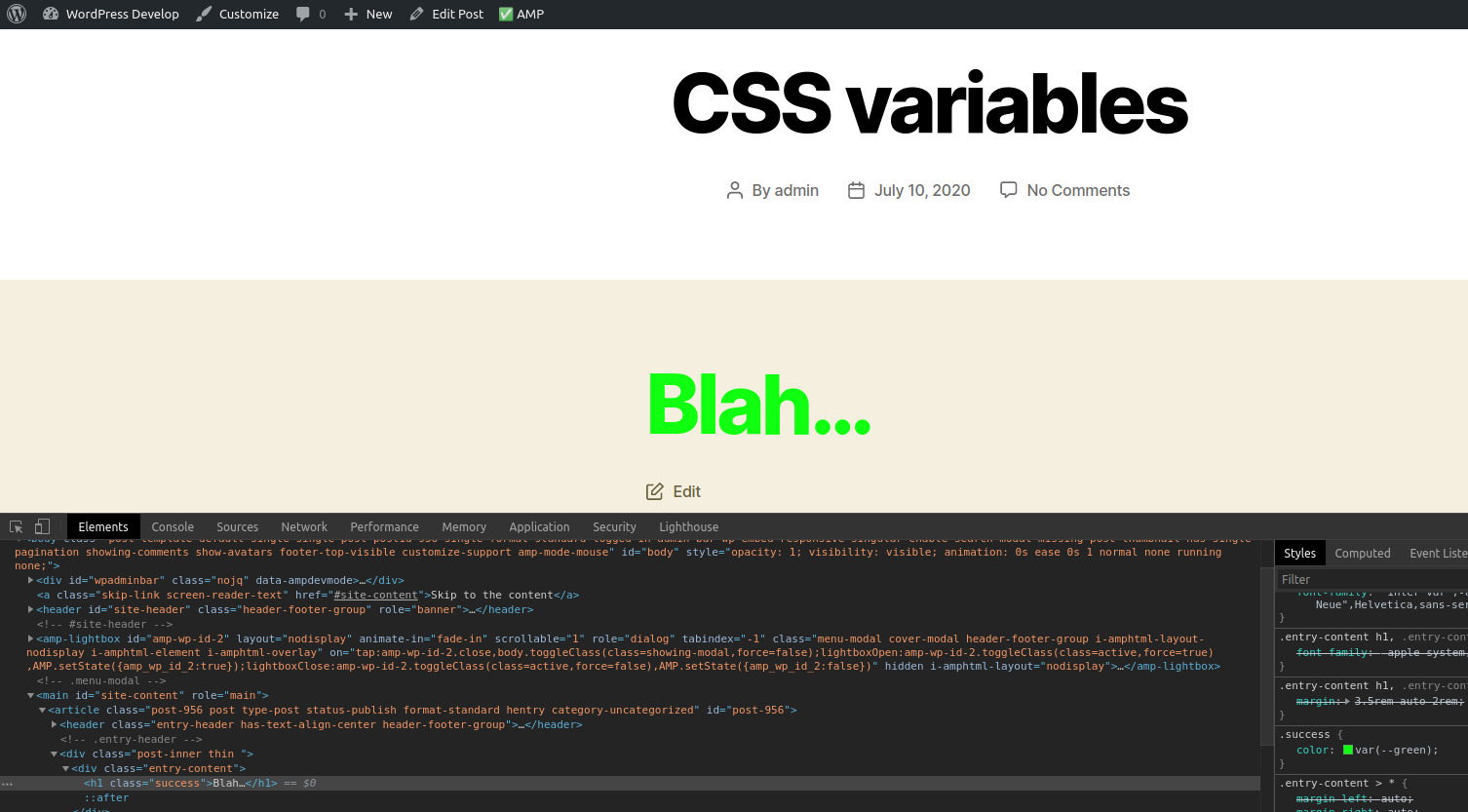
For example (with AMP Plugin v1.5.5), if I add an HTML block with the following content:
<h1 class="success">Blah...</h1>
<style>
body {
--green: #1f1f;
}
.success {
color: var(--green);
}
</style>
I can see that the HTML element is styled appropriately:
 pierlon
on 10 Jul 2020
pierlon
on 10 Jul 2020
The issue is var(--varname) being nested inside of other CSS functions.
Consider this example:
<p class="opacity opacity1">Opacity1!</p>
<p class="opacity opacity2">Opacity2!</p>
<p class="opacity opacity3">Opacity3!</p>

<style>
body {
  --opacity: 0.2;
}
.opacity {
  background: cyan;
}
.opacity1 {
  opacity: var(--opacity);
  color: rgb(0,0,255);
}
.opacity2 {
  color: rgba(0,0,255,0.2);
}
.opacity3 {
  color: rgba(0,0,255,var(--opacity));
}
</style>
The correct rendering is:

Note Opacity2 and Opacity3 look the same.
But on an AMP page it is rendered incorrectly, where the color value fails to be parsed:

This is due to the var() being nested inside of the rgba() function.
This is a known issue in the PHP-CSS-Parser:
https://github.com/sabberworm/PHP-CSS-Parser/issues/196
https://github.com/sabberworm/PHP-CSS-Parser/issues/186
There is a new PR upstream to fix the issue: https://github.com/sabberworm/PHP-CSS-Parser/pull/197
 westonruter
on 10 Jul 2020
westonruter
on 10 Jul 2020
Cool, thanks for the quick help guys.
Do you think this fix will make it into version 1.6 of the AMP plugin? And when is that version planned to release? In the milestone I see "Due by August 01, 2020". Is that correct?
sboerrigter
on 10 Jul 2020
We've adjusted the milestone date back to August 15th. If the issue is fixed upstream in PHP-CSS-Parser then we should definitely include the fix in v1.6.
westonruter
on 10 Jul 2020
Upstream PR has been merged: https://github.com/sabberworm/PHP-CSS-Parser/pull/197
westonruter
on 21 Jul 2020
@sboerrigter Please test the build with the patches applied to verify the issue is fixed: https://github.com/ampproject/amp-wp/pull/5081#issuecomment-662210637
westonruter
on 22 Jul 2020
@westonruter yep, the patch fixed the issue. Thanks!
sboerrigter
on 22 Jul 2020
Related issues
westonruter
·
22Comments
westonruter
·
31Comments
 YosuCadilla
·
27Comments
westonruter
·
31Comments
YosuCadilla
·
27Comments
westonruter
·
31Comments
 Ipstenu
·
32Comments
Ipstenu
·
32Comments
Most helpful comment
The issue is
var(--varname)being nested inside of other CSS functions.Consider this example:
The correct rendering is:
Note Opacity2 and Opacity3 look the same.
But on an AMP page it is rendered incorrectly, where the
colorvalue fails to be parsed:This is due to the
var()being nested inside of thergba()function.This is a known issue in the PHP-CSS-Parser:
https://github.com/sabberworm/PHP-CSS-Parser/issues/196
https://github.com/sabberworm/PHP-CSS-Parser/issues/186
There is a new PR upstream to fix the issue: https://github.com/sabberworm/PHP-CSS-Parser/pull/197