Amp-wp: Reusable blocks go unavailable
Summary
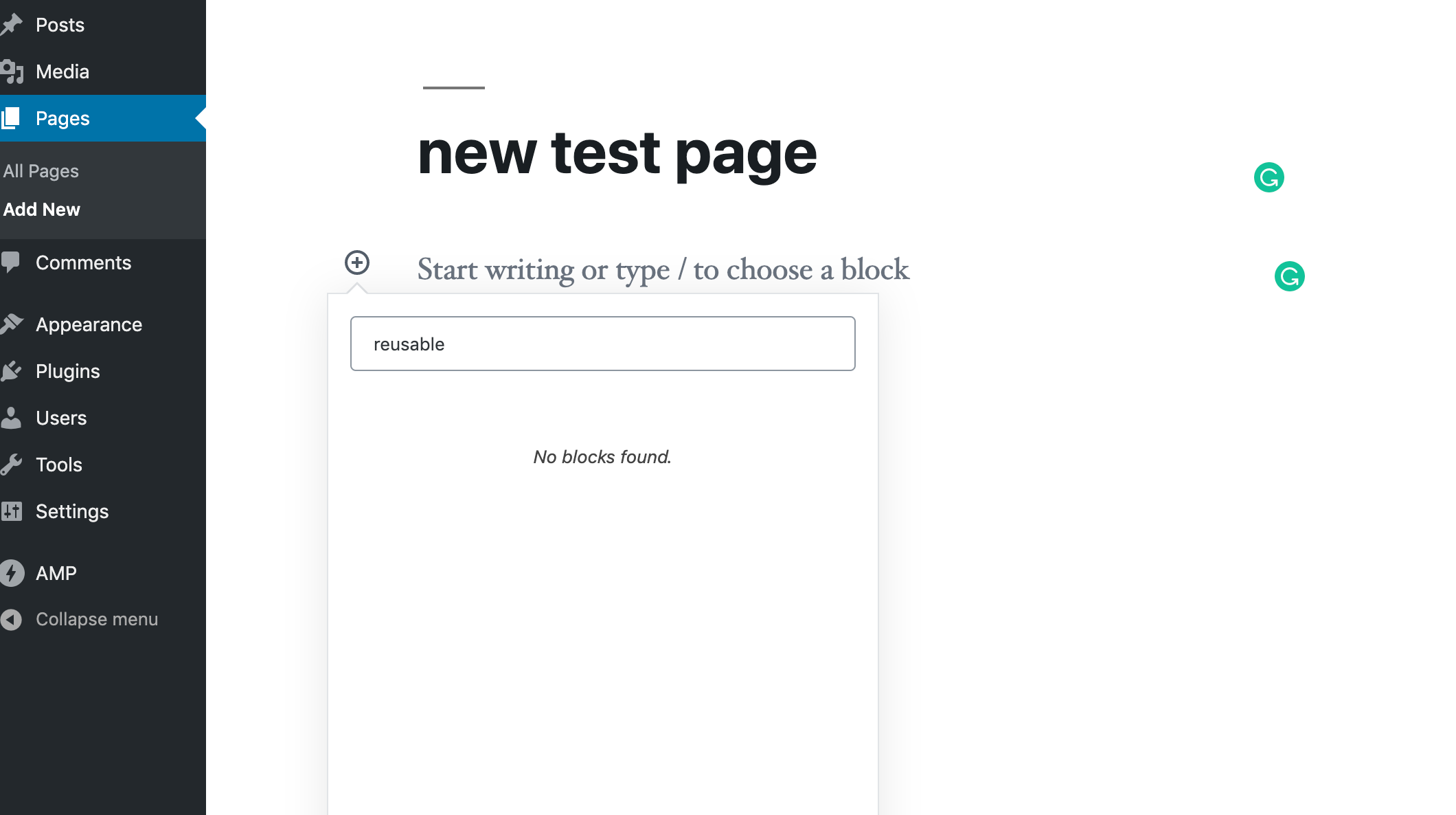
When AMP plugin version 1.2.1 is active, the Gutenberg editor does not show the option of Reusable Blocks when you click the + symbol to add a new block
Steps to reproduce
- Create a test WordPress site
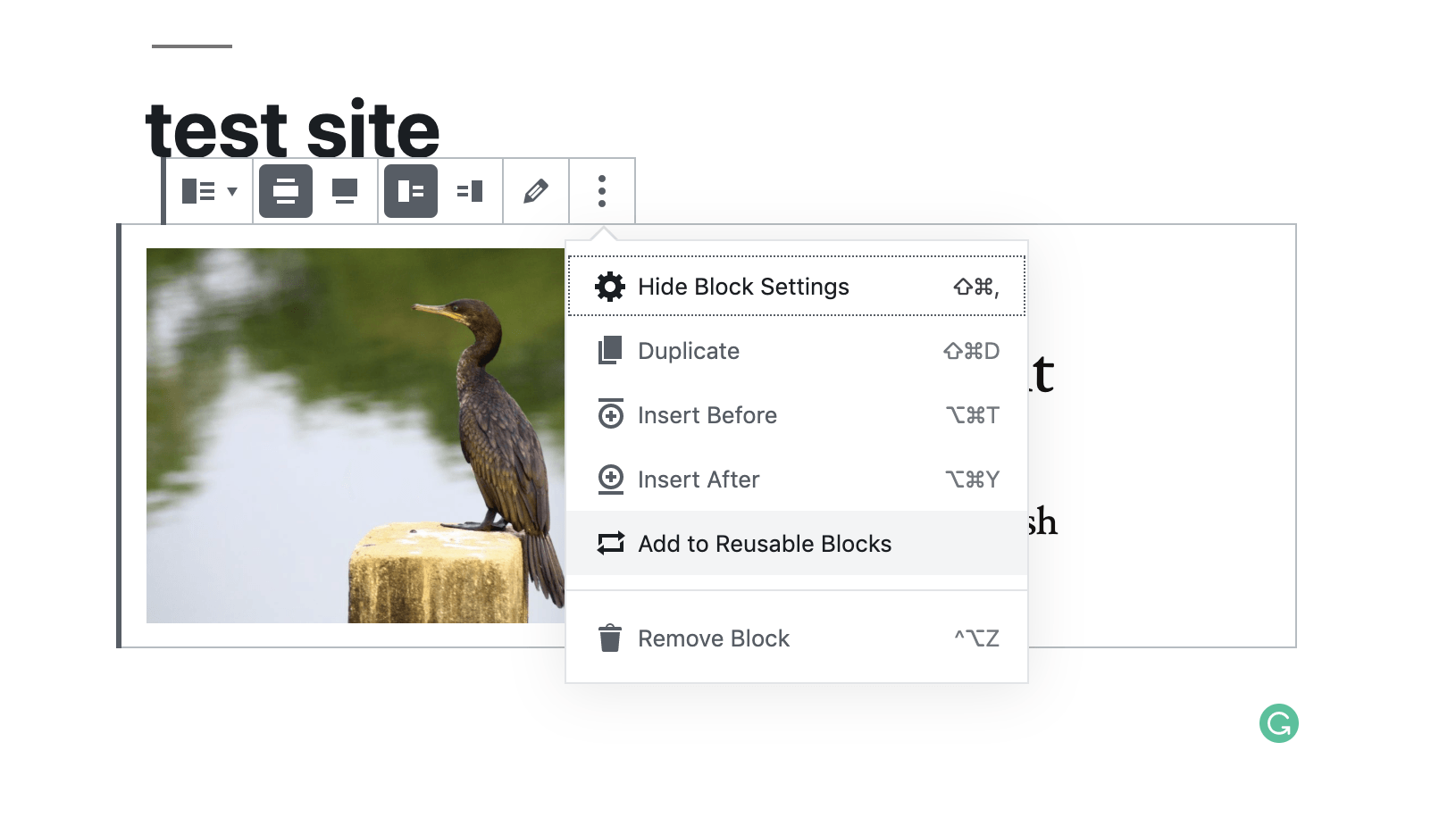
- Create a post or a page, and save any test block as a Reusable block
- Activate AMP plugin
- Open up another post and try to add the reusable block. You will not see the group
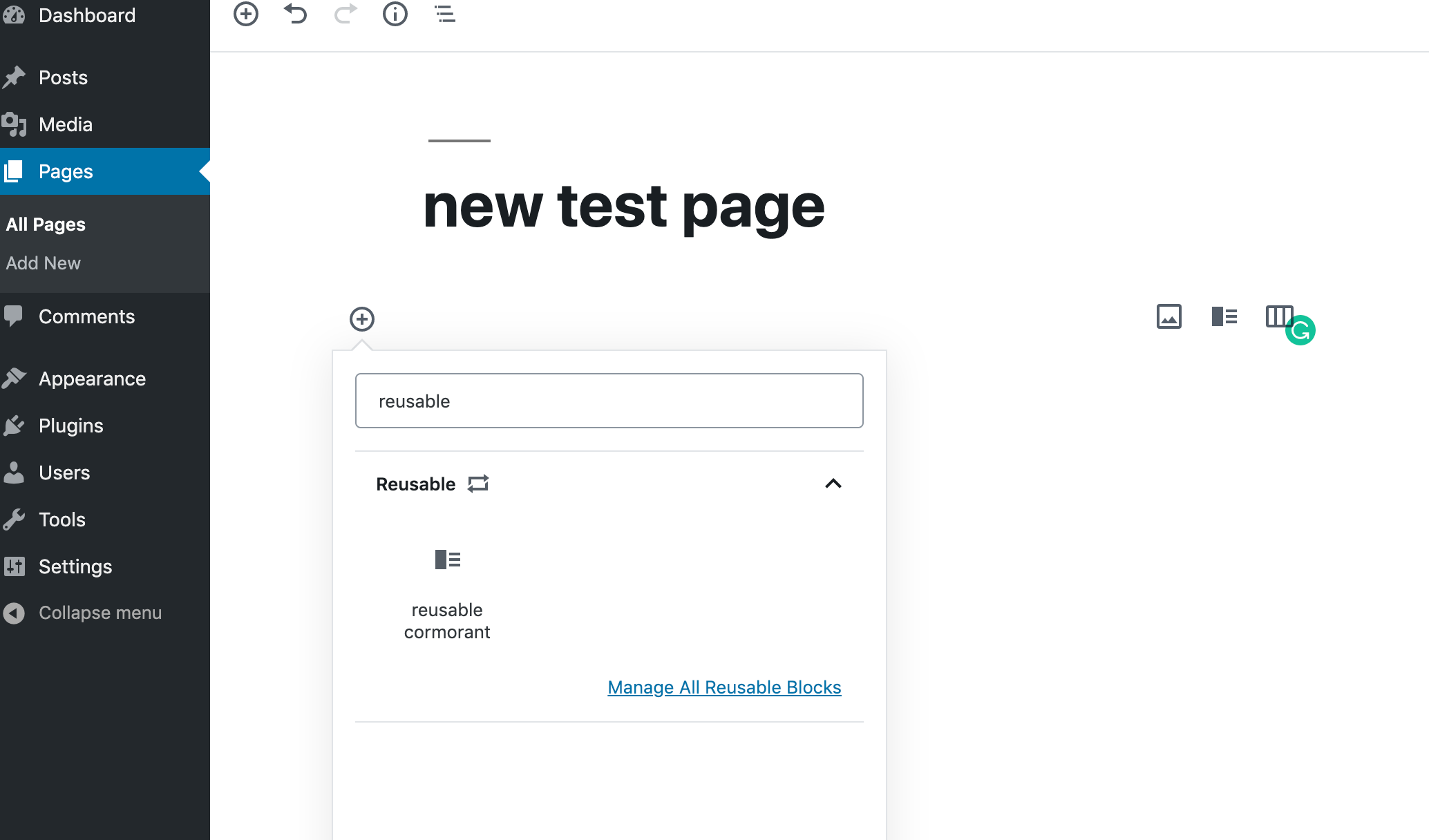
- Deactivate AMP plugin and open a new page in editor, you see the reusable blocks again:
Impact of the bug
Users who had Reusable blocks before updating their AMP plugin to 1.2.1, would all of a sudden see all these blocks go missing.
 nagpai
All 10 comments
Yikes, that sounds like a bug! Thanks for reporting this.
We might have been a bit overzealous in #2879. Since story templates are reusable blocks, we want them to be visible in the Stories editor, but not the regular block editor. Previously they were listed as reusable blocks though, even when one is not using AMP Stories.
Now it seems that no reusable blocks are shown in the block editor when AMP Stories is not active. This needs to be fixed.
@nagpai As a temporary workaround, I suggest turning on the Stories experience in the AMP plugin settings. You don't have to use it though and it won't have any impact on your website when it's turned on. But it will bring back your reusable blocks.
 swissspidy
on 23 Aug 2019
swissspidy
on 23 Aug 2019
Another report: https://wordpress.org/support/topic/updated-new-amp-plugin-it-is-conflicting-with-gutenberg-reusable-blocks/
swissspidy
on 23 Aug 2019
You can't use Stories unless you have the Gutenberg Plugin installed and active, which I do not have on my production site. So that's not really a great workaround for people.
Commenting out this change - https://github.com/ampproject/amp-wp/pull/2879/files#diff-00dc6914ea2368cc5f87b97dc2c4f636R38 - restored it for my site.
 Ipstenu
on 24 Aug 2019
Ipstenu
on 24 Aug 2019
Let's do a hotfix release for this bug next week.
 westonruter
on 24 Aug 2019
westonruter
on 24 Aug 2019
Testing instructions:
- Add a Reusable block (add a block, click "More Options" block menu and choose "Add to Reusable Blocks")
- Turn off AMP Stories Experience (uncheck AMP Stories from AMP General Settings)
- Verify that the added Reusable block can be found in Block Inserter of a regular post (can be searched by its name, too).
- Verify that the saved reusable block appears under
/wp-admin/edit.php?post_type=wp_block - Verify that the Story Templates do not appear under the Reusable blocks (not in search nor in
/wp-admin/edit.php?post_type=wp_block).
Turn on AMP Stories Experience and verify the same things.
Additionally, verify that the Templates to appear as expected in the Templates Inserter.
 miina
on 26 Aug 2019
miina
on 26 Aug 2019
Verified in QA
(new ticket created to allow for reusable blocks in Stories)
 csossi
on 27 Aug 2019
csossi
on 27 Aug 2019
New ticket for reference: https://github.com/ampproject/amp-wp/issues/3105
miina
on 27 Aug 2019
@nagpai @Ipstenu Please test 1.2.2-RC1.
westonruter
on 27 Aug 2019
@westonruter I've tested this with 1.2.2-RC1 and it is working as expected now.
 jdelia
on 27 Aug 2019
jdelia
on 27 Aug 2019
@westonruter I tested with latest stable WordPress test instance, and it works perfectly now. I am now able to see the reusable blocks settings correctly. Thanks to the team!
nagpai
on 28 Aug 2019
Related issues
 Airell
·
22Comments
westonruter
·
31Comments
Airell
·
22Comments
westonruter
·
31Comments
 jauyong
·
61Comments
jauyong
·
29Comments
westonruter
·
35Comments
jauyong
·
61Comments
jauyong
·
29Comments
westonruter
·
35Comments
Most helpful comment
Let's do a hotfix release for this bug next week.