Amazefilemanager: After giving storage permission normally, rotating the screen and clicking the back button will cause you to be unable to use amazefilemanager normally
Describe the bug
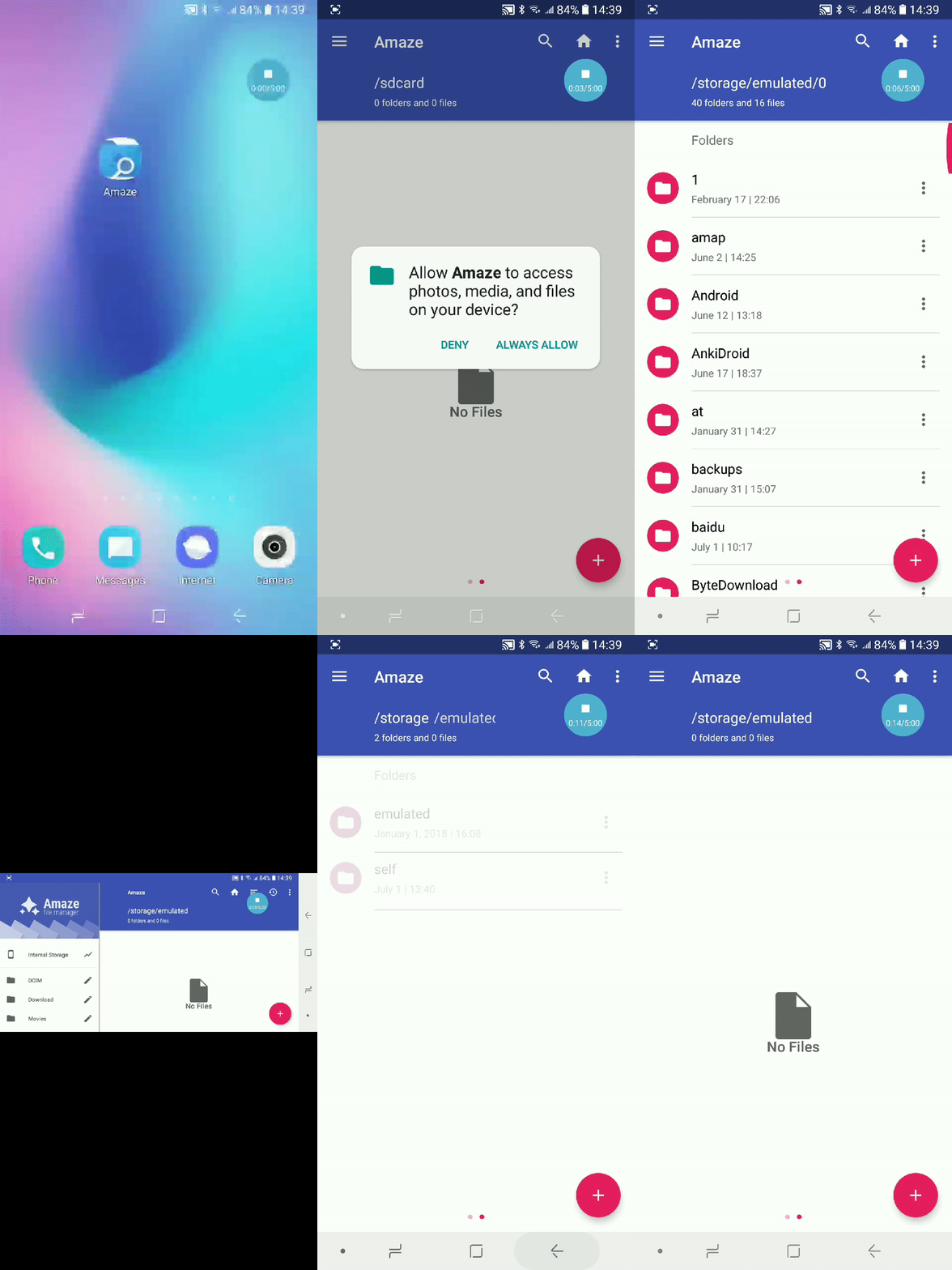
After giving storage permission normally, rotating the screen and clicking the back button will prevent you from using the app normally
To Reproduce
Steps to reproduce the behavior:
- Install and open AmazeFileManager
- Click on "ALWAYS ALLOW" to give storage permission
- Rotate the screen
- Click the back button of the phone
- The displayed file will be empty as if I didn't have storage access
Expected behavior
I can still see my files and use AmazeFileManager normally
Consequence
When this problem occurs, I will never see my files in AmazeFileManager no matter how I restart the application. I had to re install AmazeFileManager to record this error
Screenshots
Smartphone (please complete the following information):
- Device: galaxy a6s
- OS: Android 8.1.0
- Rooted: No
- Version: v3.4.3
Additional context
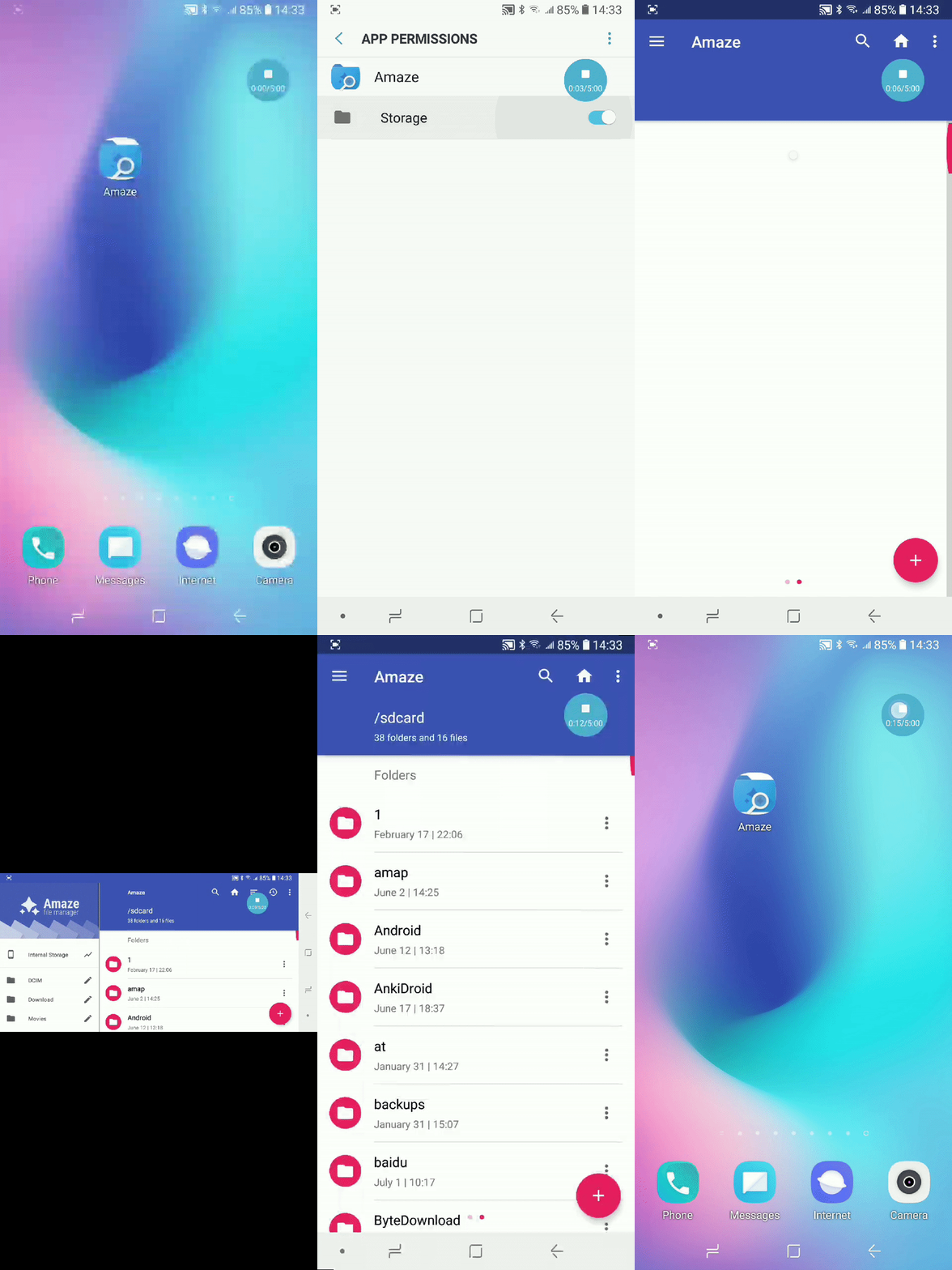
I also made some additional attempts. I found that if you manually open the storage permission of AmazeFileManager in the system settings before opening AmazeFileManager, this error will not occur, as shown below. Therefore, I think the reason for the error should be related to the permissions.
 sjl872964789
All 2 comments
Perhaps fixed by #1902? Please wait for the next 3.4 release which shall happen soon.
Although marked as duplicate, I'm leaving this open until the next 3.4 maintenance release is out.
 TranceLove
on 3 Jul 2020
TranceLove
on 3 Jul 2020
I think this is a separate issue. This happens for one more flow as well, I'll list it here.
Let me pick this up.
 VishalNehra
on 3 Jul 2020
VishalNehra
on 3 Jul 2020
Related issues
 organik1
·
5Comments
organik1
·
5Comments
 DoctorD90
·
3Comments
DoctorD90
·
3Comments
 TjrGithub
·
5Comments
TjrGithub
·
5Comments
 staltz
·
3Comments
staltz
·
3Comments
 spocko
·
4Comments
spocko
·
4Comments
Most helpful comment
I think this is a separate issue. This happens for one more flow as well, I'll list it here.
Let me pick this up.