Amazefilemanager: SFTP file support limited to a file at a time
Briefly: Thank you so much for the SFTP support, it helped remove the final external app blob I had left on my phone.
With that said, it's worth mentioning that I've been using it with a private key, and I have noticed an odd bug:
Behaviour:
- Go to SFTP directory, several directories in.
- Copy directory which contains multiple files.
- Paste directory to local storage.
- Notification pops up notifying the correct size and number of files which are downloading.
- Now, the part that is the issue: Only one file is downloaded, no other notification is given.
This is revision de2153d built using the installPlayDebug task.
 avuton
All 16 comments
@TranceLove Perhaps you would like to be tagged with this?
avuton
on 5 Jan 2018
This might be related to #887.
avuton
on 5 Jan 2018
I suppose so, solving #887 should help.
My tests:
Device: Oneplus One (Bacon) with CandyRom (7.1.2)
Case 1: copying a file worth 346MB (which guarantees copy time > 5 mins)
Progress dialog disappeared after started copying. It was still copying (as seen in network indicator), but was seen a DummyFile first
Case 2: Copy two folders at the same time, one with 150 files and one with 55 files
Same, progress dialog disappeared after start copying. Refresh the file list and network indicator proved copy was still in progress.
 TranceLove
on 6 Jan 2018
TranceLove
on 6 Jan 2018
@TranceLove I managed to pinpoint the problem. SFTP fails to get total size for directory. When being called FileUtils.getTotalBytes from CopyService and apparently other services too. When copying a file this isn't the case, and progress goes in smoothly. Can you please check and verify if HybridFile.folderSize returns correctly during copying?
 VishalNehra
on 10 Jan 2018
VishalNehra
on 10 Jan 2018
Result of HybridFile.folderSize for SFTP targets looks fine to me. I did made a little change to the codebase to delegate HybridFile.folderSize() to HybridFile.folderSize(context) just to be sure.
Server is running on Xenial, openssh version string OpenSSH_7.2p2 Ubuntu-4ubuntu2.2, OpenSSL 1.0.2g 1 Mar 2016.
See TranceLove/AmazeFileManager@df900b9d - since not officially a fix, so no PR was made yet.
TranceLove
on 10 Jan 2018
@TranceLove no success. Folder size shows up 0 bytes in properties dialog too, and copy progress also fails to show progress because of this.
Are you able to get progress for both files and folders?
Also, this is the debug output
01-11 12:07:44.678 17320-17934/com.amaze.filemanager D/DEBUG: Execute: du -b -s "/D:/Books"
01-11 12:07:44.702 17320-17936/com.amaze.filemanager D/DEBUG: Execute: du -b -s "/D:/Books"
VishalNehra
on 11 Jan 2018
Also, this is the debug output
01-11 12:07:44.678 17320-17934/com.amaze.filemanager D/DEBUG: Execute: du -b -s "/D:/Books"
01-11 12:07:44.702 17320-17936/com.amaze.filemanager D/DEBUG: Execute: du -b -s "/D:/Books"
Awch... Non-Linux servers. Very sorry about this, but for counting folder sizes I currently rely on results of UNIX commands on the remote. sshj itself doesn't provide methods to do this conveniently.
Maybe I can make some fallbacks if executing du fails, but most likely you'll get numbers like 4096, 20480, result of stat before I have a good way to iterate the directory structure recursively for total size.
However, even with Linux servers, it's true that I'm unable to get the progress for both files and folders - as said above, the progress disappeared right after copy started.
TranceLove
on 11 Jan 2018
Added TranceLove/AmazeFileManager@2c7da45 with FileUtils.folderSizeSftp(url). It is slow, it is not wise, but it might help in your case when du is not available or simply not running properly.
Please test to see if it's OK - if yes I'll pass it on as a PR.
However, with this added the progress dialog still goes away after copy started. :(
TranceLove
on 11 Jan 2018
Seems to be working fine with my fix applied from #916
See if those changes help fixing your bug on top of these changes.
Edit:
However, with this added the progress dialog still goes away after copy started. :(
👍 1
What do you mean by progress dialog. We're talking about notification progress here, right?
VishalNehra
on 11 Jan 2018
What do you mean by progress dialog. We're talking about notification progress here, right?
Oops, my bad.🙇🏻♂️
TranceLove
on 11 Jan 2018
So, did you get it working with #916 ?
VishalNehra
on 11 Jan 2018
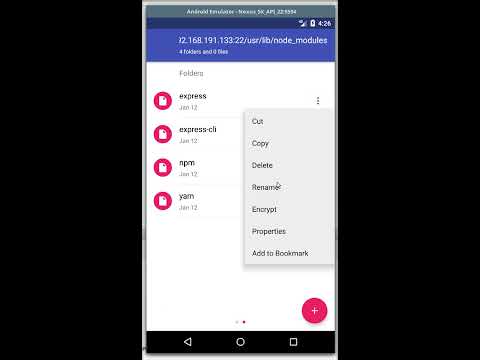
Got it working with #916, with a little glitch.
- No icon at the notification bar (or it's by design?)
- Two progress notifications
I recorded a test session on Lollipop emulator, below. Animated GIF costs 11.7MB, so I think hosting it on Youtube should make sense.
TranceLove
on 12 Jan 2018
This is strange. Is this always the case whenever you copy? Is it just for sftp or normal copy in internal memory faces this too?
VishalNehra
on 12 Jan 2018
Alright, it seems I messed up with notification ids in last commit when I was trying to change it to int from string. Will fix this. Anyways, major problem seem to be fixed now. So this issue can be closed.
VishalNehra
on 12 Jan 2018
Fixes in your PR? Add it as "Fixed" to close automagically.
 EmmanuelMess
on 12 Jan 2018
EmmanuelMess
on 12 Jan 2018
There is a similar problem that is selecting more than 1 file in a SFTP server, and then copying it locally, the first file gets copied correctly, and the notification hangs at the second file, and the copy operation does not continue further.
I'm using Amaze version 3.3.2 from f-droid
 bugnano
on 24 Sep 2019
bugnano
on 24 Sep 2019
Related issues
 mueller-ma
·
5Comments
mueller-ma
·
5Comments
 DoctorD90
·
3Comments
DoctorD90
·
3Comments
 kr-nahid
·
5Comments
kr-nahid
·
5Comments
 disdagithubacc
·
4Comments
disdagithubacc
·
4Comments
 organik1
·
4Comments
organik1
·
4Comments