Alt-tab-macos: Parallels Windows VM Apps don't show up
Parallels Windows VM Apps don't show up in the AltTab switcher (v3.2.1).
with the default macOS App Switcher you can see the App within an Parallels Windows 10 VM.
with the AltTab Switcher I can only see the Window of the VM.
 mrc247-DE
All 12 comments
Hi @mrc247-DE! Thank you for sharing this issue!
It's a bit hard for me to imagine what you are describing. Could you please share a screenshot so that it's easier to visualize?
Also, was this showing properly in the past, like in v2? I'm wondering if this is a regression or if it was never working.
 lwouis
on 25 Mar 2020
lwouis
on 25 Mar 2020
I can't make a Screenshot from the App Switcher, so instead I make a Photo. ;-)
In v2 the Parallels Apps was also not visible.

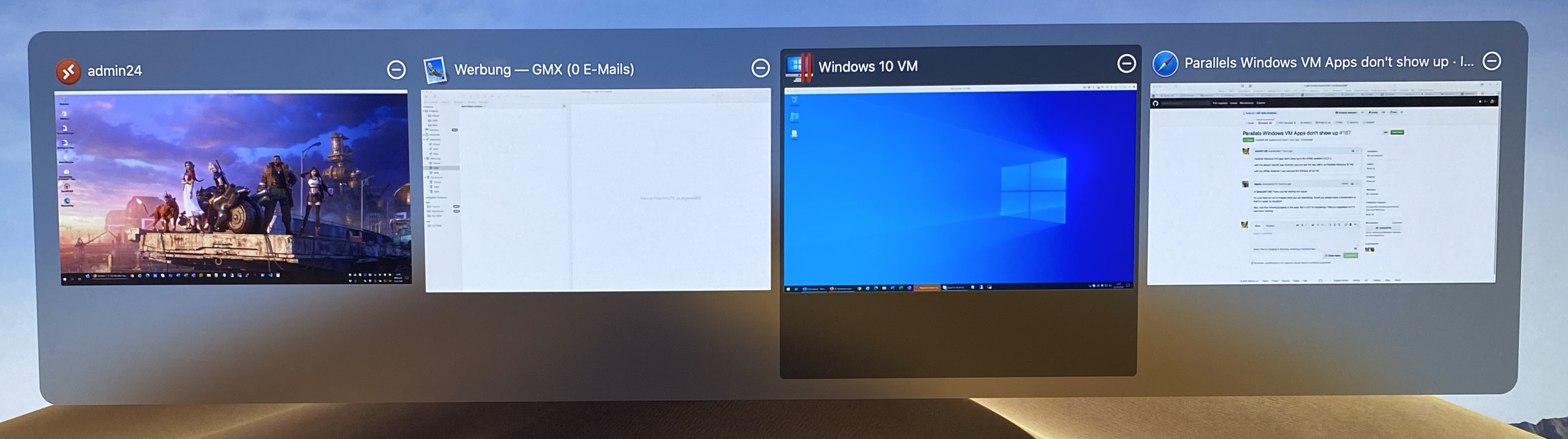
with the default macOS App Switcher you can see all App running under Windows, Like Outlook, Skype, MS Teams, Firefox.
This is my Corona Home Office Setup. ;-)
please excuse my google translator English. :-)
mrc247-DE
on 25 Mar 2020
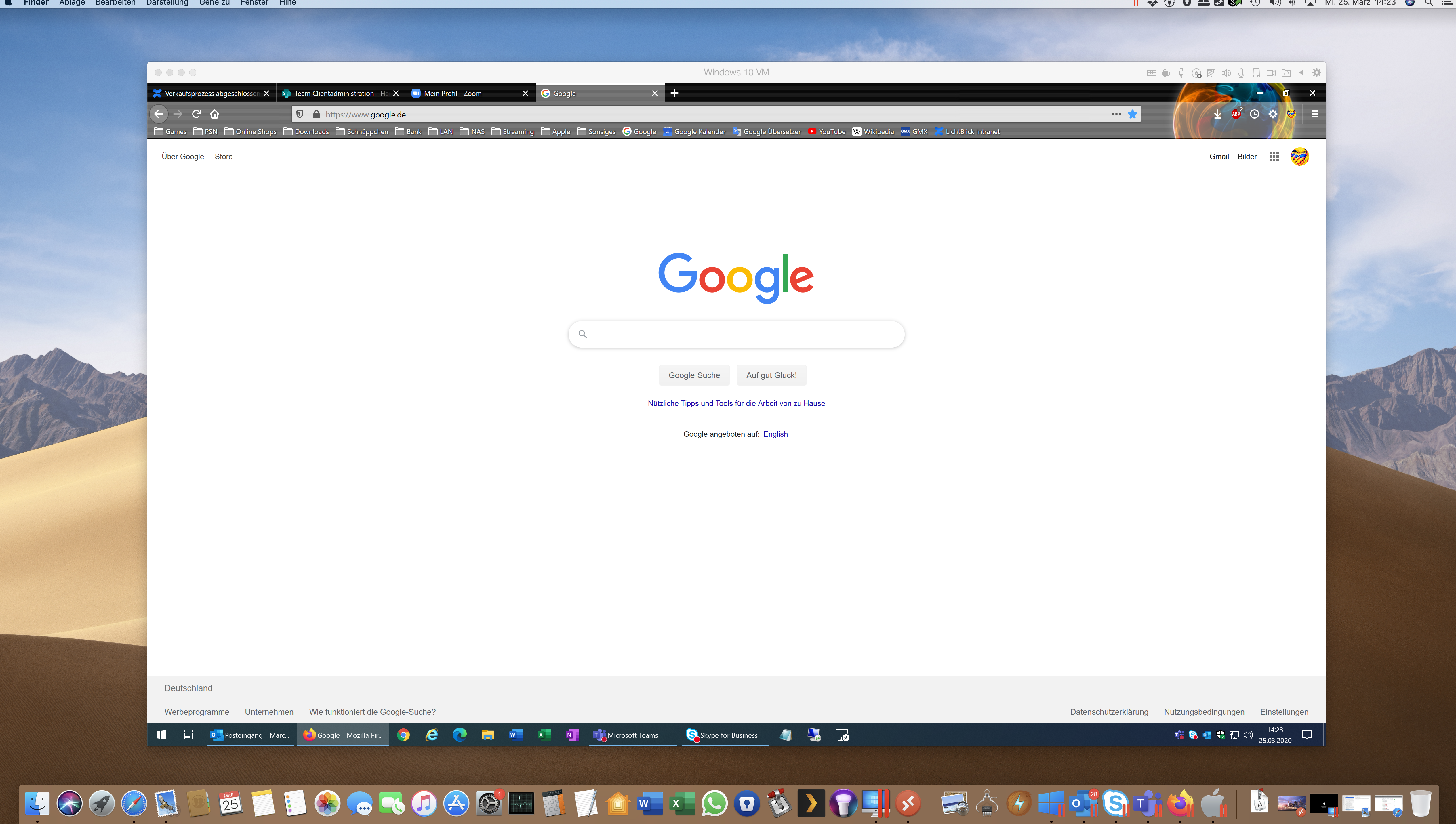
Could you show me how the missing windows look like? For example, the Firefox window?
I'm afraid it will be hard for me to reproduce this issue on my machine. I think Parallel is not free and i would also need to install Windows, get a license, etc. Mmm... not sure how to go forwards with this.
Maybe there is a demo version of Parallel i could use, and instead of Windows I could use a Linux VM for free?
lwouis
on 25 Mar 2020
all Icons with the Red Dashes are Apps running in an Parallels VM.
i think this is a very special case that affects only a few users like me. But it could have been that you quickly have an idea.
mrc247-DE
on 25 Mar 2020
Can you share a screenshot of the Firefox window? Not the app icon, but the full window. AltTab is showing thumbnails of windows, so i would like to see how the window not shown looks like
lwouis
on 25 Mar 2020
mrc247-DE
on 25 Mar 2020
It looks super custom! On the top left, there are 4 round circles for example. I'll see if i can download a demo + a Linux VM to debug and see what this custom windows looks like at the technical level
lwouis
on 25 Mar 2020
ok, don't waste your precious time on it. It works like this too. I love your tool and have been using it with enthusiasm for weeks. I just wanted to ask if you see a possibility or indicate that the "problem" exists.
mrc247-DE
on 25 Mar 2020
Parallel has a 14 days trial, so I could test with some Ubuntu image I had. To my surprise, it is showing in AltTab:
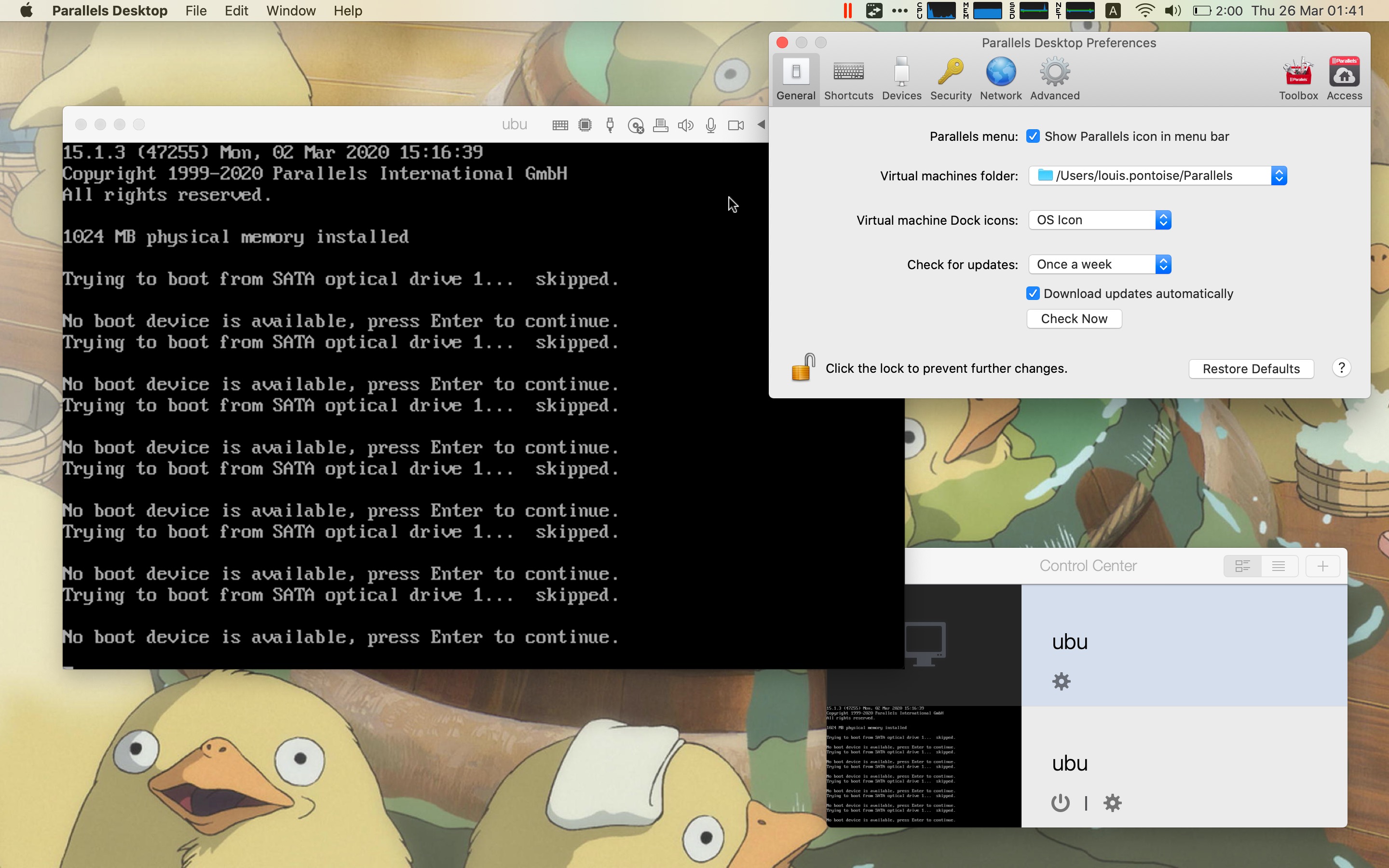
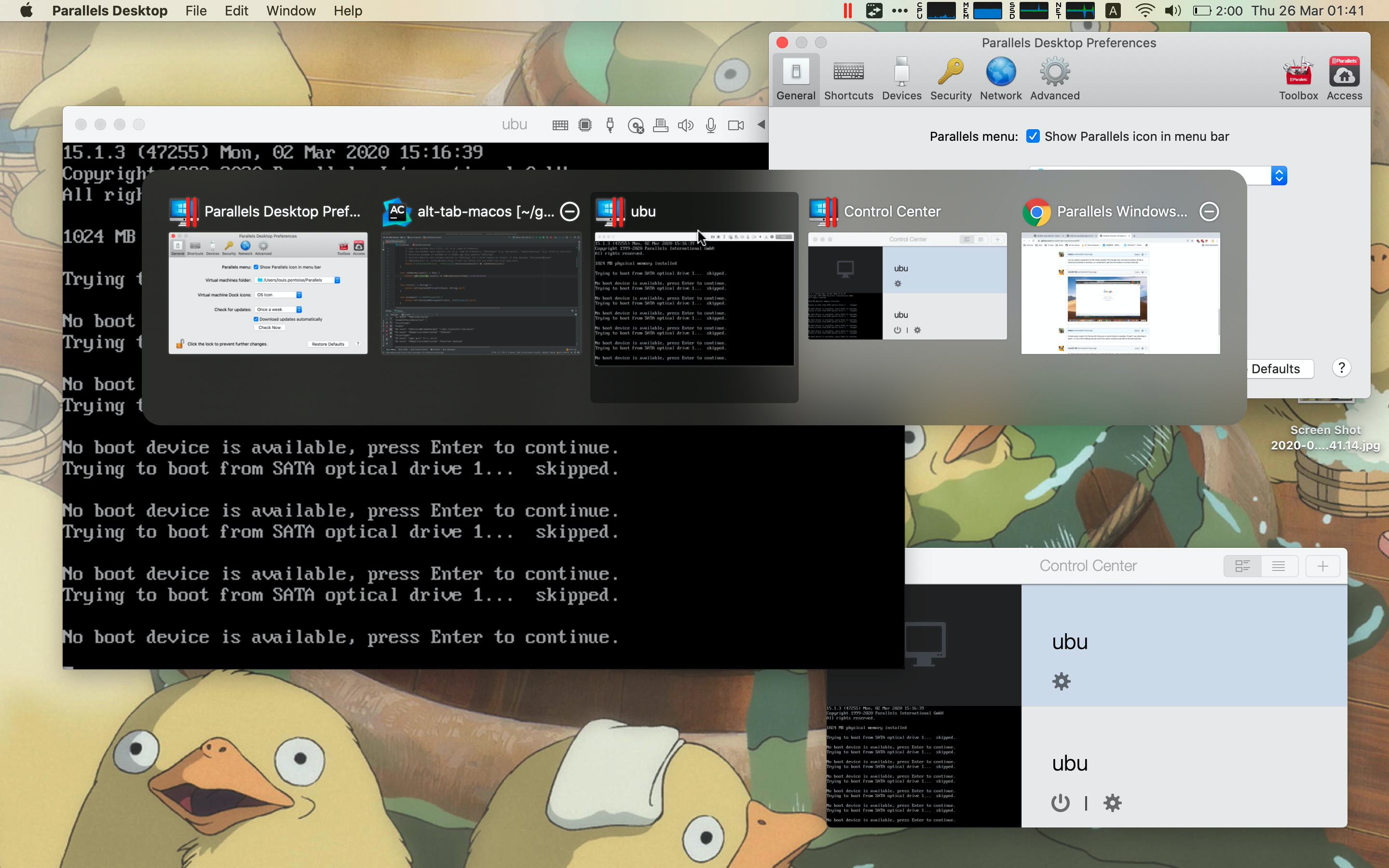
My Ubuntu window look really similar to your Windows 10 window. I also have the dedicated dock icon, and app-switcher icon:
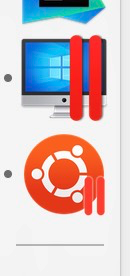
Could the issue be only happening for Windows 10?
lwouis
on 25 Mar 2020
I installed a free Windows 10 VM and was finally able to understand. You are using Parallel default mode. In that mode, the Windows 10 VM has one window which contains your Windows 10 environment. Parallel is making nice Dock icons, and app-switcher icons for each app that exists inside the Windows 10 VM, but these are just app icons. When you click one, it just focuses the Windows 10 window, and brings that app to the foreground. There is nothing AltTab can do here because Firefox is not a separate window. AltTab only shows you the full Windows 10 window.
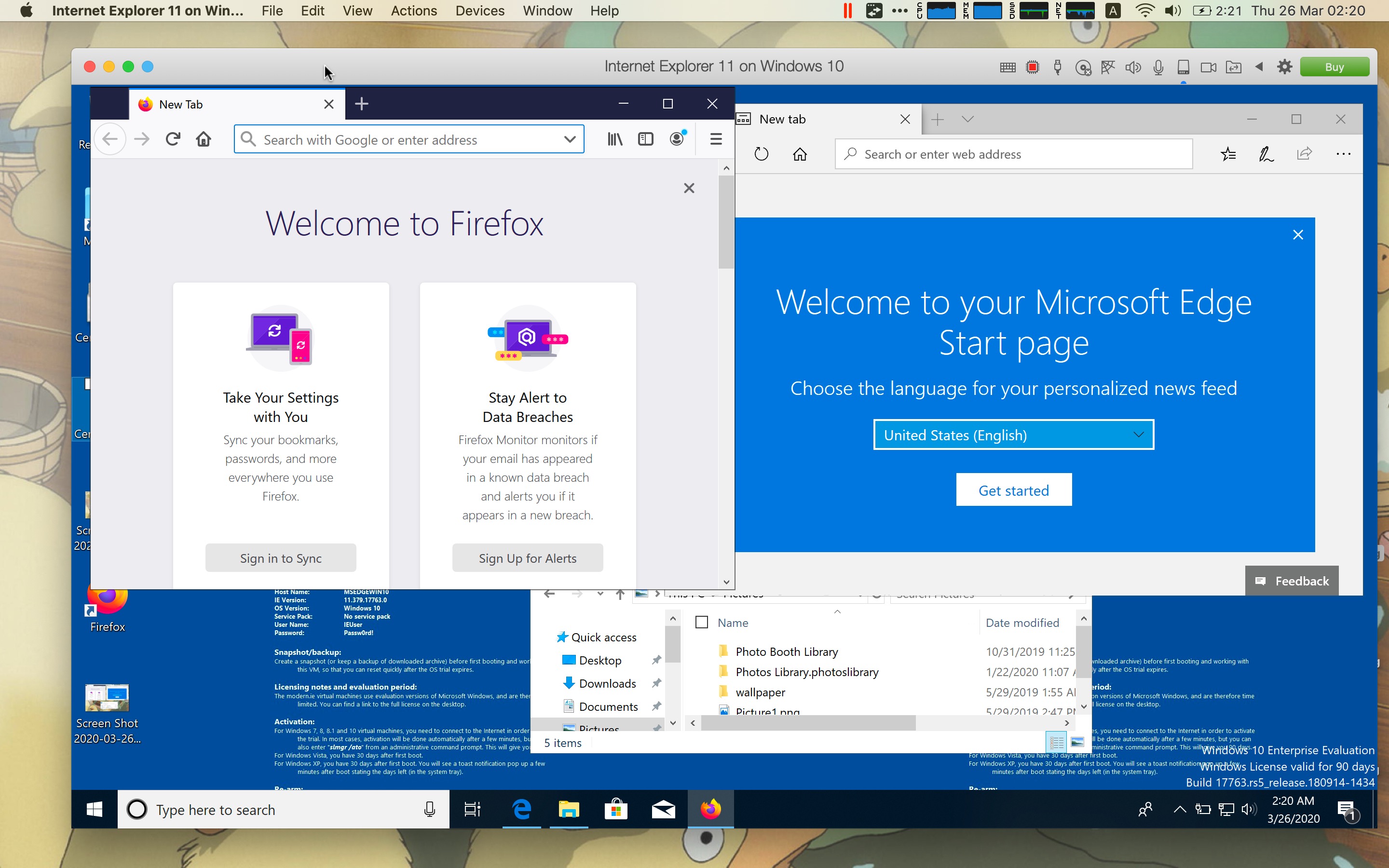
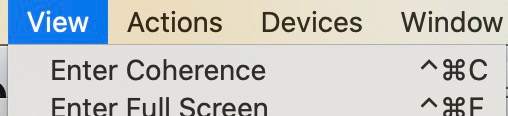
If you want to use AltTab to switch between Windows 10 windows while being on macOS, you can use Parallel Coherence feature:
In that mode, Parallel create 1 window for each open Windows 10 app:
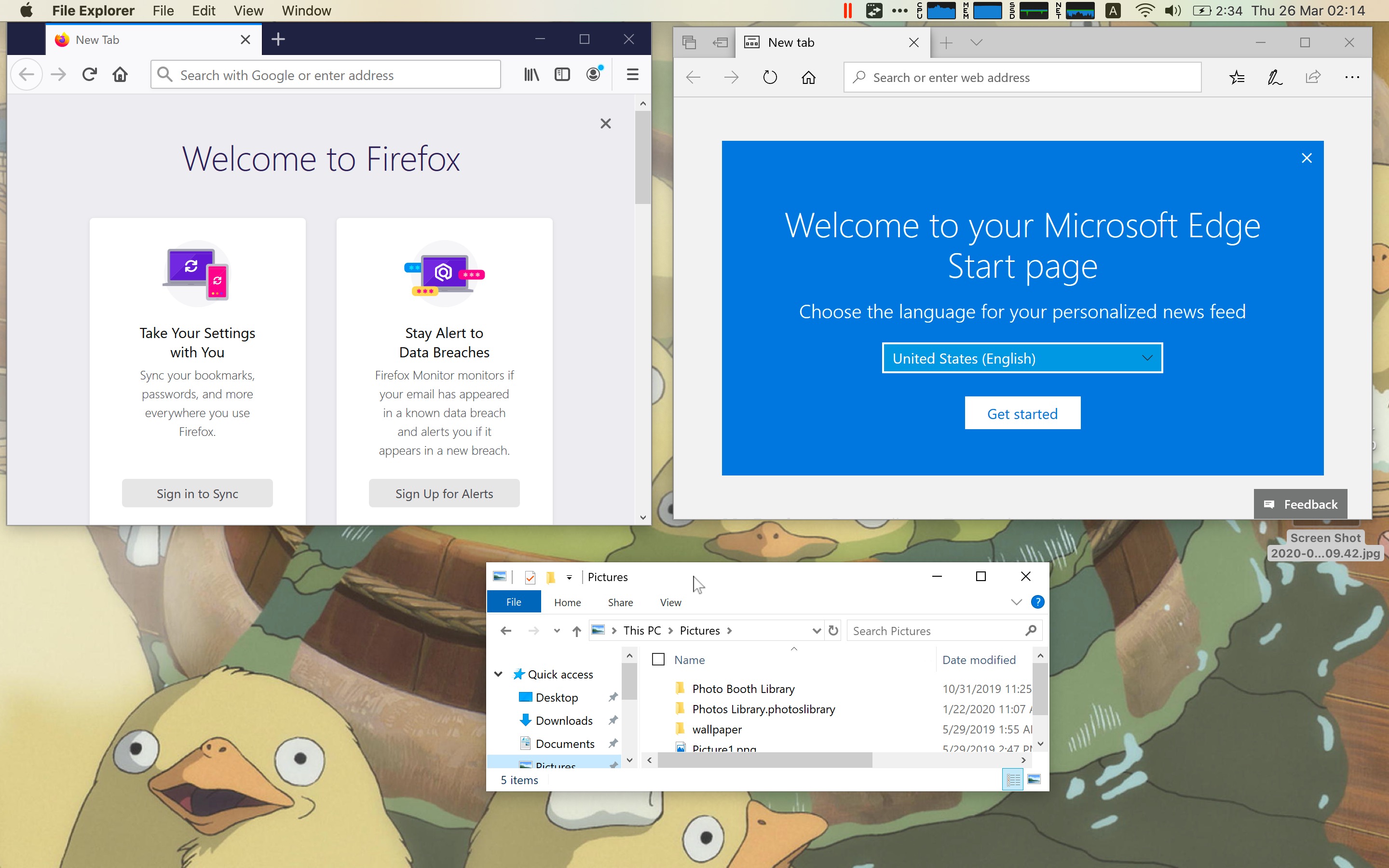
In that mode, AltTab will show you every window (since these are actual windows in macOS):
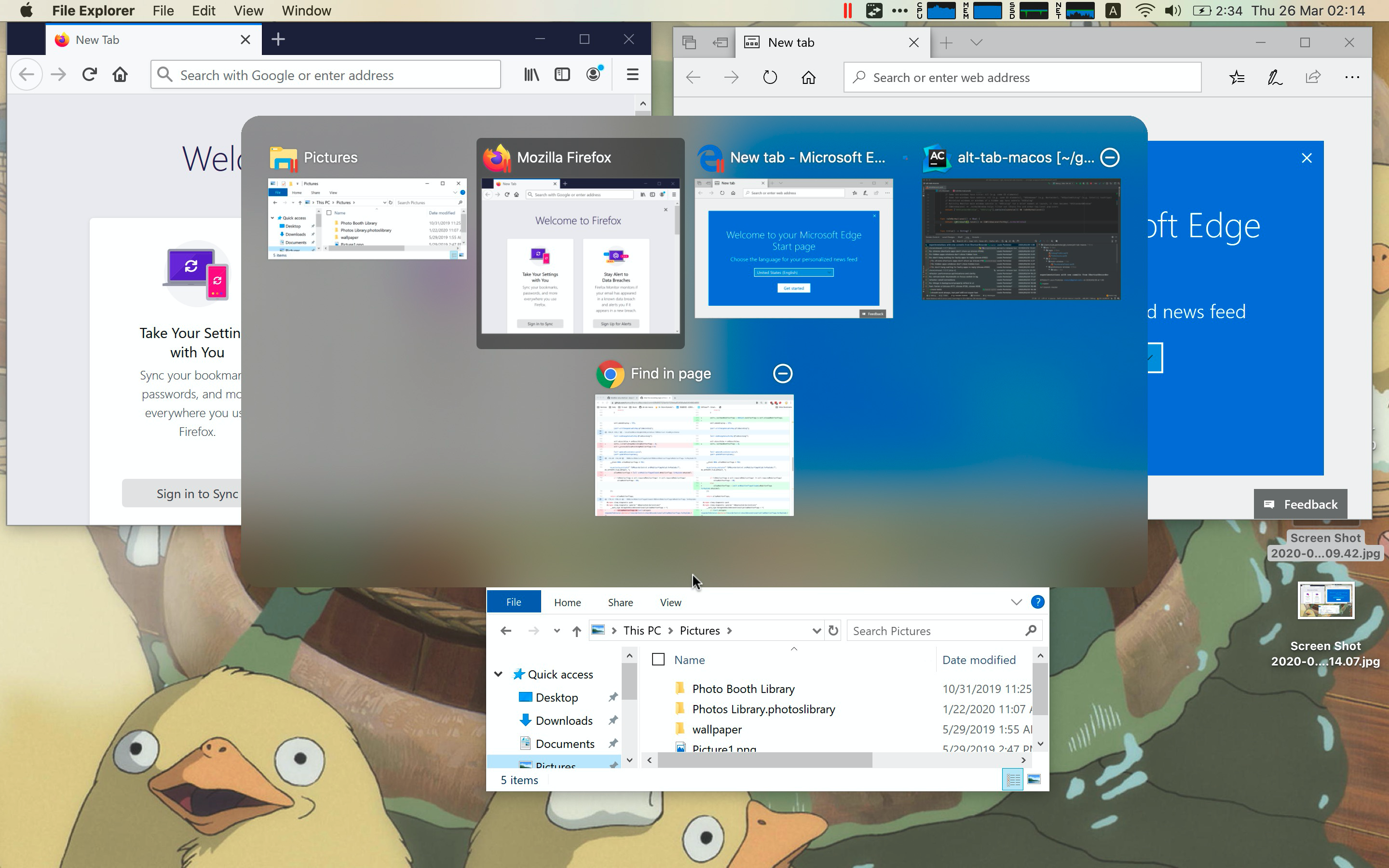
I hope I clarified the behavior of Parallel for you :)
lwouis
on 25 Mar 2020
I think I showed how it is not a bug of AltTab, but the way Parallel handles windows in general. If I missed something, please feel free to re-open this ticket! :)
lwouis
on 30 Mar 2020
thank you for all your work and explanations. :-)
In fact, I didn't use Paralles' Coherense mode. Thanks for pointing out that alt-tab works in Coherense mode. I just tried it and it works fine. Then I will use this mode and have to get used to the way I work. Thanks again for your help. :-)
mrc247-DE
on 31 Mar 2020
Related issues
 mfn
·
4Comments
mfn
·
4Comments
 boldandbusted
·
3Comments
boldandbusted
·
3Comments
 valentinocossar
·
3Comments
valentinocossar
·
3Comments
 johanan-daniel
·
6Comments
johanan-daniel
·
6Comments
 overseeing
·
4Comments
overseeing
·
4Comments