Almanac.httparchive.org: Add syntax highlighting capabilities
Authors sometimes include small code snippets to illustrate example usage. It would be nice to syntax highlight that for readability.
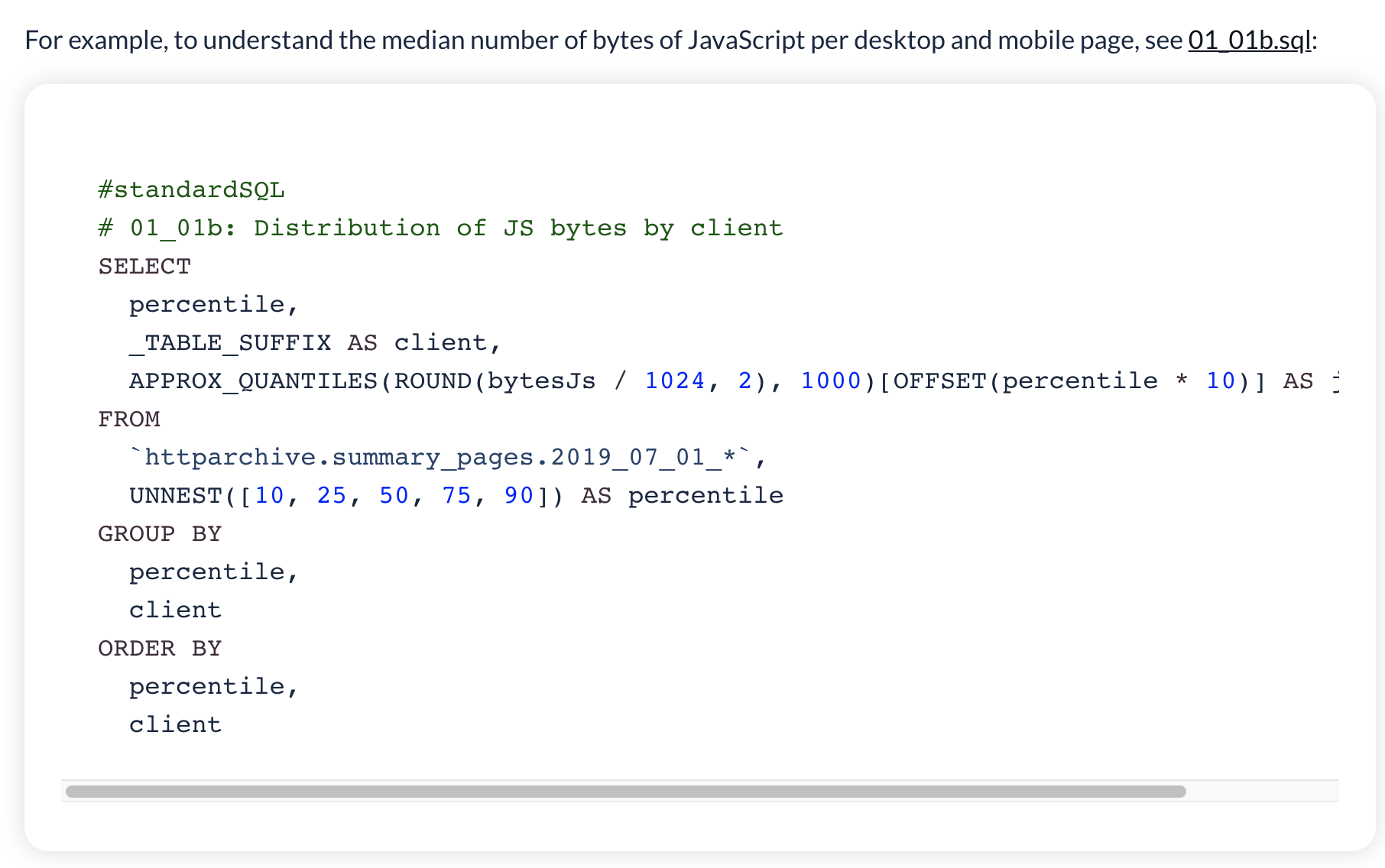
We do support a limited form and use it in the methodology page but it basically needs to be lovingly written by hand at the moment:
That may be sufficient for now but a nicer code formatter would be better so something to look at at some point.
@HTTPArchive/developers anyone any suggestions of a (lightweight!) third-party one?
 bazzadp
All 19 comments
The choices will depend on whether we want server-side preprocessing for syntax highlighting in the markup itself (which will include spans with specific classes around each token of the markup and will need either a CSS file or inline style) or a JavaScript-based solution that can be configured to look for code block and syntax highlight on the client-side.
 ibnesayeed
on 9 Nov 2020
ibnesayeed
on 9 Nov 2020
My preference would be server side for performance reasons.
bazzadp
on 9 Nov 2020
My preference would be server side for performance reasons.
I think Pygments is the go to Python library for server side syntax highlighting. There are many wrapper libraries that use it underneath to support in different environments.
ibnesayeed
on 9 Nov 2020
Can we do it at build time?
 rviscomi
on 9 Nov 2020
rviscomi
on 9 Nov 2020
Yes that's what I meant. Sorry I wasn't clear.
Think we also need to ask if we really need this? We do not have that much code and don't think we should be encouraging it too much - to me the Web Almanac is about analysing usage, not writing tutorials. So expect there to only be very small snippets here and there. Maybe just need to handle this like we do in Methodology and offer more manual options for this?
Just need to weight up code complexity versus benefits.
Either way I don't think this is a super critical issue, but a nice to have for future years.
bazzadp
on 9 Nov 2020
Yeah I don't expect that this would get much use, and I agree that it's probably better if it doesn't. If there's an easy off-the-shelf solution available, I'd still be open to it. But if it's any kind of maintenance or development hassle, we can forgo it.
rviscomi
on 9 Nov 2020
Hey everyone, may I know which scripting or languages we will need to support for syntax highlighting capabilities
 bharatagsrwal
on 20 Nov 2020
bharatagsrwal
on 20 Nov 2020
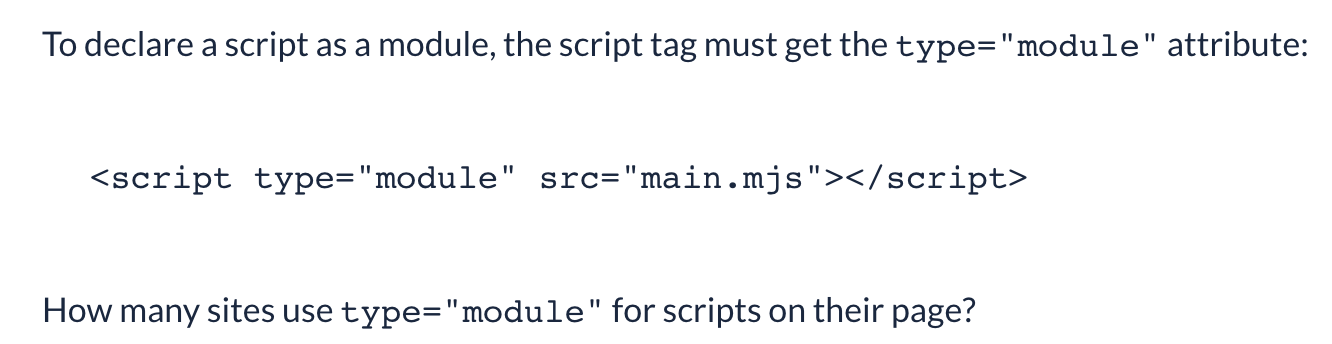
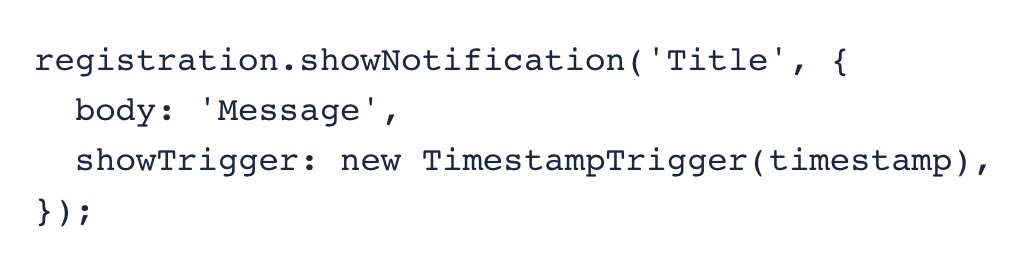
It's simple HTML, JS or CSS snippets. Though have one example of SQL.
Like this, from the 2019 JavaScript chapter:
Or this from the 2020 Capabilities chapter:
Here's an HTML example from the 2020 Markup Chapter
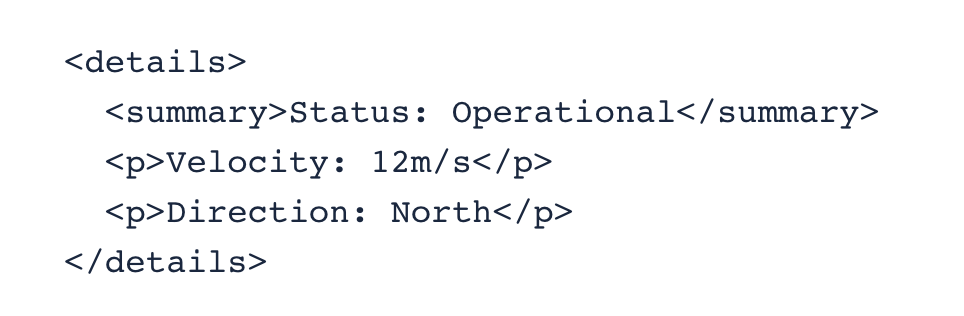
As you can see they are all really small snippets. So I'm weary of adding a huge library (especially during the front end!) just for these. though if we could do something during chapter generation so there's no load on the front end, then that might be OK. Alternatively we just add some more CSS and hand craft these manually?
We do that for the Methodology page:
Anyway lets brainstorm any ideas you might have here so we can weigh up the pros and cons of this, before we spend too much effort implementing something we might not want to accept into the code base.
bazzadp
on 20 Nov 2020
Okay, If its only HTML, CSS, and JS then, https://www.w3schools.com/howto/tryit.asp?filename=tryhow_syntax_highlight we can take help from this and can implement easily in the frontend itself, Have a look at it, might help us in achieving this
Or we can use Javascript libraries for this purpose, I think they won't affect much in performance we can use syntax highlighting in the frontend itself we can use https://craig.is/making/rainbows as this of 2.5KB
I think we have to load this for the first time and then we can cache this in the user browser for further use, as we cache app shell in PWA, so 2.5KB will be loaded for the first time and all request for this library can be served from the local cache
bharatagsrwal
on 20 Nov 2020
That rainbow one might work and looks like it can be called from node too so my preference would be to use that as part of generate_chapter.js to get it to add the classes to the HTML
And then I'd also manually add the highlighting needed to 2019.css rather than import another stylesheet just for this. I imagine we'd only use a few classes for JS, HTML, CSS and SQL.
bazzadp
on 20 Nov 2020
That rainbow one might work and looks like it can be called from node too so my preference would be to use that as part of
generate_chapter.jsto get it to add the classes to the HTMLAnd then I'd also manually add the highlighting needed to
2019.cssrather than import another stylesheet just for this. I imagine we'd only use a few classes for JS, HTML, CSS and SQL.
I completely agree with you @bazzadp there may be many CSS and JS which we are not going to use, that's why this rainbow thing is customizable also, so the languages which we are using, we can choose those only and it will include only that JS and CSS things.
as in the image, I selected a few only
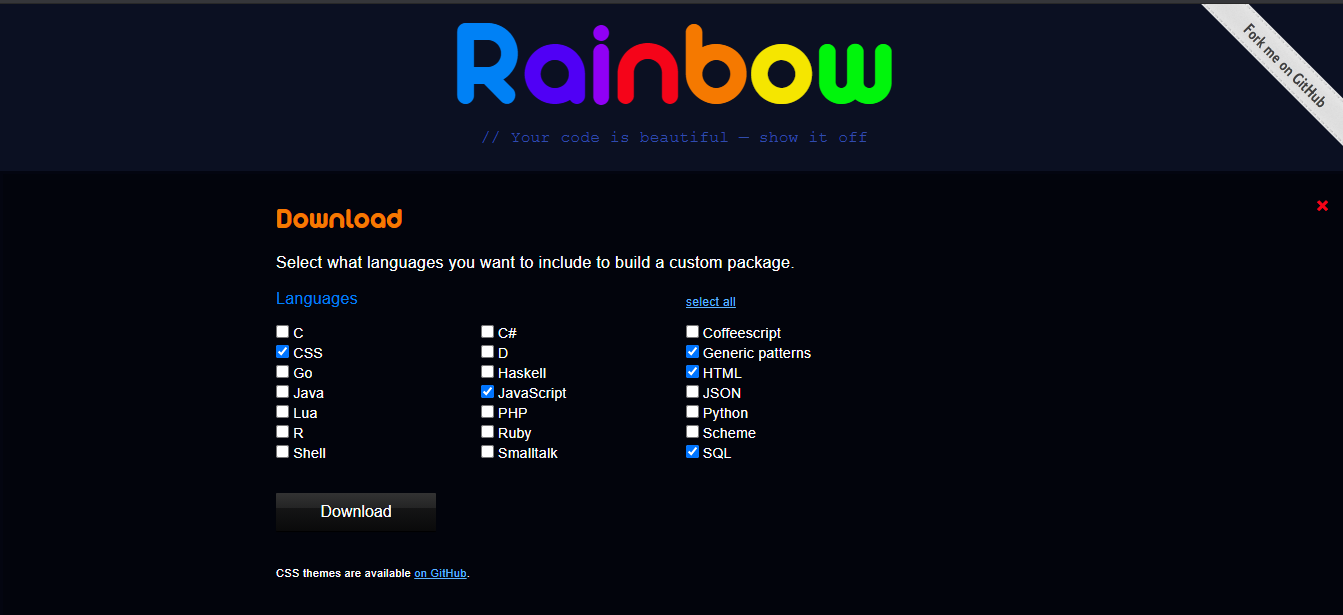
After Downloading Custom one

bharatagsrwal
on 20 Nov 2020
Our markdown converter (Showdown) already converts this:
to this:
<pre><code class="html language-html"><script type="module" src="main.mjs"></script></code></pre>
So we could do something like this in generate_chaper.js:
html = html = converter.makeHtml(markdown);
const dom = new JSDOM(html);
const html_snippets = dom.window.document.querySelectorAll('code.language-html').innerText;
htmlsnippets.forEach(function(html_snippet) {
const html_snippet_clean = html_snippet.replace(/</g, '<').replace(/>/g, '>')
const html_snippet_converted = rainbow.colorSync(html_snippet_clean, 'html');
html = html.replace(html_snippet, html_snippet_converted);
}
Which would add the classes in the generated HTML we serve server side.
Then no need for client side JS at all!
And then we add the appropriate styling to 2019.css
Then we do similar for javascript:
const js_snippets = dom.window.document.querySelectorAll('code.language-js').innerText;
js_snippets.forEach(function(js_snippet) {
const js_snippet_clean = htmlsnippet.replace(/</g, '<').replace(/>/g, '>')
const js_snippet_converted = rainbow.colorSync(js_snippet_clean, 'js');
html = html.replace(js_snippet, js_snippet_converted);
}
And CSS and SQL...etc.
Obviously would want to move this into a function and loop through each language, so not writing the same code multiple times but you get the point hopefully.
bazzadp
on 20 Nov 2020
Yes, @bazzadp I got your point, so should we give it a try?
bharatagsrwal
on 20 Nov 2020
Go for it!
bazzadp
on 20 Nov 2020
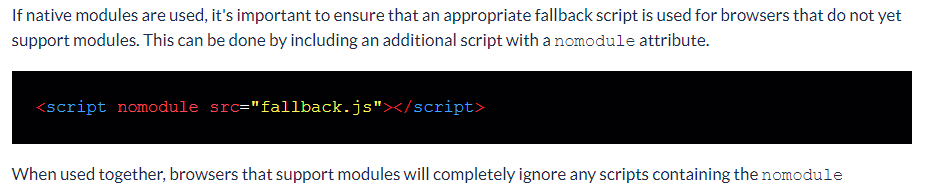
For which one should I go with
or

or

the second one more looks like GitHub so I was thinking of that, what are your views on that?
bharatagsrwal
on 23 Nov 2020
I thought we'd agreed to do this as part of the site build above? So we don't need to include the JS at all client side, as the conversion will have already been done well before that.
Just need to add to src/package.json so it's included in npm install and then include the code from src/generate/generate_chapters.js.
bazzadp
on 23 Nov 2020
I thought we'd agreed to do this as part of the site build above? So we don't need to include the JS at all client side, as the conversion will have already been done well before that.
Just need to add to
src/package.jsonso it's included innpm installand then include the code fromsrc/generate/generate_chapters.js.
Yap that's what I did and added its CSS to static folder
this is the code in generate_chapters.js
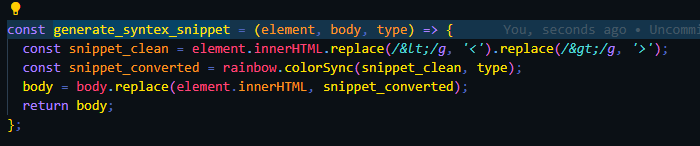
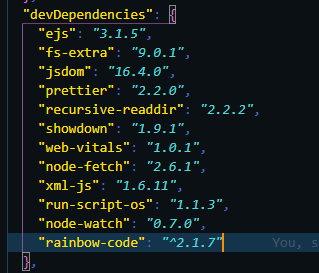
something like that, I was asking about the theme we should use, as I find these 3 theme good
bharatagsrwal
on 23 Nov 2020
OK so no need to include the JS in the page then as won't be run again then.
As to what theme to use, that's an interesting question! Will need to have a look. But my thoughts are to include whatever theme's CSS directly in the 2019.css file, rather than have another CSS file dependency (however light it is). Also means we can customise it as much as we want so don't have to use the exact theme they have.
bazzadp
on 23 Nov 2020
I have created a pull request https://github.com/HTTPArchive/almanac.httparchive.org/pull/1574, please check it once.
bharatagsrwal
on 25 Nov 2020
Related issues
 MSakamaki
·
6Comments
rviscomi
·
6Comments
MSakamaki
·
6Comments
rviscomi
·
6Comments
 AymenLoukil
·
4Comments
bazzadp
·
3Comments
ibnesayeed
·
5Comments
AymenLoukil
·
4Comments
bazzadp
·
3Comments
ibnesayeed
·
5Comments