Ale: Linting with Ruby Brakeman has major performance problems
Today I installed ALE and tried it out while working on a 50k line Ruby on Rails application. After working for a while my computer became extremely slow and unresponsive. Checking htop I saw that I had tens of instances of Brakeman each scanning the project, swallowing up all my CPU & RAM.
Brakeman is a security static analysis tool that slowly inspects an entire project rather than quickly linting a single file. I would suggest that it's not suitable for use with ALE and should be disabled by default, and if enabled there should only be one instance run at a time.
Cheers,
Louis
 lpil
lpil
All 8 comments
If it's a problem for you, then disable it.
 w0rp
on 4 Aug 2017
w0rp
on 4 Aug 2017
Just about anything can be "too slow." ALE checks files with just about anything available by default, and then you can disable things you don't want. "Too slow" is pretty relative.
w0rp
on 4 Aug 2017
Could we at least limit the number of concurrent processes? The default settings make this happen:
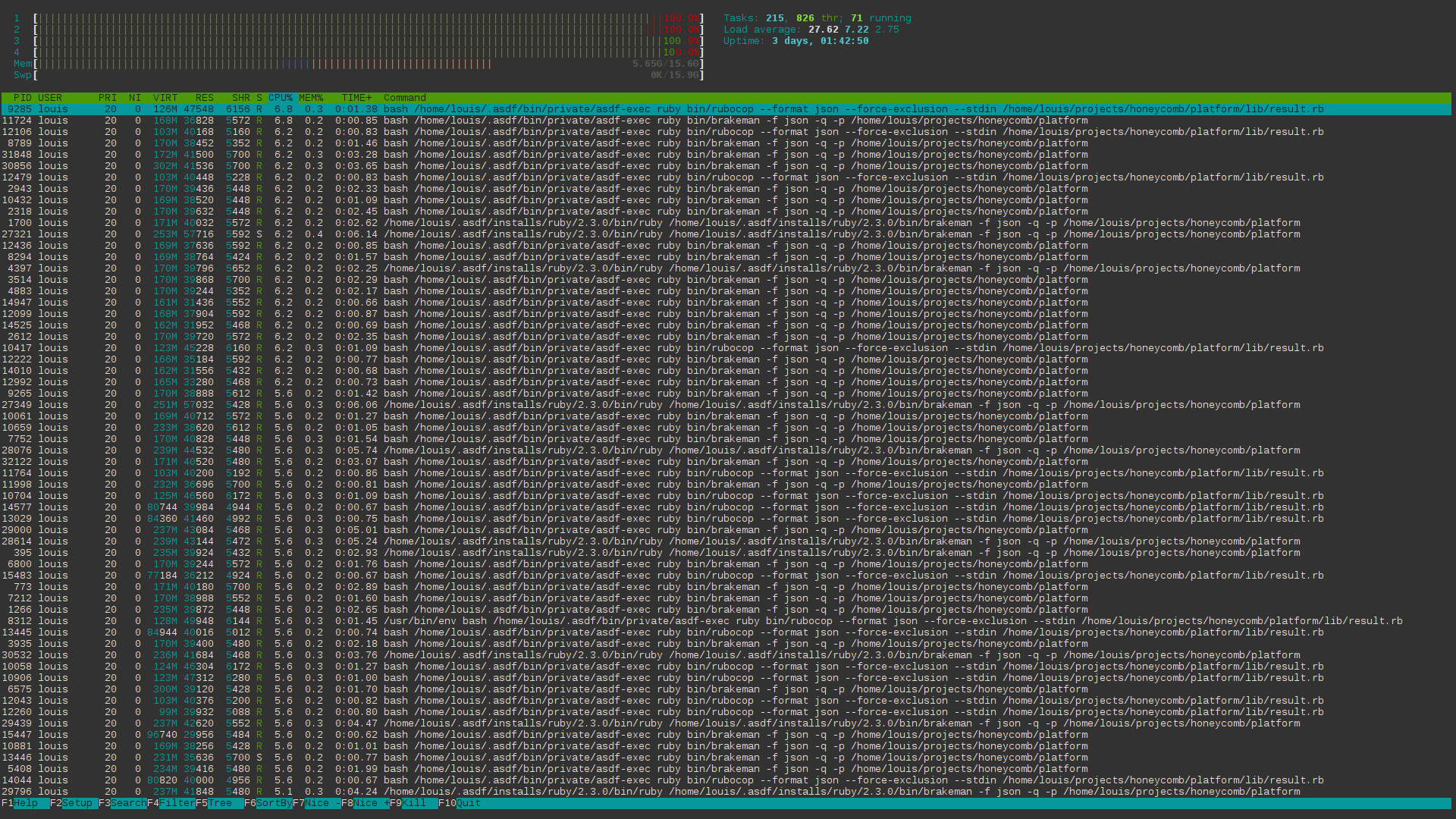
I've 4 CPUs yet the linting has resulted in a load of 27.
lpil
on 4 Aug 2017
https://github.com/w0rp/ale#5xi-will-this-plugin-eat-all-of-my-laptop-battery-power See here.
If your program is too slow, you can change the delay, disabling linting while you type, or turn it off completely.
w0rp
on 4 Aug 2017
I was having this problem with linting disabled while I type.
lpil
on 4 Aug 2017
Turn brakeman off then. If it's too expensive to run while you edit, run it manually from the command line.
w0rp
on 4 Aug 2017
I have, I'm suggesting it might be better to make it opt-in rather than opt-out as by default it can flood a top end processor in a few minutes. Quite unexpected and undesirable :)
lpil
on 4 Aug 2017
No.
w0rp
on 4 Aug 2017
Related issues
 arthuryangcs
·
4Comments
arthuryangcs
·
4Comments
 ilyakopy
·
4Comments
ilyakopy
·
4Comments
 chauncey-garrett
·
3Comments
chauncey-garrett
·
3Comments
 sublee
·
3Comments
sublee
·
3Comments
 EdmundsEcho
·
3Comments
EdmundsEcho
·
3Comments