Al: Media not visible on Lists (No proper Blob replacement)
Describe the bug
Using a Media-field on a page, will be ignored on a list/repeater.
Due to blob with subtype Bitmap is depreciated, it should be expected to have the same functionality with Media.
Using a Blob with subtype Bitmap on a page field is deprecated. Instead use the Media/MediaSet data types.
AL(AW0009)
Background:
We have a color which can be selected from a list.
Using a TableRelation won´t show the picture/color on the LookUp either, until you go "Advanced" and open the complete list.
So you code the lookup yourself, which implies using a
Page.Runmodal() == Action::LookupOK
This prevents the user from changing the list to Brick-View (_which is capable of showing Media_).
All in all, there is no workaround or alternative to give the user the same experience as he got before.
There are plenty of other use cases from the past, like status icons on rows, progressbars, signal lights, prioritization by color, etc.
To Reproduce
- Create a Table with a PK and a "Media" field.
- Create a Page type "List" with a repeater and both fields.
- Import a picture into the Media-field.
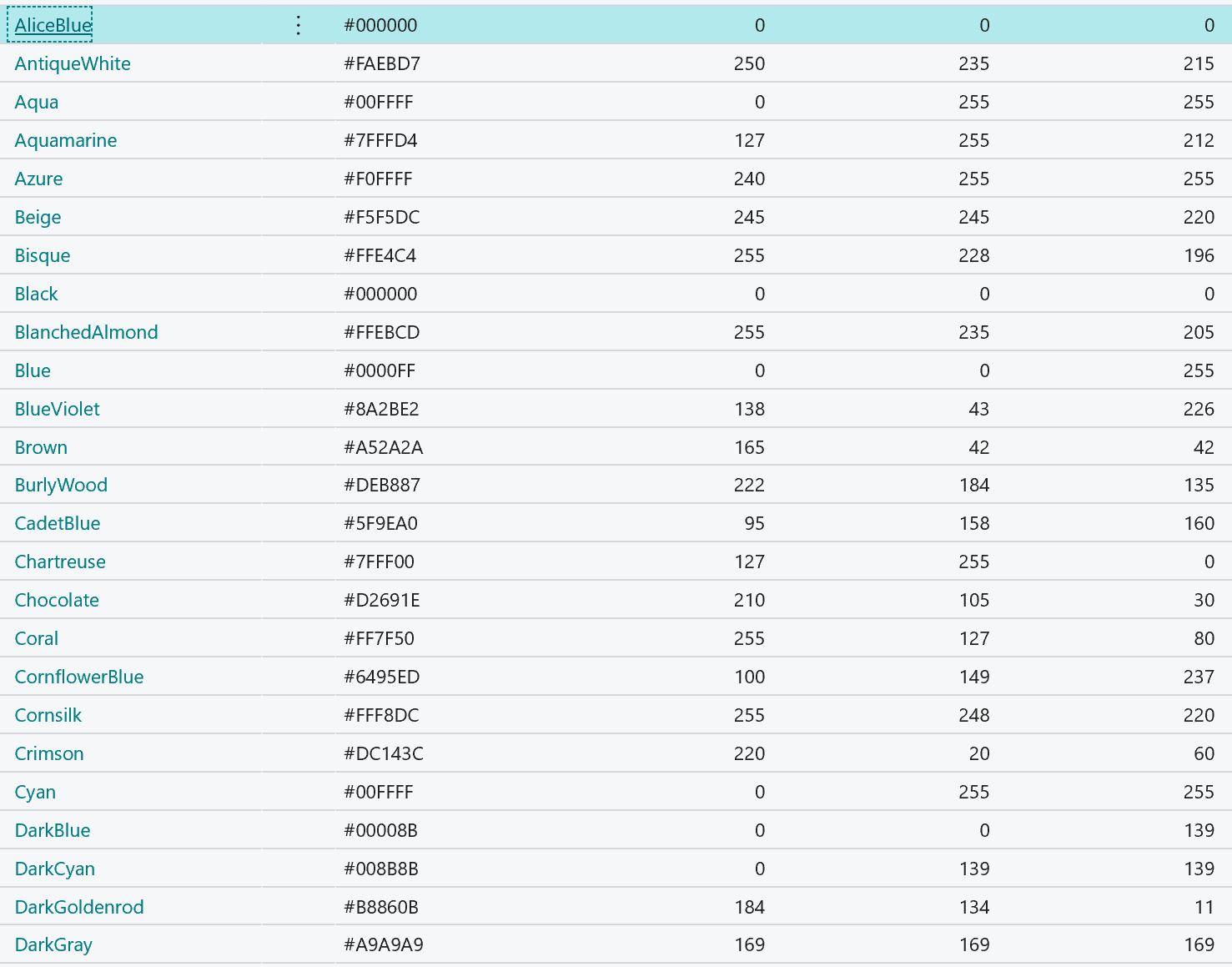
- Show List and don´t see any image.
AL Code
Table:
table 50000 "Color palette"
{
    Caption = 'Color palette';
    LookupPageId = "Color palette";
    DrillDownPageId = "Color palette";
    DataClassification = SystemMetadata;


    fields
    {
        field(1; "Color code"; Text[20])
        {
            Caption = 'Color code';
            Description = 'PK';
            DataClassification = SystemMetadata;
        }
        field(5; Hexcode; Text[7])
        {
            Caption = 'Hexadecimal';
            DataClassification = SystemMetadata;
            trigger OnValidate();
            begin
                CreateIntValues();
            end;
        }
        field(9; "Color Preview Blob"; Blob)
        {
            Caption = 'Color Preview';
            Subtype = Bitmap;
            DataClassification = SystemMetadata;
        }

        field(10; "Color Preview"; Media)
        {
            Caption = 'Color Preview';
            DataClassification = SystemMetadata;
        }
        field(11; "Color Preview GUID"; Guid)
        {
            Caption = 'Color Preview Media GUID';
            DataClassification = SystemMetadata;
        }
    }

    keys
    {
        key(PK; "Color code")
        {
            Clustered = true;
        }
    }
    fieldgroups
    {
        fieldgroup(Dropdown; "Color code", "Color Preview Blob", Hexcode)
        {
        }
        fieldgroup(Brick; "Color code", "Color Preview", Hexcode)
        {
        }
    }
}
Page:
```
page 50000 "Color palette"
{
Caption = 'Color Palette';
LinksAllowed = false;
PageType = List;
ApplicationArea = All;
UsageCategory = Administration;
SourceTable = "Color palette";
Editable = false;
DeleteAllowed = false;
InsertAllowed = false;
ModifyAllowed = false;
layout
{
    area(Content)
    {
        repeater(GroupName)
        {
            field(ColorCode; "Color code")
            {
                ToolTip = 'Specifies the color code of the code palette.';
                ApplicationArea = All;
                ShowMandatory = true;
                Importance = Promoted;
            }
            // Media is not shown in a list view. And Tiles-/Brickview cannot be selected in a lookup.
            field(ColorPreviewBlob; "Color Preview Blob")
            {
                ToolTip = 'Specifies a preview of the color, according to the RGB or Hexadecimal value.';
                Importance = Promoted;
                Visible = false;
                ApplicationArea = All;
            }
            field(ColorPreview; "Color Preview")
            {
                ToolTip = 'Specifies a preview of the color, according to the RGB or Hexadecimal value.';
                Importance = Promoted;
                Visible = true;
                ApplicationArea = All;
            }
        }
    }
}
}
```
Expected behavior
As a replacement for a picture-blob, the media should have the exact behaviour and be displayed on a repeater/list.
Alternatively it should be possible to force a page to brick-view, even on RunModal().
Screenshots
BLOB subtype Bitmap (_depreciated_):

Media:
5. Versions:
- AL Language: 4.0.191880
- Business Central: DE Business Central 15.2 (Platform 15.0.37547.0 + Application 15.2.37556.0)
 HerrRiebmann
All 8 comments
Hi @HerrRiebmann, could you please provide the CreateIntValues() method implementation, otherwise the code is not compiling and we can not get a repro. Thanks.
 AndreyKorepanov
on 29 Oct 2019
AndreyKorepanov
on 29 Oct 2019
Oh, sorry! I´ve overseen that, simplifying the code, to reduce it to the mandatory minimum.
It is just a check if it´s a valid hexadecimal value. And if you want to use it for initializing the color, rather then importing an image yourself, uncomment the last line and add the CreateColor()-Function + Codeunit.
 var
        HexValueToShortErr: Label 'The Hexadecimal-value must be at least 6 chars long.';
local procedure CreateIntValues()
    begin
        IF (Hexcode <> '') AND (Hexcode <> xRec.Hexcode) THEN BEGIN
            IF Hexcode[1] <> '#' THEN
                Hexcode := COPYSTR('#' + Hexcode, 1, MaxStrLen(Hexcode));
            IF STRLEN(Hexcode) < 7 THEN
                ERROR(HexValueToShortErr);
            Hexcode := COPYSTR(UPPERCASE(Hexcode), 1, MaxStrLen(Hexcode));
            //CreateColor();
        END;
    end;
Optional function to create color by hexcode (f.e. #F0FFFF)
local procedure CreateColor()
    var
        BitmapCreator: Codeunit "Bitmap Creator";
        OStream: OutStream;
        IStream: InStream;
    begin
        "Color Preview Blob".CreateOutStream(OStream);
         BitmapCreator.CreateImageByHex(OStream, Hexcode );
        "Color Preview Blob".CreateInStream(IStream);
        "Color Preview GUID" := "Color Preview".ImportStream(IStream, "Color code" + '.bmp');
    end;
Optional CodeUnit to create Bitmaps directly inside a blob:
codeunit 50000 "Bitmap Creator"
{
    var
        DigitsTxt: Label '0123456789ABCDEF',
        Locked = true;
        ImageWidth: Integer;
        ImageHeight: Integer;

    PROCEDURE SetImageSize(Height: Integer; Width: Integer);
    BEGIN
        ImageWidth := Width;
        ImageHeight := Height;
    END;

    procedure Hex2Int(HexValue: Text[7]) IntValue: Integer;
    var
        I: Integer;
    begin
        WHILE HexValue <> '' DO BEGIN
            IntValue := IntValue * 16;
            I := STRPOS(DigitsTxt, COPYSTR(HexValue, 1, 1)) - 1;
            IntValue += I;
            HexValue := COPYSTR(HexValue, 2, MaxStrLen(HexValue));
        END;
    end;

    procedure Int2Hex(IntValue: Integer) HexValue: Text[7];
    begin
        REPEAT
            HexValue := COPYSTR(COPYSTR(DigitsTxt, (IntValue MOD 16) + 1, 1) + HexValue, 1, MaxStrLen(HexValue));
            IntValue := (IntValue - (IntValue MOD 16)) / 16;
        UNTIL IntValue = 0;
        IF STRLEN(HexValue) = 1 THEN
            HexValue := CopyStr('0' + HexValue, 1, MaxStrLen(HexValue));
    end;

    local procedure ConvertIntToChar(ColorInt: Integer) ColorChar: Char;
    var
        TempBlob: Codeunit "Temp Blob";
        OStream: OutStream;
        IStream: InStream;
    begin
        TempBlob.CreateOutStream(OStream);
        OStream.Write(ColorInt, 4);
        TempBlob.CreateInStream(IStream);
        IStream.Read(ColorChar, 1);
    end;

    PROCEDURE CreateImageByHex(VAR ImageOutStream: OutStream; HexValue: Text[7]);
    VAR
        RedChr: Char;
        GreenChr: Char;
        BlueChr: Char;
    BEGIN
        // Remove leading Hashtag
        IF HexValue[1] = '#' THEN
            HexValue := COPYSTR(HexValue, 2, MaxStrLen(HexValue));

        HexValue := COPYSTR(UPPERCASE(HexValue), 1, MaxStrLen(HexValue));

        // Exit if contains unknown chars:
        IF STRLEN(DELCHR(HexValue, '=', DigitsTxt)) > 0 THEN
            EXIT;
        IF STRLEN(HexValue) <> 6 THEN
            EXIT;

        // Convert Hex To Int
        RedChr := Hex2Int(COPYSTR(HexValue, 1, 2));
        GreenChr := Hex2Int(COPYSTR(HexValue, 3, 2));
        BlueChr := Hex2Int(COPYSTR(HexValue, 5, 2));

        CreateImageByRGB(ImageOutStream, RedChr, GreenChr, BlueChr);
    END;

    PROCEDURE CreateImageByRGB(VAR ImageOutStream: OutStream; Red: Integer; Green: Integer; Blue: Integer);
    VAR
        CharInt: Char;
        HeightLoop: Integer;
        WidthLoop: Integer;
        ChainFiller: Integer;
        RedChr: Char;
        GreenChr: Char;
        BlueChr: Char;
    BEGIN
        IF ImageWidth <= 0 THEN
            ImageWidth := 50;
        IF ImageHeight <= 0 THEN
            ImageHeight := 32;

        // For padding unequal sized Bitmaps only
        CharInt := 0;

        IF Red < 0 THEN
            Red := 0;
        IF Red > 255 THEN
            Red := 255;
        IF Green < 0 THEN
            Green := 0;
        IF Green > 255 THEN
            Green := 255;
        IF Blue < 0 THEN
            Blue := 0;
        IF Blue > 255 THEN
            Blue := 255;

        CreateBMPHeader(ImageOutStream, ImageWidth, ImageHeight);

        // Has to be converted if int-value is greater than 128.
        // The according char is not part of stock codepage, which makes nav
        // raising the size of this char from 1byte to 4 byte.
        // So this function cuts off the last 3 byte, again.
        RedChr := ConvertIntToChar(Red);
        GreenChr := ConvertIntToChar(Green);
        BlueChr := ConvertIntToChar(Blue);

        FOR HeightLoop := 1 TO ImageHeight DO BEGIN
            FOR WidthLoop := 1 TO ImageWidth DO BEGIN
                ImageOutStream.WRITE(BlueChr, 1);
                ImageOutStream.WRITE(GreenChr, 1);
                ImageOutStream.WRITE(RedChr, 1);
            END;
            // Adding 0 bytes if needed - line end
            FOR ChainFiller := 1 TO (ImageWidth MOD 4) DO
                ImageOutStream.WRITE(CharInt, 1);
        END;
    END;

    local procedure CreateBMPHeader(VAR OutputStream: OutStream; Width: Integer; Height: Integer)
    var
        CharInt: Char;
    begin
        // http://en.wikipedia.org/wiki/BMP_file_format - BMP header w/o any tricks

        // Windows 3.1x, 95, NT, ... etc.
        CharInt := 'B';
        OutputStream.WRITE(CharInt, 1);
        CharInt := 'M';
        OutputStream.WRITE(CharInt, 1);

        // The size of the BMP file in bytes
        OutputStream.WRITE(54 + Height * Width * 3, 4);

        // Reserved; actual value depends on the application that creates the image
        // Reserved; actual value depends on the application that creates the image
        OutputStream.WRITE(0, 4);

        // The offset, i.e. starting address, of the byte where the bitmap image data (pixel array) can be found.
        OutputStream.WRITE(54, 4);

        // DIB header
        // Number of bytes in the DIB header (from this point)
        OutputStream.WRITE(40, 4);
        // Width of the bitmap in pixels
        OutputStream.WRITE(Width, 4);
        // Height of the bitmap in pixels. Positive for bottom to top pixel order
        OutputStream.WRITE(Height, 4);
        // Number of color planes being used
        // Number of bits per pixel
        OutputStream.WRITE(65536 * 24 + 1, 4);

        // BI_RGB, no pixel array compression used
        OutputStream.WRITE(0, 4);
        // Size of the raw bitmap data (including padding)
        OutputStream.WRITE(Height * Width * 3, 4);
        // Print resolution of the image
        // Must not be set:
        OutputStream.WRITE(2835, 4);
        //OutputStream.WRITE(0, 4);

        // 72 DPI ž 39.3701 inches per meter yields 2834.6472
        // Must not be set:
        OutputStream.WRITE(2835, 4);
        //OutputStream.WRITE(0, 4);

        // Number of colors in the palette
        OutputStream.WRITE(0, 4);
        // 0 means all colors are important
        OutputStream.WRITE(0, 4);
    end;
}
That way you don´t need to import images to the Media- or Blob-field, just validate the hexcode :)
HerrRiebmann
on 29 Oct 2019
@AndreyKorepanov
While you're adding support for this in list pages, can you please remove the '+' symbol in case no media / blob is available? The '+' doesn't make sense, since there's no support to import a file, neither do I want this to be possible on non-editable fields. Users will be confused seeing the '+' icon ...

https://www.yammer.com/dynamicsnavdev/#/Threads/show?threadId=1173072140
 fvet
on 29 Dec 2019
fvet
on 29 Dec 2019
@MarcHansenMicrosoft Can you please include this in the 'Code-Analysis' backlog when looking into solutions for fixing rule AW0009? The AW0009 warning cannot be fixed, as long as the above issue is not solved ...
fvet
on 7 Apr 2020
Any update on this, Is this fix still in-progress or just in the backlog?
 LoVc-GH
on 15 May 2020
LoVc-GH
on 15 May 2020
This is in the backlog, but other issues have had higher priority in the last months. Once we will start working on it, we will mark it as "in-progress"
 atoader
on 21 May 2020
atoader
on 21 May 2020
For reference, there is a similar community idea gathering votes:
https://experience.dynamics.com/ideas/idea/?ideaid=2449dc50-1315-ea11-b265-0003ff68cf2e
 mikebcMSFT
on 12 Jun 2020
mikebcMSFT
on 12 Jun 2020
Dear Team,
Any news related to this topic? Do you know when we can get this fixed?
Best regards,
Krzysztof
 mynavblog
on 5 Oct 2020
mynavblog
on 5 Oct 2020
Related issues
 TinaMenezes
·
3Comments
TinaMenezes
·
3Comments
 worldofthenavcraft
·
3Comments
worldofthenavcraft
·
3Comments
 bvbeek
·
3Comments
bvbeek
·
3Comments
 AddEleven
·
3Comments
AddEleven
·
3Comments
 lvanvugt
·
3Comments
lvanvugt
·
3Comments
Most helpful comment
Dear Team,
Any news related to this topic? Do you know when we can get this fixed?
Best regards,
Krzysztof