Airsim: Object Segmentation mode not showing any colors
OS Name: Microsoft Windows 10 Pro
System Model: XPS 15 7590
Processor: Intel(R) Core(TM) i7-9750H CPU
AirSim Version:- 1.3.1
Unreal Engine Version:- 4.24.3
New to AirSim and I was using it to get depth and object segmentation of a given scene by using computer vision mode. Currently, I am having a problem getting the segmentation to work. It just shows a normal image with no segmentation even in an empty unreal project with one blueprint object.
This is what settings.json looks like
     "SubWindows": [
        {
            "WindowID": 0,
            "ImageType": 3,
            "CameraName": "0",
            "Visible": true
        },
        {
            "WindowID": 1,
            "ImageType": 5,
            "CameraName": "0",
            "Visible": true
        },
        {
            "WindowID": 2,
            "ImageType": 6,
            "CameraName": "0",
            "Visible": true
        }
    ],
    "SegmentationSettings": {
        "InitMethod": "CommonObjectsRandomIDs",
        "MeshNamingMethod": "StaticMeshName",
        "OverrideExisting": false
    },
however, the second image with the segmentation looks exactly like the scene
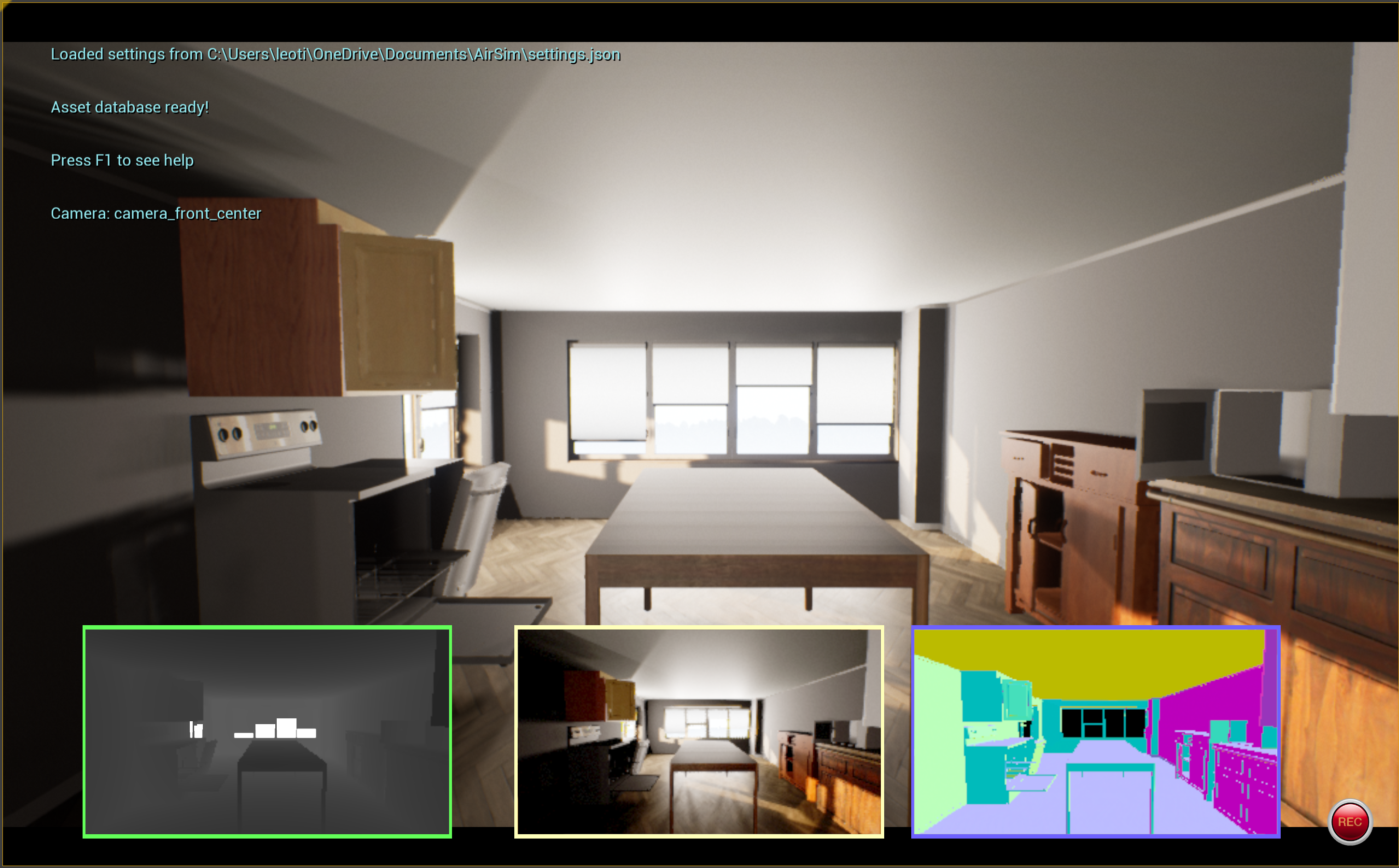
I tried to get the image in the segmentation mode by using airsim.ImageRequest("0", airsim.ImageType.Segmentation, False, False) but it return this 👇
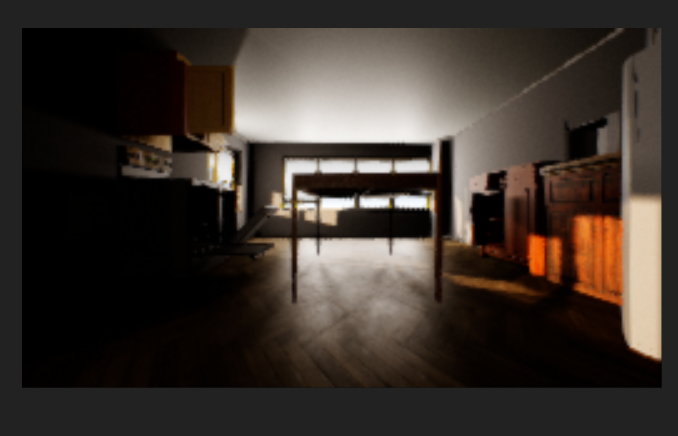
My question is there anything I am missing to get object segmentation to work?
Thank you!!!
 PrinceUmbrella
All 11 comments
I have exactly the same issue. Did you find any solutions?
 chickenbestlover
on 23 Nov 2020
chickenbestlover
on 23 Nov 2020
Hi, I think I found a solution. It seems that a recent commit caused a bug. Using an old commit, for example 40d5efb372689bfc78a272cd41db84656ef17690, the bug disappears.
chickenbestlover
on 23 Nov 2020
I have exactly the same issue. Did you find any solutions?
Nothing seems to work but I will try your solution
PrinceUmbrella
on 23 Nov 2020
Note that you should replace your old Plugins folder with the newly compiled Plugins folder in your custom UE projects.
chickenbestlover
on 23 Nov 2020
Do I have to run build.py again? or do I have to change the one I have In my custom project? @chickenbestlover
PrinceUmbrella
on 23 Nov 2020
I did ./clean_rebuild.sh in Airsim root folder, than I copied the Unreal/Plugins folder into my custom project.
clean_rebuild.sh will remove any folder in Unreal/Environments, so make sure that your custom project location is out of that folder
chickenbestlover
on 23 Nov 2020
@chiaramooney I run clean_rebuild.sh and replaced the plugin file in my project but nothing seems to have changed. Anything else I have to do

Do I have to remove the commented line since the NameMode is only supported in 4.25
PrinceUmbrella
on 23 Nov 2020
No, I did not change any source code even though my UE version is 4.24.
Did you use the commit I mentioned, as follows?
git checkout 40d5efb372689bfc78a272cd41db84656ef17690
./clean_rebuild.sh
And Did the issue also happened in Blocks env?
chickenbestlover
on 24 Nov 2020
Hi, I think I found a solution. It seems that a recent commit caused a bug. Using an old commit, for example 40d5efb, the bug disappears.
This commit version works for me, thanks~
 cbraver
on 24 Nov 2020
cbraver
on 24 Nov 2020
@chickenbestlover Thank you very much the commit version works for me too
PrinceUmbrella
on 24 Nov 2020
@chickenbestlover are you having any problems with recording the given scene? I have my settings.json like this.
    "SimMode": "ComputerVision",
    "Recording": {
        "RecordInterval": 0.5,
        "Cameras": [
            {
                "CameraName": "0",
                "ImageType": 5,
                "PixelsAsFloat": false,
                "Compress": false,
                "Width": 1080,
                "Height": 720
            }
        ]
    },
    "CameraDefaults": {
        "CaptureSettings": [
            {
                "ImageType": 5,
                "Width": 1080,
                "Height": 720,
                "FOV_Degrees": 120,
                "AutoExposureSpeed": 100,
                "AutoExposureBias": 0,
                "AutoExposureMaxBrightness": 0.64,
                "AutoExposureMinBrightness": 0.03,
                "MotionBlurAmount": 0,
                "TargetGamma": 1.0,
                "ProjectionMode": "",
                "OrthoWidth": 5.12
            }
        ]
    }
but it is recording in pfm format instead of png format.
PrinceUmbrella
on 26 Nov 2020
Related issues
 Kim-BongSu
·
3Comments
Kim-BongSu
·
3Comments
 MattChanTK
·
3Comments
MattChanTK
·
3Comments
 M-Kasem
·
3Comments
M-Kasem
·
3Comments
 LSBOSS
·
3Comments
LSBOSS
·
3Comments
 kharyal
·
3Comments
kharyal
·
3Comments