Airflow: DAG success bug Tasks in it no_status
Apache Airflow version: 1.10.12
Kubernetes version (if you are using kubernetes) (use kubectl version): none
Environment:
- Cloud provider or hardware configuration:
- OS (e.g. from /etc/os-release):
- NAME="CentOS Linux"
- VERSION="7 (Core)"
- ID="centos"
- ID_LIKE="rhel fedora"
- VERSION_ID="7"
- PRETTY_NAME="CentOS Linux 7 (Core)"
- Kernel (e.g.
uname -a):Linux dev-dbmid-161 3.10.0-957.10.1.el7.x86_64 #1 SMP Mon Mar 18 15:06:45 UTC 2019 x86_64 x86_64 x86_64 GNU/Linux - Install tools: https://github.com/puckel/docker-airflow
- Others: Run by docker-compose, use CeleryExecutor, redis, postgres.
What happened:
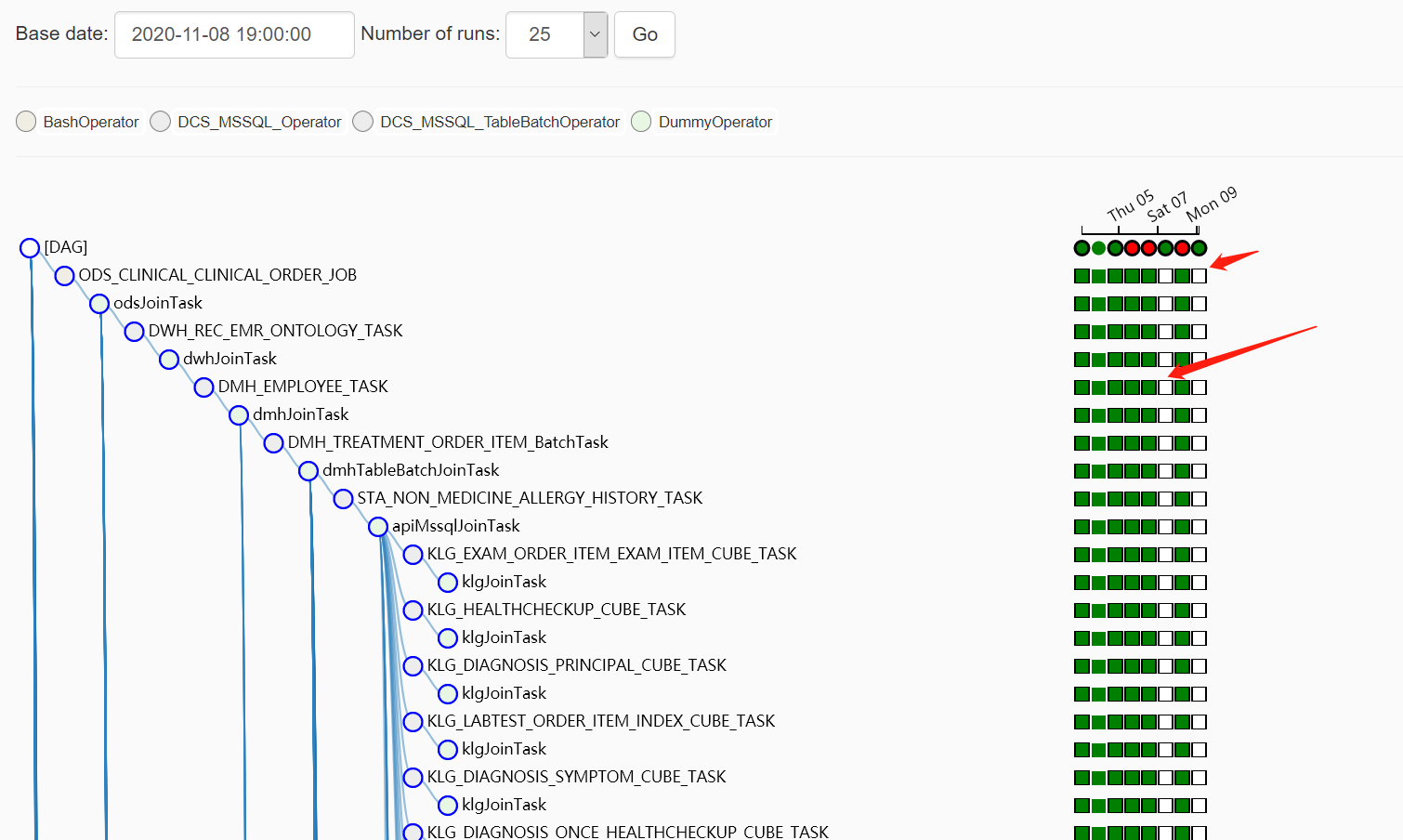
Airflow runs for about a week and is scheduled once a day (DAG status is success, Task status is success). However, occasionally the DAG status is success, but the Tasks are no_status. That is to say, the DAG returns a successful status as soon as it is executed, but none of the tasks in it are running.
What you expected to happen:
Tasks in the two DAGs are in no_status and have not been executed. It is expected that these tasks should be executed and be in the state of success like other DAG execution results.
How to reproduce it:
If the DAG is triggered, it can always be executed correctly, but occasionally this happens unexpectedly during scheduling.
Anything else we need to know:
my dag:
~~~python
dt = datetime.now() - timedelta(days=1)
default_args = {
'start_date': datetime(dt.year, dt.month, dt.day, 19),
}
dag = DAG(
dag_id='DATA_FLOW',
default_args=default_args,
schedule_interval=timedelta(days=1),
)
~~~
 tlw-ray
All 4 comments
Thanks for opening your first issue here! Be sure to follow the issue template!
![boring-cyborg[bot] picture](https://avatars3.githubusercontent.com/in/50386?v=4&s=40) boring-cyborg[bot]
on 10 Nov 2020
boring-cyborg[bot]
on 10 Nov 2020
The problem is very easy to reproduce:
~~~python
from builtins import range
from datetime import datetime, timedelta
import airflow
from airflow.models import DAG
from airflow.operators.bash_operator import BashOperator
from airflow.operators.dummy_operator import DummyOperator
dt = datetime.now()

args = {
    'start_date': datetime(dt.year, dt.month, dt.day, dt.hour),
}
dag = DAG(
dag_id='5分钟一跑测试稳定性',
default_args=args,
schedule_interval=timedelta(minutes=5),
)
run_this = BashOperator(
task_id='pwdTask',
bash_command='pwd ',
dag=dag,
)
~~~
tlw-ray
on 11 Nov 2020
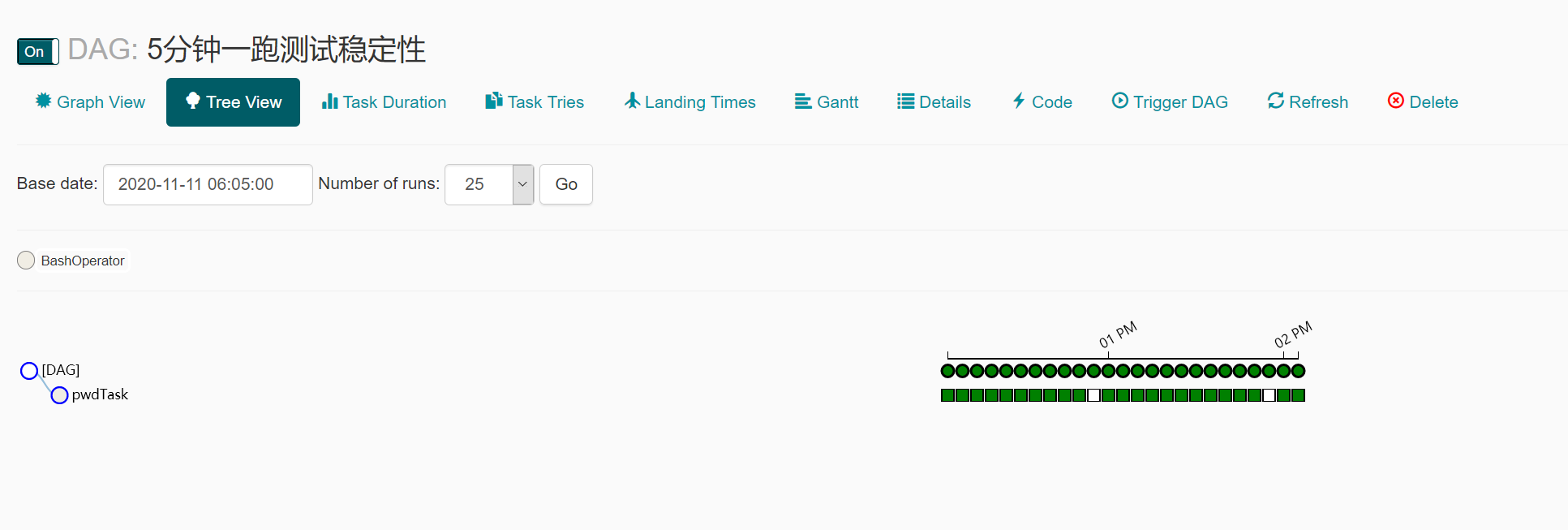
It can be seen that once every five minutes, every twelve runs, there will be a problem exactly one hour. If the interval time is changed to three minutes, such a problem will not occur.
tlw-ray
on 23 Nov 2020
dt = datetime.now()
args = {
'start_date': datetime(dt.year, dt.month, dt.day, dt.hour),
}
This is the source of your problem. When it comes to evaluate the task, the start date is in the future, so the scheduler skips it.
Use a fixed start date and set catchup=False
 ashb
on 25 Nov 2020
ashb
on 25 Nov 2020
Related issues
 grbinho
·
3Comments
grbinho
·
3Comments
 mik-laj
·
4Comments
mik-laj
·
4Comments
 turbaszek
·
3Comments
turbaszek
·
3Comments
 Labbs
·
4Comments
Labbs
·
4Comments
 Milchdealer
·
4Comments
Milchdealer
·
4Comments