Afwall: Problems after Update to Android 9
I have updated my Pixel 2 to Android 9. After updating I have rooted with/over Magisk 16.7.
But now after a few houres AFWall v2.9.9 (donate) is blocking all all kind of media downloads (youtube, google play, image and video downloads via whatsapp), If I reinstall AFWall+ it works again a few houres.
Before updating to Android 9 it worked perfectly. Does anybody have the same issue?
Rules:
https://pastebin.com/ZvgqHCfd
Edit:
Exactly the same issue I have:
https://forum.xda-developers.com/showpost.php?p=77302832&postcount=4612
 bootsmann
All 66 comments
How could anyone could trust a central hub for security escapes me. Have you considered rooting?
 ghost
on 13 Aug 2018
ghost
on 13 Aug 2018
Yet to test on Android 9. When did you get the rules ( working/ not working state). Because the one you have attached has only afwall OUTPUT chain , which is not right.
Can you export the rule right after boot (ofcourse apply the rules afte complete boot) and mention which interface (it's broken on android 9 - Active interface: unknown )
Thanks.
 ukanth
on 13 Aug 2018
ukanth
on 13 Aug 2018
1) if I turn on WLAN it shows me: connected, no internet
2) if I export rules after reboot it looks like exactly the same as before.
3) if I turn on mobile data after reboot I get an error (can be fixed if fw protocol turned off):
Error:java.lang.RuntimeExcetion:
android.os.DeadSystemException
https://image.ibb.co/hunw89/Screenshot_20180814_093405.png
Edit:
I have reinstalled AFWall again. New reules: https://pastebin.com/LeGeERUE
iptables:
https://pastebin.com/vj6huYKx
Edit 2:
it seems to work now. I have successfully connected to two different WLAN access points and 4G mobile radio stations.
bootsmann
on 14 Aug 2018
@ukanth here are the iptables rules you requested....I also have the opposite, as in the Block rules dumped as well if you need them. Thanks!
 cmh714
on 14 Aug 2018
cmh714
on 14 Aug 2018
@cmh714 , is it not working on mobile or even on wifi ?
ukanth
on 14 Aug 2018
Fantastic and reasonable question.....didnt even check mobile until now....and what do you know, it seems to work fine for Mobile only Wifi is not working for me....
cmh714
on 14 Aug 2018
Thanks. Have you enabled ipv6 option on wifi ?
ukanth
on 14 Aug 2018
have not
cmh714
on 14 Aug 2018
Rules are looking fine from initial look. Your connection might be using ipv6 to connect. So, you must enable ipv6 in the preference and reapply the rules and check.
ukanth
on 14 Aug 2018
not using IP6 but trying.....very interesting, enabling the IP6 functionality does make it work. Seems odd to me though :) All good!!
cmh714
on 14 Aug 2018
@bootsmann , Same goes with yours. Please enable ipv6 to control it.
ukanth
on 14 Aug 2018
@cmh714 , thanks for the logs.
ukanth
on 14 Aug 2018
OK, may have spoken too soon......couldnt pick up a Google wifi call so its not working 100% I dont believe....still poking around
cmh714
on 14 Aug 2018
I've always had ipv6 enabled, and am having this issue as well.
As with others, works on mobile, but does not work on wifi.
 TheEagle13
on 15 Aug 2018
TheEagle13
on 15 Aug 2018
@TheEagle13 rules please.
ukanth
on 15 Aug 2018
I have enabled ipv6 but now afwall is blocking connections (since I connected to another WLAN access point - see frist post). But sometimes if I deactivate and activate WLAN it works.
bootsmann
on 20 Aug 2018
@bootsmann , that happen when there is exception/conflict while applying rules. Unfortunately I don't have 9(pie) device to verify it.
ukanth
on 20 Aug 2018
most of the time 4G uses ipv6 so maybe this being turned on as default would be a good idea
 Bunplugged
on 20 Aug 2018
Bunplugged
on 20 Aug 2018
I am having issues with AFWall under Android Pie too, even though I´ve allowed the all root apps entry, it shows them as blocked in the protocol log all few seconds. This blocks everything including Play Store, etc. Only if I disable AFWall completely things are working fine. Just in case: I have IPV6 enabled in the AFWall settings too. Had no issue under Oreo (8.1), AFWall always worked fine.
 dabugen
on 23 Sep 2018
dabugen
on 23 Sep 2018
Same here with an OP 6 with the newest OOS 9.0 Pie 9 release, when trying to apply firewall rules, the app stucks in "IPTables Rules are being applied".
Switching Wifi on/off shows a popup, error while applying firewall rules, the protocol log is empty.
 AlphaDE
on 24 Sep 2018
AlphaDE
on 24 Sep 2018
Can you guys try running this command in terminal and see if it works on PIE with whitelist mode ?
iptables -D fw_standby -o lo -j RETURN
ukanth
on 25 Sep 2018
no sir, still doesnt work
HOLD ON I forgot to swap..........let me try again
OK, so I still fail to connect. Using Play store, I cannot connect. The FW log only shows Apps running as root. it doesnt show the play store.
Sorry for all the edits.....Chrome worked...so some things are working
GMail fails, same as play store.
cmh714
on 25 Sep 2018
Thanks @cmh714 , Firewall rules please after invoking that command ? Sorry, I need more information in order to debug.
ukanth
on 25 Sep 2018
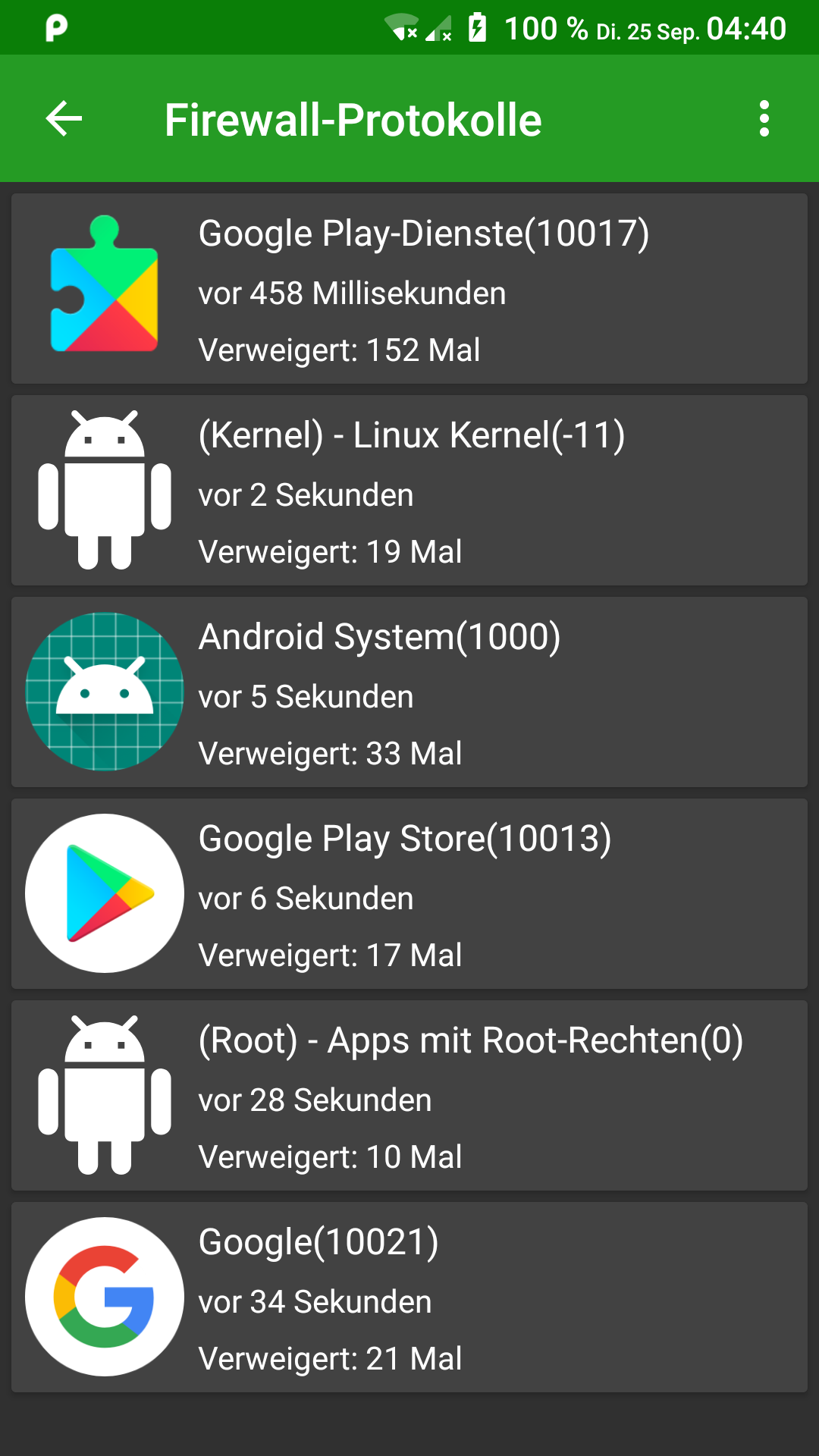
Yea, same issue here with Android 9.0. Everything is being handled as root apps as it seems and even though I´ve allowed those in AFWall (in fact I´ve allowed any and EVERY entry there is), they are being shown as blocked in the AFWall logs all few seconds. Even the network indicator shows no internet connection at all. Once disabling AFWall, everything is fine. I will report back with the output you are looking for...
dabugen
on 25 Sep 2018
I hope you are trying with new alpha version ? if not please get it from here. though it doesn't have any specific fix for Pie, but has latest SDK changes.
ukanth
on 25 Sep 2018
Not yet, will update...
dabugen
on 25 Sep 2018
Updated and checking...
dabugen
on 25 Sep 2018
Same issue. Brings tons of pop-ups of Google Play Service being blocked, although that specific entry is not even in the list within AFWall (only Play Store is) - also blocks root apps. Play Store does not work although it is fully allowed and now the whole internet connection is again shown as having no connection at all. Running the IPTables command once I figure out how to do that via ADB for easier copy/paste (do you know?). Thanks for the efforts :-)
dabugen
on 25 Sep 2018
Tried it like this but does not seem to be right?:
adb shell su -c "iptables -D fw_standby -o lo -j RETURN"
iptables: Bad rule (does a matching rule exist in that chain?).
dabugen
on 25 Sep 2018
Tried without the "RETURN" (I really have no idea what I am doing, I am a Windows admin, haha):
C:\PortablePrograms\Smartphone\adb>adb shell su -c "iptables -D fw_standby -o lo -j"
iptables v1.6.1: option "-j" requires an argument
Try `iptables -h' or 'iptables --help' for more information.
But this shows that it at least seems to call up iptables correctly, no?
dabugen
on 25 Sep 2018
P.S.: All of that is with AFWall being currently ENABLED (and it applied 920 rules as it said).
dabugen
on 25 Sep 2018
you need to be root as in su on the phone...not sure how/if that can be done via adb....I used a terminal
thats why you got that error
cmh714
on 25 Sep 2018
It was root actually, as the phone asked me for if I want to grant root permissions to "Shell" (which I did) once I executed the ADB command. Also, if I am not mistaken, the "shell su" (the "su") executes it as root, no?
dabugen
on 25 Sep 2018
OK, so it is all working as expected for me....I have 700 rules
cmh714
on 25 Sep 2018
I am root via that ADB shell, just checked:
C:\PortablePrograms\Smartphone\adb>adb shell su -c "whoami"
root
dabugen
on 25 Sep 2018
yes I think you are correct @dabugen but I got that the first time I tried without su....so not fully sure whats up there
cmh714
on 25 Sep 2018
or possibly cause the rule does not exist.....
cmh714
on 25 Sep 2018
Yea, that might exactly be the issue why ukanth wanted us to execute that command. Let´s see what he replies once he reads...
dabugen
on 25 Sep 2018
@ukanth so it was NOT lost in the noise.....it is all working for me with the beta, and the rule deleted, with 700 whitelisted rules.
cmh714
on 25 Sep 2018
the iptables -D is a delete :)
cmh714
on 25 Sep 2018
Hmm, so everything is fine with that Alpha version for you now? Because for me it is not :-( I will try to reset it once again and see if I can get it to work then too. Which 9.0 ROM are you on? I am on Liquid Remix.
dabugen
on 25 Sep 2018
I am on stock, havent tried any custom ROM's
cmh714
on 25 Sep 2018
But you are on Pie (9.0)?
dabugen
on 25 Sep 2018
yes pie. try running iptables -L > iptables.txt and get that to @ukanth
cmh714
on 25 Sep 2018
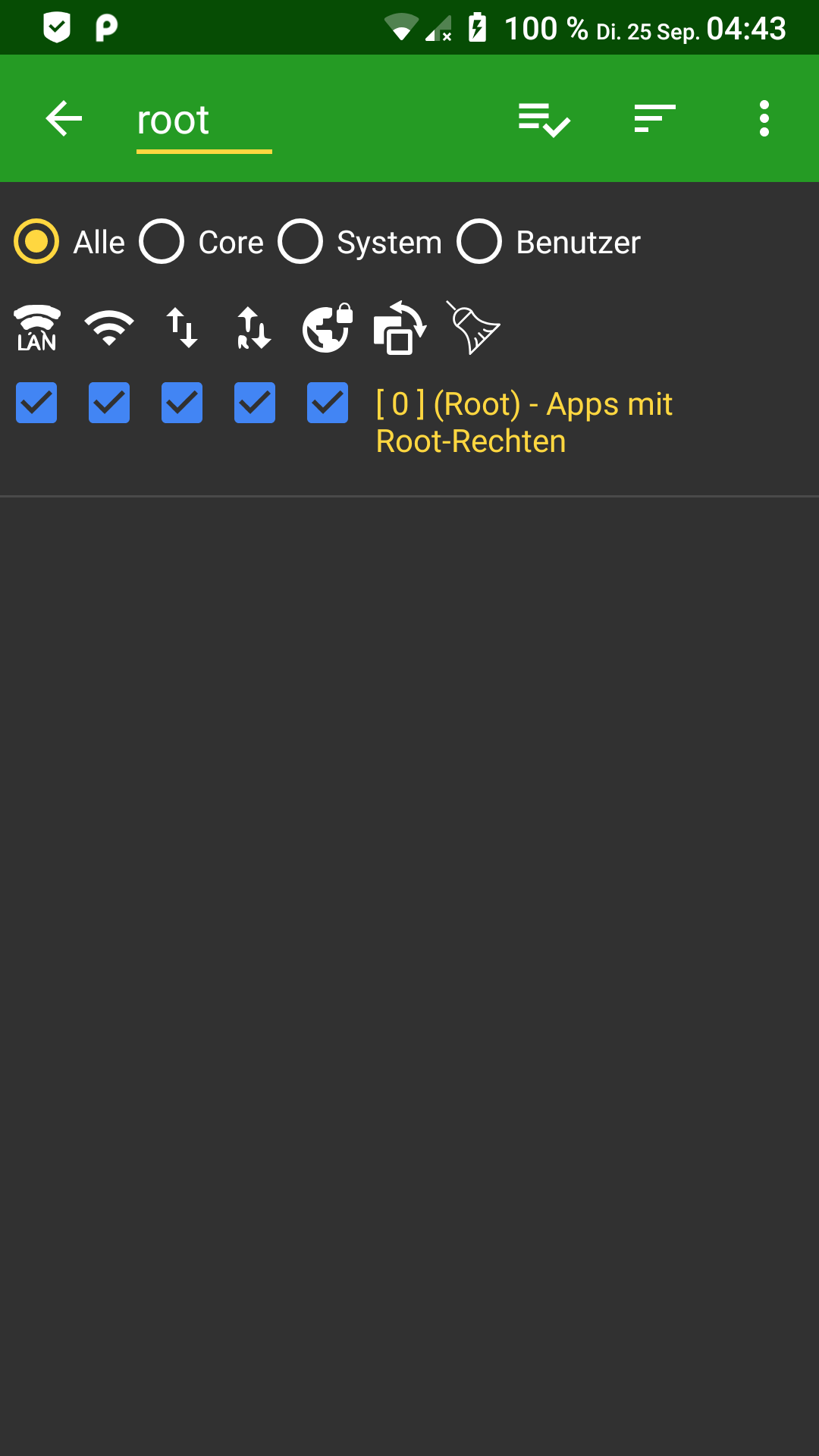
No luck here, also rebooted the phone, rules got applied, internet completely blocked again. Shows internet as not being available (little X, regardless if WIFI or mobile data) and the AFWall log is full of blocked entries:
dabugen
on 25 Sep 2018
dabugen
on 25 Sep 2018
God damn, I am sooo sorry. somehow my changes to AFWall didnt stick....and so, you are correct, it is not working....let me dump my iptables.....argh....
cmh714
on 25 Sep 2018
Odd, it seems to work for a few minutes sometimes if re-applying the rules, but after rebooting and AFWall auto-applying the rules after reboot, it all vanishes again. Seems like a massive problem with Pie...
dabugen
on 25 Sep 2018
@ukanth here is my ruleset: https://pastebin.com/hHBxHNnS
cmh714
on 25 Sep 2018
Here, with the Alpha, rules seem to get applied and the app does not stuck in applying rules anymore.
AlphaDE
on 25 Sep 2018
What is your setting for Private DNS in Pie (based on this post - https://android-developers.googleblog.com/2018/04/dns-over-tls-support-in-android-p.html ) ?
ukanth
on 25 Sep 2018
I am Automatic....
cmh714
on 25 Sep 2018
Same here. Using the 1dot1dot1dot1@cloudfaresomething did not work here anyway
AlphaDE
on 25 Sep 2018
I am on "Automatic" too, but my WIFI router is configured to use 1.1.1.1. Mobile data uses my providers DNS.
dabugen
on 25 Sep 2018
I saw still problems until I removed the custom script, without that, the alpha is able to apply the rules and reports success
AlphaDE
on 29 Sep 2018
I never had an issue with applying the rules, it always did, but as mentioned above with cmh714, we are having the issue that nothing is really working after applying the rules.
dabugen
on 29 Sep 2018
If I check everything on the list except "(Any app)" it does not work; ticking (Any app) makes it work (but it's useless). I am not using alpha/beta; just f-droid version
 DavidVentura
on 10 Oct 2018
DavidVentura
on 10 Oct 2018
Try latest beta.
ukanth
on 10 Oct 2018
Hey @ukanth any way to get the beta with no playstore?
DavidVentura
on 10 Oct 2018
took me a bit to find the link...
https://drive.google.com/file/d/19g5P9VgPHM6PrmrswnQtHyWISq0MyPAV/view
*EDIT: I see reference in the XDA thread to a Beta2....cant find the link yet.
Hey ukanth, is there an easy way to stay up t date? feeling dumb :(
Found Beta2: https://drive.google.com/file/d/1QWt_K39vKbwS6NRA6atDzIqFnxSgtQSE/view
cmh714
on 10 Oct 2018
same behavior
On October 10, 2018 6:25:49 PM GMT+02:00, cmh714 notifications@github.com wrote:
took me a bit to find the link...
https://drive.google.com/file/d/19g5P9VgPHM6PrmrswnQtHyWISq0MyPAV/view--
You are receiving this because you commented.
Reply to this email directly or view it on GitHub:
https://github.com/ukanth/afwall/issues/850#issuecomment-428638823
--
Sent from my Android device with K-9 Mail. Please excuse my brevity.
DavidVentura
on 10 Oct 2018
I have the same issue on OnePlus6 as @AlphaDE
 kowalcj0
on 12 Oct 2018
kowalcj0
on 12 Oct 2018
Update to latest beta (playstore) or from XDA. This issue is addressed.
ukanth
on 16 Oct 2018
I got the same Problem. Just to be sure I repeat my observations:
- Wifi works as expected
- pinging IP address (8.8.8.8) works
- pinging google.com "unknown host"
- allowing mobile data for every entry manually except "any apps" doesn't change anything
(- everything works when either "any apps" is allowed or AFWall is disabled)
First time around I got the "Apps running as root" denied in log, but second time around I have nothing in log.
Setup:
- crDroid 5.0 (Android 9.0)
- Magisk 17.1
- AFWall 2.9.9
Edit: Sorry just noticed the new commits. Version 3.0.0 fixes the issues. Sorry
 NetDwarf
on 19 Oct 2018
NetDwarf
on 19 Oct 2018
old magisk and old AFWall....
cmh714
on 19 Oct 2018
Fixed in 3.0.0
ukanth
on 23 Oct 2018
Related issues
 johnwilkins128
·
7Comments
johnwilkins128
·
7Comments
 liamolua
·
5Comments
liamolua
·
5Comments
 manfred3000
·
6Comments
manfred3000
·
6Comments
 Gitoffthelawn
·
4Comments
Gitoffthelawn
·
4Comments
 someone-somenet-org
·
4Comments
someone-somenet-org
·
4Comments