Aframe: Vector button for the info panel
There's a new info panel feature. It gives a convenient standard way for devs to present the user with instructions or information associated to the experience. I quickly made a button with photoshop but it's doesn't match 100% the VR / AR button style and doesn't scale well when zooming.
@thedart76 If you have sometime and have the originals assets handy, it would be great to generate an info button SVG with the same style. No worries if you are busy. Thanks so much!

 dmarcos
All 13 comments
Sure, @dmarcos, happy to give a hand with this in my spare time! (this weekend)
 thedart76
on 24 Nov 2020
thedart76
on 24 Nov 2020
Thanks so much. You're awesome
dmarcos
on 24 Nov 2020
Hey Diego, here is a first option, which uses a larger width to accommodate the 4 letters.
Of course, this is a mockup so it would be ideal to see how it actually renders in the browser.

LMK if you would like me to make any changes.
Alternatively, if you are happy with this version, could you share a link to a basic scene like the one in the image?
This way I can edit the icon's path and the CSS directly in the Developer Tools, and then share a screenshot here for review.
Thanks!
thedart76
on 28 Nov 2020
This is awesome thanks so much. It looks great!
You can submit a PR against the current button data-url in the info-message component that for instance the model-viewer-example uses. You can run and test locally:
  npm start
  Visit http://localhost:9000/examples/showcase/model-viewer/
If you prefer you can modify the glitch version and then I can incorporate in the repo. If you feel comfortable, PR is better so you get credited.
I hope it's clear! Happy to answer any questions.
dmarcos
on 28 Nov 2020
So, I have exported the SVG and updated the data-url.
The result is not perfect, though, because as you can see in the below image there is some extra background padding to the LHS and RHS of the INFO button.
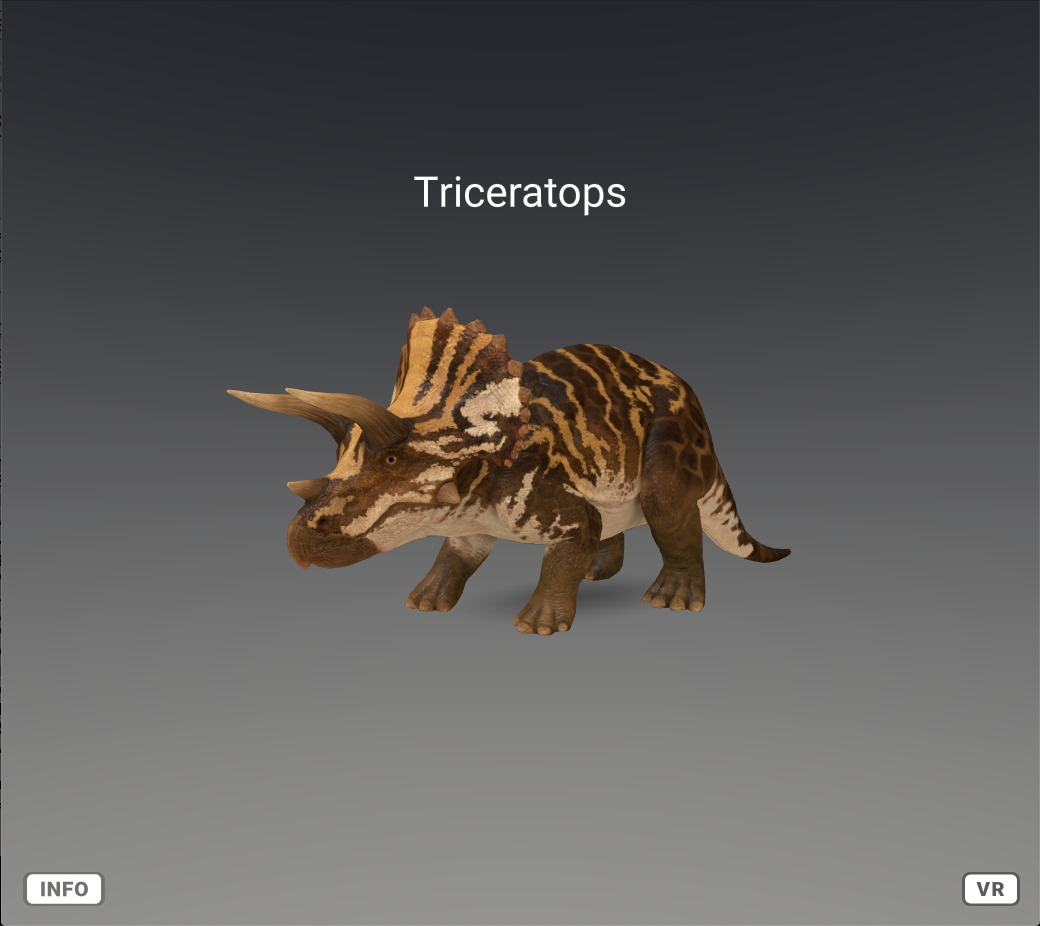
Modifying the min-width in .a-info-message-button doesn't fix it.
I also double-checked on Photoshop, and the SVG has no extra padding.
Any idea/hint?
thedart76
on 29 Nov 2020
No idea. I can play with the CSS. Do you have a modified glitch or a data url for me to test? Thanks so much for helping on this. This is awesome.
dmarcos
on 29 Nov 2020
Sure, you can find a modified Glith here, where you can see the data url.
The CSS I have modified so far in .a-info-message-button is the following:
min-width: 82px;
right: -24px;
To keep the INFO button consistent with the VR button, instead, I haven't modified the following CSS:
background-size: 90% 90%;
min-height: 34px;
NOTE: I have uploaded the SVG to the Glitch assets folder as well, so you can see yourself in Photoshop that there is no extra padding there.
LMK how it goes.
thedart76
on 1 Dec 2020
Thanks this is great! I got it pretty close by playing with the background size, min-width values!

dmarcos
on 2 Dec 2020
@thedart76 Thanks so much for jumping on this so quickly. Super appreciated. Awesome work! 🏅
dmarcos
on 2 Dec 2020
Thanks, glad to hear you are happy with it! As always, it's been both an honour and a pleasure.
thedart76
on 2 Dec 2020
@thedart76 Do you have the original file you use to generate the buttons text? I have need to generate another button and I don't want to bother you each time I need a trivial tweak. If you feel comfortable we can maybe host it in the assets repo Thanks so much!
dmarcos
on 17 Dec 2020
Sure @dmarcos, here it is:
Should you need help with anything, just LMK. You know I am happy to give a hand.
thedart76
on 18 Dec 2020
@thedart76 Thanks! You're awesome
dmarcos
on 20 Dec 2020
Related issues
 rich311
·
3Comments
rich311
·
3Comments
 impronunciable
·
5Comments
impronunciable
·
5Comments
 ngokevin
·
4Comments
ngokevin
·
4Comments
 donmccurdy
·
5Comments
donmccurdy
·
5Comments
 jgbarah
·
4Comments
jgbarah
·
4Comments
Most helpful comment
Thanks so much. You're awesome