Aframe: Gltf model doesn't show the opacity
Im trying to make an gltf object,
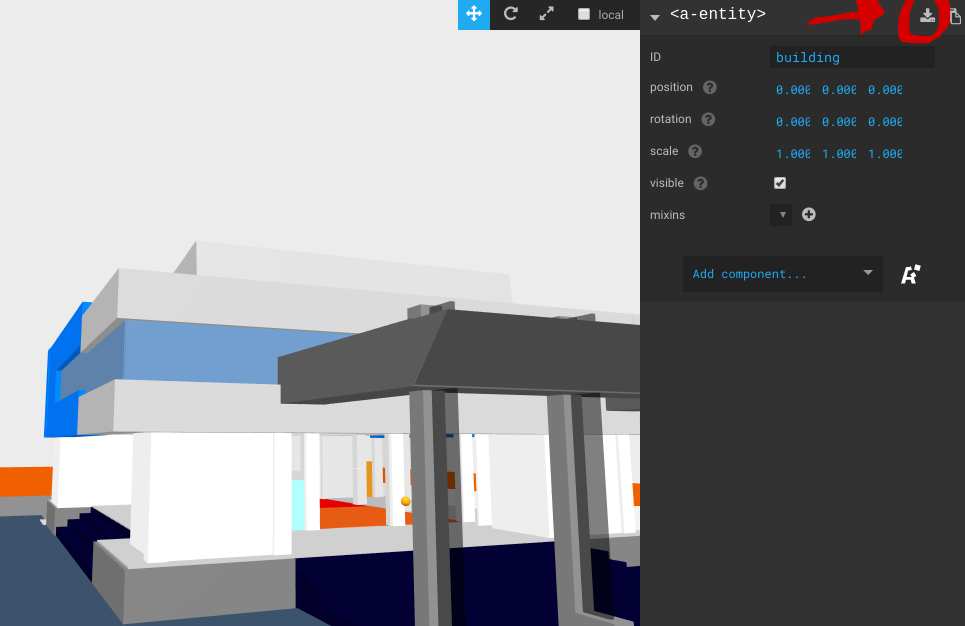
First i make that object in aframe inspector and export them with this tools in the picture
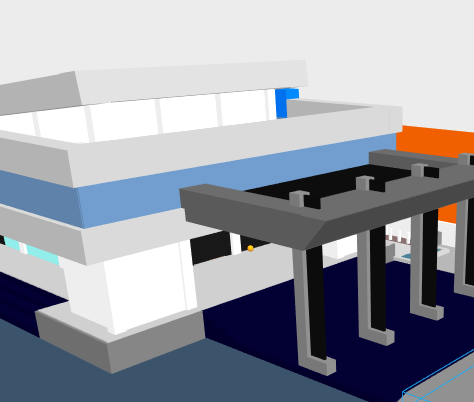
then, im place the gltf model.and it doesn't show the opacity anymore
Cheers,
- A-Frame Version:0.8.2
- Platform / Device:linux xubuntu 18.04 / lenovo g40-45
- Reproducible Code Snippet or URL:
 albirrkarim
All 9 comments
Are you able to share a demo of the scene?
 donmccurdy
on 4 Sep 2018
donmccurdy
on 4 Sep 2018
without gltf :
https://sharp-penguin.glitch.me/
code> https://glitch.com/edit/#!/sharp-penguin
with gltf :
https://zesty-hide.glitch.me/
code> https://glitch.com/edit/#!/zesty-hide
albirrkarim
on 4 Sep 2018
Confirmed the issue.
Here's what I think is causing the problem: the material component uses a default alphaTest of 0, whereas three.js uses a default of 0.5. That would be fine (both are reasonable values), but THREE.GLTFExporter has to choose _either_ opacity or alphaTest to write, it cannot export both to glTF. Because alphaTest appears to be non-default, compared to three.js, alphaTest is chosen.
The workaround would presumably be to set alphaTest: 0.5 on the model, but that isn't fixing the issue for me on a quick test. Will need to look more closely at why that is.
donmccurdy
on 5 Sep 2018
ok thank you, i will waiting
albirrkarim
on 8 Sep 2018
any news?
 vin-ni
on 22 Oct 2018
vin-ni
on 22 Oct 2018
Transparency export is working for me with the master branch of aframe-inspector. I think we just need a new release to update it. In the meantime, adding a custom build of the inspector to your scene will work around the problem:
<a-scene inspector="url: https://aframe-inspector-20181128-abjyfktcpl.now.sh/aframe-inspector.min.js">

<!-- ... -->

</a-scene>
Okay, thank you so much
albirrkarim
on 2 Dec 2018
This is working on master and fix will ship in 0.9.0
 dmarcos
on 1 Feb 2019
dmarcos
on 1 Feb 2019
Ok ,thank you
albirrkarim
on 1 Feb 2019
Related issues
 micahnut
·
5Comments
micahnut
·
5Comments
 minchnew
·
3Comments
minchnew
·
3Comments
 MrBokeh
·
5Comments
MrBokeh
·
5Comments
 AdrienPoupa
·
6Comments
AdrienPoupa
·
6Comments
 wlhm1984
·
5Comments
wlhm1984
·
5Comments