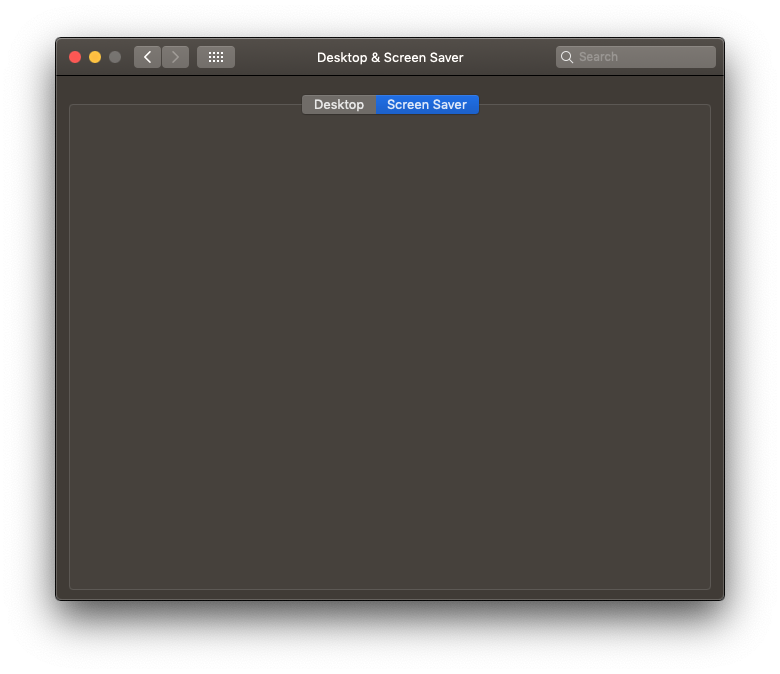
Aerial: Blank settings page in System Preferences with 10.14.6 latest security update
Required information
- [ ] Mac model: Mac Pro (Late 2013)
- [ ] macOS version: 10.14.6
- [ ] Monitor setup: 27" Apple Thunderbolt Display
Description of issue / Feature request
After doing the latest security update offered for my version of Mojave the screensaver no longer works and I just get a grey/black blank screen when going to settings section in system preferences. I've tried deleting including all cache and preference files but still no luck. Any idea what might be happening.
 halcyonrecords
All 33 comments
Hey there @halcyonrecords
So yeah actually I've had a few reports of this. We tried investigating it this week end, it looks like that security update broke something in the ability to run Swift screensavers. This is an issue not just for this version of Aerial, rolling back to 1.9 didn't seem to help, and same issues were seen with other Swift screensavers.
As to precisely what's happening, there's a memory allocation issue when the system tries to load a Swift screensaver. And there's not much I can do but fill a radar with Apple, if you have the ability to do so I'd recommend you do so to get it more attention !
 glouel
on 25 Sep 2020
glouel
on 25 Sep 2020
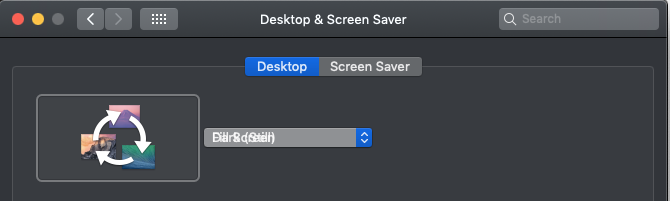
I have this issue too. Anyone else have a strange stacking of text in the Desktop dropdown?
 jonktsui
on 25 Sep 2020
jonktsui
on 25 Sep 2020
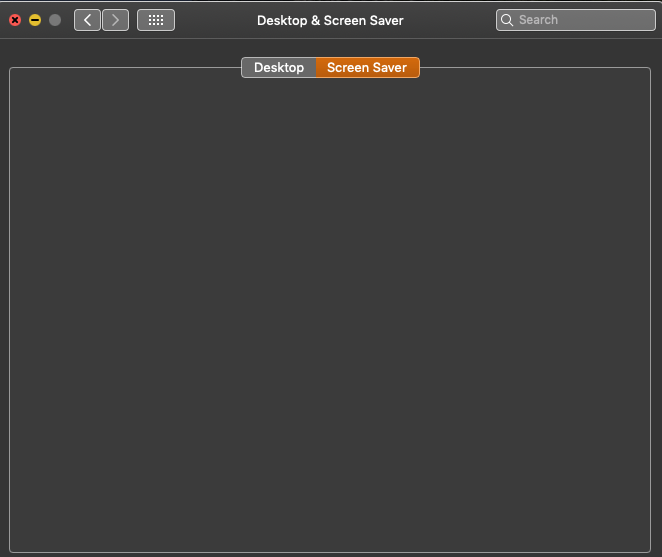
I'm having the same issue. Not sure what you mean by filling a radar with Apple?
 BrotherJerome
on 26 Sep 2020
BrotherJerome
on 26 Sep 2020
Apologies. On newer versions of macOS there’s a tool called feedback assistant. This is where you can report bugs to Apple. It’s available online here : https://feedbackassistant.apple.com/
glouel
on 26 Sep 2020
Same problem here, I eve re-installed with no luck. Leave it to Apple to simply break a great thing.
 bgrulke
on 26 Sep 2020
bgrulke
on 26 Sep 2020
Same issue here. I submitted the issue to Apple as well using the Feedback Assistant. I selected "System Preferences – Desktop & Screensaver" as the category for the report, but I wasn't sure if that was the best choice. For future reference, what would be the best category to select for others who want to submit this issue through the Feedback Assistant?
 AMDITAR
on 28 Sep 2020
AMDITAR
on 28 Sep 2020
@AMDITAR that should be the correct one, thanks a lot !
glouel
on 28 Sep 2020
same issue here. is this something upgrading to catalina would fix? (although i know not everyone can or wants to upgrade)
 sabbatical
on 28 Sep 2020
sabbatical
on 28 Sep 2020
same issue here. is this something upgrading to catalina would fix? (although i know not everyone can or wants to upgrade)
Well, I would suggest making sure you really want to do it but yes, the bug only affects 10.14 and not Catalina nor Big Sur.
glouel
on 29 Sep 2020
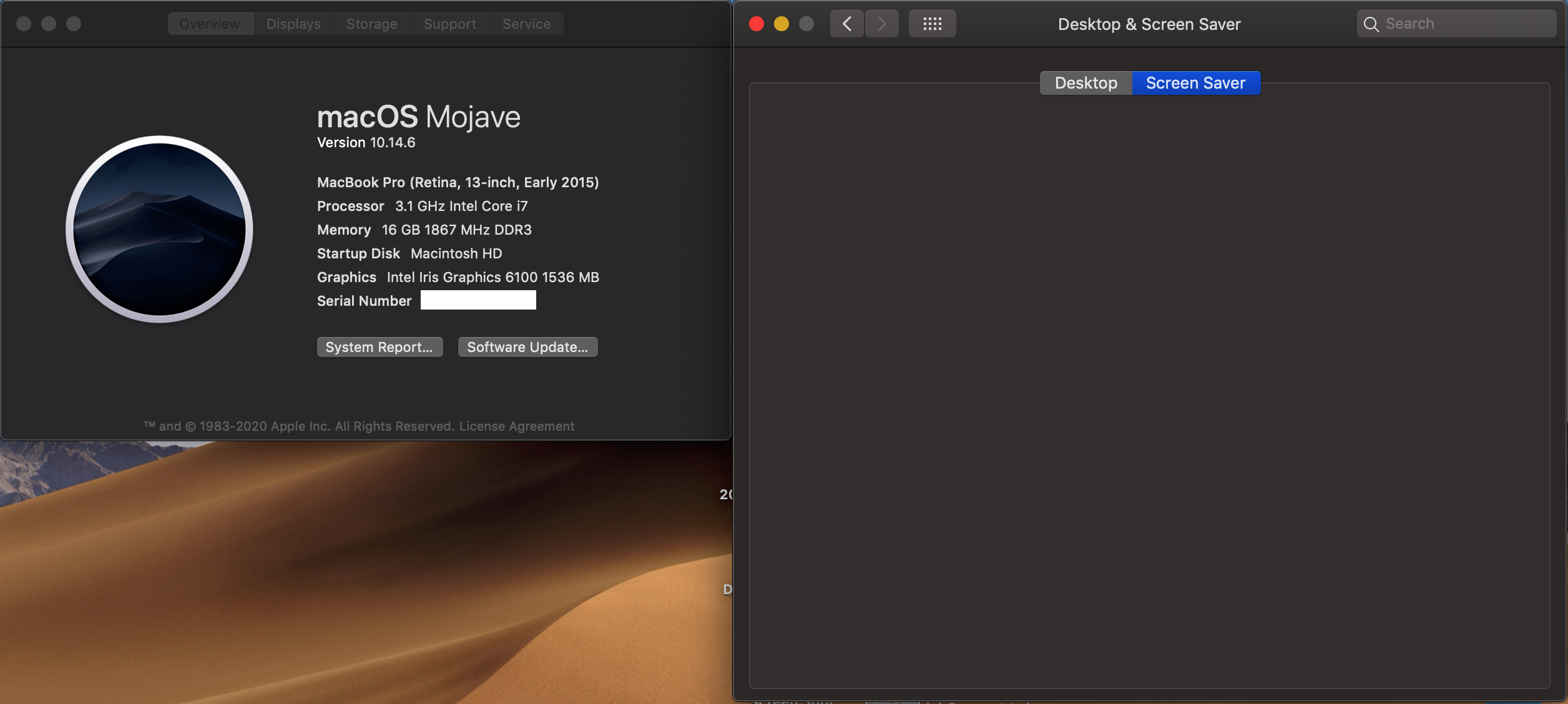
FWIW: Same issue on MacBook Pro 2015 13" running 10.14.6
For a moment I saw the list of Screensaver options, but when I clicked on Aerial... poof.
 danpoarch
on 29 Sep 2020
danpoarch
on 29 Sep 2020
The reason for this issue seems to be the order of installing the latest Safari- and Security-Update on macOS Mojave:
Safari 14.0 + Mojave 2020-005 Security Update Causing Major Problems
A possible solution can be to wait for a new Update or to reinstall the last Mojave-Version with or without these updates in a special order.
 rtoenjes
on 30 Sep 2020
rtoenjes
on 30 Sep 2020
The reason for this issue seems to be the order of installing the latest Safari- and Security-Update on macOS Mojave:
Safari 14.0 + Mojave 2020-005 Security Update Causing Major Problems
A possible solution can be to wait for a new Update or to reinstall the last Mojave-Version with or without these updates in a special order.
Oh wow, so I guess it's not JUST screensavers with that update.
And apparently, one of Apple's own screensavers also crash : 9. System locks up in Desktop & Screen Saver > Screen Saver when trying to select a picture type screen saver.
As a side note we're still trying to get Apple to act on the bug I'll send that extra info, thanks a whole lot @rtoenjes I had completely missed that.
glouel
on 30 Sep 2020
I had the same issue, and solved it by doing a Mojave system overwrite (I used a Mojave install USB flash drive, but it can also be done from the Recovery partition.). The system overwrite returns Safari to v12.1.2. (Safari v14 is what is causing this issue.) The Aerial screensaver was working! I then ran the installer for Security update 004, and then Security update 005. I checked to make sure that the Aerial screensaver was working after each update, and it was. I then installed Safari v13.0.4, just to be safe, although I have heard that if you install Safari v14 AFTER Security update 005 the memory problem will not appear. (I had heard the same thing -- that the problem was being caused by updating Safari to v14 before running Security update 005.) I will probably update Safari at a later date, when I have more time. At any rate, the Aerial screensaver is working again, and I'm still running Mojave (macOS 10.14.6) with Security update 005 installed. I hope this helps.
 shirokuma-mhm
on 30 Sep 2020
shirokuma-mhm
on 30 Sep 2020
@shirokuma-mhm thanks a whole lot for your feedback on this, this is super helpful.
This was my understanding reading the link, that installing security update first THEN safari was ok, not the other way around. I've sent extra information based on your feedback to Apple, thanks a lot.
glouel
on 30 Sep 2020
Dear Mr. Louel,
Thank you for the note, I'm glad the information I posted was helpful. And thank you so much for a wonderful screensaver! I actually keep it on to add to the ambience of my room when I'm not on the computer! I run two monitors, which makes it even more interesting.
As this is a personal note, I am replying to your e-mail and not posting it on the forum. Once again, thank you so very much!
Most sincerely yours,
Michael Howard Maesaka (shirokuma-mhm)
@shirokuma-mhm thanks a whole lot for your feedback on this, this is
super helpful.This was my understanding reading the link, that installing security
update first THEN safari was ok, not the other way around. I've sent
extra information based on your feedback to Apple, thanks a lot.--
You are receiving this because you were mentioned.
Reply to this email directly, view it on GitHub, or unsubscribe.
shirokuma-mhm
on 30 Sep 2020
Thank you very much @shirokuma-mhm for your kind words.
But just to let you know, replying by email will still publicly post the message on github! Github is quite confusing.
glouel
on 30 Sep 2020
Apparently, Apple has pulled both the SU 2020-005 and the Safari 14.0 updates. They also added back the Safari 13.1.2 update. https://mrmacintosh.com/mojave-2020-005-security-update-causing-major-problems-updated/
BrotherJerome
on 30 Sep 2020
@BrotherJerome Thanks for the heads up! Crossing fingers they put up fixed builds soon.
glouel
on 30 Sep 2020
One solution from what I am reading is to reinstall Mojave.
Guillaume Louel wrote on 2020-09-30 5:37 PM:
>
@BrotherJerome https://github.com/BrotherJerome Thanks for the heads
up! Crossing fingers they put up fixed builds soon.—
You are receiving this because you were mentioned.
Reply to this email directly, view it on GitHub
https://github.com/JohnCoates/Aerial/issues/1107#issuecomment-701660456,
or unsubscribe
https://github.com/notifications/unsubscribe-auth/AA7NHM65OLFIORH6EXCZ5MDSIOQLFANCNFSM4RZVS4XQ.
halcyonrecords
on 30 Sep 2020
Software Update now shows an update with the following info. After installing the blank screen has gone and Aerial now works ok.
macOS Supplemental Update 10.14.6
macOS Mojave 10.14.6 supplemental update includes Safari 14 and important stability updates for your Mac.
• Resolves a performance issue with apps
• Addresses a stability issue with Migration Assistant
• Fixes an issue that may prevent user account creation
 nadesco
on 2 Oct 2020
nadesco
on 2 Oct 2020
Thanks for confirming @nadesco ! I can confirm I got another report on Discord too so it looks like they fixed it, woo!
glouel
on 2 Oct 2020
I just ran the MacOS supplemental Update 10.14.6 also with success and everything seems to be working again.
Thank you
On Oct 2, 2020, at 6:47 AM, Guillaume Louel notifications@github.com wrote:
Thanks for confirming @nadesco https://github.com/nadesco ! I can confirm I got another report on Discord too so it looks like they fixed it, woo!
—
You are receiving this because you commented.
Reply to this email directly, view it on GitHub https://github.com/JohnCoates/Aerial/issues/1107#issuecomment-702662360, or unsubscribe https://github.com/notifications/unsubscribe-auth/AREYXLCP5MCPSGHT4SONENTSIWVV5ANCNFSM4RZVS4XQ.
Bruce Grulke
[email protected]
bgrulke
on 2 Oct 2020
I can also confirm this worked for me.
Sent from my iPhone
On Oct 2, 2020, at 7:53 AM, bgrulke notifications@github.com wrote:
I just ran the MacOS supplemental Update 10.14.6 also with success and everything seems to be working again.
Thank youOn Oct 2, 2020, at 6:47 AM, Guillaume Louel notifications@github.com wrote:
Thanks for confirming @nadesco https://github.com/nadesco ! I can confirm I got another report on Discord too so it looks like they fixed it, woo!
—
You are receiving this because you commented.
Reply to this email directly, view it on GitHub https://github.com/JohnCoates/Aerial/issues/1107#issuecomment-702662360, or unsubscribe https://github.com/notifications/unsubscribe-auth/AREYXLCP5MCPSGHT4SONENTSIWVV5ANCNFSM4RZVS4XQ.Bruce Grulke
[email protected]—
You are receiving this because you were mentioned.
Reply to this email directly, view it on GitHub, or unsubscribe.
halcyonrecords
on 2 Oct 2020
Just ran the supplemental update, issue is NOT fixed for me. Guess I am one of the unlucky ones.
 JuanCab
on 2 Oct 2020
JuanCab
on 2 Oct 2020
Just ran the supplemental update, issue is NOT fixed for me. Guess I am one of the unlucky ones.
Never mind, on a second reload of the screen saver prefpane, it has cleared up. Weird, but glad that is over. :)
JuanCab
on 2 Oct 2020
Supplemental update installed.
It seems solve the problem (the preference pane works, the preview works from preference panes but when the screen saver launches, I only have a black screen with no image :-(
 cdavid33
on 2 Oct 2020
cdavid33
on 2 Oct 2020
Have you checked your settings (ie; Displays)? Or tried uninstalling/reinstalling it?
https://aerialscreensaver.github.io/faq.html#uninstallPreCatalina
On Oct 3, 2020, at 3:45, cdavid33 notifications@github.com wrote:
Supplemental update installed.
It seems solve the problem (the preference pane works, the preview works from preference panes but when the screen saver launches, I only have a black screen with no image :-(—
You are receiving this because you were mentioned.
Reply to this email directly, view it on GitHub, or unsubscribe.
nadesco
on 3 Oct 2020
I'd probably suggest checking your cache settings. Right now if you don't enable automatic downloads and don't download any video, you are likely to encounter a black screen because of some weird bug I'm trying to track down ! Either enable Auto download, or download a couple of videos on your own and you should be good !
glouel
on 3 Oct 2020
Thanks for the answer.
I tried uninstalling/reinstalling Aerial, downloaded all videos and the problem still exists:
the screen saver is OK when using preview from preference pane (System Preferences),
the screen saver is OK when launching it from the ‘active corner’,
but when it launches directly, the screen remains black...
Le 3 oct. 2020 à 00:11, nadesco notifications@github.com a écrit :
Have you checked your settings (ie; Displays)? Or tried uninstalling/reinstalling it?
https://aerialscreensaver.github.io/faq.html#uninstallPreCatalina
On Oct 3, 2020, at 3:45, cdavid33 notifications@github.com wrote:
Supplemental update installed.
It seems solve the problem (the preference pane works, the preview works from preference panes but when the screen saver launches, I only have a black screen with no image :-(—
You are receiving this because you were mentioned.
Reply to this email directly, view it on GitHub, or unsubscribe.—
You are receiving this because you commented.
Reply to this email directly, view it on GitHub https://github.com/JohnCoates/Aerial/issues/1107#issuecomment-702979537, or unsubscribe https://github.com/notifications/unsubscribe-auth/AKN4Y7UFRDXXB2HT6OGMA6DSIZFZFANCNFSM4RZVS4XQ.
cdavid33
on 3 Oct 2020
Thanks for the answer. I tried uninstalling/reinstalling Aerial, downloaded all videos and the problem still exists: the screen saver is OK when using preview from preference pane (System Preferences), the screen saver is OK when launching it from the ‘active corner’, but when it launches directly, the screen remains black...
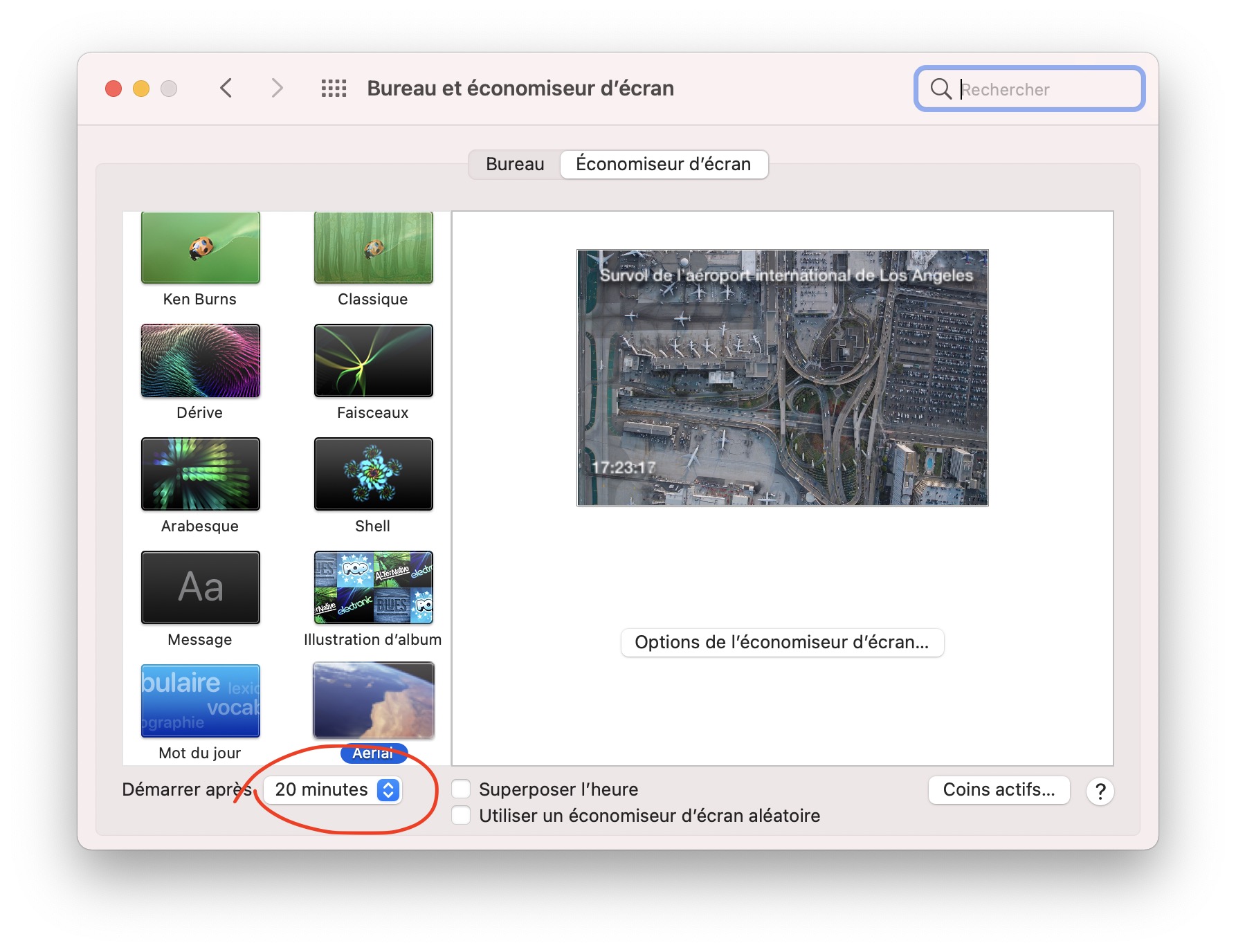
Intriguing, one thing that comes to mind is your Energy Saver settings. Can you check what it says at both locations in my screenshots.
First here :
Then here :
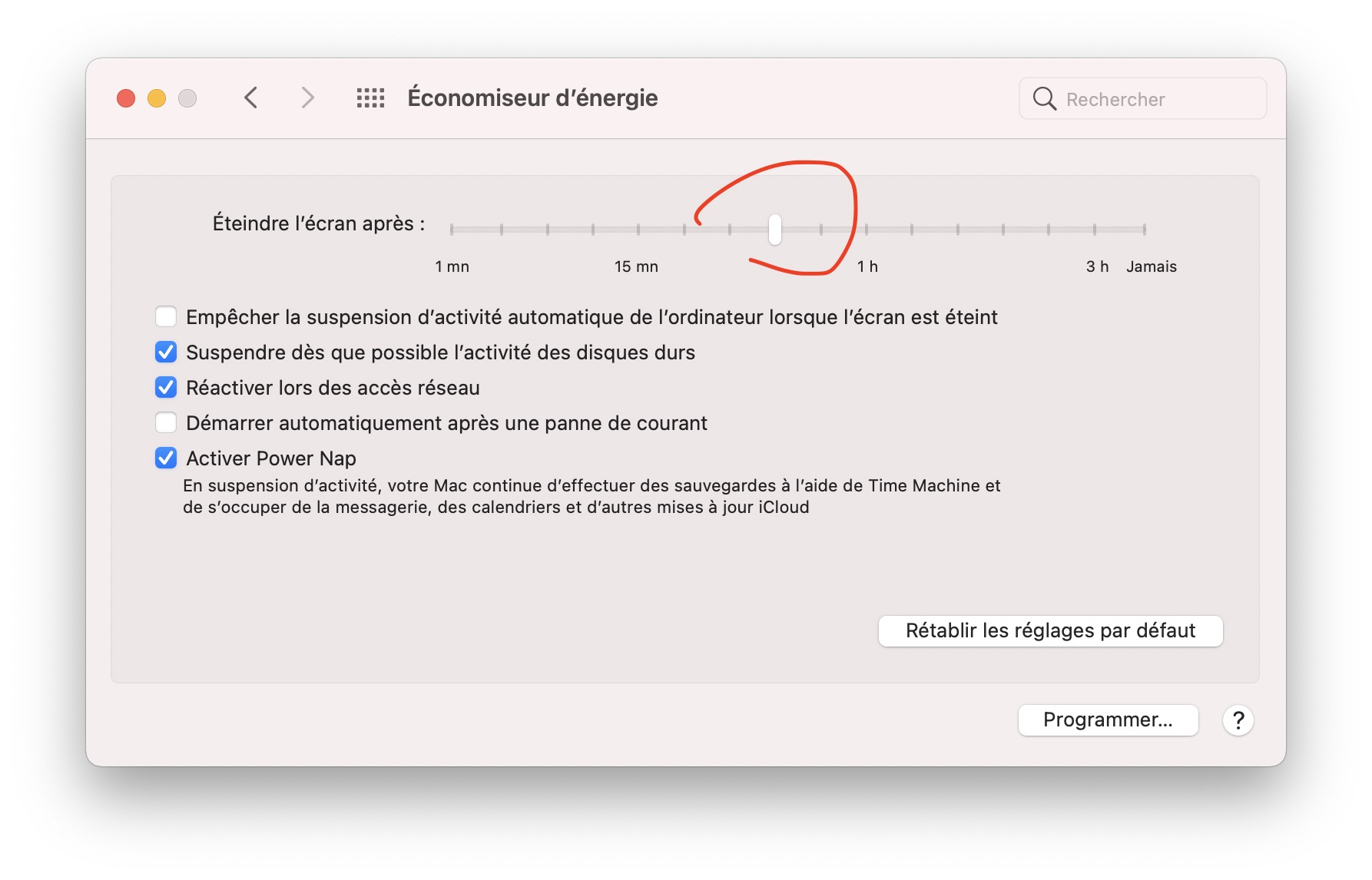
First one determines when the saver starts. Second one when your screen should go black. So, if you have say, 30 minutes on both, the screensaver will never launch. First should be shorter than second, and screensaver runs for second - first.
Makes sense ?
glouel
on 3 Oct 2020
You’re pretty fast ;-)
My settings are « launch the screen saver after 5 minutes » and "never turn display off ».
Btw, the screen save has quit unexpectedly when I wanted to verify the delay …
Here is the report I got .
Le 3 oct. 2020 à 17:25, Guillaume Louel notifications@github.com a écrit :
Thanks for the answer. I tried uninstalling/reinstalling Aerial, downloaded all videos and the problem still exists: the screen saver is OK when using preview from preference pane (System Preferences), the screen saver is OK when launching it from the ‘active corner’, but when it launches directly, the screen remains black...
Intriguing, one thing that comes to mind is your Energy Saver settings. Can you check what it says at both locations in my screenshots.
First here :
https://user-images.githubusercontent.com/37544189/94995232-4759bd80-059d-11eb-99b5-57a1d7663e15.jpg
Then here :https://user-images.githubusercontent.com/37544189/94995237-504a8f00-059d-11eb-82bf-94d9eeea5d61.jpg
First one determines when the saver starts. Second one when your screen should go black. So, if you have say, 30 minutes on both, the screensaver will never launch. First should be shorter than second, and screensaver runs for second - first.Makes sense ?
—
You are receiving this because you commented.
Reply to this email directly, view it on GitHub https://github.com/JohnCoates/Aerial/issues/1107#issuecomment-703120446, or unsubscribe https://github.com/notifications/unsubscribe-auth/AKN4Y7UVSQB4PQRGOECLIM3SI467VANCNFSM4RZVS4XQ.
cdavid33
on 3 Oct 2020
You can't attach files by replying by email, you need to attach them on github. I've made a new issue to track this as this has nothing to do with the other bug, so please reply there instead thanks : https://github.com/JohnCoates/Aerial/issues/1114
I'm closing this for everyone else, thanks again everyone for the reports.
glouel
on 3 Oct 2020
Done!
Thanks for your help.
Le 3 oct. 2020 à 17:40, Guillaume Louel notifications@github.com a écrit :
You can't attach files by replying by email, you need to attach them on github. I've made a new issue to track this as this has nothing to do with the other bug, so please reply there instead thanks : #1114 https://github.com/JohnCoates/Aerial/issues/1114
I'm closing this for everyone else, thanks again everyone for the reports.—
You are receiving this because you commented.
Reply to this email directly, view it on GitHub https://github.com/JohnCoates/Aerial/issues/1107#issuecomment-703122442, or unsubscribe https://github.com/notifications/unsubscribe-auth/AKN4Y7WUX3OAUU3EHAY4YV3SI5AVZANCNFSM4RZVS4XQ.
cdavid33
on 3 Oct 2020
Related issues
 1st
·
6Comments
1st
·
6Comments
 savraj
·
4Comments
savraj
·
4Comments
 jbis9051
·
6Comments
jbis9051
·
6Comments
 arnsangra
·
3Comments
arnsangra
·
3Comments
 ghost
·
5Comments
ghost
·
5Comments
Most helpful comment
Hey there @halcyonrecords
So yeah actually I've had a few reports of this. We tried investigating it this week end, it looks like that security update broke something in the ability to run Swift screensavers. This is an issue not just for this version of Aerial, rolling back to 1.9 didn't seem to help, and same issues were seen with other Swift screensavers.
As to precisely what's happening, there's a memory allocation issue when the system tries to load a Swift screensaver. And there's not much I can do but fill a radar with Apple, if you have the ability to do so I'd recommend you do so to get it more attention !