Aerial: 10.13.4 Macbook Pro 13' display error
MacBook Pro (13-inch, 2017, Four Thunderbolt 3 Ports) Touch Bar
MacOs 10.13.4
When using default setting display error

But using scaled display settings (Only More Space 1680 x 1050 setting) display correct.
 guyunxiang
All 11 comments
I have the same issue
 JimCisc0
on 17 Apr 2018
JimCisc0
on 17 Apr 2018
I was able to fix that issue by turning on the clock in the screensaver settings 😂
I have no idea why, but it really fixes the issue, but now since the last update I have a similar issue, it seems the resolution doesn't fit anymore:
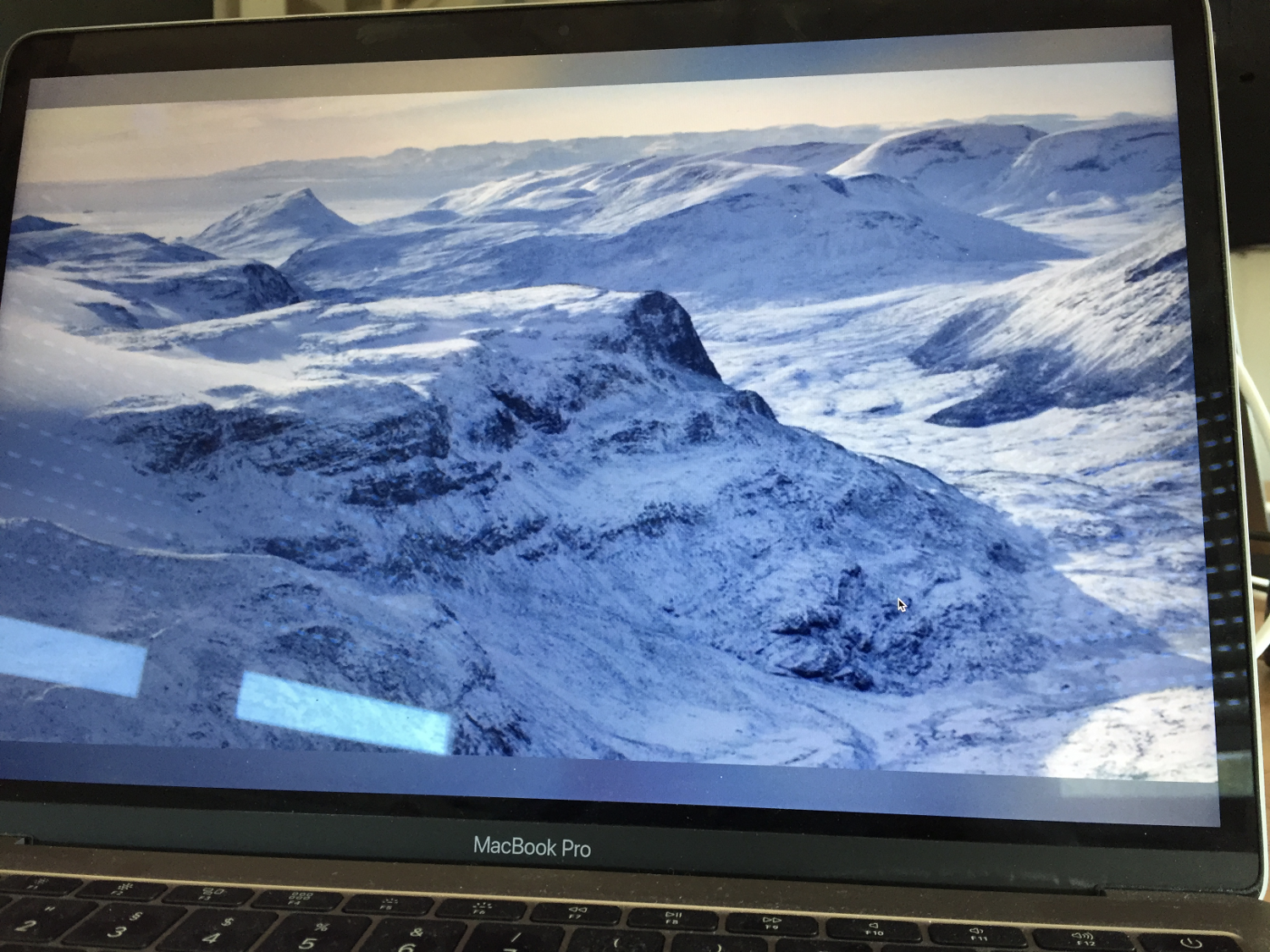
On my bigger screen (Ultrawide 34 inches) I have those bars left and right
 funfried
on 19 Apr 2018
funfried
on 19 Apr 2018
@funfried you are right, fix too.😂
guyunxiang
on 19 Apr 2018
I have the same issue as @funfried
 kamilgregorczyk
on 25 Apr 2018
kamilgregorczyk
on 25 Apr 2018
Ty, @funfried! Works 😄
 MrKyhme
on 25 Apr 2018
MrKyhme
on 25 Apr 2018
@funfried hah ,its works
 YaoJuan
on 29 Apr 2018
YaoJuan
on 29 Apr 2018
I have the same issue as @funfried - but I've been using the clock to deal with High Sierra issues for some time. So it is still broken for me. Sounds like 10.13.4 has broken something (again). Any plans to fix? [I also have 13" Touch Bar MacBook Pro]
 ntompson
on 2 May 2018
ntompson
on 2 May 2018
Got the same issue, when using external display the main macbook pro 13" display keeps flipping continuously between fullscreen (filled/stretched) and the original aspect ratio of the video (black bars top and bottom).
 MescalHeart
on 8 May 2018
MescalHeart
on 8 May 2018
I also have this issue on MacBook Pro 13" with Touch Bar. It can be fixed by turning on clock on screensaver (thank you @funfried)
 grebmeg
on 31 Jul 2018
grebmeg
on 31 Jul 2018
I had the issue where the resolution of the video was incorrect - it would "zoom in". When I add the clock, it is as expected.
 astubbs
on 31 Aug 2018
astubbs
on 31 Aug 2018
Closing as fixed with the release of 1.4.1
 glouel
on 16 Oct 2018
glouel
on 16 Oct 2018
Related issues
 adri430
·
7Comments
adri430
·
7Comments
 jbis9051
·
6Comments
jbis9051
·
6Comments
 BerryJerry
·
8Comments
BerryJerry
·
8Comments
 ryan-madrona
·
8Comments
ryan-madrona
·
8Comments
 savraj
·
4Comments
savraj
·
4Comments
Most helpful comment
I was able to fix that issue by turning on the clock in the screensaver settings 😂
I have no idea why, but it really fixes the issue, but now since the last update I have a similar issue, it seems the resolution doesn't fit anymore:
On my bigger screen (Ultrawide 34 inches) I have those bars left and right