Adguardhome: Only loopback interface during first installation
Prerequisites
- [x] I am running the latest version
- [x] I checked the documentation and found no answer
- [x] I checked to make sure that this issue has not already been filed
Issue Details
- Version of AdGuard Home server:
- 0.102.0
- How did you setup DNS configuration:
- VPS, Linux, OpenVZ
- Operating system and version:
- Debian 9
Expected Behavior
Actual Behavior
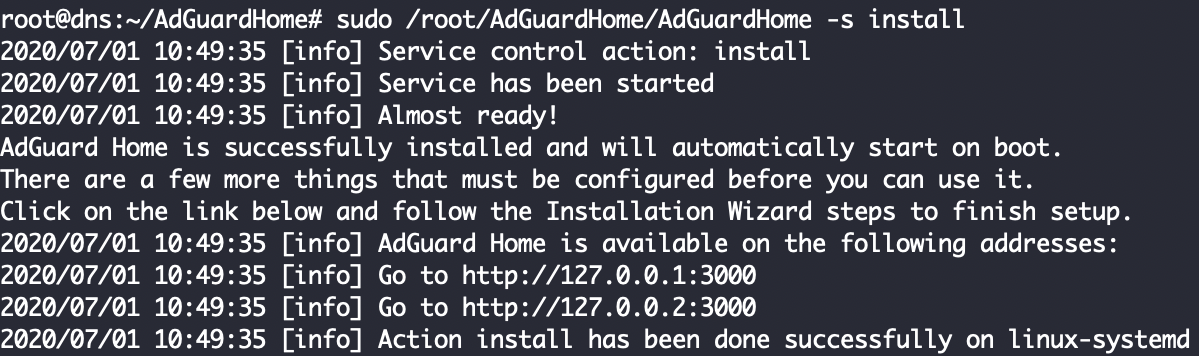
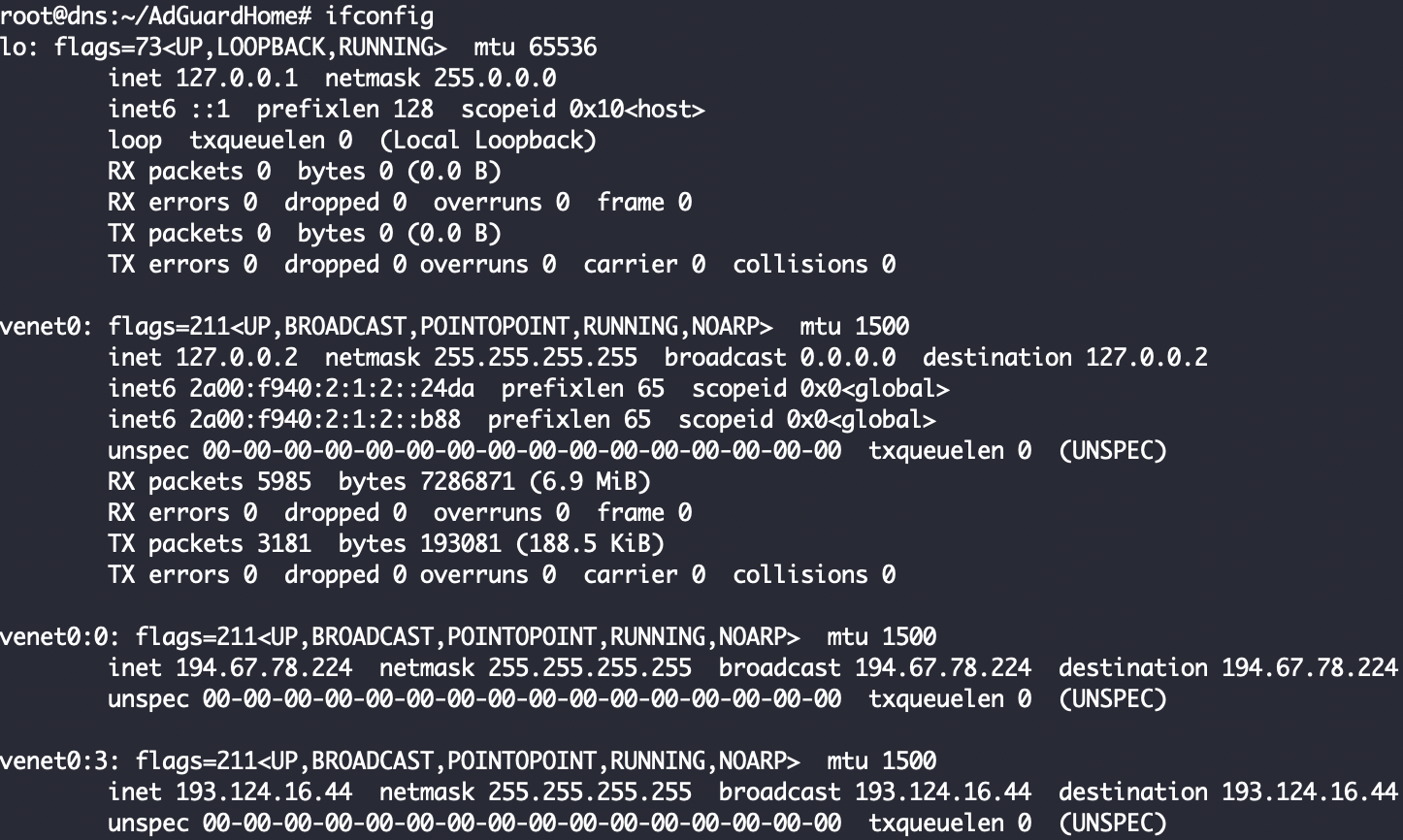
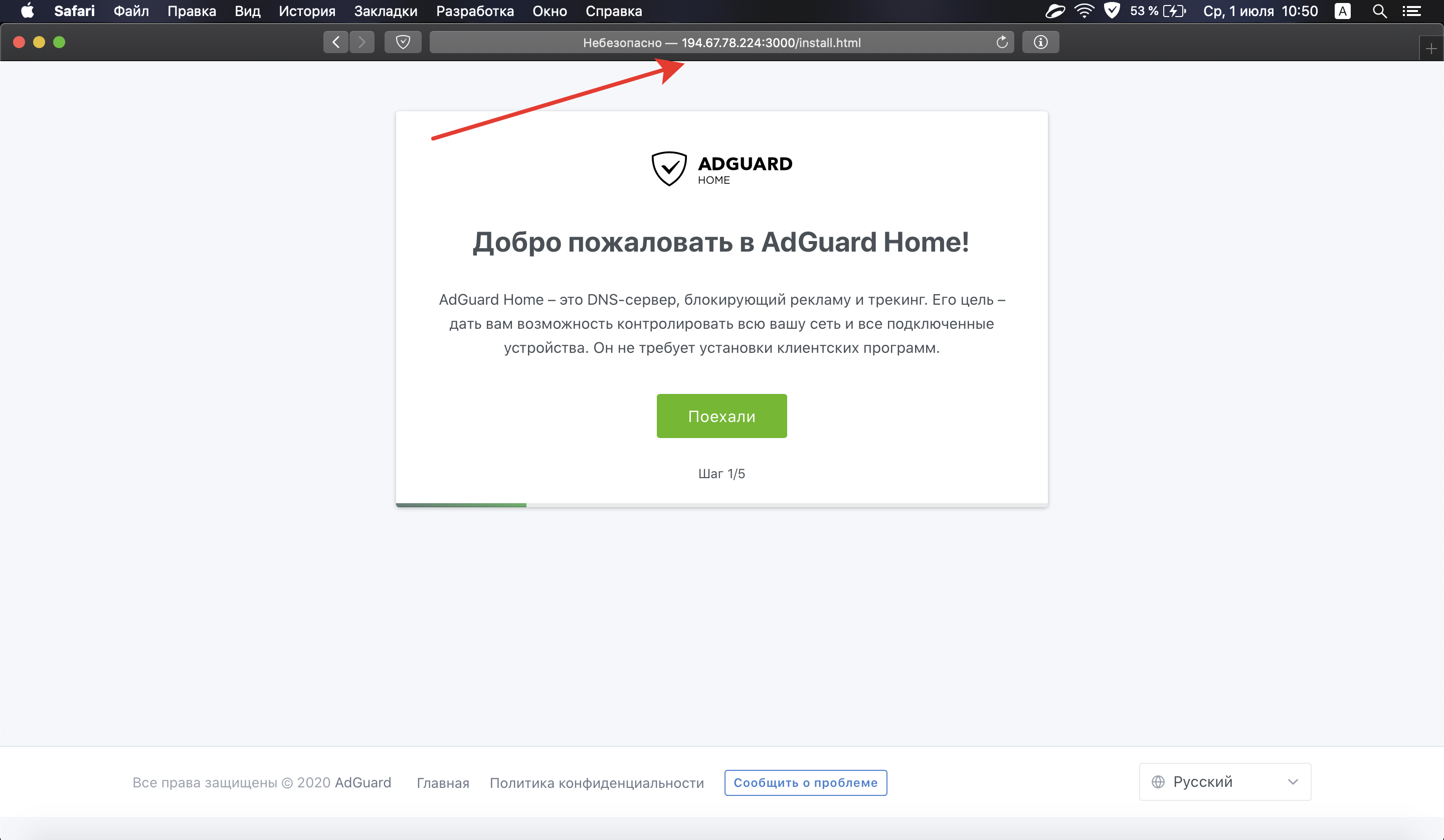
During the first installation, the system offers to log in only through the loopback interface (127.0.0.1:3000). Does not offer external interfaces like (194.67.78.224:3000 or 193.124.16.44:3000). At the same time, it is possible to go through the external interface and complete the installation without problems.
Screenshots
Screenshot:
Additional Information
This can confuse users without experience😟
 ammnt
ammnt
All 11 comments
@ammnt I think that's good for non-experienced users to know that installation wizard running properly. if set external IP as default access method then firewall issues may prevent access to web interface
At the same time, it is possible to go through the external interface and complete the installation without problems.
As you said above then both ways working.
 Aikatsui
on 1 Jul 2020
Aikatsui
on 1 Jul 2020
@ammnt I think that's good for non-experienced users to know that installation wizard running properly. if set external IP as default access method then firewall issues may prevent access to web interface
At the same time, it is possible to go through the external interface and complete the installation without problems.
As you said above then both ways working properly
And how will an non-experienced user know that they need to follow the link http://194.67.78.224:3000 to complete the installation?
ammnt
on 1 Jul 2020
Are you sure that venet0:0 and venet0:3 interfaces were initialized before you run AGH?
After you see them in output from ifconfig - can you restart AGH installation and ensure they don't appear in the list of available URLs?
 szolin
on 2 Jul 2020
szolin
on 2 Jul 2020
Are you sure that
venet0:0andvenet0:3interfaces were initialized _before_ you run AGH?
After you see them in output fromifconfig- can you restart AGH installation and ensure they don't appear in the list of available URLs?
Yes, of course! All interfaces initialized before AGH, but nothing changed if i start installation again. Everything works fine, except this message.
ammnt
on 2 Jul 2020
Also, in the screenshot, you see an SSH-session to the remote server via venet0:0 (194.67.78.224). This means that it is running and at least it must be displayed in this message during the first installation. But he's gone. Right? :)
ammnt
on 2 Jul 2020
I've prepared a simple program that lists network interfaces. Could you please tell me your CPU type so I can build it and attach here for you? Or you can build it yourself via go build command.
main.go:
package main

import (
    "net"

    "github.com/AdguardTeam/golibs/log"
)

func main() {
    ifaces, err := net.Interfaces()
    if err != nil {
        log.Fatalf("net.Interfaces: %s", err)
    }

    for _, i := range ifaces {
        addrs, err := i.Addrs()
        if err != nil {
            log.Error("i.Addrs(%s): %s", i.Name, err)
            continue
        }
        log.Info("interface: %s  addrs:%v  flags:%v", i.Name, addrs, i.Flags)
    }
}
I've prepared a simple program that lists network interfaces. Could you please tell me your CPU type so I can build it and attach here for you? Or you can build it yourself via
go buildcommand.
main.go:6:2: cannot find package "github.com/AdguardTeam/golibs/log" in any of:
        /usr/local/go/src/github.com/AdguardTeam/golibs/log (from $GOROOT)
        /root/go/src/github.com/AdguardTeam/golibs/log (from $GOPATH)
I think it will be faster and wiser if I give you access to SSH through Telegram. It's an empty server and there's no any private data right now. What do you think?
ammnt
on 2 Jul 2020
First let's try to build the program.
Can you try this code?
package main

import (
    "fmt"
    "net"
)

func main() {
    ifaces, err := net.Interfaces()
    if err != nil {
        fmt.Printf("net.Interfaces: %s\n", err)
    }

    for _, i := range ifaces {
        addrs, err := i.Addrs()
        if err != nil {
            fmt.Printf("error: i.Addrs(%s): %s\n", i.Name, err)
            continue
        }
        fmt.Printf("interface: %s  addrs:%v  flags:%v\n", i.Name, addrs, i.Flags)
    }
}
What i see now:

ammnt
on 2 Jul 2020
Thank you!
It's clear now that we use only the first IP address, skipping all others.
We'll fix that.
szolin
on 2 Jul 2020
Thank you!
It's clear now that we use only the first IP address, skipping all others.
We'll fix that.
Great! You`re awesome :)
ammnt
on 2 Jul 2020
Related issues
 ameshkov
·
3Comments
ameshkov
·
3Comments
 xenio
·
4Comments
xenio
·
4Comments
 s-timm
·
4Comments
s-timm
·
4Comments
 AnthonyBe
·
3Comments
AnthonyBe
·
3Comments
 hl2guide
·
3Comments
hl2guide
·
3Comments
Most helpful comment
Thank you!
It's clear now that we use only the first IP address, skipping all others.
We'll fix that.