Adguardhome: Is it possible to resolve hostnames when using a router as DHCP and forwarding DNS to AGH on RPi3?
Right now, all my clients in AGH query log are showing as my router IP (192.168.86.1). In the past, my PiHole installation had the ability to discern individual clients from the router. I don't quite remember the config, but I know I was using the router as DHCP and PiHole as DNS. Is it possible to do this with AGH on my RPi3? I did recently upgrade my router to a Google Nest Router so it might also be that it's not possible with the limited config options in the Nest Router.
 christasich
All 10 comments
Well, most likely your router is proxying DNS queries for some reason. This is not common, but it does happen with some routers. I have no experience with Google Nest so it's rather for me to say if this is possible to disable that.
You may also want to look for a way to disable DHCP on your router and use the one provided by AGH.
 ameshkov
on 14 Jun 2020
ameshkov
on 14 Jun 2020
This seems to be relevant: https://www.reddit.com/r/GoogleWiFi/comments/8xcvnw/google_wifi_with_a_different_dhcp_server/
ameshkov
on 14 Jun 2020
Ah, I think that's it. When I look at the DNS server my PC gets from the router, it shows the router IP.
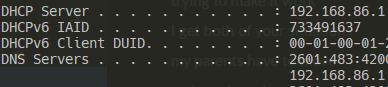
Basically, it's broadcasting it's IP as the DNS server, and then it forwards all requests to the upstream DNS that I've specified (in this case the AGH server). Do I have that right?
I would just put my Nest Router in bridge mode, but then I lose the mesh functionality.
christasich
on 15 Jun 2020
Do I have that right?
Yeah, seems so.
I would just put my Nest Router in bridge mode, but then I lose the mesh functionality.
The guy on Reddit proposed a more tricky solution - narrowing the DHCP range to one IP on the Google router, and excluding that IP from the range that the second DHCP uses. Sounds plausible.
ameshkov
on 15 Jun 2020
I tried to implement it but I'm struggling to enable the AGH DHCP server.
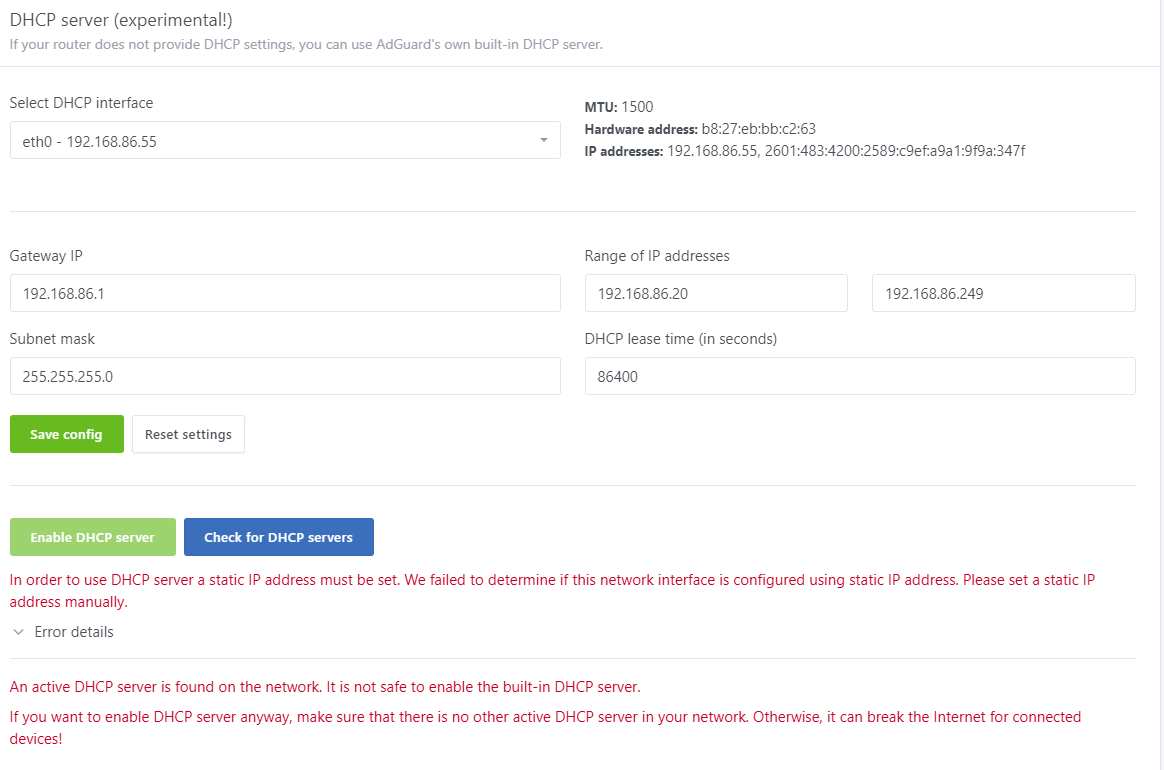
My RPi3 has a static IP at eth0. I think it might be complicated by the fact that it's running on HassIO. I think that means it's probably in a Docker container? Any advice on how to fix it?
christasich
on 15 Jun 2020
Huh, if it is indeed inside Docker, this makes things quite complicated.
Here's how we check if the device has static IP:
        body, err := ioutil.ReadFile("/etc/dhcpcd.conf")
        if err != nil {
            return false, err
        }

        return hasStaticIPDhcpcdConf(string(body), ifaceName), nil
I guess /etc/dhcpcd.conf file is missing in the container (which is understandable). As an option, you can trick it by creating an empty file there.
ameshkov
on 15 Jun 2020
That fixed the first error, but I'm still unable to enable the DHCP.
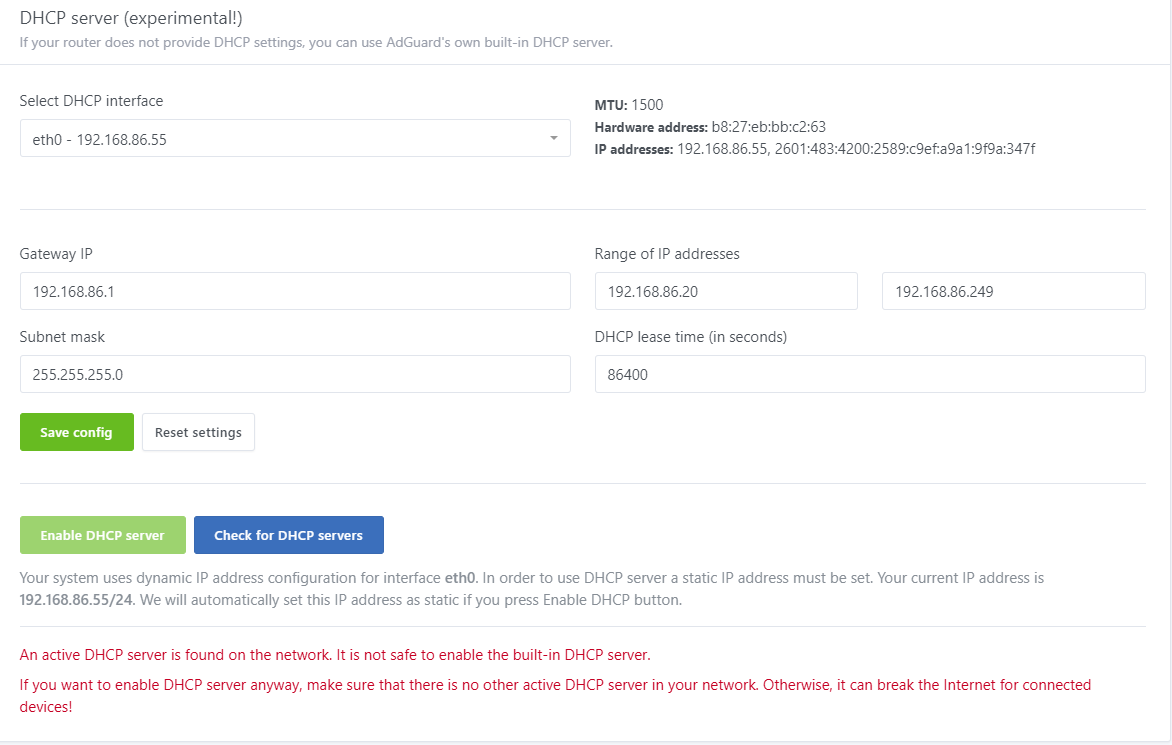
It says I can still enable it in the error message, but the button is dimmed and won't let me select it.
christasich
on 15 Jun 2020
I was able to force it by manually editing the AdGuard yaml file. Limiting the IP range seems to have worked! I now have client IPs and names populated in AdGuard. Thanks for the help!
christasich
on 15 Jun 2020
Awesome, please let me know if you encounter any issues with this approach later.
ameshkov
on 15 Jun 2020
Hi,
I come here with the same problem and have the Google Wifi mesh setup.
Google support useless as always.
I can see the clients listed under Clients (runtime) Data on the clients that use AdGuard Home, but not stored in the configuration - but no requests listed even when I create an explicit client configuration.
Has anyone managed to get this working without messing around setting up additional DHCP servers or have a step by step guide on how to configure this?
Cheers !
 pete-leese
on 24 Nov 2020
pete-leese
on 24 Nov 2020
Related issues
 Iconology
·
3Comments
Iconology
·
3Comments
 xenio
·
4Comments
xenio
·
4Comments
 ammnt
·
3Comments
ameshkov
·
3Comments
ammnt
·
3Comments
ameshkov
·
3Comments
 thb007
·
3Comments
thb007
·
3Comments