Adguardforsafari: Advanced ad blocking scripts are executed even when the page is whitelisted
_Originally posted by @einfallstoll in https://github.com/AdguardTeam/AdguardBrowserExtension/issues/111#issuecomment-633030862_
I use Safari and have whitelisted "localhost". However, the extension still injects the script, which throws an CSP exception causing the debugger to run:

I would expect AdGuard to not inject any scripts into whitelisted pages.
 ameshkov
All 6 comments
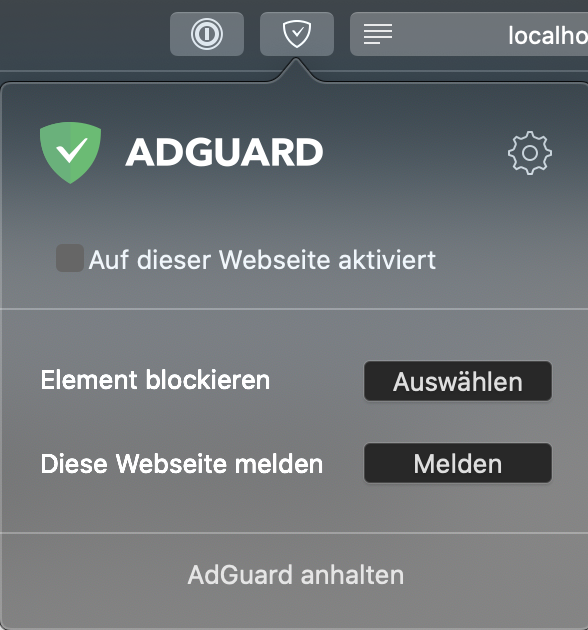
The extension pop-up recognises localhost being whitelisted:
Error message from the console:
Refused to execute a script because its hash, its nonce, or 'unsafe-inline' does not appear in the script-src directive of the Content Security Policy.
The configured website uses nonces for the script-src directive, therefore all unsafe inline scripts are automatically blocked. To me there are two fixes needed:
- Never inject any scripts into whitelisted pages.
- Take the Content-Security-Policy into consideration. If inline scripts are blocked, don't try to inject scripts.
 einfallstoll
on 24 May 2020
einfallstoll
on 24 May 2020
Never inject any scripts into whitelisted pages.
Is there a technical/architectural limitation that allows this now?
 mrlife
on 2 Jun 2020
mrlife
on 2 Jun 2020
Nope, I don't see any limitation that would stop us from implementing this properly.
ameshkov
on 2 Jun 2020
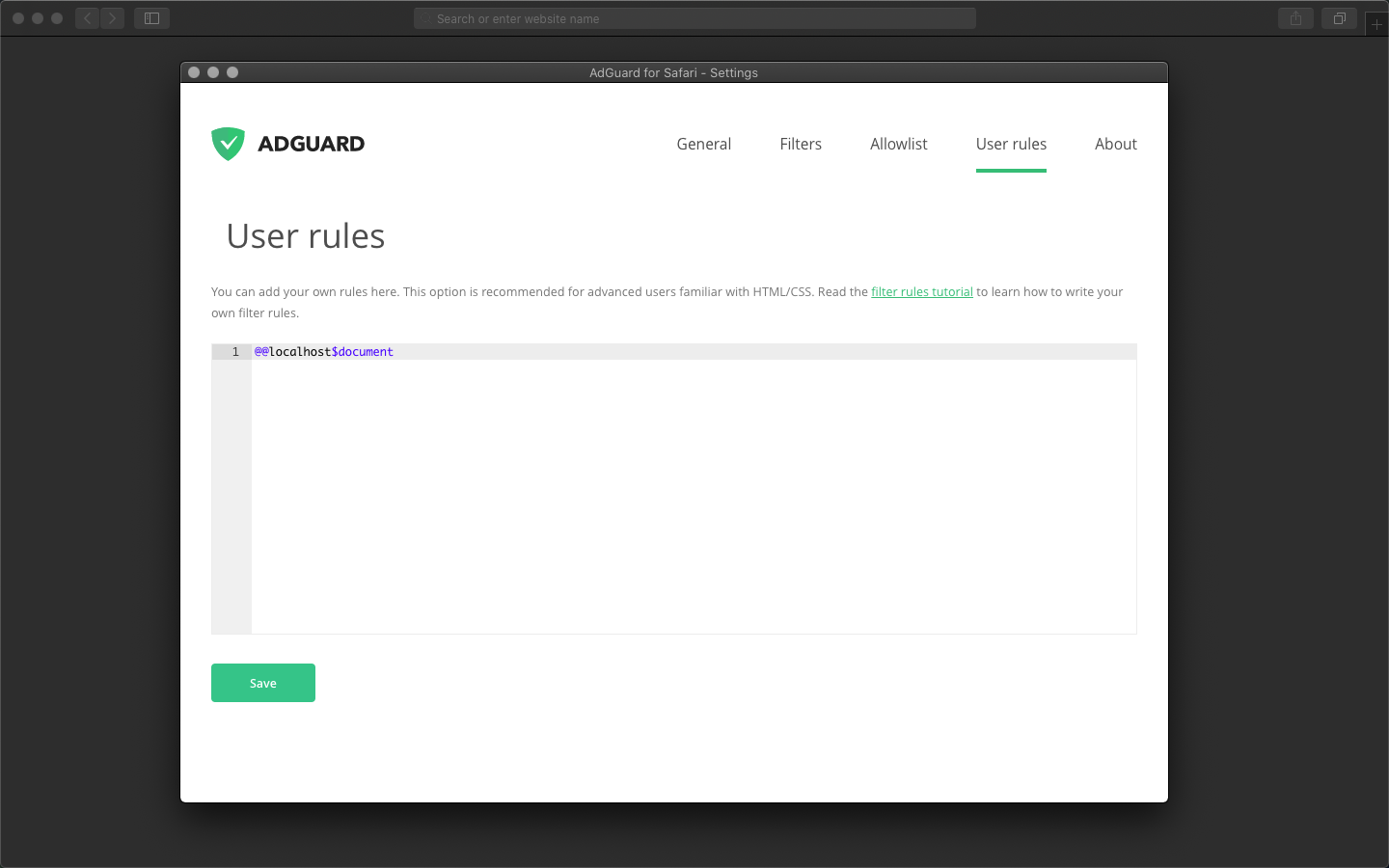
as a temporary solution please try add @@localhost$document rule.
we'll fix it on next release.
 tvinzz
on 15 Jul 2020
tvinzz
on 15 Jul 2020
@tvinzz Thanks for the response, I added this to the whitelist and then tried it in my custom user rules. However, this does not work. Where am I supposed to add this?
einfallstoll
on 16 Jul 2020
@einfallstoll, to user rules
tvinzz
on 16 Jul 2020
Related issues
ameshkov
·
4Comments
 Oleg-Chashko
·
4Comments
Oleg-Chashko
·
4Comments
 fareastenders
·
8Comments
fareastenders
·
8Comments
 Sergey-Lyapin
·
5Comments
ameshkov
·
3Comments
Sergey-Lyapin
·
5Comments
ameshkov
·
3Comments