Adguardforsafari: AdGuard for Safari (Not Responding)
Issue Details
- AdGuard for Safari version: 1.7.1
- Environment name and version: Safari 13.0.5 (15608.5.11)
- Operating System: macOS 10.15.3 (19D76)
- Filters you use in AdGuard: AdGuard Base Filter, NoCoin Filter List
- Any other browser extensions you have installed: 1Password
Expected Behavior
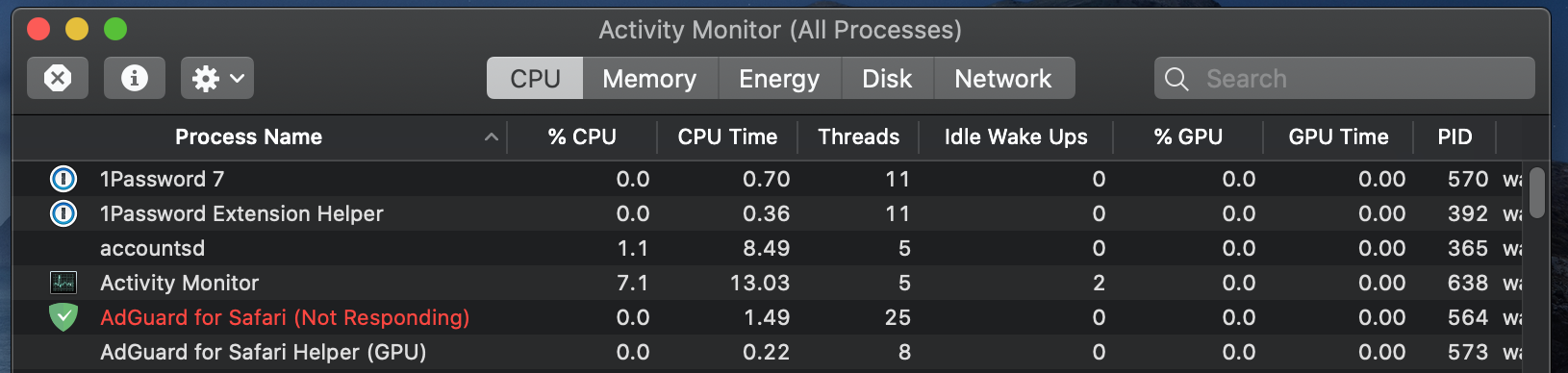
AdGuard for Safari should automatically loaded properly in every reboot, without "Not Responding" status in Activity Monitor.
Actual Behavior
Happens many times (although not every time) when reboot, AdGuard for Safari loaded automatically but it is shown as "Not Responding" in Activity Monitor.
Screenshots
Screenshot:
 jwchong
All 41 comments
@jwchong
Could you please export logs (if that's possible) when this happens again?
AG menu icon -> "export logs and system info".
 ameshkov
on 21 Mar 2020
ameshkov
on 21 Mar 2020
Issue Details
• AdGuard for Safari version: 1.7.2
• Environment name and version: Safari 13.0.5 (15608.5.11)
• Operating System: macOS 10.15.3 (19D76)
• Filters you use in AdGuard: AdGuard Base Filter, Annoyances filter, AdGuard Deutscher Filter, AdGuard Russischer Filter
• Any other browser extensions you have installed: Polyglot, Open in iina
• Startup Programs: OneDrive, Mail, Leaf
Expected Behavior
AdGuard for Safari should automatically loaded properly in every reboot, without "Not Responding" status in Activity Monitor.
Actual Behavior
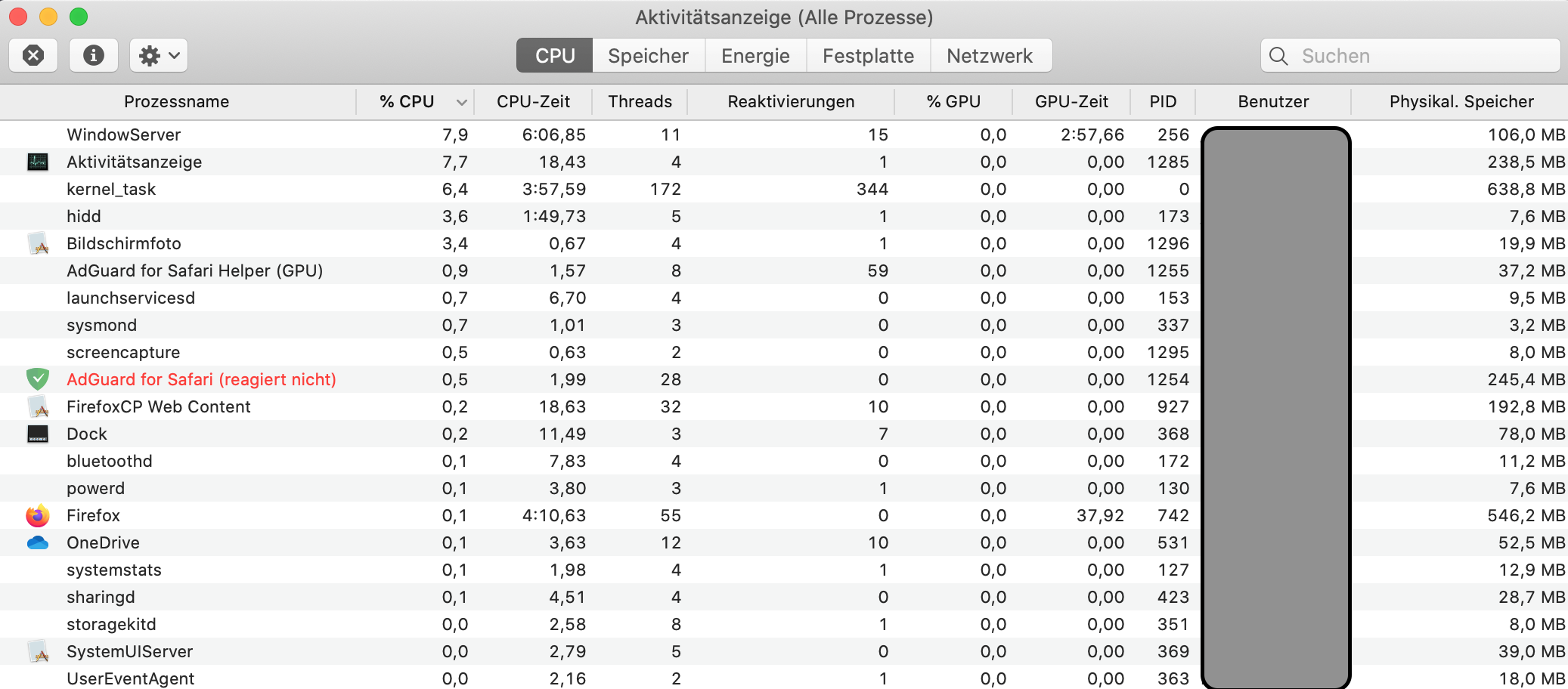
This problem arose about four months ago.
With a manual start, about 2 out of 10 freezes.
When the system starts automatically, about 7-8 out of 10 freezes.
Screenshots
 Oleg-Chashko
on 22 Mar 2020
Oleg-Chashko
on 22 Mar 2020
@Oleg-Chashko quick question -- do you have this issue on the standalone build of AG?
ameshkov
on 22 Mar 2020
@Oleg-Chashko quick question -- do you have this issue on the standalone build of AG?
Yes, the problem exists.
Oleg-Chashko
on 22 Mar 2020
Hmm, got it.
The problem here is that we cannot reproduce it at all so we need your help with figuring out what's wrong.
First of all, we need a crash dump:
- Next time the issue occurs, open the activity monitor
- Find and select AdGuard for Safari process
- Click "View", then select "Send Signal to Process..."
https://uploads.adguard.com/up04_f8wb7_Activity_Monitor_All_Processes_Hierarchically.png - Choose "Abort (SIGABRT)" from the list and send it
- Go to
~/Library/Logs/DiagnosticReports, you'll find the crash dump there, the file name would be something like this:AdGuard for Safari_2020-03-22-144450_Andreys-MacBook-Pro.crash
ameshkov
on 22 Mar 2020
The problem here is that we cannot reproduce it at all so we need your help with figuring out what's wrong.
Crash dump.zip
Oleg-Chashko
on 22 Mar 2020
@Oleg-Chashko awesome, thank you!
Is this the standalone build or the MAS build?
ameshkov
on 22 Mar 2020
Is this the standalone build or the MAS build?
Yes. This is a standalone assembly.
AdGuard starts in the pause mode, in the process it still does not freeze. After that, I move the cursor to the AdGuard icon (but I don’t click it) and freezes in AdGuard processes. Watch the video file.
I am attaching a video file, it may help.
I am glad to help.
If you want, send or give a test AdGuard for Safari. I can test and blow you a report.
Bildschirmvideo aufnehmen 2020-03-22 um 12.56.03.mkv.zip
Oleg-Chashko
on 22 Mar 2020
@jwchong
the new beta addresses the issue
 vozersky
on 27 Mar 2020
vozersky
on 27 Mar 2020
I’ve been testing it for about an hour now, it does not freeze, everything is OK!
Oleg-Chashko
on 27 Mar 2020
@Oleg-Chashko thanks a lot for testing it, glad to hear that :)
vozersky
on 27 Mar 2020
Hope you release new update soon, I do not want to test the Beta. Thanks.
jwchong
on 27 Mar 2020
@jwchong you can always switch to standalone release channel - it gets updates sooner than Appstore channel
 zzebrum
on 27 Mar 2020
zzebrum
on 27 Mar 2020
May I know what is standalone release channel? Have link?
jwchong
on 27 Mar 2020
sure, here it is: https://agrd.io/safari_release
zzebrum
on 27 Mar 2020
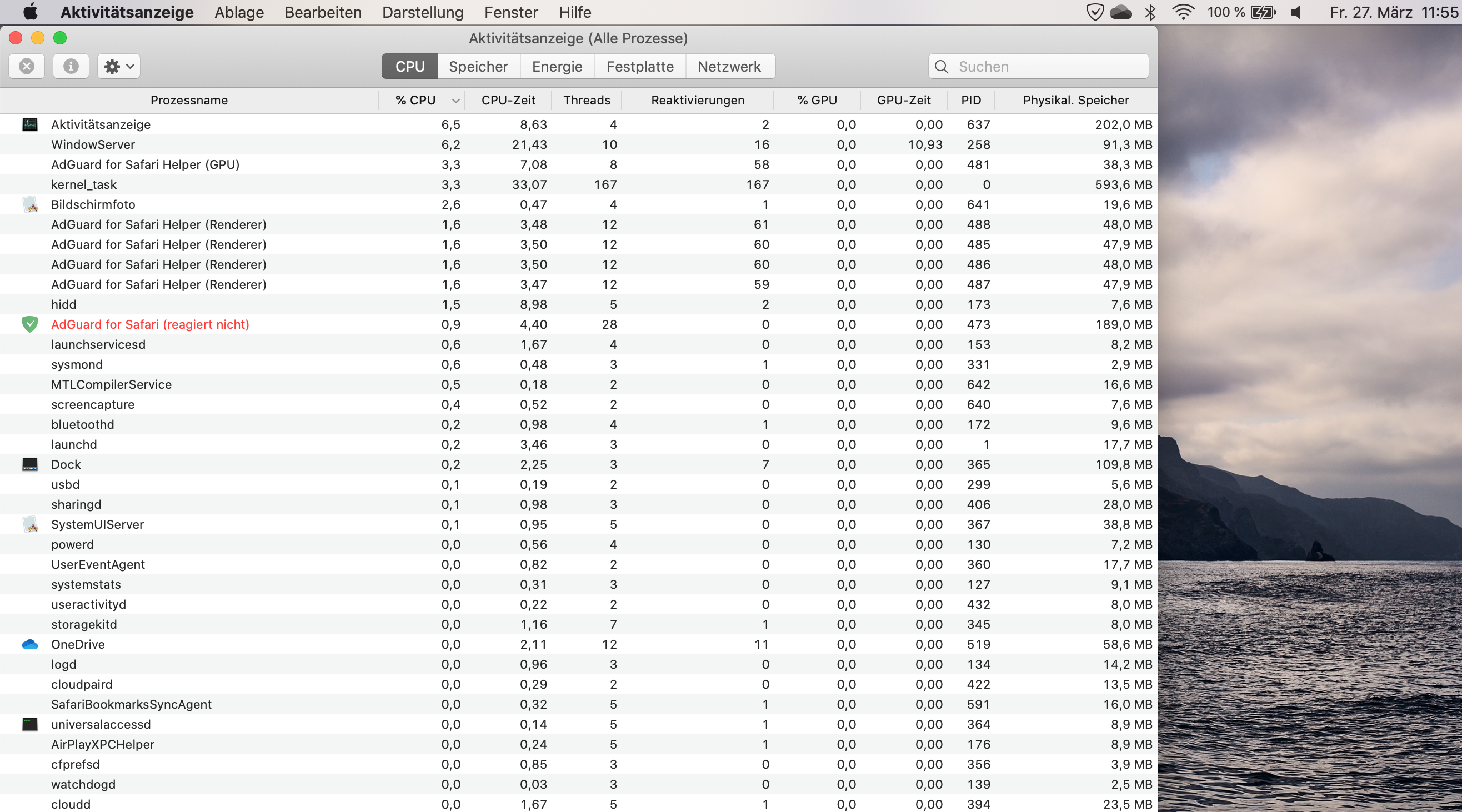
I managed to cause it to fail (Not Responding). But crash dump, failed to do.
Oleg-Chashko
on 27 Mar 2020
@Oleg-Chashko how did you do that? It was on the latest beta, right?
ameshkov
on 27 Mar 2020
Yes, this is the last beta v.1.7.3. It took about three hours to reboot. But for some reason it did not work to make a dump.
Oleg-Chashko
on 27 Mar 2020
@Oleg-Chashko how did you do that?
Oleg-Chashko
on 27 Mar 2020
@Oleg-Chashko you've been simply restarting the app until it occurred, right?
ameshkov
on 27 Mar 2020
@Oleg-Chashko you've been simply restarting the app until it occurred, right?
Yes.
As I tested:
- About three hours I restarted the Mac, once AdGuard (Not Responding). I sent a screenshot, but failed to remove the dump.
- Then, in order to facilitate the test, I restarted the application, and you see it in the dump.
After your [Fixed] result is very good, but not 100%.
Oleg-Chashko
on 27 Mar 2020
@Oleg-Chashko Please, try this one https://uploads.adguard.com/AdGuard_Safari.app.zip and let us know if this helps.
 SoLenny
on 27 Mar 2020
SoLenny
on 27 Mar 2020
@Oleg-Chashko I am pretty sure the latest beta (v1.7.4) will help with this issue, please try updating to it.
ameshkov
on 27 Mar 2020
@Oleg-Chashko I am pretty sure the latest beta (v1.7.4) will help with this issue, please try updating to it.
I test about 2 hours, it works stably. Tomorrow I will say the result.
Oleg-Chashko
on 27 Mar 2020
On the dark theme of AdGuard, the icon is almost invisible!

Oleg-Chashko
on 27 Mar 2020
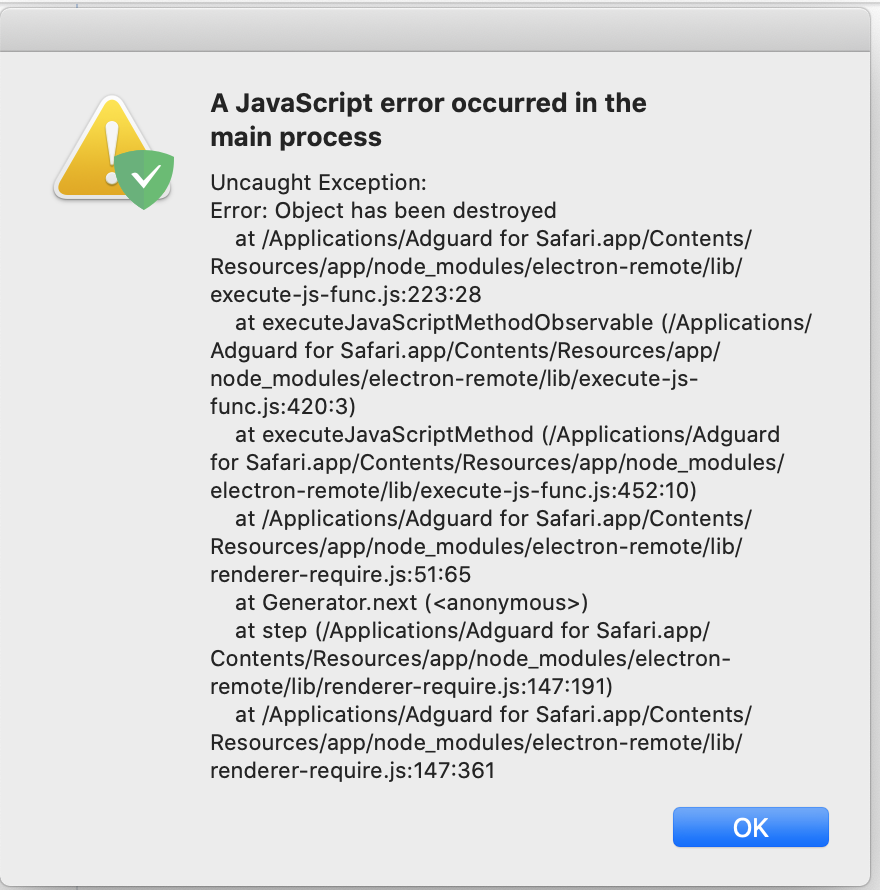
A JavaScript error occurred in the main process!

Oleg-Chashko
on 27 Mar 2020
@Oleg-Chashko how can we reproduce it?
ameshkov
on 27 Mar 2020
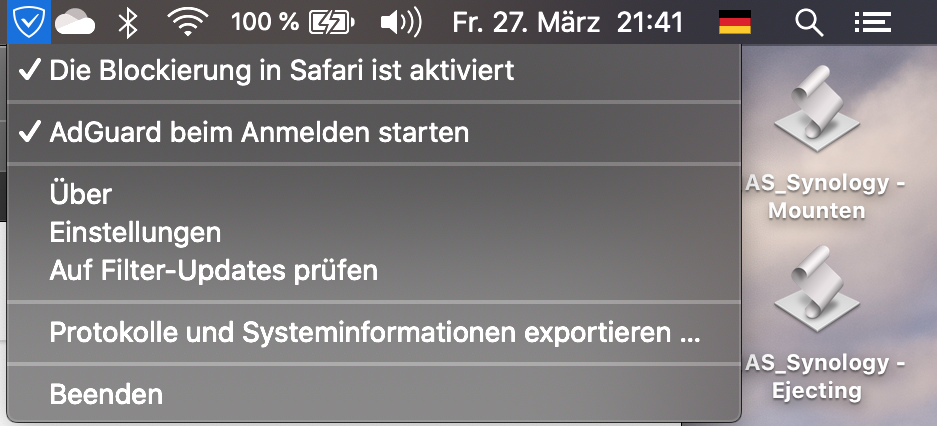
Clicked "Beenden" to exit the application.
Oleg-Chashko
on 27 Mar 2020
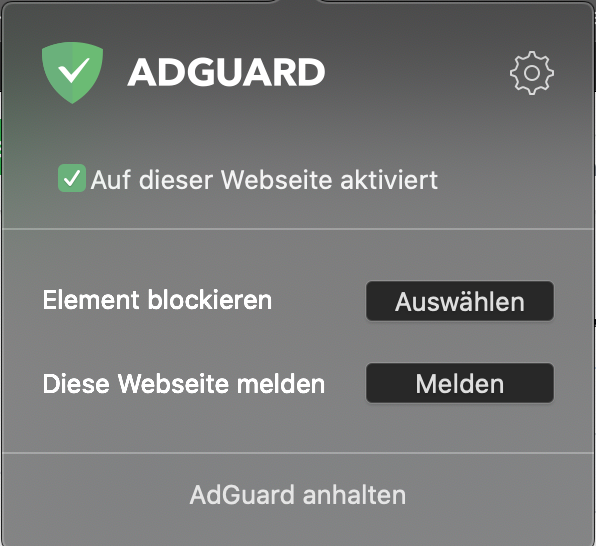
Clicked “AdGuard anhalten” to stop the AdGuard application.

Oleg-Chashko
on 27 Mar 2020
Several times? I've tried doing that a dozen times and cannot achieve this.
ameshkov
on 27 Mar 2020
Several times? I've tried doing that a dozen times and cannot achieve this.
As I understand it, it is written on the Electron engine. It is slow and not always stable.
Oleg-Chashko
on 27 Mar 2020
Yeah, Electron is not ideal. Unfortunately, we used it and replacing it right now would be rather problematic.
Anyways, could you please tell me how often you are able to reproduce this? Do you repeatedly exit / stop / pause AG in order to reproduce that crash?
ameshkov
on 27 Mar 2020
Anyways, could you please tell me how often you are able to reproduce this? Do you repeatedly exit / stop / pause AG in order to reproduce that crash?
Yes! I scoff at full!
But there has never been an AdGuard (Not Responding). I am pleased with this, but I will test tomorrow.
Oleg-Chashko
on 27 Mar 2020
Got it, thank you! In this case, we'll push this update to MAS asap to resolve the most pressing issues. What for the crash, we'll try reproducing it on our side and file a new bug report.
ameshkov
on 27 Mar 2020
On the dark theme of AdGuard, the icon is almost invisible!

And thank you!
I would like to fix the icon. Sometimes it is not visible at all and it is not clear whether the application works or not.
Oleg-Chashko
on 27 Mar 2020
Problems with the bug (Not Responding), no Bug!
Test:
- Wrote a script in "Automator"
- All night he started and turned off "AdGuard for Safari".
- 360 times per hour, for 10 hours.
- Bug (Not Responding), no Bug!
Result: I think the topic can be closed, Thank you.
Oleg-Chashko
on 28 Mar 2020
@Oleg-Chashko cool, thank you! Let me please ask, are you a professional QA engineer? :)
ameshkov
on 28 Mar 2020
@Oleg-Chashko cool, thank you! Let me please ask, are you a professional QA engineer? :)
In my heart I'm a perfectionist - Professional QA Engineer :)
Oleg-Chashko
on 28 Mar 2020
Great to have a professional to test and speed up the process. Thanks a lot
for your time.
jwchong
on 28 Mar 2020
Thank you so much! We've published updates to the standalone channels, and the updated MAS version is on the review now.
ameshkov
on 28 Mar 2020
Try to unistall by this way
https://kb.adguard.com/en/macos/installation#uninstall
it work for me
Run ’Activity Monitor’ app.
Using search tool, find the process cfprefsd.
 vulieumang
on 8 Jan 2021
vulieumang
on 8 Jan 2021
Related issues
 justinlovesmen
·
4Comments
ameshkov
·
4Comments
justinlovesmen
·
4Comments
ameshkov
·
4Comments
 Sergey-Lyapin
·
5Comments
Sergey-Lyapin
·
5Comments
 zecanard
·
3Comments
Oleg-Chashko
·
7Comments
zecanard
·
3Comments
Oleg-Chashko
·
7Comments
Most helpful comment
Problems with the bug (Not Responding), no Bug!
Test:
Result: I think the topic can be closed, Thank you.