Adguardfilters: stadia.google.com
Issue URL (Incorrect Blocking)
Comment
Username: @apalgen
Can't load the page and even if the Google Stadia Shop page loads I can not press the preorder (German: "vorbestellen") button.
The information below is automatically generated. Do not delete it.
Referrer:
Custom userscripts:
https://userscripts.adtidy.org/release/popup-blocker/2.5/popupblocker.user.js
https://userscripts.adtidy.org/release/assistant/4.3/assistant.user.js
https://userscripts.adtidy.org/release/adguard-extra/1.0/adguard-extra.user.js
https://userscripts.adtidy.org/release/adguard-wot/1.0/wot.user.js
Screenshots
Screenshot 1

Screenshot 2

System configuration
Information | value
--- | ---
AdGuard product: | AdGuard for Windows v7.5.2
Browser: | Chrome
AdGuard driver: | WFP
Stealth mode options: | Hide your search queries,
Send Do-Not-Track header,
Remove X-Client-Data header from HTTP requests,
Strip URLs from tracking parameters,
Self-destructing third-party cookies (180),
Block WebRTC,
Hide your Referrer from third-parties (stadia.google.com),
Hide your IP address ()
Filters: | Ad Blocking:
AdGuard Base
Privacy:
AdGuard Tracking Protection
Social Widgets:
AdGuard Social Media
Annoyances:
AdGuard Annoyances
Language-specific:
AdGuard German
 adguard-bot
All 15 comments
Correct URL where you can get to the Stadia Shop after logging into your Google account:
https://stadia.google.com/game/cyberpunk2077
 apalgen
on 16 Oct 2020
apalgen
on 16 Oct 2020
Please describe how to reproduce.
 Alex-302
on 16 Oct 2020
Alex-302
on 16 Oct 2020
Initial intention: Buy the Cyberpunk 2077 game on Google Stadia
System: Windows 10 Pro 64 Bit German
Location: Germany (the Stadia Shopping page switches to German automatically)
Browser: Google Chrome 64 Bit version 86.0.4240.75 (fresh installation)
Additional information: AdGuard legacy browser assistant is used (what works in all browsers)
- Start the browser and go to https://stadia.google.com/game/cyberpunk2077
- Press the red "Pre-order on STADIA" button
- Log into your Google Account
- After the login you get redirected to Stadia, but the page is just black
- Disable AdGuard for Windows in the Windows 10 system tray
- Reload the browser (I pressed F5) and now it shows the Cyberpunk Stadia shopping page
- Re-enable AdGuard and reload the Stadia Shop page again
- The Stadia Shop page keeps showing (browser cache?) but you can not press the grey Pre-order button
- Disable AdGuard again and reload the page
- Press the grey Pre-Order button again and a terms of use overlay on the page appears and you can continue your shopping process
apalgen
on 16 Oct 2020
How works after use:
@@||stadia.google.com^$stealth
 krystian3w
on 16 Oct 2020
krystian3w
on 16 Oct 2020
I suppose guilty:
/cookie_consent_
fix:
@@||gstatic.com/brandstudio/kato/cookie_choice_component/cookie_consent_$script,domain=stadia.google.com
Without script I can not see gallery and buy.
Will be nice also test disable stealth mode by rule: https://github.com/AdguardTeam/AdguardFilters/issues/65664#issuecomment-709997893 or in Windows App.
krystian3w
on 16 Oct 2020
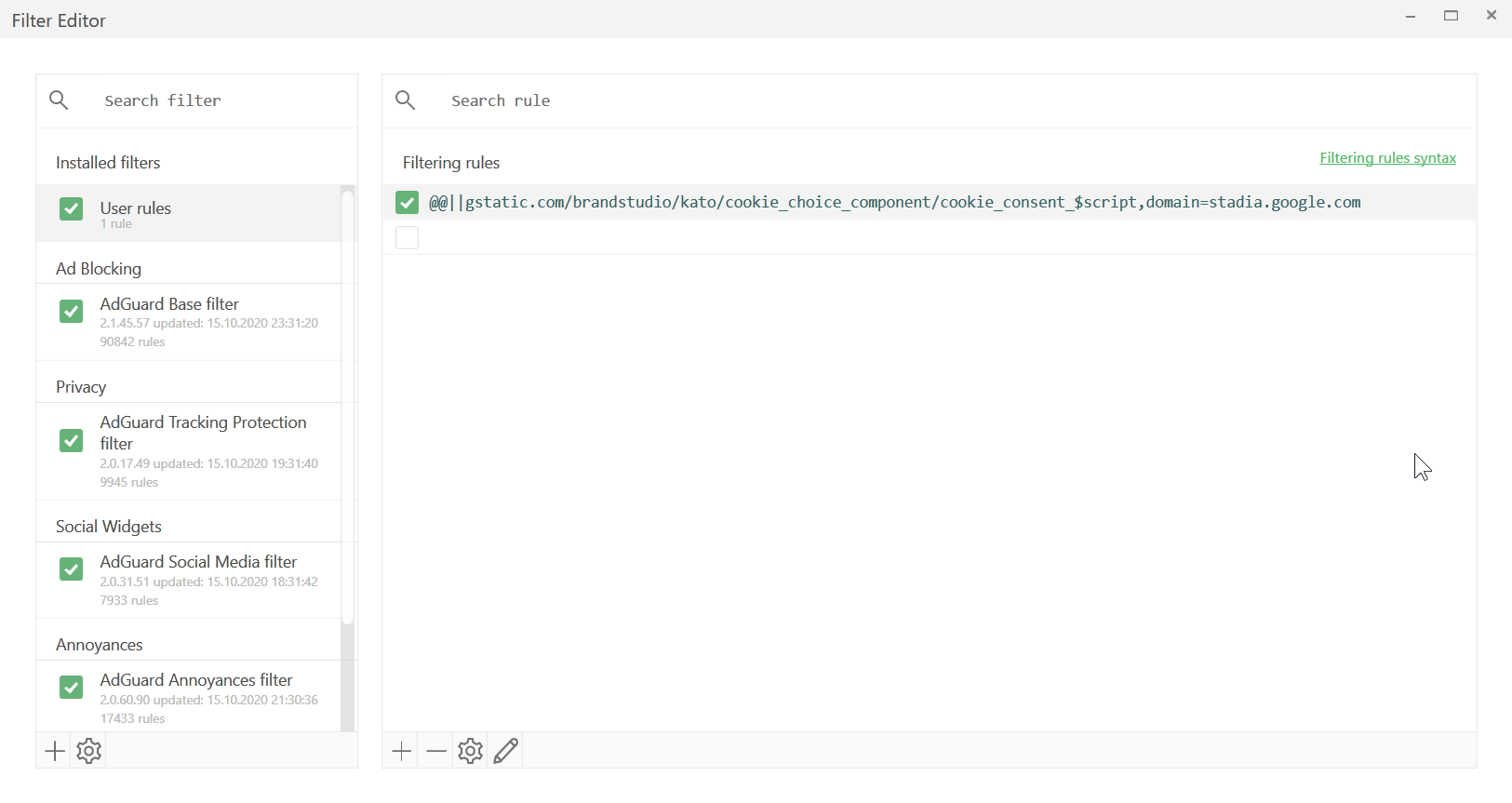
Added an new user rule (see screenshot)
@@||gstatic.com/brandstudio/kato/cookie_choice_component/cookie_consent_$script,domain=stadia.google.com
Cleared the Chrome browser cache by pressing chrome Strg + Shift + Delete (Advanced > All time > select everything)
Repeated my 10 steps process but the page is still black after google login
apalgen
on 16 Oct 2020
Disabled the AdGuard Stealth Mode and everything works fine.
I think it is the Geo-blocking of the Stadia Shop.
apalgen
on 16 Oct 2020
This not like geo-lock, normal available in Germany.
Disabled the AdGuard Stealth Mode and everything works fine.
So, now active again and test this rule:
@@||stadia.google.com^$stealth
https://kb.adguard.com/en/general/how-to-create-your-own-ad-filters#stealth-modifier
if no broken by disabled WebRTC should help for more people without manually disable Stealth mode in settings.
krystian3w
on 16 Oct 2020
Enabled Stealth Mode. Cleared the user rules from before. Added the @@||stadia.google.com^$stealth rule. Cleared Browser. Repeated the test process.
_Conclusion: It works, if the Stealth Mode for the Stadia site is disabled._
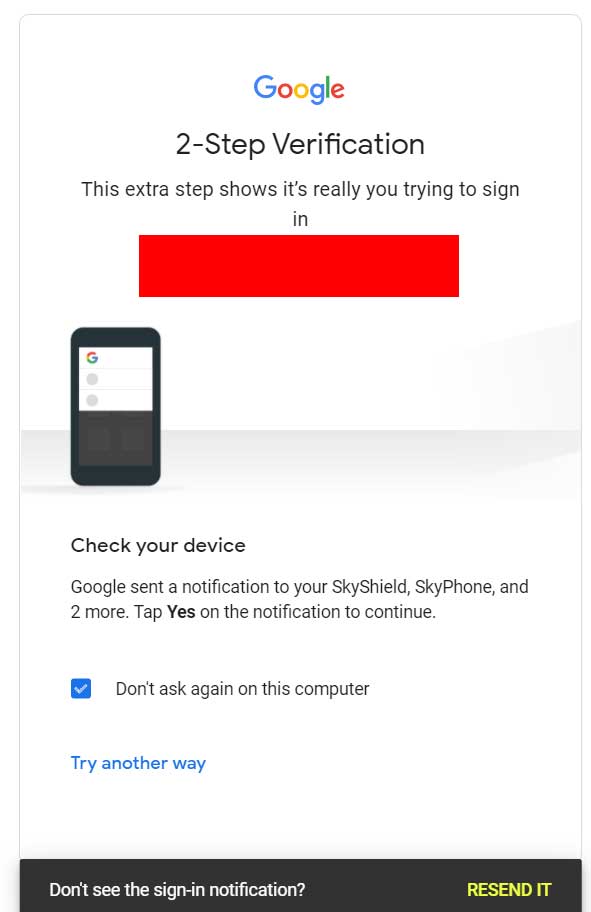
By the way if stealth mode is enabled the 2FA Google Login (the confirmation that pops up on your smartphone) does not work and I have to use SMS verification.
apalgen
on 16 Oct 2020
By the way if stealth mode is enabled the 2FA Google Login (the confirmation that pops up on your smartphone) does not work and I have to use SMS verification.
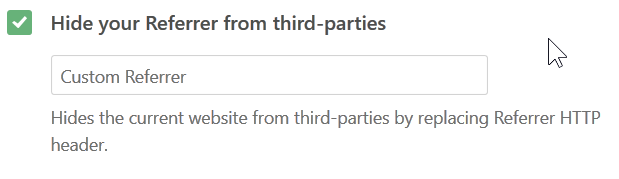
Google 2FA Login seems to work if you disable the "Hide your Referrer from third-parties" setting in the Stealth Mode settings.
But this does NOT fix the black page and initial problem after the login from the Stadia shop, so I still have to disable Stealth Mode for stadia.google.com (with the user rule).
apalgen
on 16 Oct 2020
So this need wait for idea by @AdamWr / @Alex-302 / @BlazDT if possible made.
The "safest" thing to do would be to stop using stealth mode if you often you play on the stadia.
krystian3w
on 16 Oct 2020
Final note: I Reset setting to defaults in AdGuard and then enabled Stealth Mode and repeated the test process and everything seems to work.
I still don't know what (custom) option in the Stealth Mode setting was causing the problem, but this seems to be a problem created by enabling too many options in the Stealth Mode tab.
apalgen
on 16 Oct 2020
I still recommend analysing whether it is right to block "cookies" file anyway, so that I do not see the gallery and the purchase option does not work.
https://github.com/AdguardTeam/AdguardFilters/issues/65664#issuecomment-710000067
krystian3w
on 16 Oct 2020
I still recommend analysing whether it is right to block "cookies" file anyway, so that I do not see the gallery and the purchase option does not work.
First, I hope I understand you correctly... 🤔
I don't have any problems anymore after I reseted the AdGuard setting and used the default Stealth Mode options.
I also tried the "cookie rule" posted in the mentioned comment, but it seems it did not change anything and I can see the Stadia gallery and even just purchased a game without any problem.
See my comment:
#65664 (comment)
Note:
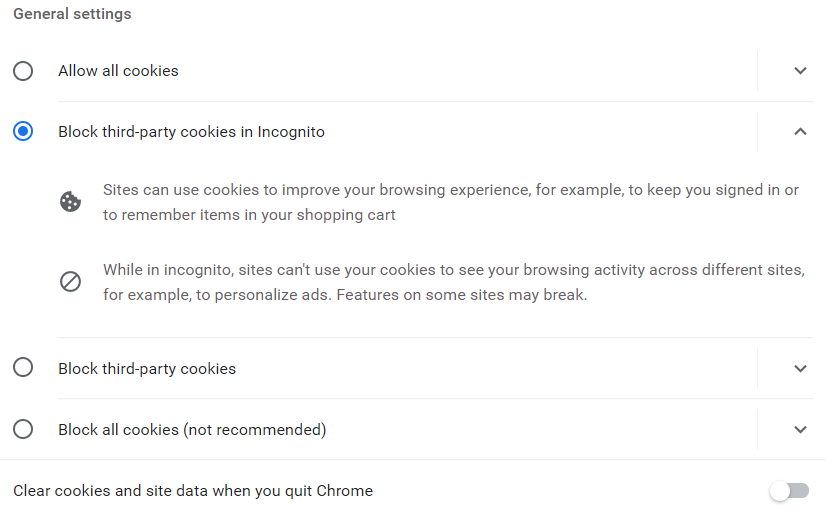
I use the "AdGuard Annoyance filter" that blocks cookie notices and use default Chrome setting with default cookie setting and third-party cookies are allowed, perhaps that is another reason some people have problems with Stadia.
apalgen
on 16 Oct 2020
I still don't know what (custom) option in the Stealth Mode setting was causing the problem
Hi. Probably by custom referrer or custom IP(when you enter your own value to the text fields). Please reopen if an issue will be reproduced again.
Alex-302
on 19 Oct 2020
Related issues
adguard-bot
·
3Comments
 THEtomaso
·
3Comments
adguard-bot
·
3Comments
adguard-bot
·
3Comments
adguard-bot
·
3Comments
THEtomaso
·
3Comments
adguard-bot
·
3Comments
adguard-bot
·
3Comments
adguard-bot
·
3Comments