Issue URL (Incorrect Blocking)
Comment
Username: @arubamon
"No leak, RTCPeerConnection not available." does display when using AdGuard for Windows and enabling Integration Mode, but for this Chrome profile, I only want Stealth Mode enabled with no filters. Stealth Mode is enabled as well as Block WebRTC in the Chrome extension, however, I do not get "No leak, RTCPeerConnection not available." when using the extension. I am not upgrading this extension, as Integration Mode has been removed on recent versions and I still need this on occasion.
Screenshots
Screenshot 1
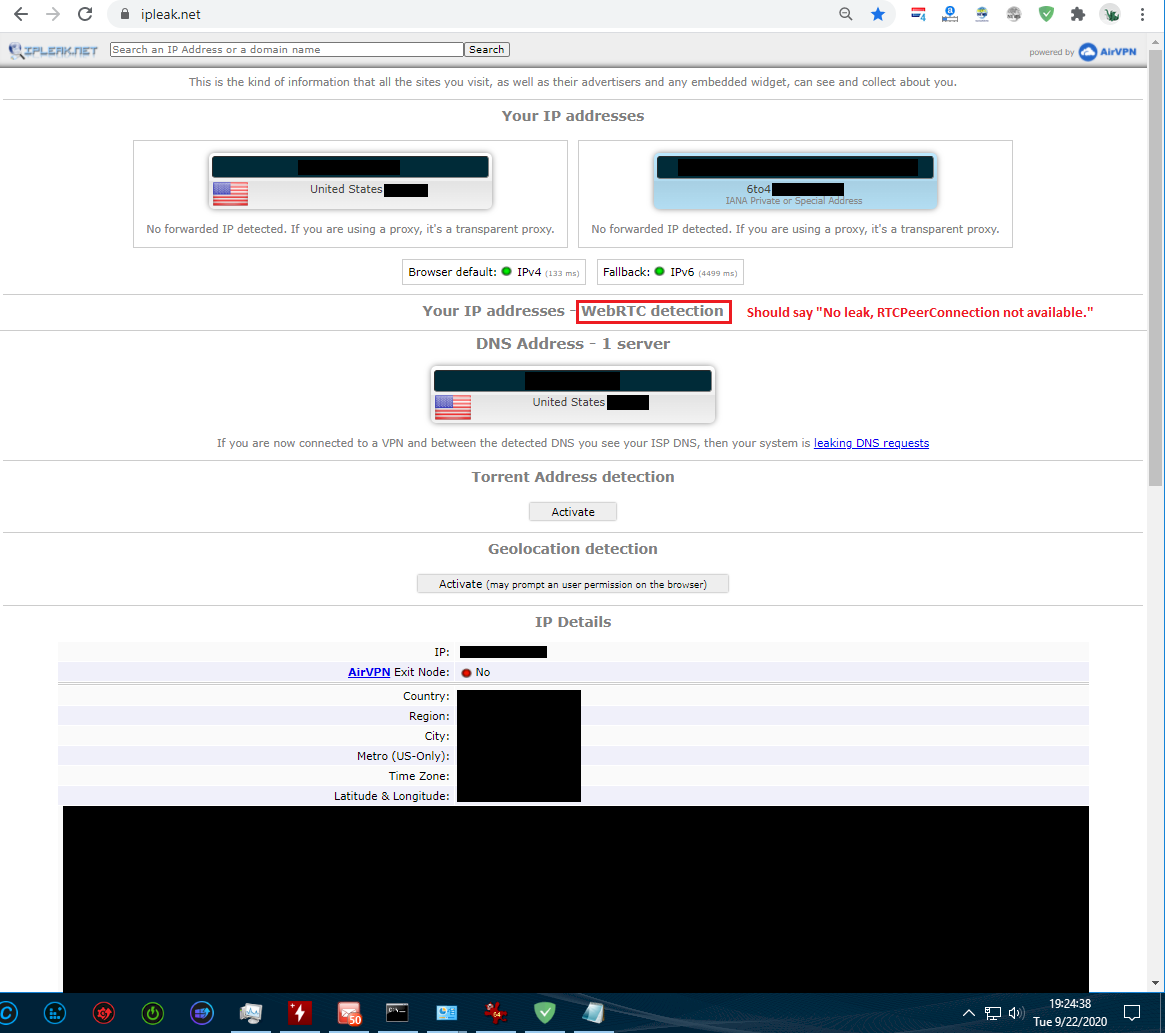
Screenshot 2

System configuration
Information | value
--- | ---
AdGuard product: | AdGuard Browser extension v3.4.31
Browser: | Chrome
Stealth mode options: | Hide your search queries,
Send Do-Not-Track header,
Remove X-Client-Data header from HTTP requests,
Strip URLs from tracking parameters,
Block WebRTC
Filters: | Ad Blocking:
AdGuard Base
Other extensions used: | Bitdefender Total Security, Nano Adblocker
 adguard-bot
All 7 comments
Addons may no have enough premissions to generate:
 |
|
--- |
 krystian3w
on 23 Sep 2020
krystian3w
on 23 Sep 2020
So, is there no way to fix this with the extension?
 arubamon
on 23 Sep 2020
arubamon
on 23 Sep 2020
I suppose need change browser to SRWare Iron?
krystian3w
on 23 Sep 2020
@arubamon AdGuard does not block WebRTC completely, IP leak only.
 Alex-302
on 24 Sep 2020
Alex-302
on 24 Sep 2020
Even if that's true, again, the extension with Block WebRTC enabled in Stealth Mode does not give me "No leak, RTCPeerConnection not available." on https://ipleak.net, but enabling this same option in AdGuard for Windows does. @krystian3w, SRWare Iron does not fix this issue, and their extension, https://chrome.google.com/webstore/detail/easy-webrtc-block/cmjcmogcdofcljpojplgmfpheblcaehh, as well as others, are useless.
arubamon
on 24 Sep 2020
It seems that a very old version of their browser had a switch and maybe they removed it after release Iron 17+.
krystian3w
on 24 Sep 2020
From what I read, it seems like that was most likely the case. Oh well, I don't guess what I'm trying to do can't be accomplished.
arubamon
on 24 Sep 2020
Related issues
adguard-bot
·
3Comments
adguard-bot
·
3Comments
adguard-bot
·
3Comments
 TPS
·
4Comments
adguard-bot
·
3Comments
TPS
·
4Comments
adguard-bot
·
3Comments