Issue URL (Incorrect Blocking)
https://www.gmx.at/consent-management/
Comment
Website dead
Screenshots
Screenshot 1

Screenshot 2

System configuration
Information | value
--- | ---
AdGuard product: | AdGuard Browser extension v3.5.12
Browser: | EdgeChromium
Stealth mode options: | Hide your search queries,
Send Do-Not-Track header,
Strip URLs from tracking parameters,
Block WebRTC,
Hide your Referrer from third-parties
Filters: | Ad Blocking:
AdGuard Base
Privacy:
AdGuard Tracking Protection,
EasyPrivacy,
Fanboy's Enhanced Tracking List,
Fanboy Anti-Facebook List,
Fanboy's Anti-thirdparty Fonts
Social Widgets:
AdGuard Social Media
Annoyances:
AdGuard Annoyances,
Fanboy's Annoyances,
Web Annoyances Ultralist,
Adblock Warning Removal List,
I don't care about cookies,
EasyList Cookie List
Security:
Online Malicious URL Blocklist,
Spam404,
NoCoin Filter List
Language-specific:
AdGuard German
Other extensions used: | Privacy Badger
 adguard-bot
All 14 comments
Please fix Cookie Pop-up also for https://web.de/consent-management/ and https://www.gmx.net/consent-management/
They are technically very similar.
 Morku
on 22 Sep 2020
Morku
on 22 Sep 2020
From which page was redirected?
 Alex-302
on 23 Sep 2020
Morku
on 23 Sep 2020
Alex-302
on 23 Sep 2020
Morku
on 23 Sep 2020
Not sure if it is possible using extension. Their script executed very early.
For apps this rule works:
web.de,gmx.net,gmx.at#%#//scriptlet('abort-current-inline-script', 'document.cookie', 'redirectToInterceptionPage')
or
web.de,gmx.net,gmx.at$$script[tag-content="redirectToInterceptionPage"][max-length="2500"]
@BlazDT please take a look.
Alex-302
on 24 Sep 2020
I get redirected fine to normal page.
 BlazDT
on 25 Sep 2020
BlazDT
on 25 Sep 2020
🤷♀️
gif:
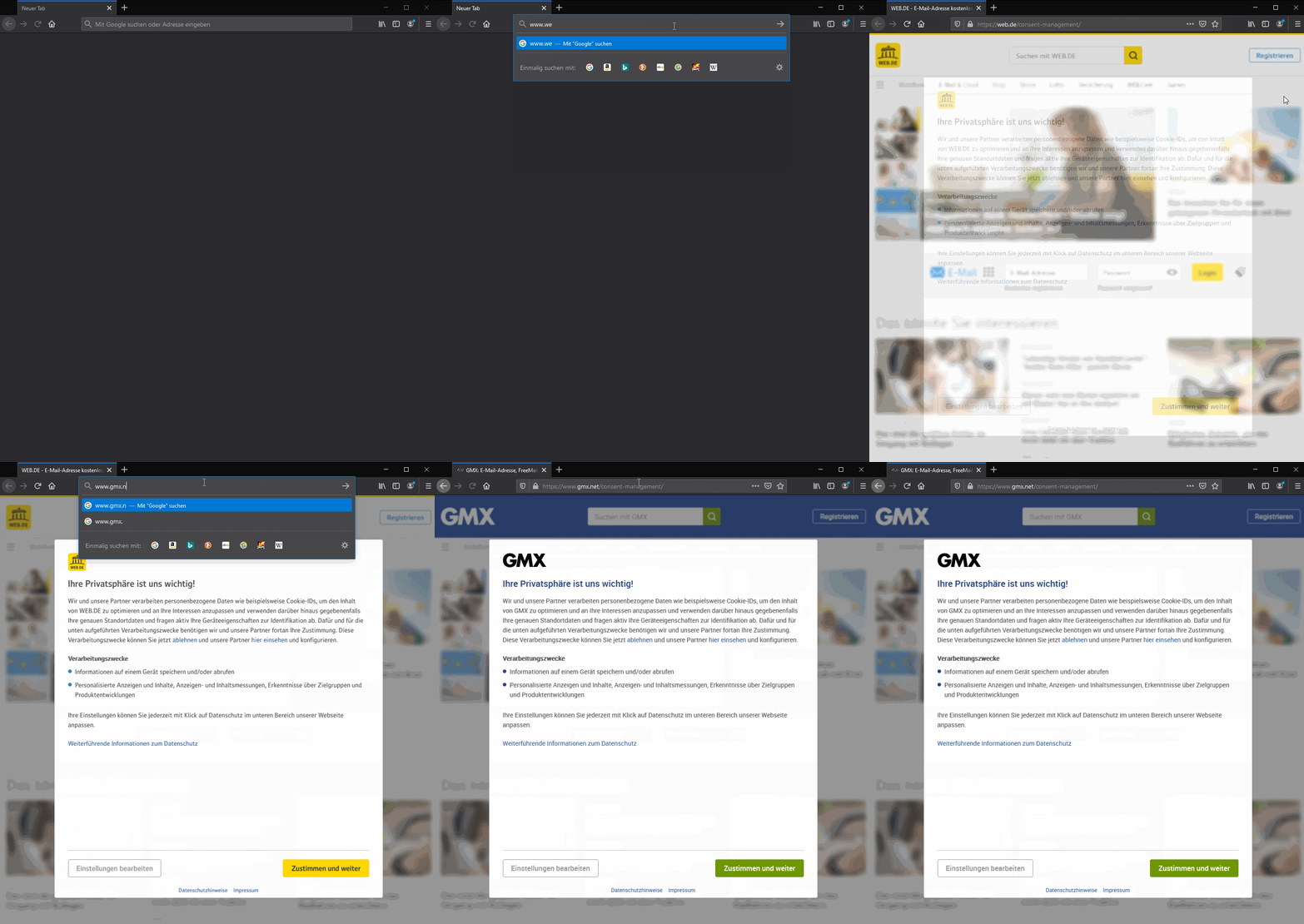
Tested both rules of Alex-302 and they work fine.
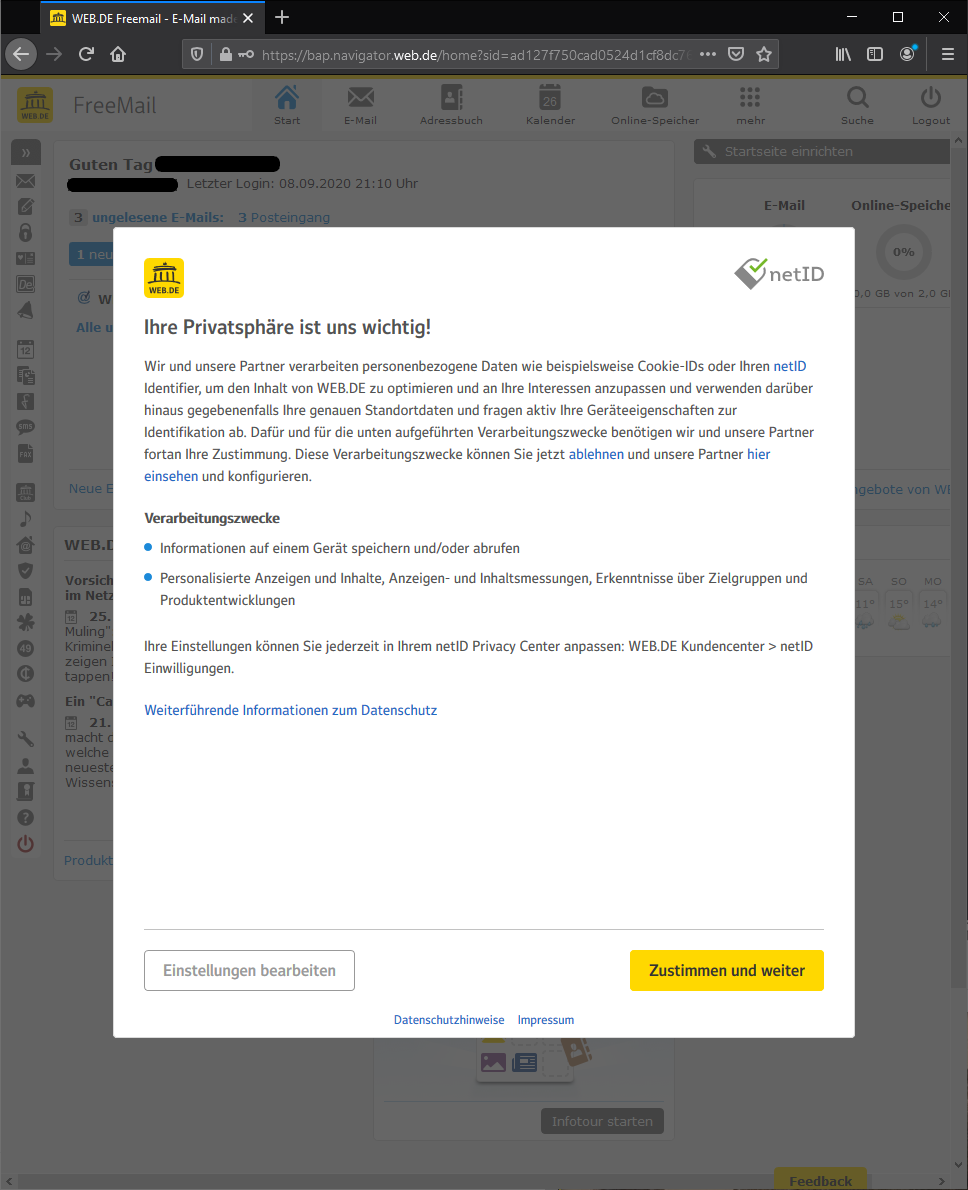
But there is one more, when you enter your E-Mail account:
URL is then https://bap.navigator.web.de/home?sid= ...
Screenshot-1:
Morku
on 26 Sep 2020
Added that rules.
Cannot check with email.
@BlazDT
Alex-302
on 12 Oct 2020
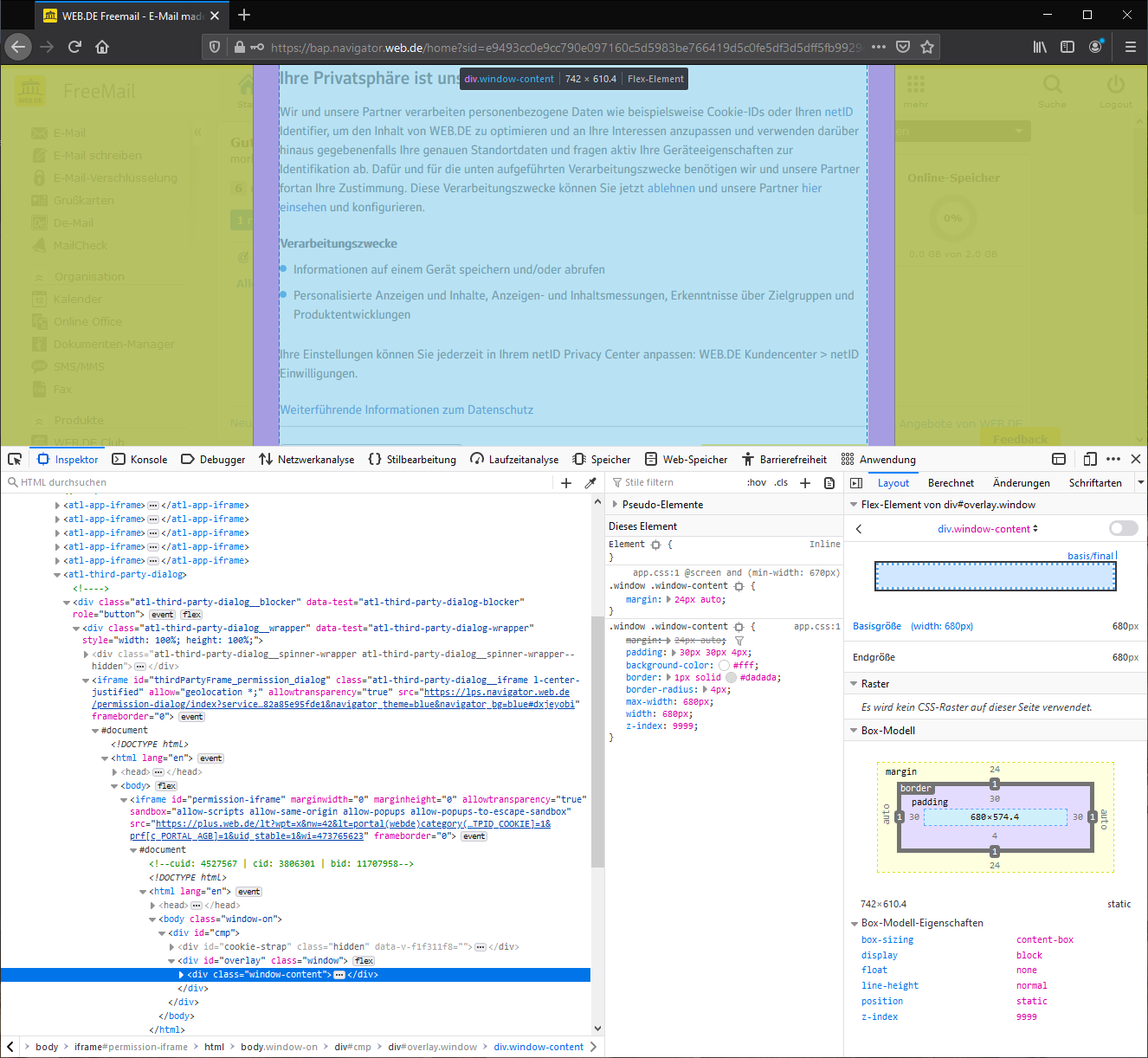
Not seeing it after logging in. Please post screenshot with element inspected (dev tools).
BlazDT
on 12 Oct 2020
Screenshot-1:
Morku
on 12 Oct 2020
gmx.at#$#atl-third-party-dialog { display: none !important; }
gmx.at#$#body { overflow: visible !important; }
2nd rule is a guess as I cannot reproduce ( maybe requires applying to HTML too).
BlazDT
on 13 Oct 2020
I have tested with web.de and first rule alone seems to be fine. I also clicked a little around, nothing seems broken.
In summary:
web.de#$#atl-third-party-dialog { display: none !important; }
web.de#$#body { overflow: visible !important; }
-> no Cookie Pop-up, all fine
web.de#$#atl-third-party-dialog { display: none !important; }
-> no Cookie Pop-up, all fine
web.de#$#body { overflow: visible !important; }
-> Cookie Pop-up, nothing is blocked/hided
Morku
on 13 Oct 2020
So scrolling is still possible without 2nd rule? If yes, we can just add gmx.at##atl-third-party-dialog
BlazDT
on 13 Oct 2020
yes, it's possible
Morku
on 13 Oct 2020
Thank you, added.
BlazDT
on 13 Oct 2020
Related issues
adguard-bot
·
3Comments
 THEtomaso
·
3Comments
adguard-bot
·
3Comments
adguard-bot
·
3Comments
adguard-bot
·
4Comments
THEtomaso
·
3Comments
adguard-bot
·
3Comments
adguard-bot
·
3Comments
adguard-bot
·
4Comments