Adguardfilters: tomsguide.com
Issue URL (Incorrect Blocking)
Comment
Username: @d0x360
I've been seeing big gray blocks where ads are blocked on some sites recently
Screenshots
Screenshot 1

Screenshot 2

System configuration
Information | value
--- | ---
Platform: | Android 10
AdGuard product: | AdGuard for Android v3.4 (120)
Browser: | Chrome
Stealth mode options: | Hide your search queries,
Send Do-Not-Track header,
Remove X-Client-Data header from HTTP requests,
Strip URLs from tracking parameters,
Block third-party Authorization header,
Self-destructing third-party cookies (0)
AdGuard mode: | VPN
Filtering quality: | High-quality
HTTPS filtering: | enabled
DNS requests blocking: | enabled
Filters: | Ad Blocking:
AdGuard Mobile Ads,
Peter Lowe's Blocklist,
AdGuard Base
Privacy:
Fanboy Anti-Facebook List,
AdGuard Tracking Protection,
Fanboy's Anti-thirdparty Fonts,
Fanboy's Enhanced Tracking List
Social Widgets:
AdGuard Social Media,
Fanboy's Social Blocking List
Annoyances:
Web Annoyances Ultralist,
Adblock Warning Removal List,
I don't care about cookies,
AdGuard Annoyances,
Fanboy's Annoyances
Security:
Malware Domains Blocklist,
NoCoin Filter List,
Spam404
Other:
BarbBlock
Language-specific:
AdGuard Chinese,
AdGuard Russian
Custom filter subscriptions: |
 adguard-bot
All 13 comments
I wanted to add these other screenshot from a different website. I didn't want you to think it was just happening on one of the "Tom's" sites only.
.


 d0x360
on 16 Jul 2020
d0x360
on 16 Jul 2020
Not reproduced on my device and desktop browser. We do not block that prices, they are not ads(actual prices in popular stores).
If they are blocked by foreign filters, please write to their authors.
 Alex-302
on 17 Jul 2020
Alex-302
on 17 Jul 2020
I don't think I explained it right, the issue is every ad being blocked on
every website I visit is suddenly showing big gray blocks where the ad
was. I haven't changed any settings and I checked with foreign filters
disabled.
Also this is on chrome mobile not desktop.
On Fri, Jul 17, 2020, 6:07 AM Alex notifications@github.com wrote:
Not reproduced on my device and desktop browser. We do not block that
prices, they are not ads(actual prices in popular stores).
If they are blocked by foreign filters, please write to their authors.—
You are receiving this because you were mentioned.
Reply to this email directly, view it on GitHub
https://github.com/AdguardTeam/AdguardFilters/issues/59445#issuecomment-660014092,
or unsubscribe
https://github.com/notifications/unsubscribe-auth/ADLH3GJHJI2LCWZ3UB6IOMLR4APF7ANCNFSM4O4JQOOQ
.
d0x360
on 17 Jul 2020
@d0x360 Hi. Please check without foreign filters. On my device I see Screenshot 2("best deals") from the first message.
Alex-302
on 22 Jul 2020
I will disable that filter and report back tomorrow evening. That should give me enough time to visit various sites..
d0x360
on 22 Jul 2020
Haven't had a chance today to do any real browsing. I had an MRI today and a couple Dr appointments that I forgot where today so I'll have the update tomorrow. I'm just too tired to stare at my phone.
Sorry for the delay.
d0x360
on 24 Jul 2020
Ok I'm not seeing the big empty spaces since disabling foreign filters. I had China and Russia selected.
I am still seeing weird stuff on Tom's hardware but it's completely random and I can't reproduce for more than 24 hours before it changes.
d0x360
on 25 Jul 2020
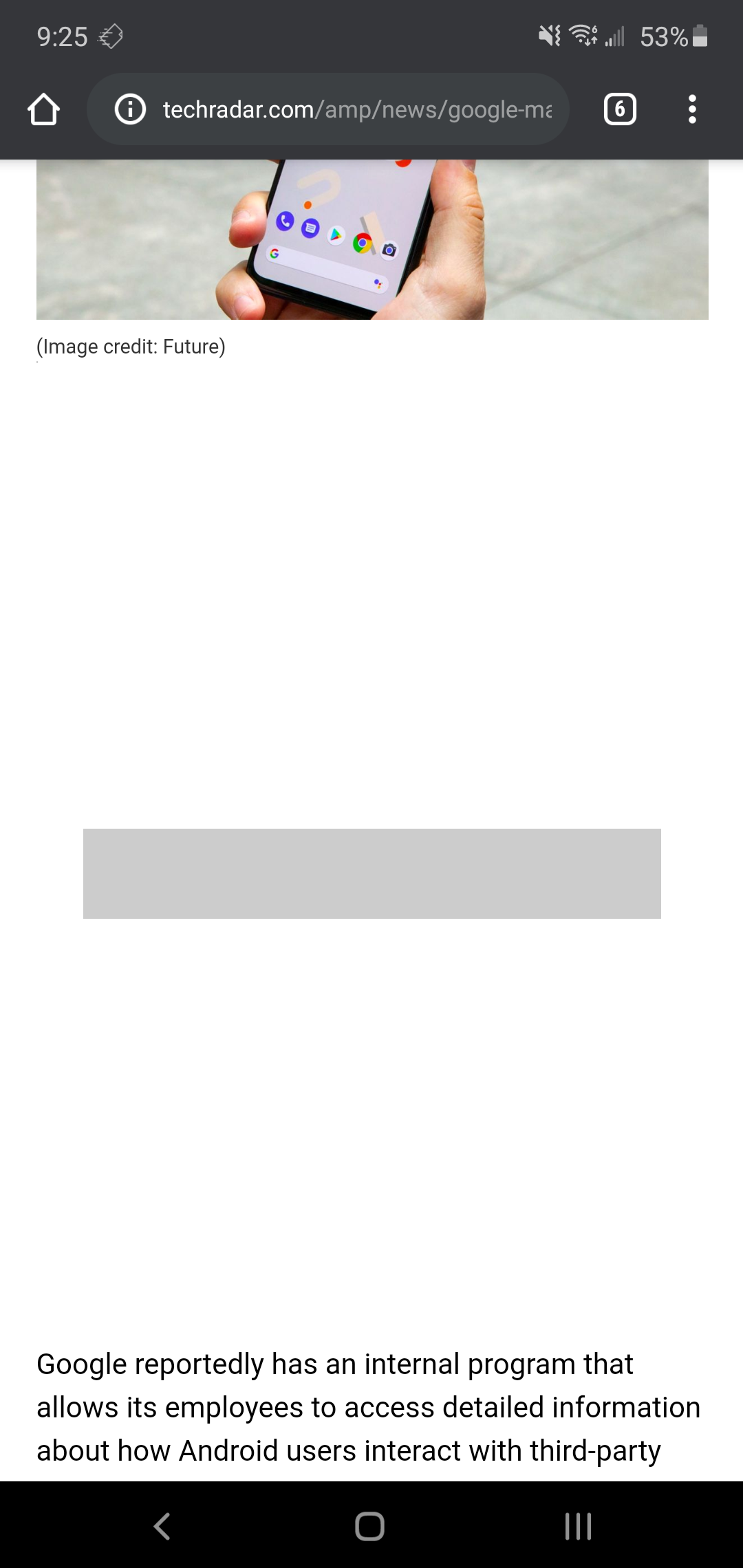
Just when things were looking ok... I got this site. I still have foreign filters turned off
d0x360
on 26 Jul 2020
I got this site
Link to techradar.com?
Alex-302
on 27 Jul 2020
Yeah sorry I know this started as a potential issue with Tom's hardware but it ended up with me seeing those blank blocks on other sites so I was posting my findings. On the tech radar site I had 2 huge empty spaces. I also continue to get random empty spaces or overlays on Tom's hardware but they can't be reproduced for very long. Like I said before I think they are testing something
The URL for the page in the screenshot is https://www.techradar.com/amp/news/google-may-have-been-spying-on-other-android-apps-you-use
The only filters I disabled were foreign language as advised for Tom's hardware.
d0x360
on 27 Jul 2020
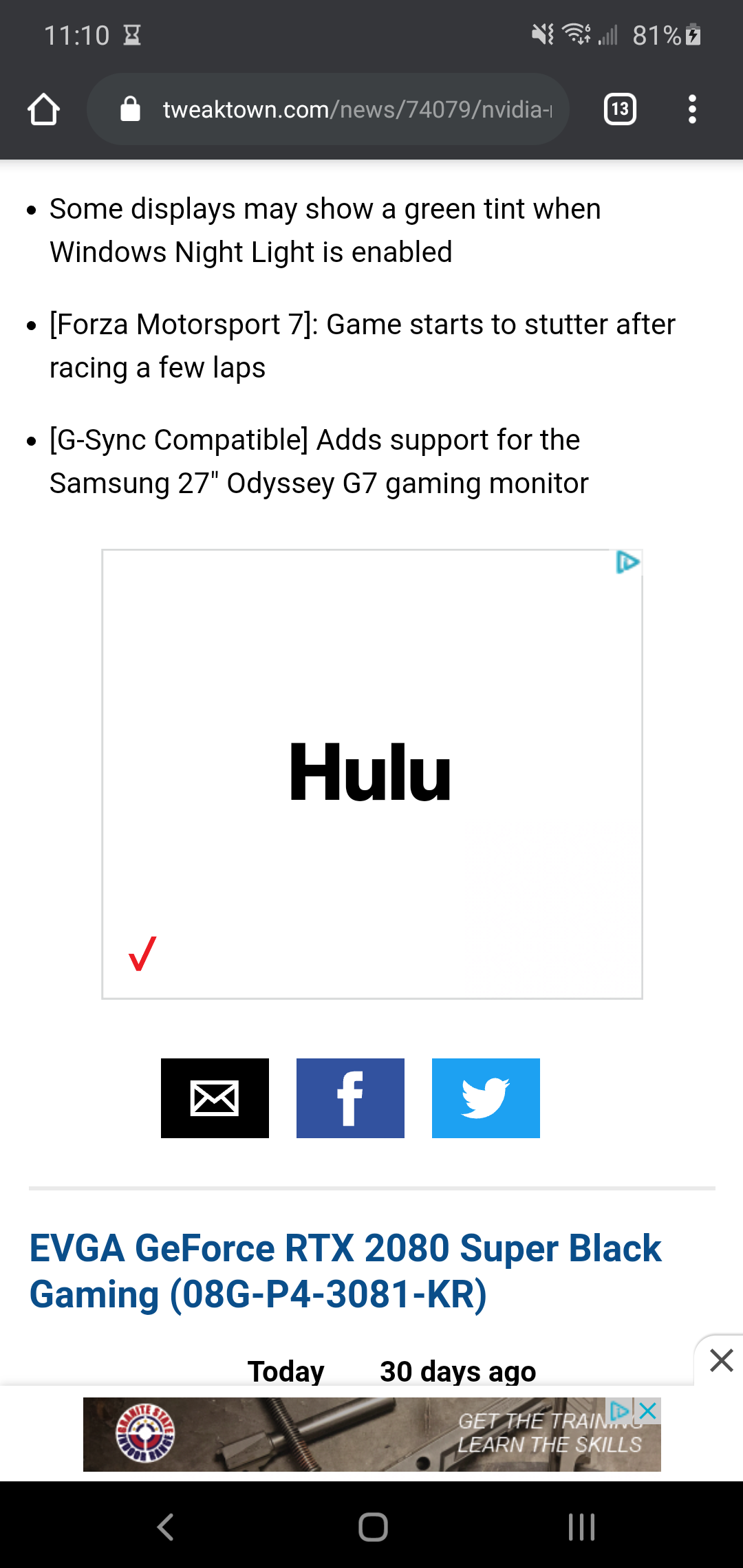
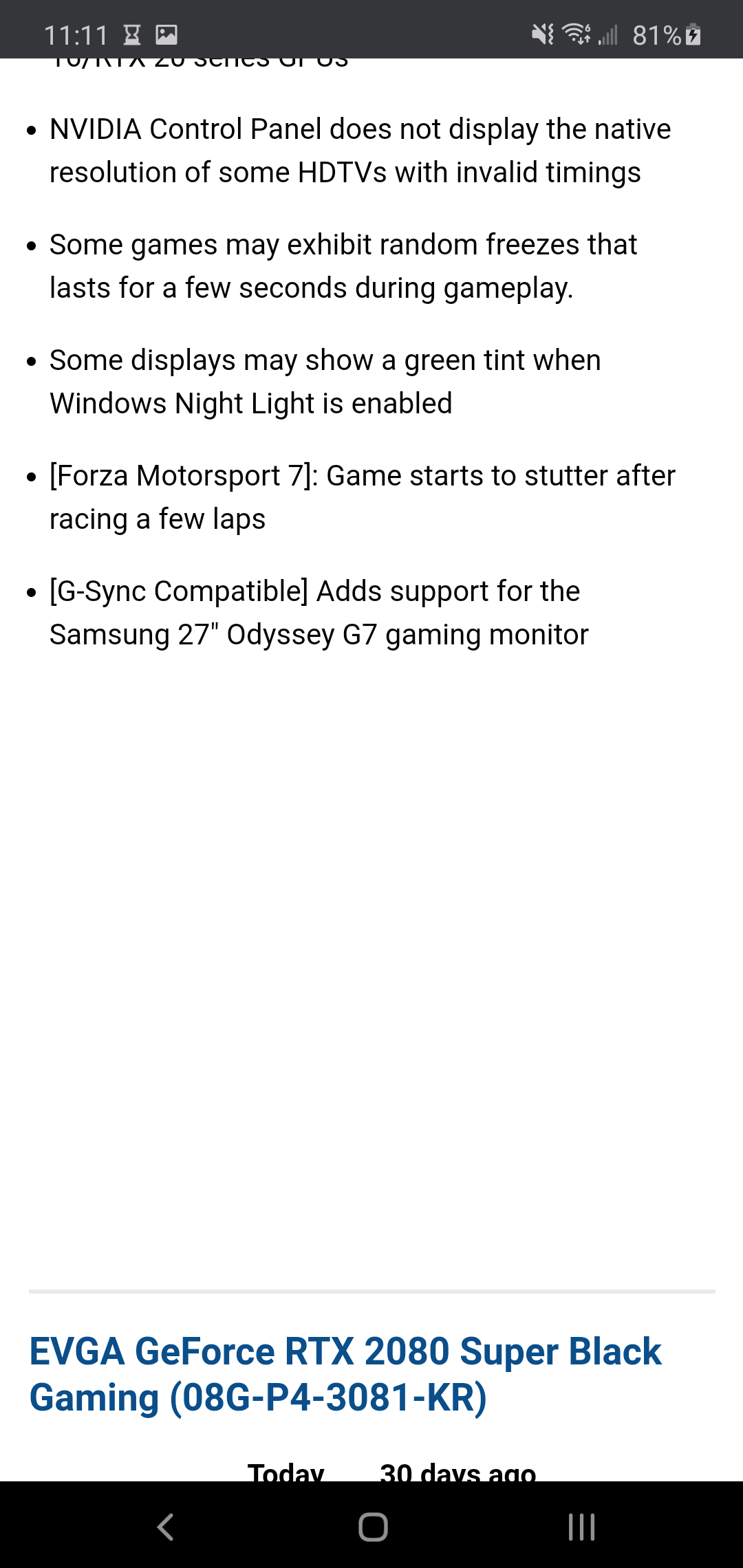
Here's another example of a gap that is where the ad was. URL is (also happening on nypost.com) https://www.tweaktown.com/news/74079/nvidia-releases-new-geforce-451-85-hotfix-drivers/amp.html
d0x360
on 28 Jul 2020
Added some rules for tweaktown.com
Alex-302
on 29 Jul 2020
Updated to the new rules and checked the site and it's working properly now. Still having issues (randomly) on "Tom's" sites but whatever you changed fixed the gaps I was seeing on multiple sites for the last couple weeks.
Thanks!
d0x360
on 30 Jul 2020
Related issues
adguard-bot
·
3Comments
adguard-bot
·
3Comments
adguard-bot
·
3Comments
adguard-bot
·
3Comments
adguard-bot
·
4Comments