Adguardfilters: nintendo.co.uk
Issue URL (Incorrect Blocking)
Comment
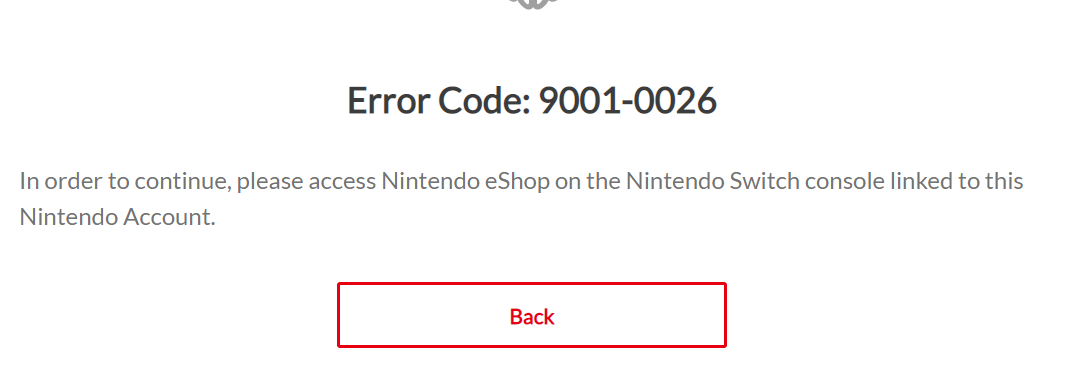
Go to Nintendo UK's website, log in, try to purchase something, with AdGuard enabled you'll get an error message, with AdGuard disabled the website works.
The information below is automatically generated. Do not delete it.
Custom userscripts:
https://userscripts.adtidy.org/release/disable-amp/1.0/disable-amp.meta.js
https://userscripts.adtidy.org/release/adguard-extra/1.0/adguard-extra.meta.js
Screenshots
Screenshot 1

Screenshot 2

System configuration
Information | value
--- | ---
Platform: | Android 11
AdGuard product: | AdGuard for Android v3.5 nightly 3 (17)
Browser: | Chrome
Stealth mode options: | Strip URLs from tracking parameters,
Self-destructing third-party cookies (0)
AdGuard mode: | VPN
Filtering quality: | High-quality
HTTPS filtering: | enabled
DNS requests blocking: | enabled
Filters: | Ad Blocking:
AdGuard Base,
AdGuard Mobile Ads
Privacy:
AdGuard Tracking Protection
Social Widgets:
AdGuard Social Media
Annoyances:
AdGuard Annoyances
Custom filter subscriptions: |
 adguard-bot
All 8 comments
I see this error without AdGuard(+ UK VPN)
@AdguardTeam/filters-maintainers please take a look.
 Alex-302
on 10 Jul 2020
Alex-302
on 10 Jul 2020
I see this error without AdGuard(+ UK VPN)
I see the same error.
 AdamWr
on 10 Jul 2020
AdamWr
on 10 Jul 2020
@Alex-302 @AdamWr You prolly need to link a Nintendo Switch to your account. Do you guys have one or should I make a dummy account and log into my Switch with it?
 domebacsi
on 10 Jul 2020
domebacsi
on 10 Jul 2020
@domebacsi I checked with account.
Could you please check which filter causes an issue?
Alex-302
on 10 Jul 2020
@Alex-302 Oops, the problem was that I set the "Self-destructing third-party cookies" to 0
domebacsi
on 10 Jul 2020
Coupld you please check these rules with "Self-destructing third-party cookies" = 0?
@@||api.ec.nintendo.com^$stealth
@@||api.accounts.nintendo.com^$stealth
@Alex-302 Same error message
EDIT without the "api." at the beginning of the URLs it works
domebacsi
on 10 Jul 2020
Ok.
Alex-302
on 10 Jul 2020
Related issues
adguard-bot
·
3Comments
 TPS
·
4Comments
adguard-bot
·
3Comments
adguard-bot
·
3Comments
adguard-bot
·
3Comments
TPS
·
4Comments
adguard-bot
·
3Comments
adguard-bot
·
3Comments
adguard-bot
·
3Comments