Adguardfilters: store.serif.com
Issue URL (Incorrect Blocking)
https://store.serif.com/en-us/checkout/
Comment
Username: @omartayel
--
The information below is automatically generated. Do not delete it.Referrer:
https://store.serif.com/en-us/checkout/Custom userscripts:
https://raw.githubusercontent.com/3xz/auto-steam-queue/master/auto_steam_queue.user.js
https://userscripts.adtidy.org/beta/assistant/4.3/assistant.user.js
https://userscripts.adtidy.org/beta/popup-blocker/2.5/popupblocker.user.js
https://userscripts.adtidy.org/beta/adguard-extra/1.0/adguard-extra.user.js
Screenshots
Screenshot 1

Screenshot 2

System configuration
Information | value
--- | ---
Platform: | Win
AdGuard version: | 7.4 nightly 36
Browser: | Chrome
AdGuard driver: | WFP
Stealth mode options: | Hide your search queries, Send Do-Not-Track header, Remove X-Client-Data header from HTTP requests, Strip URLs from tracking parameters, Block third-party Authorization header, Self-destructing third-party cookies (30), Disable cache for third-party requests, Block Push API, Block Location API, Block Java, Hide your Referrer from third-parties (store.serif.com)
Filters: | Ad Blocking:
AdGuard Base
Privacy:
AdGuard Tracking Protection
Annoyances:
AdGuard Annoyances
Other:
Filter unblocking search ads and self-promotion,
AdGuard Experimental
Language-specific:
EasyList China,
EasyList Italy,
Liste AR,
Icelandic ABP List,
Dandelion Sprout's Nordic Filters,
AdGuard Russian,
AdGuard German,
AdGuard Dutch,
AdGuard Spanish/Portuguese
 adguard-bot
All 17 comments
@omartayel Hi. Cannot understand what is wrong. I see blue popup(cookie notification) on your screenshot, but on my end it is hidden by AdGuard Annoyances.
 Alex-302
on 11 Jun 2020
Alex-302
on 11 Jun 2020
@Alex-302 the problem is when adguard is on i cant see the part where I can pay. to pay i had to disable adguard in that page and the payment options appeared
 omartayel
on 11 Jun 2020
omartayel
on 11 Jun 2020
@omartayel could you please check:
- without Stealth Mode;
- without non-AdGuard filters?
Alex-302
on 14 Jun 2020
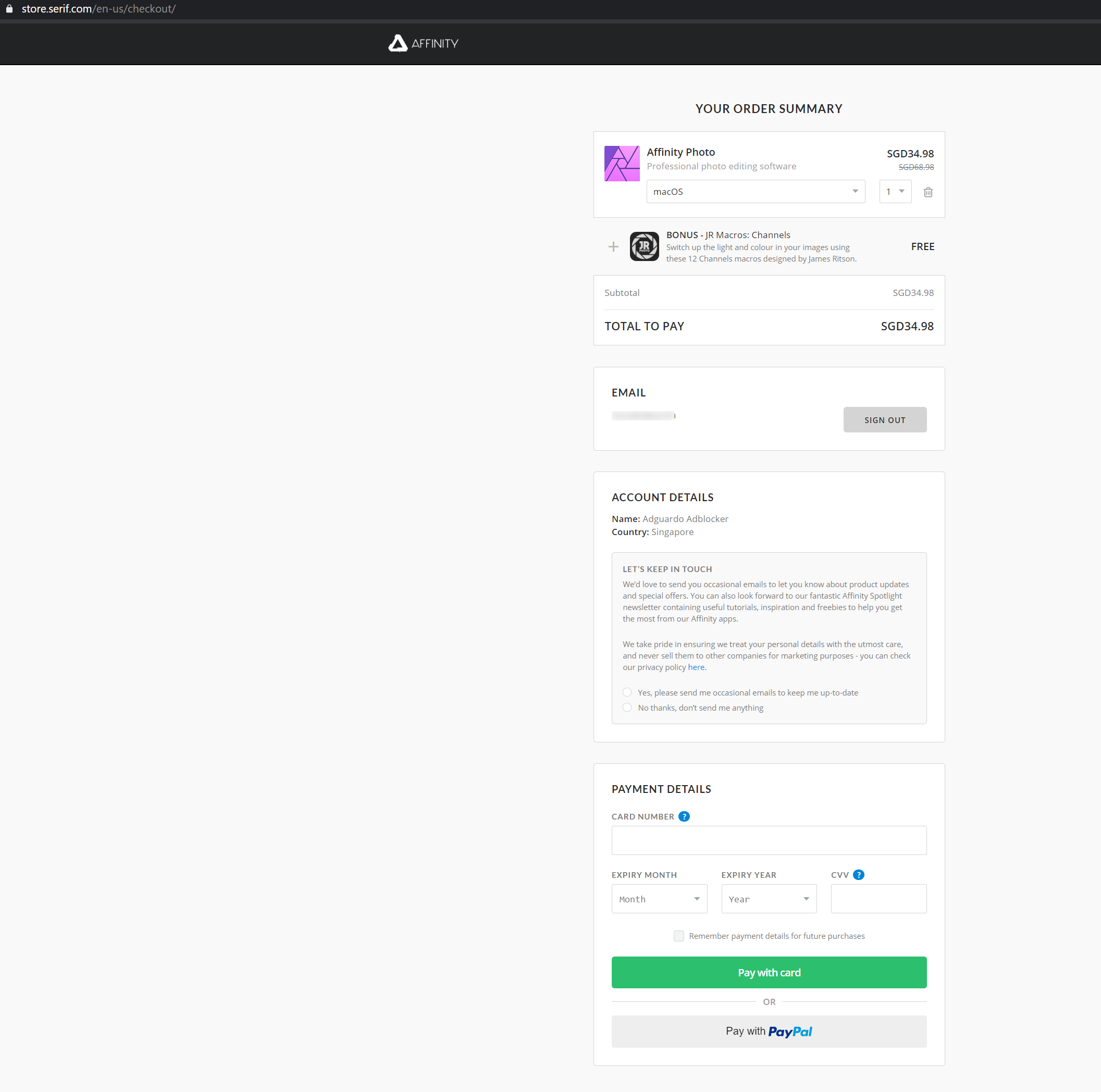
What I see with your settings:
Screenshot:
Alex-302
on 14 Jun 2020
yes if I turn off stealth it works fine
omartayel
on 14 Jun 2020
Great. Could you please check which option breaks the site?(disable Stealth Mode options one by one with checking)
Alex-302
on 15 Jun 2020
@Alex-302 ok it works if I uncheck both "Disable Cache for 3rd party requests" and "Block 3rd Party Authorization header"
if i uncheck only one it doesnt fix it, i had to uncheck both
omartayel
on 16 Jun 2020
@omartayel ok, please add this rule and check again
@@||store.serif.com/*/checkout/$stealth
Alex-302
on 16 Jun 2020
@Alex-302 didn't work
omartayel
on 16 Jun 2020
Damn. Maybe this?
@@||store.serif.com^$stealth
Alex-302
on 16 Jun 2020
Sadly, also doesn't work :(
omartayel
on 16 Jun 2020
Hmm. Weird.
What about @@||serif.com^$stealth
Could you please record HAR file and send it to [email protected]?
https://toolbox.googleapps.com/apps/har_analyzer/
Alex-302
on 16 Jun 2020
didnt work also, and I just sent the file
omartayel
on 16 Jun 2020
Please check this rule:
@@||payments.braintree-api.com^$stealth
I see it is affected by "Block 3rd Party Authorization header"
Alex-302
on 17 Jun 2020
yes that fixed it! :D
and yes it is affected by this one only, my bad
omartayel
on 17 Jun 2020
Finally:) Thanks for tests. Added.
Alex-302
on 17 Jun 2020
@Alex-302 thanks for your patience :D
omartayel
on 17 Jun 2020
Related issues
adguard-bot
·
3Comments
adguard-bot
·
3Comments
adguard-bot
·
3Comments
 TPS
·
4Comments
adguard-bot
·
3Comments
TPS
·
4Comments
adguard-bot
·
3Comments