Adguardfilters: crazydefenseheroes.fandom.com
Issue URL (Annoyance)
https://crazydefenseheroes.fandom.com/wiki/Crazy_Defense_Heroes_Wiki
Comment
Username: @KoCMoHaBTa
Screenshots
Screenshot 1

System configuration
Information | value
--- | ---
Platform: | Ext
AdGuard version: | 1.5.4
Browser: | Safari
Filters: | Ad Blocking:
AdGuard Base
Privacy:
AdGuard Tracking Protection
Annoyances:
AdGuard Annoyances,
Fanboy's Annoyances,
Adblock Warning Removal List,
I don't care about cookies,
Fanboy's Cookiemonster List
Other:
AdGuard Safari
Language-specific:
Bulgarian list
 adguard-bot
All 16 comments
Simple addon for Safari don't support close this pop-up.
Accept/reject manually.
 krystian3w
on 3 Jan 2020
krystian3w
on 3 Jan 2020
Ok, thanks!
How to identify similar limitations for the future? I'm curious to understand how the this particular popup works.
 KoCMoHaBTa
on 3 Jan 2020
KoCMoHaBTa
on 3 Jan 2020
@KoCMoHaBTa:
- locked scrolling* on site - mainly like pop-up there is no separate CSS file / JavaScript file;
- few function on site does not work e.g. players;
* - On macOS, you need to set the General > Show scroll bars setting in System Preferences to "Always" for this property to have any effect.
krystian3w
on 3 Jan 2020
@krystian3w Btw, i've just played a bit with the inspector - i've found that if you remove the _2LLC6zrbk-vsnF0seit6vi css class from the body - you get the scrolling enabled.
Can this info be used to successfully block the pop-up?
KoCMoHaBTa
on 4 Jan 2020
Nope, addon 1.5.4 can't delete class from html code.
krystian3w
on 4 Jan 2020
I don't have macOS, so I can't check it, but as far as I know AdGuard extension for Safari supports CSS rules, so you could use these rules:
fandom.com#$#body { overflow: visible!important; }
fandom.com#$#div[data-tracking-opt-in-overlay] { display: none!important; }
and scrolling should works fine.
But the problem is that some video players don't work until this cookie notice is accepted/rejected, for example here:
https://overlordmaruyama.fandom.com/wiki/Ainz_Ooal_Gown
so that's why it's not fixed for platforms which do not support JavaScript rules.
By the way, I thought that JavaScript rules are supported by Safari extension.
@zloyden Could you please check it?
 AdamWr
on 7 Jan 2020
AdamWr
on 7 Jan 2020
adguard_ext_safari - niby 1 na 412 CSS-ów się przekradł:
https://filters.adtidy.org/extension/safari/filters/237.txt:
menshealth.pl#$#.mh-community-floating { position: static !important; }
Czyli 1.5.4 lub 1.6.0 ma wsparcie dla CSS, ale dla JS już raczej nie.
Co do playera, to jeszcze trzeba się upewnić, że nie mamy w użyciu filtra usuwającego górne wideo jako "spam" / "irytujące" - niedopasowane do artykułu:
fandom.com,wikia.com,wika.org#@#.featured-video__wrapper
@AdamWr
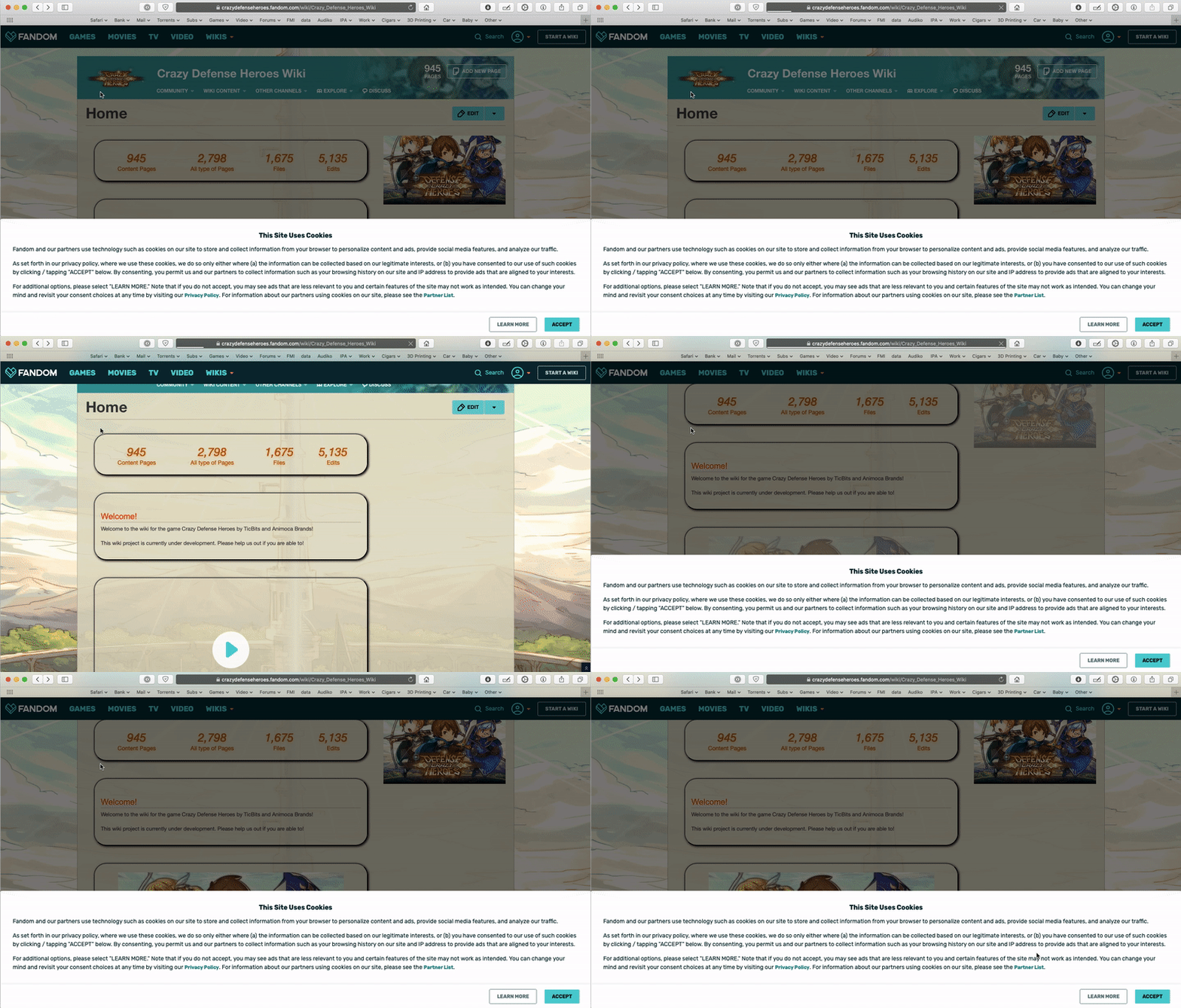
I've Just checked rules - they work in the preview, however when i add them to the user filters, in a blink of an eye after the page finish loading - the CSS gets overridden and the popup shows again and the scrolling gets blocked too.
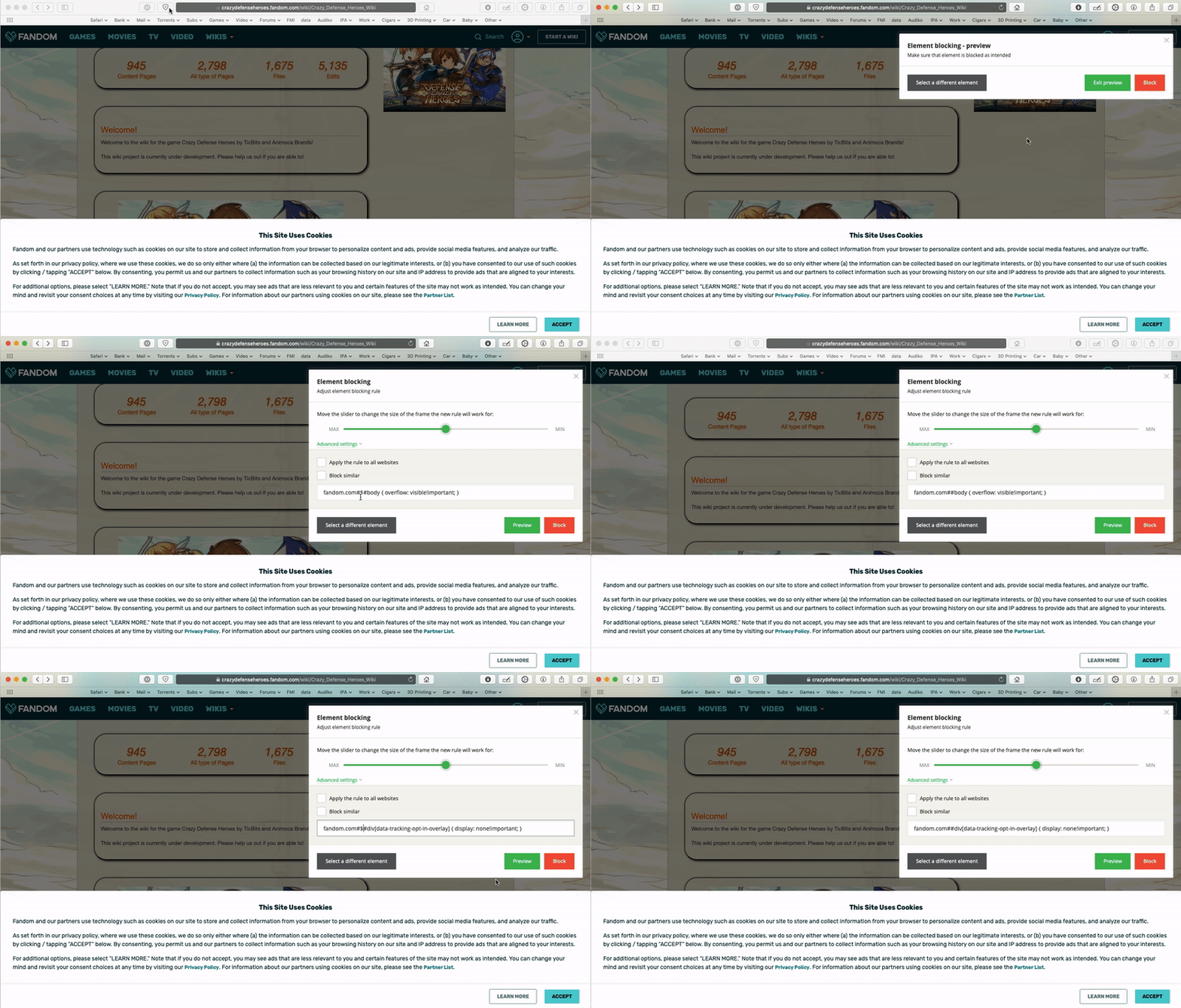
Putting the $ sign between the 2 #, does not work in the preview.
fandom.com##body { overflow: visible!important; }
fandom.com##div[data-tracking-opt-in-overlay] { display: none!important; }
You can not delete $ from filters.
Try these:
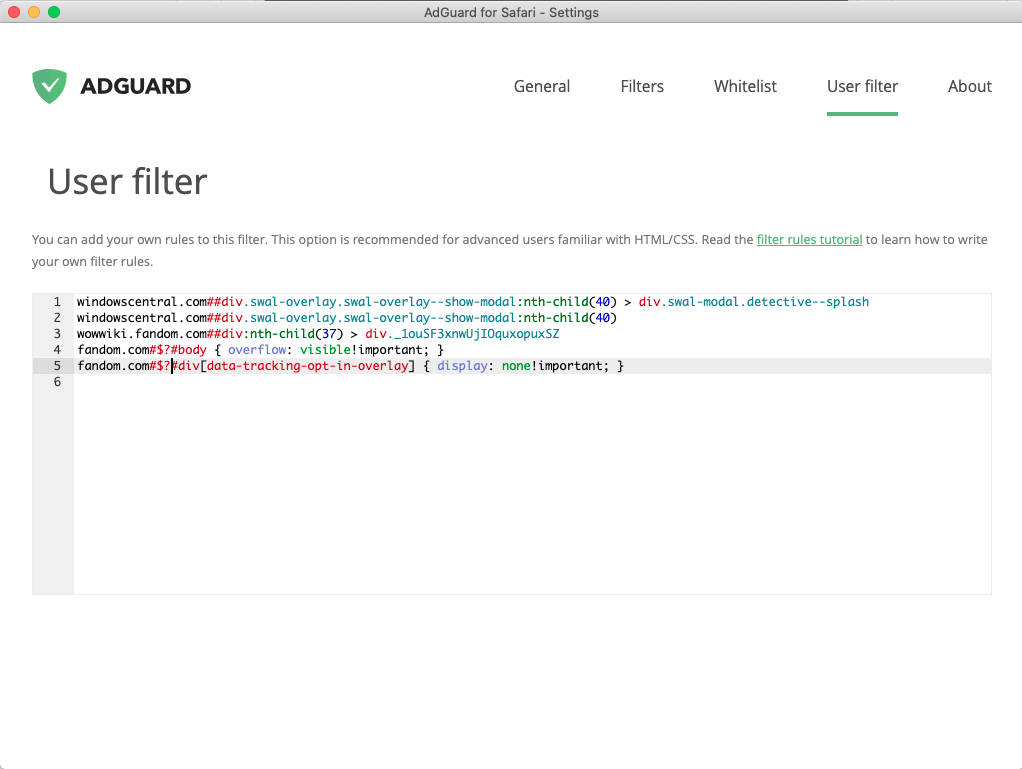
fandom.com#$?#body { overflow: visible!important; }
fandom.com#$?#div[data-tracking-opt-in-overlay] { display: none!important; }
Maybe 1.5.4 addon support add css in style="..." attrib:
krystian3w
on 7 Jan 2020
Using the preview:
Using the User Filter:
KoCMoHaBTa
on 7 Jan 2020
So badly support CSS and can not overidde these:
http://raymondhill.net/ublock/adbox.html
<li class="ADBox" style="display: block !important;">: Should be hidden.
krystian3w
on 7 Jan 2020
Unfortunately I don't have Mac, so I can't check it (these rules work fine with Chrome/Firefox extension and with AdGuard for Windows), but could you please check in AdGuard settings in "General" tab if there something like "advanced" options?
Or in Safari settings if all content blockers are enabled?
AdamWr
on 7 Jan 2020
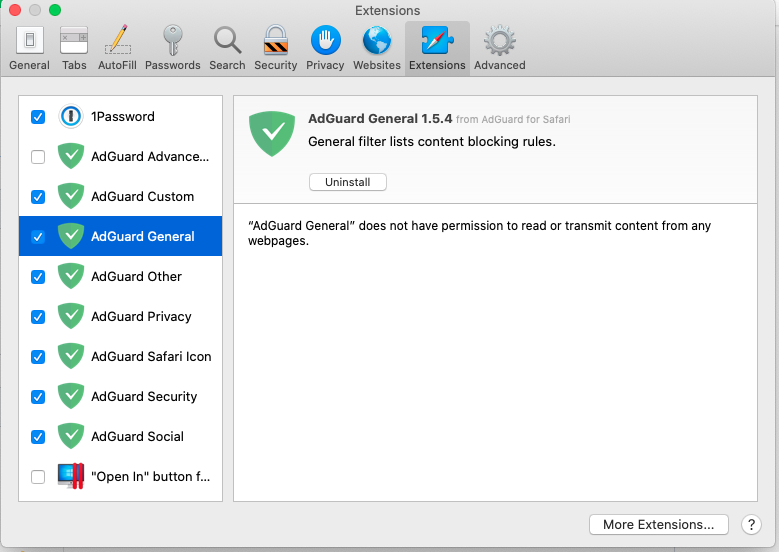
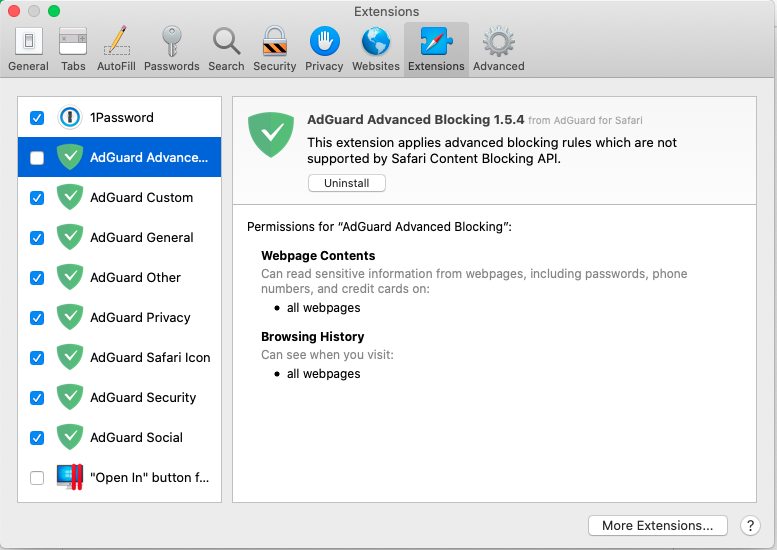
I have all enabled, except the AdGuard Advanced Blocking 1.5.4 due to the permissions concerns.
Also i enable the icon only in order to report issues.
So basically i'm just using the extensions are are using the Safari Content Blocking API.
KoCMoHaBTa
on 7 Jan 2020
If I'm not wrong, you need to enable AdGuard Advanced Blocking otherwise JavaScript, CSS and probably Extended CSS rules will not work.
There is discussion about this permission - https://www.reddit.com/r/Adguard/comments/cavb79/adguard_privacy_concerns_can_read_sensitive/
Anyway, it seems that it can't be fixed with only Safari Content Blocking API.
AdamWr
on 7 Jan 2020
You are right - enabling AdGuard Advanced Blocking seems to make the rules work.
So if i understand this correctly - Safari Content Blocking API does not allow modifying the CSS - its just as simple as finding things in order to hide them?
If that's the case, i can only hope that, some day, Apple will make the Safari Content Blocking API even more powerful.
KoCMoHaBTa
on 7 Jan 2020
So if i understand this correctly - Safari Content Blocking API does not allow modifying the CSS - its just as simple as finding things in order to hide them?
As far as I know, Safari Content Blocking API is simple and allow only for blocking network requests and hide elements.
If that's the case, i can only hope that, some day, Apple will make the Safari Content Blocking API even more powerful.
It would be great, but as I recall, there wasn't any improvements in Safari Content Blocking API since 2016.
AdamWr
on 8 Jan 2020
Related issues
adguard-bot
·
3Comments
adguard-bot
·
3Comments
adguard-bot
·
3Comments
adguard-bot
·
3Comments
 TPS
·
4Comments
TPS
·
4Comments
Most helpful comment
As far as I know, Safari Content Blocking API is simple and allow only for blocking network requests and hide elements.
It would be great, but as I recall, there wasn't any improvements in Safari Content Blocking API since 2016.