Addons-server: Add Stripe Customer Portal to manage billing
We could use Stripe Customer Portal to offload billing management to Stripe. This portal would allow us to have a nice webpage to update the card information or email for example (we can do more).
@jvillalobos I think we need this to allow our customers to update their card information in the future. If there is a payment issue, we could tell them to go back to the onboarding page and click the "Manage billing" button:
update: see below (link/button moved to DevHub edit page)
Then they would see this page (on Stripe):
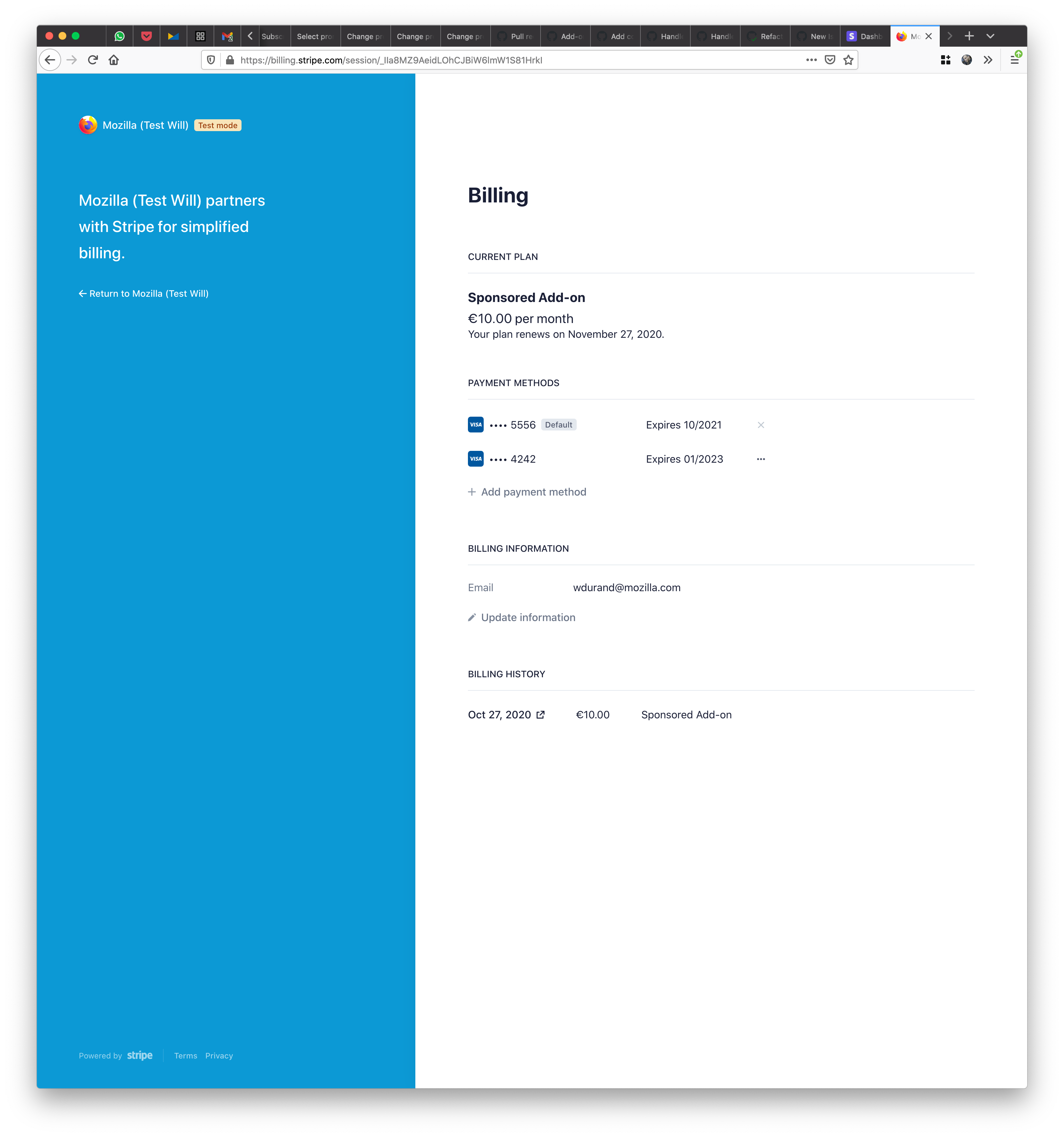
Stripe Customer Portal requires 2 URLs, though:
- a Privacy Policy URL
- a Terms of Service URL
For QA: only add-ons that are verified or sponsored should have the link to "manage billing on Stripe". In addition to that, the link should only appear when the subscription is active, which means it has been paid once (when the onboarding flow has been completed).
It shouldn't be possible to change the subscription or cancel it. It should be possible to change the email address or the billing information (credit card).
 willdurand
All 10 comments
The page you linked to also mentions a Cancel option. Is that configurable? So far we've been working under the assumption that we would initiate cancellations.
 jvillalobos
on 30 Oct 2020
jvillalobos
on 30 Oct 2020
Yes, it is configurable. The second screenshot shows no way to cancel as we discussed.
willdurand
on 30 Oct 2020
Okay, that sounds good.
If there is a payment issue, we could tell them to go back to the onboarding page and click the "Manage billing" button:
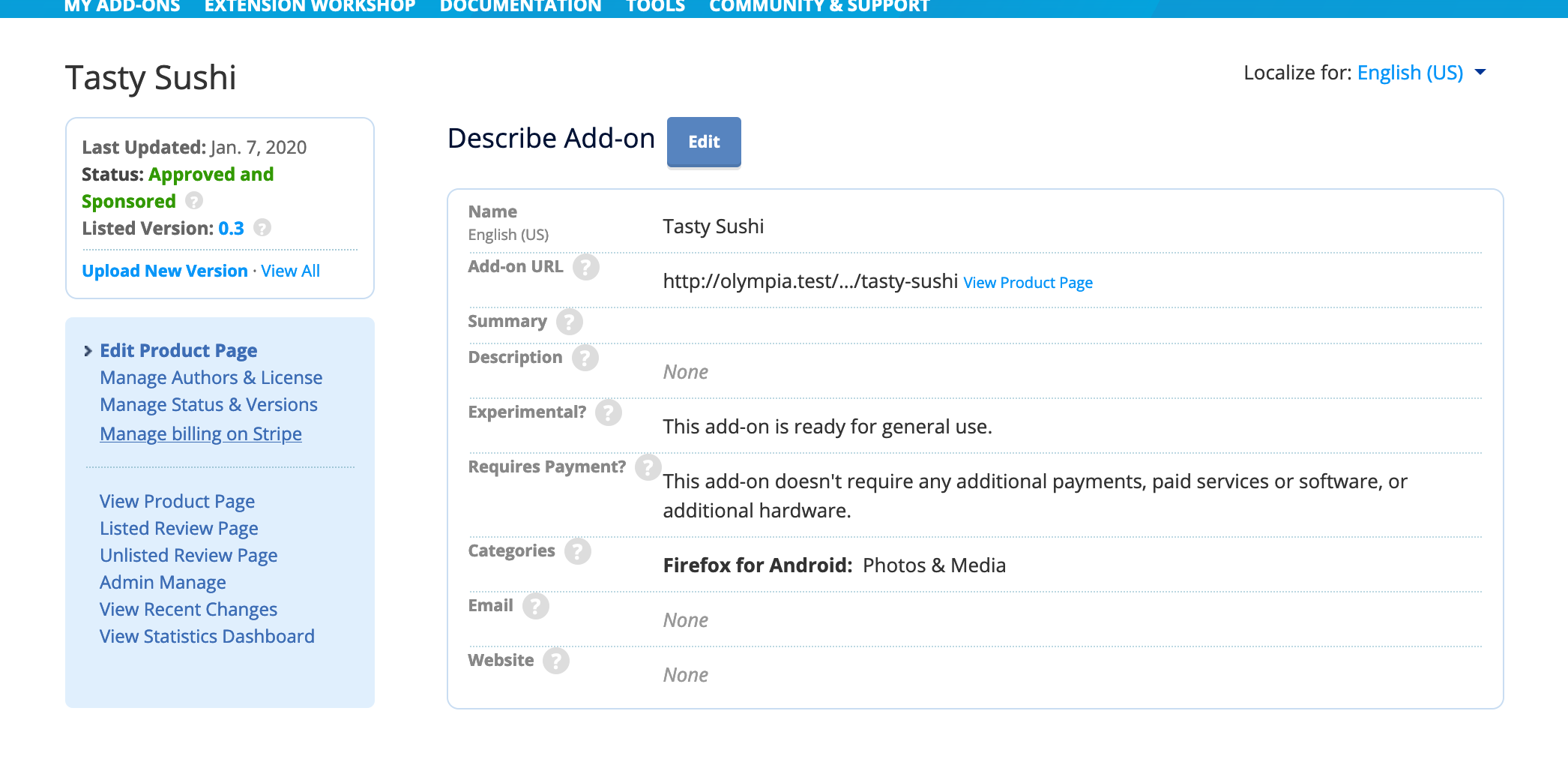
I would add a link to the sidebar in the extension edit page instead, below Manage Status & Versions.
Stripe Customer Portal requires 2 URLs, though:
a Privacy Policy URL
https://www.mozilla.org/privacy/websites/
a Terms of Service URL:
https://extensionworkshop.com/documentation/publish/firefox-add-on-distribution-agreement/
jvillalobos
on 30 Oct 2020
I would add a link to the sidebar in the extension edit page instead, below Manage Status & Versions.
Okay, something like this then?
willdurand
on 3 Nov 2020
Yes, but with an upper case "B" in "Billing", please.
jvillalobos
on 3 Nov 2020
@willdurand
I could test this only with promoted addons that did not go through the payment process yet on AMO dev with FF82(Win10) (as expected, I get a 404 error for the older subscriptions when the Billing URL is clicked):
- the Billing URL is available on edit product page after a first payment is done. Changing information about the card and e-mail address is possible. Navigating back and forth to this page is possible.
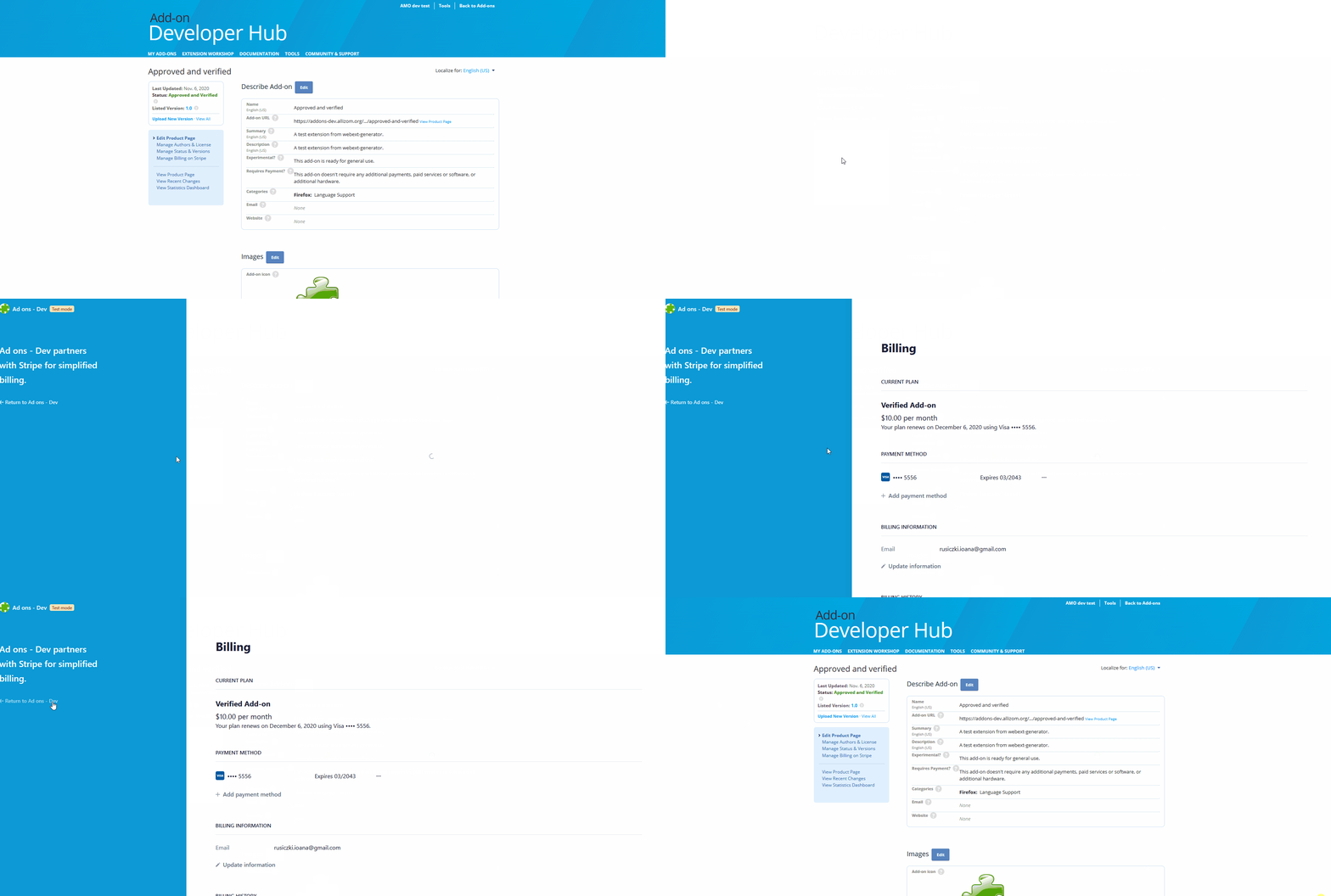
Other things noticed:
- the verified standard fee is 10$ per month. sponsored is 60$ per year. So right now I can set a custom onboarding rate per month for verified addons and per year for sponsored addons.
- when making a first payment and try to cancel it: if I use the browser's back button to navigate back to dev hub from the Stripe page I won't see the error message so I always use the button displayed on that page. I think the gif below explains it better:
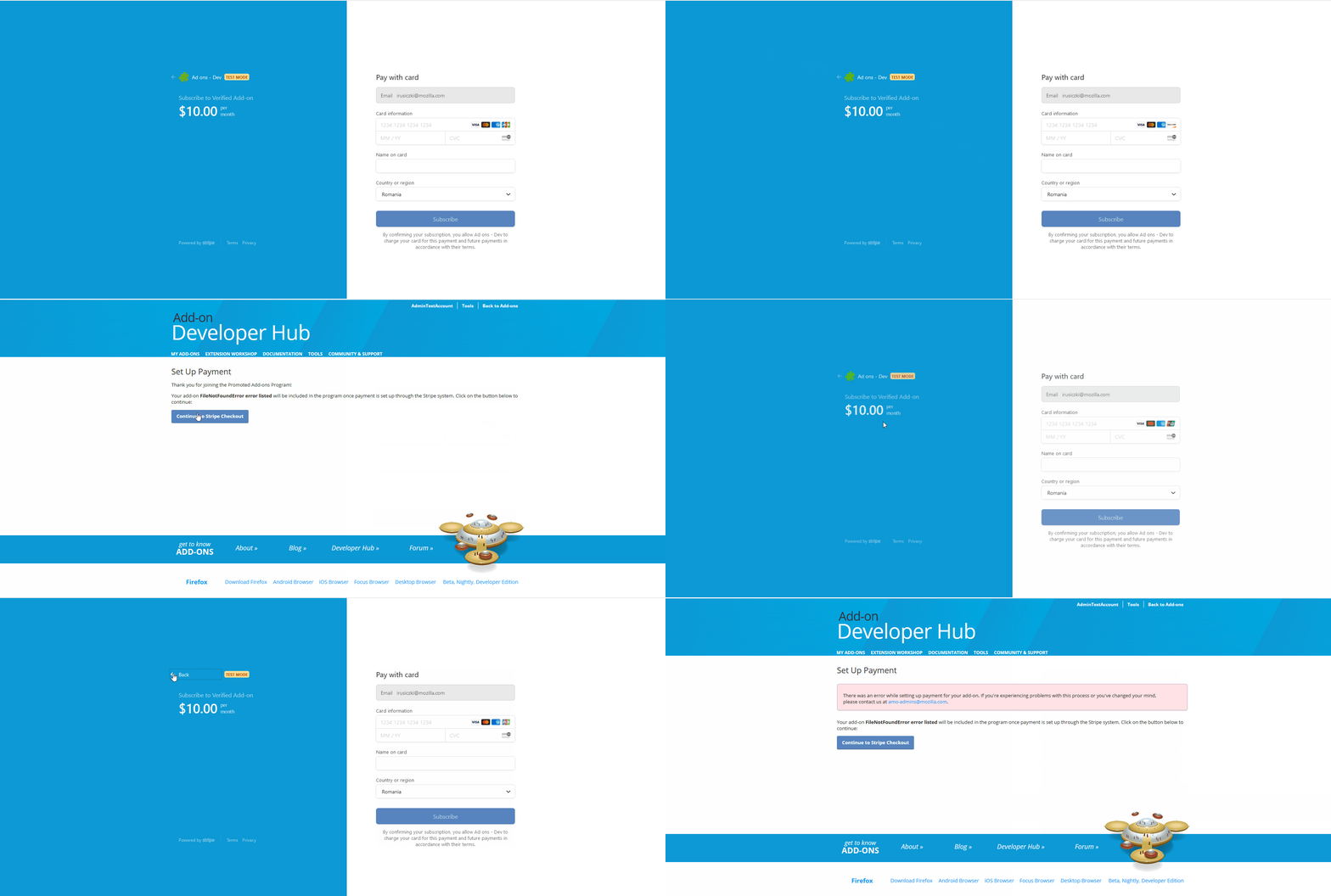
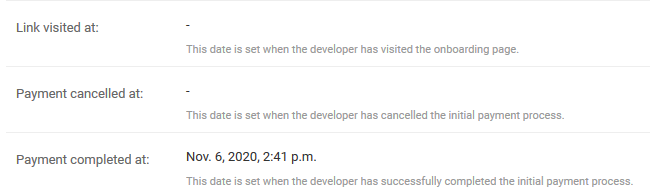
- also in this scenario when the user cancels, but then repeats the payment steps and completes payment the admin offers details only about when payment was completed. "Link visited at" will is empty. If it's a problem with that let me know.
- should I see somewhere Privacy Policy and Terms of Service URL from https://github.com/mozilla/addons-server/issues/15878#issuecomment-719771977 ?
 ioanarusiczki
on 6 Nov 2020
ioanarusiczki
on 6 Nov 2020
* the verified standard fee is 10$ per month. sponsored is 60$ per year. So right now I can set a custom onboarding rate per month for verified addons and per year for sponsored addons.
This will be fixed soon (it should actually be fixed already
* when making a first payment and try to cancel it: if I use the browser's back button to navigate back to dev hub from the Stripe page I won't see the error message so I always use the button displayed on that page. I think the gif below explains it better:
yeah, that's normal.
should I see somewhere Privacy Policy and Terms of Service URL from #15878 (comment) ?
Yes, somewhere in the Customer Portal.
willdurand
on 10 Nov 2020
@willdurand
should I see somewhere Privacy Policy and Terms of Service URL from #15878 (comment) ?
Yes, somewhere in the Customer Portal.
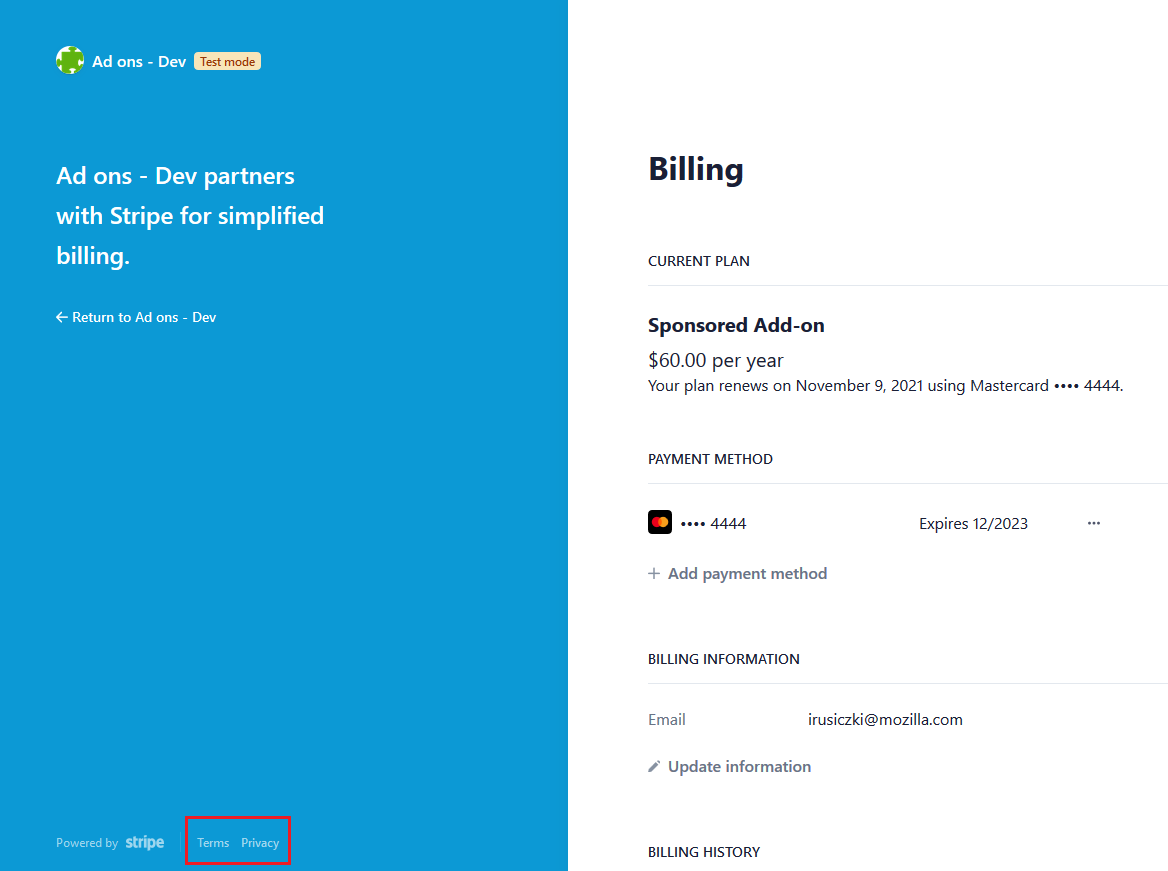
Terms is https://stripe.com/en-ro/customer-portal/legal
Privacy is https://stripe.com/en-ro/privacy
ioanarusiczki
on 10 Nov 2020
@ioanarusiczki I think it's somewhere else then :p Maybe when you update your information?
willdurand
on 10 Nov 2020
@willdurand Ah, yes! It's in Add payment method: "By adding a payment method, you agree to Ad ons - Dev's Terms of Service and Privacy Policy." The URLs redirect as expected.
ioanarusiczki
on 11 Nov 2020
Related issues
 caitmuenster
·
5Comments
caitmuenster
·
5Comments
 Juraj-Masiar
·
6Comments
jvillalobos
·
7Comments
Juraj-Masiar
·
6Comments
jvillalobos
·
7Comments
 erosman
·
6Comments
jvillalobos
·
3Comments
erosman
·
6Comments
jvillalobos
·
3Comments