Addons-server: Include the Support Site at the top of the content review page
Describe the problem and steps to reproduce it:
During a content review most of the information is on the content review page, but the support site is only found on the product page.
- The URL should be checked to ensure it is a suitable link, but it is easy to forget to visit the product page to check it. (Especially as most add-ons don't list a support site.)
- When I want more information about the product and there is no Website entry it is an extra step to see if there is a support site link.
What happened?
The content review page doesn't show the support site.
What did you expect to happen?
If there is a support site list it on the content review page below where the Website link goes.
Anything else we should know?
An example of an add-on with a support site but not website: https://reviewers.addons.mozilla.org/en-US/reviewers/review-content/ray-webpage-screenshot
 bjherbison
All 15 comments
@caitmuenster @eviljeff May I take this?
 linzichao
on 13 Jun 2020
linzichao
on 13 Jun 2020
@linzichao go ahead. It'll be adding the link to the template used in the reviewer tools (addon_details_box.html I guess).
https://wiki.mozilla.org/Add-ons/Contribute/Code#Improve_addons.mozilla.org_.28AMO.29
 eviljeff
on 15 Jun 2020
eviljeff
on 15 Jun 2020
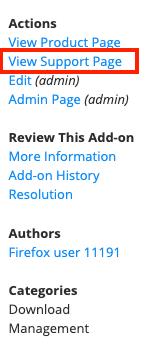
I add a support page link in the sidebar.
Please feel free to give me any feedback. 😊
linzichao
on 15 Jun 2020
I think the support page would be better in the main column near the Website link. The website link and the support site link are closely related, and both provided by the add-on developer, while the product page and other items in the sidebar are URLs generated by Mozilla.
bjherbison
on 15 Jun 2020
@linzichao yeah I agree with @bjherbison - it's better just below the addon homepage link.
eviljeff
on 15 Jun 2020
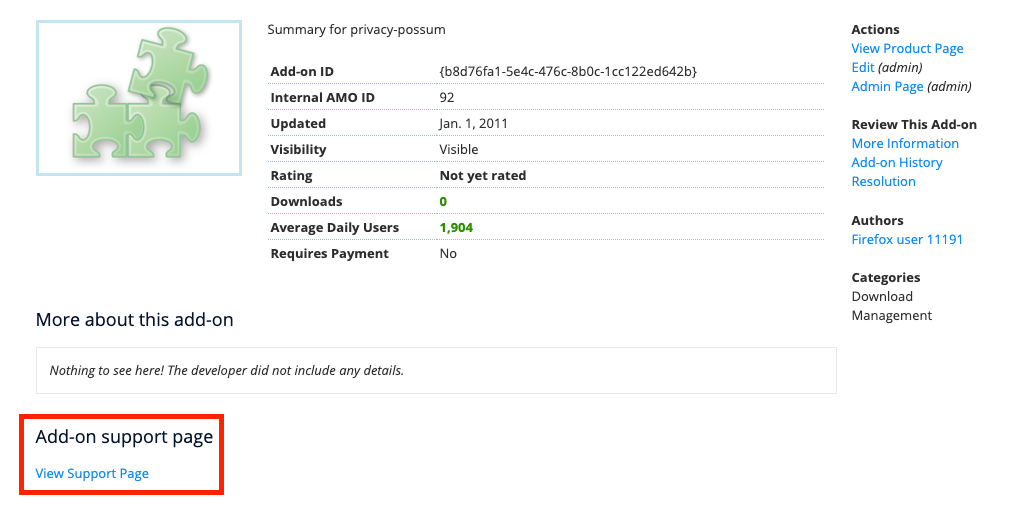
The commit 524782b14ee8f9ad1a7a46db5940e173d551325c shows as following:
linzichao
on 16 Jun 2020
That's a little better, but it still doesn't show the URL and it still isn't next to the Website link. I suggest testing using an example add-on with a Website link so you can see where that goes.
bjherbison
on 16 Jun 2020
@bjherbison Could you provide me the position of the Website link? Maybe because I run on my local, I can’t find it.
linzichao
on 16 Jun 2020
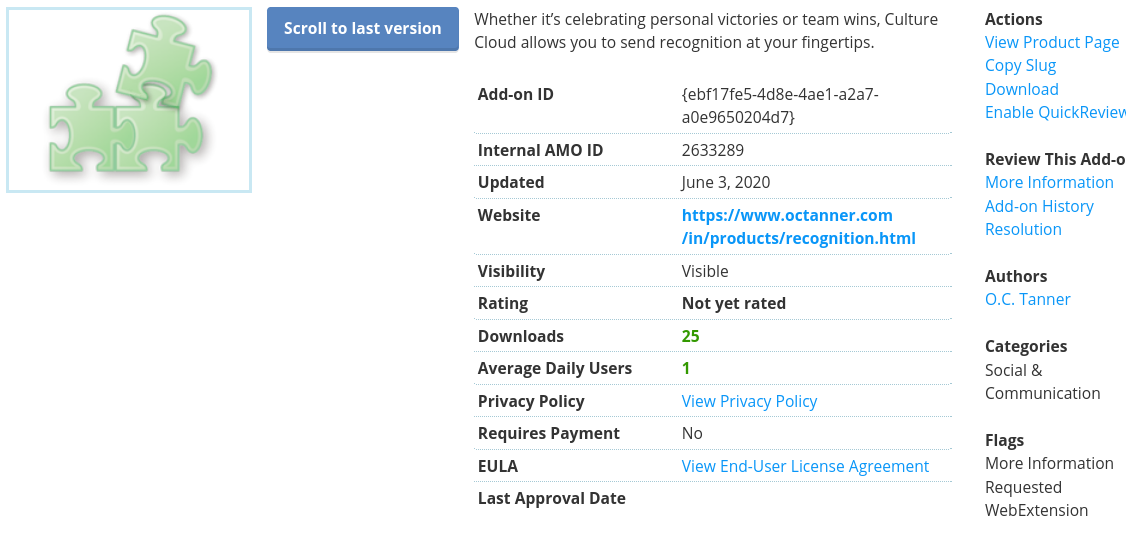
A search in the addon_details_box.html file for "homepage" (or "Website") would show you. To see it on the page you'll need to set the homepage in the addon's details in developer hub.
eviljeff
on 16 Jun 2020
It's between Updated and Visibility.
bjherbison
on 16 Jun 2020
Like the Support Site, Website is an optional field.
bjherbison
on 16 Jun 2020
Thanks a lot! 😊
linzichao
on 16 Jun 2020
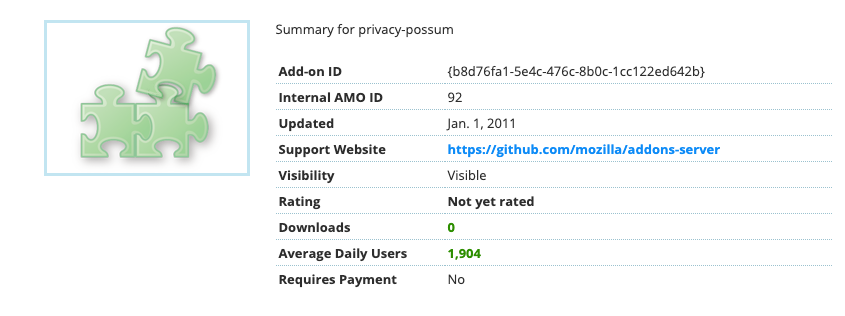
@bjherbison @eviljeff This commit 700458b6d500ec69fe14a6ae2ebc316adc999385 might fit your expecation. 😊
linzichao
on 16 Jun 2020
Thank you. That will help me be more consistent in my reviewing.
bjherbison
on 16 Jun 2020
Verified fixed on -dev:
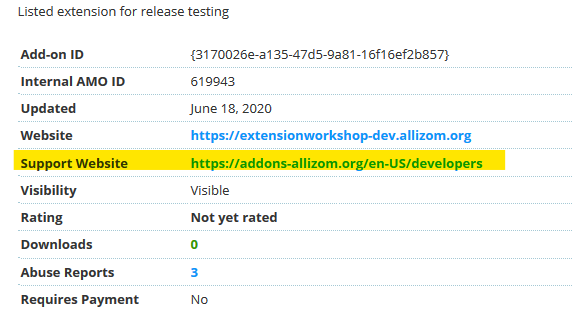
External links are also wrapped with the outgoing URL.
 AlexandraMoga
on 19 Jun 2020
AlexandraMoga
on 19 Jun 2020
Related issues
 diox
·
5Comments
diox
·
5Comments
 Juraj-Masiar
·
5Comments
Juraj-Masiar
·
5Comments
 spoji
·
6Comments
spoji
·
6Comments
 caitmuenster
·
5Comments
caitmuenster
·
5Comments
 erosman
·
6Comments
erosman
·
6Comments