Addons-server: Separator line is not properly placed on Theme Generator page
Steps to reproduce:
- Load AMO dev and go to Developer Hub to submit a new add-on.
- Use "Create a Theme Version" wizard to submit a static theme.
- Scroll down and observe the separator line displayed below Browser Preview.
Expected result:
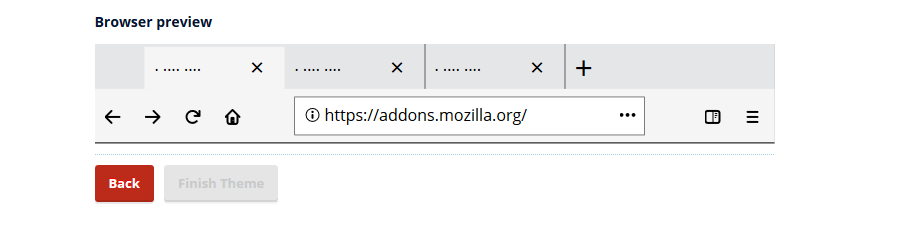
The separator line has approximately the lenght of the image and it is displayed at a visible distance.
Actual result:
The separator line extends beyond the image and it is placed right under the image.
Notes:
This issue was verified on AMO dev (Win10)
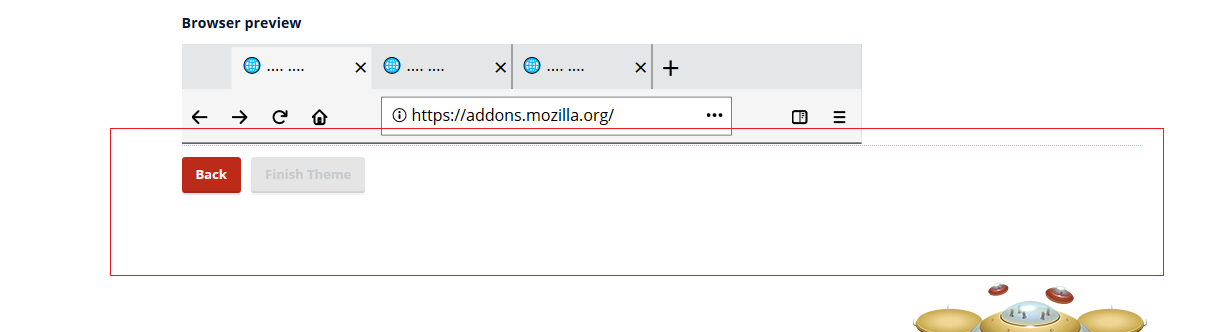
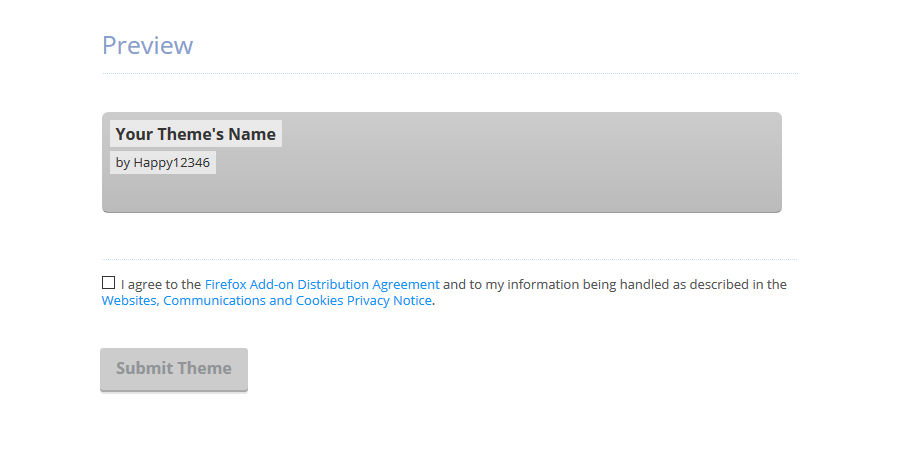
I attached a screenshot with the Preview displayed for Lightweight Themes.
 ioanarusiczki
All 10 comments
Hi there, I would like to work on this bug if it's still available!
 SeanPrashad
on 16 Feb 2018
SeanPrashad
on 16 Feb 2018
I was trying to recreate the issue on my local machine but I'm only able to find this webpage for submitting a new theme. I don't think that's what I need to be looking for - where would I find the "Create a Theme Version" wizard?
SeanPrashad
on 20 Feb 2018
@SeanPrashad : this is the new static theme wizard, it's currently behind a switch that is not activated in prod or your local environment. To enable it locally, run:
docker-compose exec web bash ./manage.py waffle_switch allow-static-theme-uploads on
Then in Developer Hub, select "Create a New Add-on" (not "Submit a New Theme"), and then "Create a theme". You should see the wizard.
 diox
on 20 Feb 2018
diox
on 20 Feb 2018
Thanks for that heads up @diox! Unfortunately, when I try to run that command, I get the following error:

Console:
docker-compose exec web bash ./manage.py waffle_switch allow-static-theme-uploads on
./manage.py: line 2: import: command not found
./manage.py: line 3: import: command not found
./manage.py: line 7: syntax error near unexpected token `'DJANGO_SETTINGS_MODULE','
./manage.py: line 7: `    os.environ.setdefault('DJANGO_SETTINGS_MODULE', 'settings')'
Should I try and edit the manage.py file myself?
SeanPrashad
on 20 Feb 2018
sorry, remove the extra bash in the command I gave you.
It should be docker-compose exec web ./manage.py waffle_switch allow-static-theme-uploads on
diox
on 20 Feb 2018
Still doesn't look like it's working 😞:

Is there documentation anywhere that I could look over to see all of these commands to enable debug settings?
SeanPrashad
on 20 Feb 2018
Welp. Add --create to that command, that should fix it.
diox
on 20 Feb 2018
It worked! I used this command: docker-compose exec web ./manage.py waffle_switch allow-static-theme-uploads on --create
SeanPrashad
on 20 Feb 2018
~Looks like I've identified the culprit using Chrome dev tools to a ul element with a class of errorlist validator (CSS found in zamboni.css:66):~
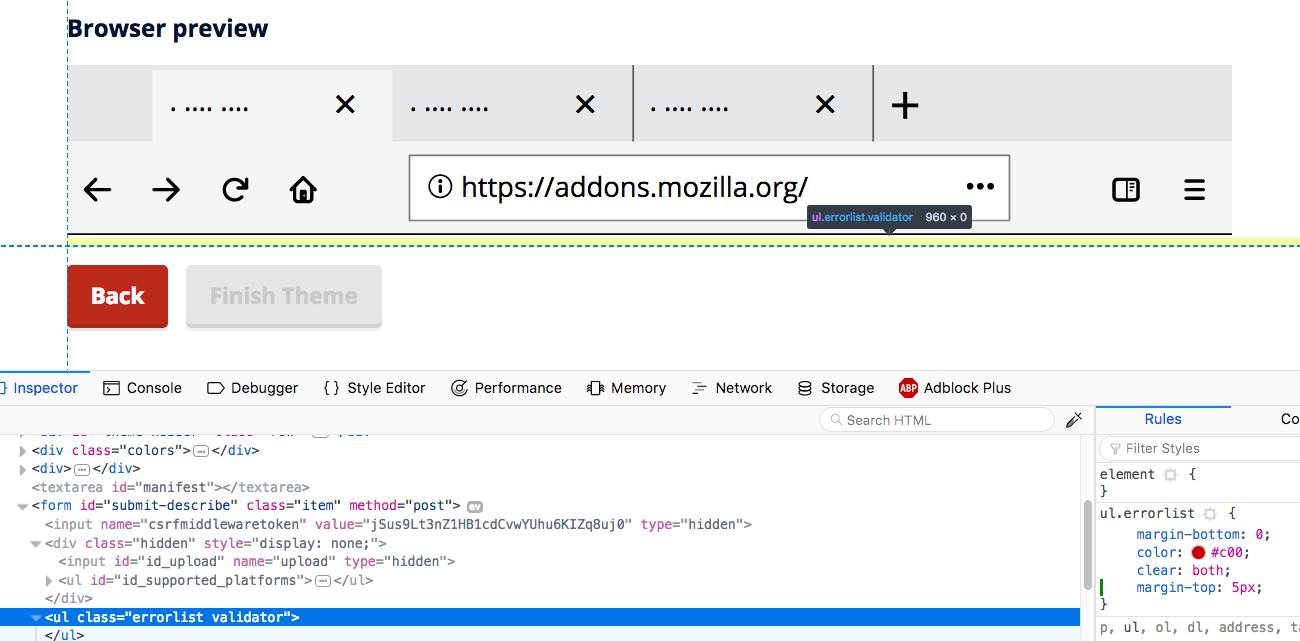
~How far down do you think the separator should be? I currently have margin-top: 5 px; but I'll play around with it a bit more.~
Edit: Very sure that I've found it now! See below:
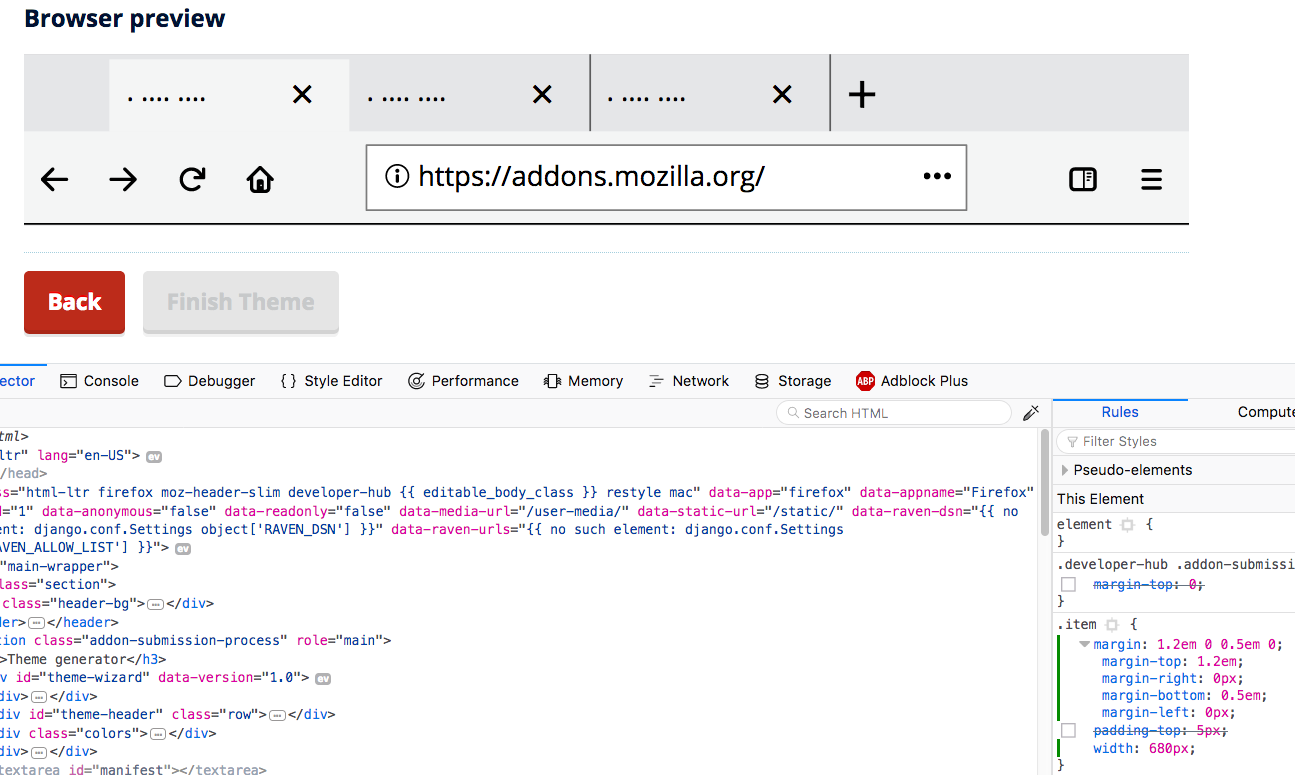
Turns out it was the item class with it's CSS found in main.css:2115 - stay tuned for my PR!
SeanPrashad
on 24 Feb 2018
Verified fixed on AMO dev with FF58 (Win10).
ioanarusiczki
on 28 Feb 2018
Related issues
 rctgamer3
·
6Comments
rctgamer3
·
6Comments
 kewisch
·
7Comments
kewisch
·
7Comments
 ValentinaPC
·
4Comments
ValentinaPC
·
4Comments
 spoji
·
6Comments
spoji
·
6Comments
 mojorero
·
3Comments
mojorero
·
3Comments