Addons-frontend: Add-ons developer and Theme artist options are not available on the user's info card
As a followup for #4283
STR:
- Load AMO dev and click on View Profile.
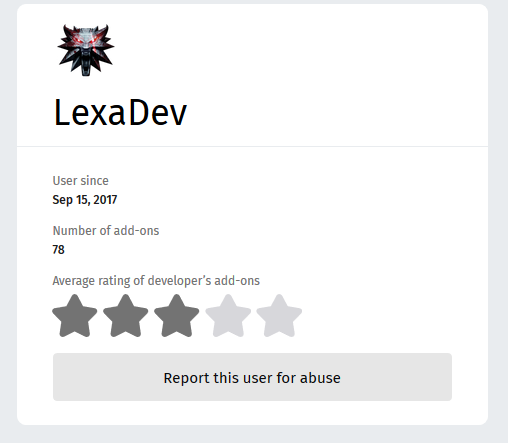
- Check if Add-ons developer and Theme Artist are present on the right upper part of the card as in here
Expected result:
The check boxes and the two options are present.
Actual result:
The two options are not displayed.
Notes:
This issue is reproducible on AMO dev with FF59 (Win10).
 ioanarusiczki
All 17 comments
Those are not checkboxes; they're placeholder icons that would accompany each descriptor. 😄
 tofumatt
on 20 Mar 2018
tofumatt
on 20 Mar 2018
@tofumatt @my bad ! Yes, you cannot check or uncheck those! I hurried to describe them.
ioanarusiczki
on 20 Mar 2018
@tofumatt , do we have any design doc for this, precisely I need following:
Icons for developer and theme artist, font-size, font-weight
 tsl143
on 5 Apr 2018
tsl143
on 5 Apr 2018
@tsl143 They are in the Sketch file in the assets/ folder, though you'll need Sketch (only available on MacOS) to view it.
tofumatt
on 5 Apr 2018
I dont have sketch, so I tried online viewers, I got following, but still cant get hands on any icon for both.
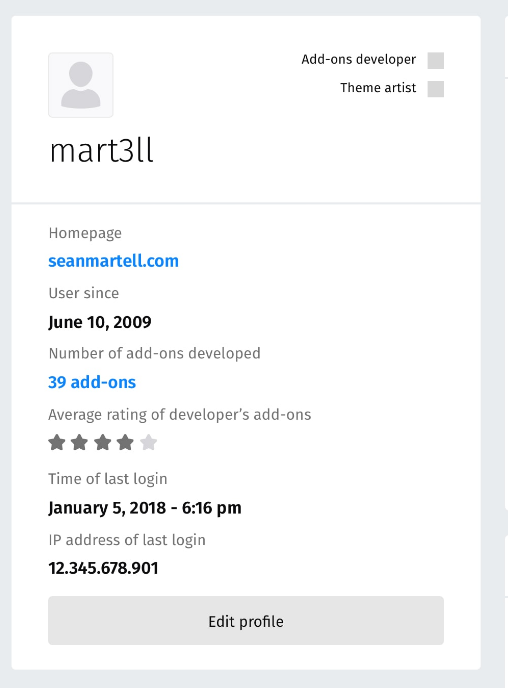
tsl143
on 6 Apr 2018
Or there is no image, we need to put just squares?
tsl143
on 6 Apr 2018
Oh, it could be that we need @pwalm to fill in those icons.
tofumatt
on 6 Apr 2018
@pwalm would you have some more information/icons?
 willdurand
on 25 May 2018
willdurand
on 25 May 2018
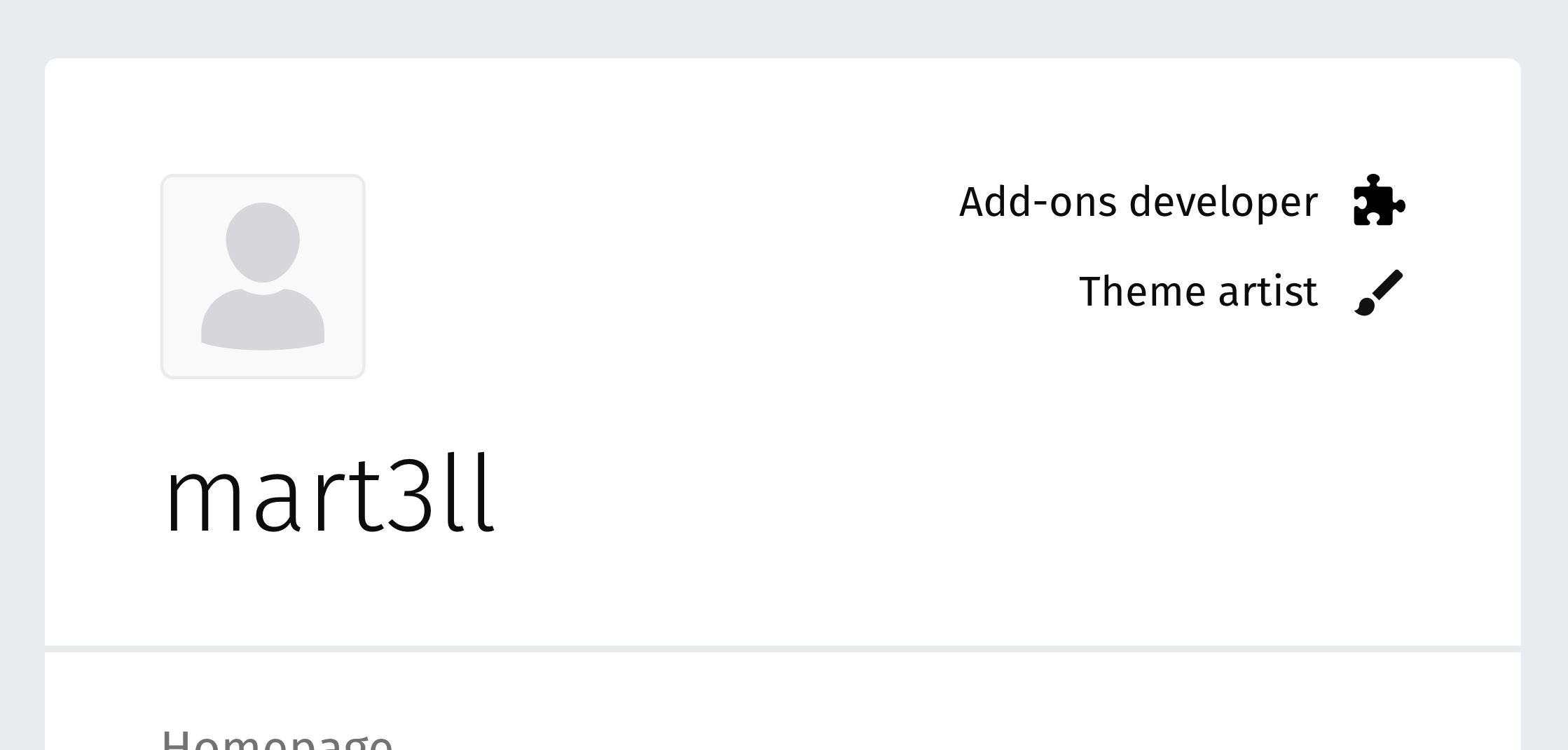
Like this! (sorry about the missing icons)
icons.zip
 pwalm
on 29 May 2018
pwalm
on 29 May 2018
I would like to work on it.This is my first time. What do I have to do?
 AdityaSrivast
on 31 May 2018
AdityaSrivast
on 31 May 2018
cool @AdityaSrivast : )
Have you cloned the repo yet? There are instructions in the readme on how to set up the project if you haven't done that already. Let us know if you need any help with this..
Once you have that set up, to get started you can take a look at the UserProfile component. I think you'll want to add the logic/HTML here for this (note: there is an associated sass file to address any styles needed for this).
Regarding adding the icons, you may have to include the Icon component too and I believe if you place the svgs found in the zip (attached above) in the img directory they should appear (hopefully :) You may want to take a look to see how we've done it for other icons.
Definitely feel free to reach out with any questions : )
 rebmullin
on 8 Jun 2018
rebmullin
on 8 Jun 2018
@rebmullin Can I work on it now? I am facing problem in finding out the corresponding HTML file for the code. Please help me how to find out the same. Sorry for late response. Will try to report back in 2 days.
AdityaSrivast
on 9 Jun 2018
sure thing @AdityaSrivast, that'd be great : )
Regarding finding the correct file - have you found the UserProfile file? In here you will find the following snippet of code:
 const userProfileHeader = (
   <React.Fragment>
     <UserAvatar className="UserProfile-avatar" user={user} />

     <h1 className="UserProfile-name">
       {user ? user.name : <LoadingText />}
     </h1>
   </React.Fragment>
 );
you will probably want to add the logic/HTML for this here and then style according to the mocks shown above
does that help?
rebmullin
on 9 Jun 2018
@rebmullin The code uses advanced reactjs and I am just a n00b for it at the moment. I may not be able to fix this out in the manner code is being written. But thanks a lot for your trust in me. I will surely learn quickly and contribute to the community in near future. It will be great if you can guide me for the learning, for eg., sources to be referred or any course, etc.
AdityaSrivast
on 11 Jun 2018
No Problem @AdityaSrivast , I will take this up :) cheers.
tsl143
on 11 Jun 2018
Hi @AdityaSrivast, of course and no worries : )
Regarding learning react, I would suggest looking at the reactjs docs and going through their tutorial. In addition, I suggest googling for additional resources/tutorials. I think there is a lot out there now and depending on your preferred style of learning you should be able to find some good docs/tutorials that suit you. Once you have some basic understanding, I would suggest diving into the code: ). I think that is the best way to learn and you can always ask questions.
Look forward to hearing from you in the near future : )
rebmullin
on 18 Jun 2018
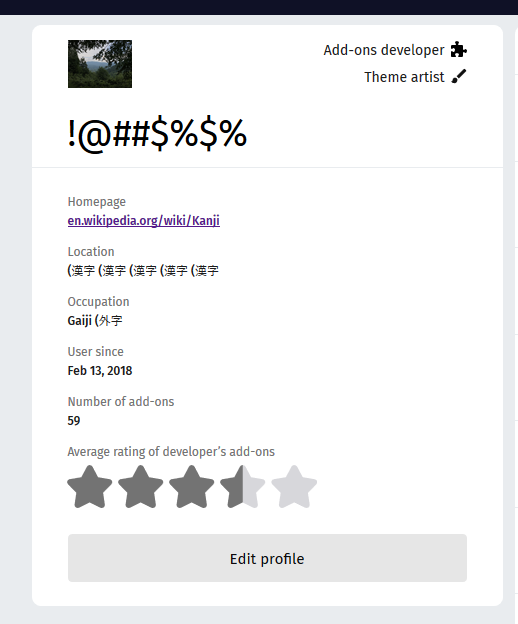
Verified fixed on AMO dev with FF60 (Win10)
@willdurand The static themes in this context should be included into Theme artist. For now if a static theme is submitted and approved is considered into Add-ons developer.
ioanarusiczki
on 20 Jun 2018
Related issues
 Sparsh1212
·
5Comments
Sparsh1212
·
5Comments
 AlexandraMoga
·
6Comments
AlexandraMoga
·
6Comments
 vcarciu
·
3Comments
ioanarusiczki
·
5Comments
vcarciu
·
3Comments
ioanarusiczki
·
5Comments
 atsay
·
6Comments
atsay
·
6Comments