Addons-frontend: Cannot install add-on if it supports multiple platforms
Describe the problem and steps to reproduce it:
- Go to an add-on that supports multiple platforms
- Example: https://addons-dev.allizom.org/en-US/firefox/addon/ratopuse-weasp-vulturkal/
- Click install
What happened?
You may or may not get the correct add-on file for your platform when you click the install button.
What did you expect to happen?
Depending on what platform you're on (Linux, Windows, Mac OS X) you should always get the right add-on file during installation.
Anything else we should know?
Here are some real world cases that might trigger this issue:
- There are a lot of legacy add-ons with multiple platform files
- A webextension add-on that requires native messaging to talk to a desktop application might want to say it only supports Mac and Windows but not Linux. This add-on would have multiple files and would trigger this bug. I think 1Password is an example of this but they seem to self-host their add-on.
- When a developer is submitting their add-on they may choose to deselect the 'all platforms' box for whatever reason and select the other platform boxes explicitly. This would also trigger the bug.
- An extension may contain an Android version and a desktop version but I can't think of any real reason why you'd do that.
You can take a look at the API representation of the example add-on with:
curl https://addons-dev.allizom.org/api/v3/addons/addon/ratopuse-weasp-vulturkal/
This is what the files array looks like:
  "files" : [
         {
            "is_restart_required" : false,
            "id" : 253517,
            "size" : 4162,
            "is_webextension" : true,
            "permissions" : [],
            "platform" : "linux",
            "created" : "2017-08-24T14:47:04Z",
            "status" : "public",
            "hash" : "sha256:638e8aa4fc91e58cb003f163b1e129b362aa991a0460bcf9101daff7f8a4b653",
            "url" : "https://addons-dev.allizom.org/firefox/downloads/file/253517/ratopuse_weasp_vulturkal-1.0-an+fx-linux.xpi?src="
         },
         {
            "is_restart_required" : false,
            "id" : 253518,
            "is_webextension" : true,
            "size" : 4161,
            "platform" : "mac",
            "permissions" : [],
            "status" : "public",
            "created" : "2017-08-24T14:48:26Z",
            "url" : "https://addons-dev.allizom.org/firefox/downloads/file/253518/ratopuse_weasp_vulturkal-1.0-an+fx-mac.xpi?src=",
            "hash" : "sha256:2755819195584b4e7693ea5d08493b476fb9318b0f2e6560d29e5877cb64dfd5"
         },
         {
            "size" : 4162,
            "is_webextension" : true,
            "id" : 253519,
            "is_restart_required" : false,
            "hash" : "sha256:749b0183848611335c7ff10ce0a2aa25cddcaf07b7bd565ba046769252de8db5",
            "url" : "https://addons-dev.allizom.org/firefox/downloads/file/253519/ratopuse_weasp_vulturkal-1.0-an+fx-windows.xpi?src=",
            "created" : "2017-08-24T14:48:26Z",
            "status" : "public",
            "permissions" : [],
            "platform" : "windows"
         },
         {
            "platform" : "android",
            "permissions" : [],
            "status" : "public",
            "created" : "2017-08-24T14:48:41Z",
            "url" : "https://addons-dev.allizom.org/firefox/downloads/file/253520/ratopuse_weasp_vulturkal-1.0-an+fx-android.xpi?src=",
            "hash" : "sha256:f7aba3eeadafbf2203972595f2cb10777a6d9967bcd76ba9aaa5142be0df4b68",
            "is_restart_required" : false,
            "id" : 253520,
            "size" : 4162,
            "is_webextension" : true
         }
      ]
 kumar303
All 7 comments
We definitely do a lot of addon.current_version.files[0] checks throughout the app. Sounds like this could bite us elsewhere, though in other places that might just be surfacing mismatched information.
The reducers could change files from an array to a platform-indexed object... or I guess we just need a getFileForPlatform utility that would pick either a platform's add-on or an "ALL" platform.
 tofumatt
on 24 Aug 2017
tofumatt
on 24 Aug 2017
Using the mentioned example (https://addons-dev.allizom.org/en-US/firefox/addon/ratopuse-weasp-vulturkal/), I've tried to install it on Win 7, Mac OS 10.13 and Ubuntu 16.04 using FF58 and AMO-dev.
Installing the extension on first two OS's worked as expected.
Details page of the extensions, on Ubuntu 16.04, lists the red banner "This add-on is not available on your platform." - @kumar303 , what do you think?
Reopening this until further notice.
 ValentinaPC
on 19 Oct 2017
ValentinaPC
on 19 Oct 2017
Can you please attach the user agent string for the browser that didn’t work? That should help us test things :-)
tofumatt
on 19 Oct 2017
The user agent that was used while testing above scenario on Linux was:
- Mozilla/5.0 (X11; Ubuntu; Linux i686; rv:57.0) Gecko/20100101 Firefox/57.0
I've tried now the latest version of Nightly on Linux, and the red banner is no longer displayed. User agent for this version is:
- Mozilla/5.0 (X11; ubuntu; Linux i686; rv:58.0) Gecko/20100101 Firefox/58.0
ValentinaPC
on 19 Oct 2017
Thanks for the user agent strings. I can reproduce this and I am working on a fix.
kumar303
on 20 Oct 2017
I added support for as many mainstream Linux/Unix flavors as I could think of. I did not add support for historical OSes like RISC, etc.
kumar303
on 20 Oct 2017
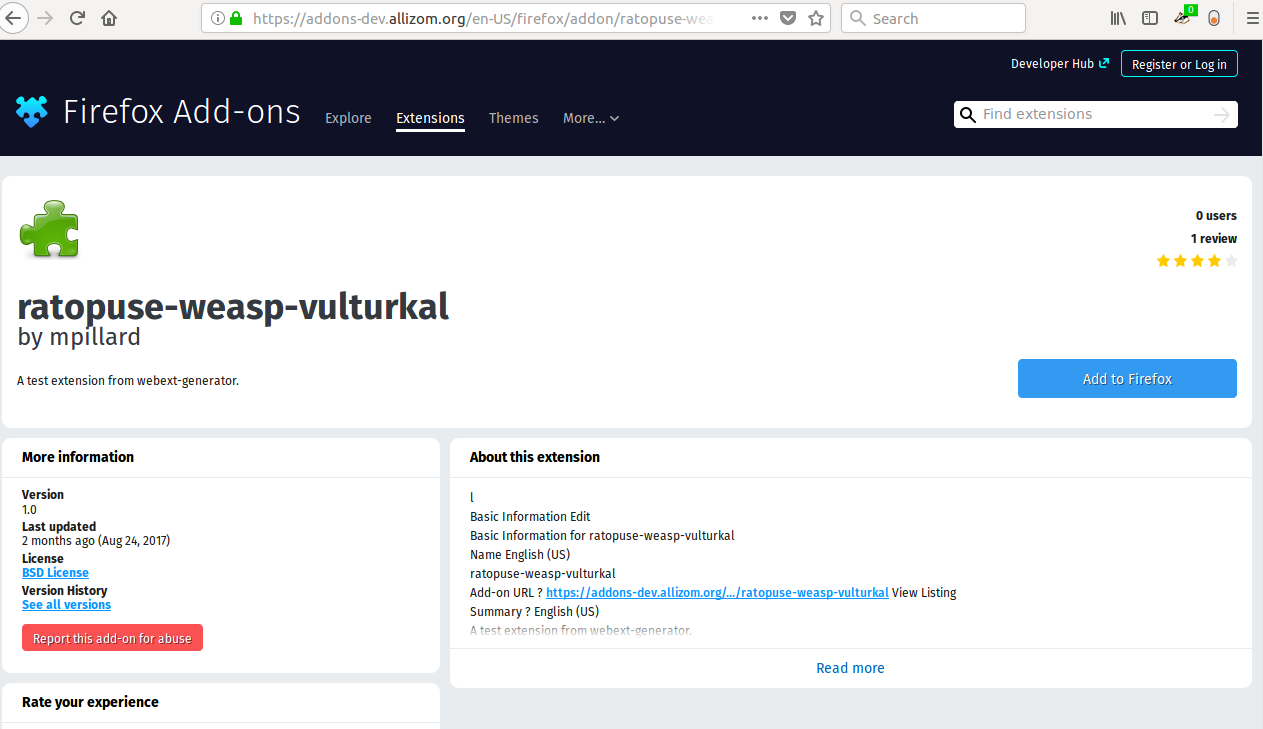
Verified this as fixed on Ubuntu 16.04 using FF57 and things seem to work as expected.
Postfix screenshots:

ValentinaPC
on 23 Oct 2017
Related issues
 bobsilverberg
·
4Comments
bobsilverberg
·
4Comments
 grahamperrin
·
3Comments
grahamperrin
·
3Comments
 ioanarusiczki
·
4Comments
ioanarusiczki
·
4Comments
 jrbenny35
·
6Comments
ValentinaPC
·
4Comments
jrbenny35
·
6Comments
ValentinaPC
·
4Comments
Most helpful comment
I added support for as many mainstream Linux/Unix flavors as I could think of. I did not add support for historical OSes like RISC, etc.