Adaptivecards: MS Teams is throwing "BadRequest" error for adaptive cards
Platform
What platform is your issue or question related to? (Delete other platforms).
- Bot Framework (C#)
- SDK v4
- Adaptive Cards (1.0)
Version of SDK
v4
Issue
When returning a AdoptiveCard attachment to MS Teams client I am getting an error - "Operation returned an invalid status code 'BadRequest' ". The same adaptive card is getting successfully rendered in emulator but failing in Teams. I was not able to check developer preview in teams(due to accessibility issue) ,but I am guessing it is occurring in the server end.
Issue - Scenario 1
Card is not getting displayed and throwing the error
Issue - Scenario 2
Card is getting displayed but throwing the error as well.
_Note - I have attached one zip file containing two card responses , which is working as expected in emulator as well as adaptive card visualizer section, but throwing error in Teams_
 ayanatwork-github
All 14 comments
Facing the same issue, in Action.Submit, adaptive card working fine in bot emulator but giving "400: Bad Request" error in MSTeams.
 gaurav1621
on 28 Aug 2019
gaurav1621
on 28 Aug 2019
@shalinijoshi19 please assign this to @Wajeed-msft
 siduppal
on 25 Sep 2019
siduppal
on 25 Sep 2019
Thanks @siduppal ; Done (@Wajeed-msft FYI) ; Btw do we want to keep this in the AC repo or transfer over to your end? If so, could you let us know the right repo to use and I'll get that taken care of as well ? Thanks!
 shalinijoshi19
on 25 Sep 2019
shalinijoshi19
on 25 Sep 2019
Hi, Any updates on this? :)
 iBoonz
on 28 Oct 2019
iBoonz
on 28 Oct 2019
This issue has been automatically marked as stale because it has not had any activity for 5 days.
![msftbot[bot] picture](https://avatars2.githubusercontent.com/in/26612?v=4&s=40) msftbot[bot]
on 29 Nov 2019
msftbot[bot]
on 29 Nov 2019
This issue has been automatically marked as stale because it has not had any activity for 5 days.
msftbot[bot]
on 6 Dec 2019
Have the same problem with all adaptive cards
 d1rrected
on 5 Jan 2020
d1rrected
on 5 Jan 2020
Same issue with the latest version of adaptive cards here; is there any progress on this?
 WizX20
on 12 Mar 2020
WizX20
on 12 Mar 2020
Sorry, I missed this thread.
Could you please try the same JSON directly using App Studio's Card Editor section?
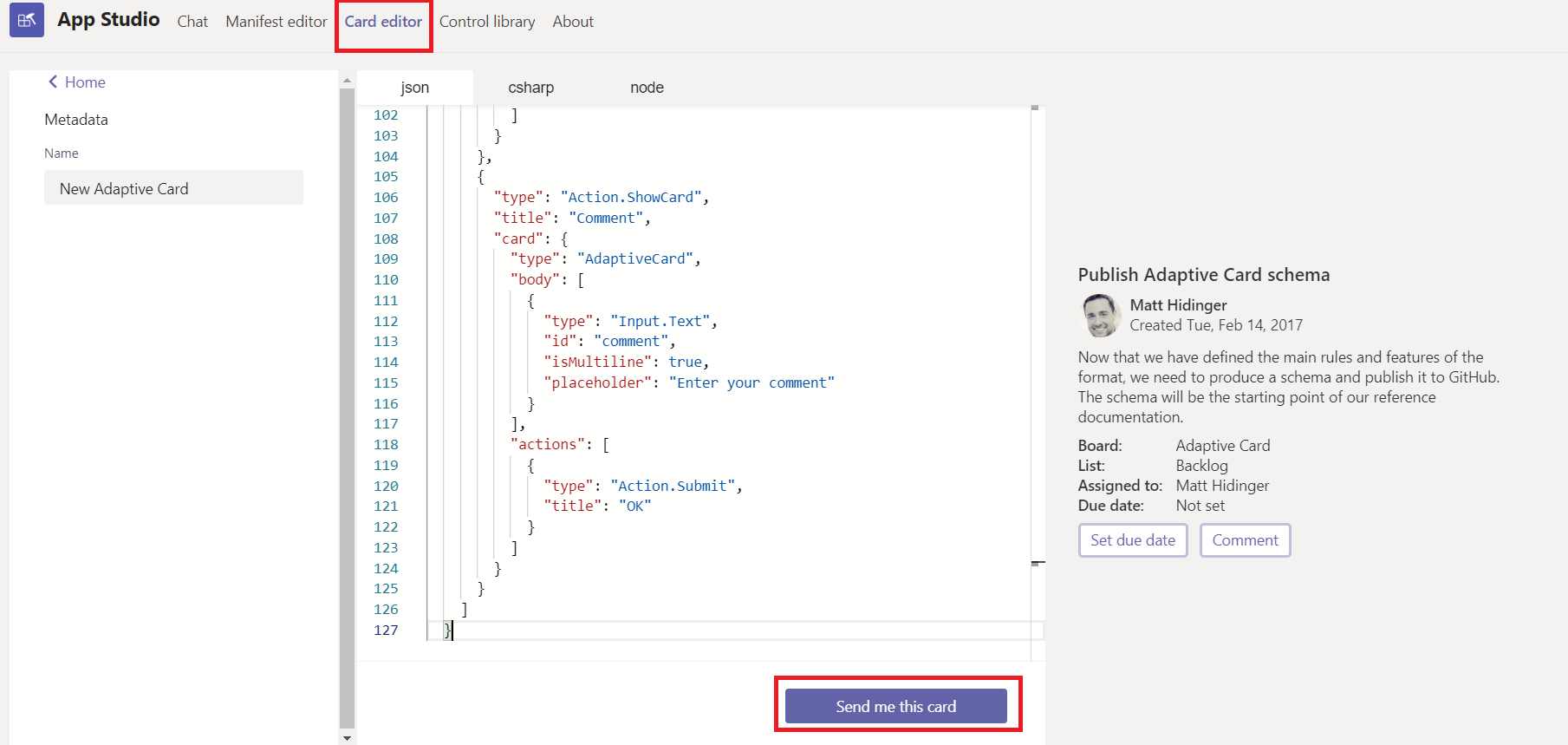
Let me know if you see any error. If you don't see any error, then please share the code snippet which you are using to send the Adaptive Card.
 Wajeed-msft
on 12 Mar 2020
Wajeed-msft
on 12 Mar 2020
Hi @Wajeed-msft, I tried it in the App Studio and also on https://adaptivecards.io/designer/
Both work. Also sending it to myself via the App Studio card designer works.
It does not work in Teams directly. I'm also having a hard time finding any information about it in application insights; is there any way to debug this in teams?
The card in question:
adaptive_card.json.txt
This is the only 400 I can find in ai:
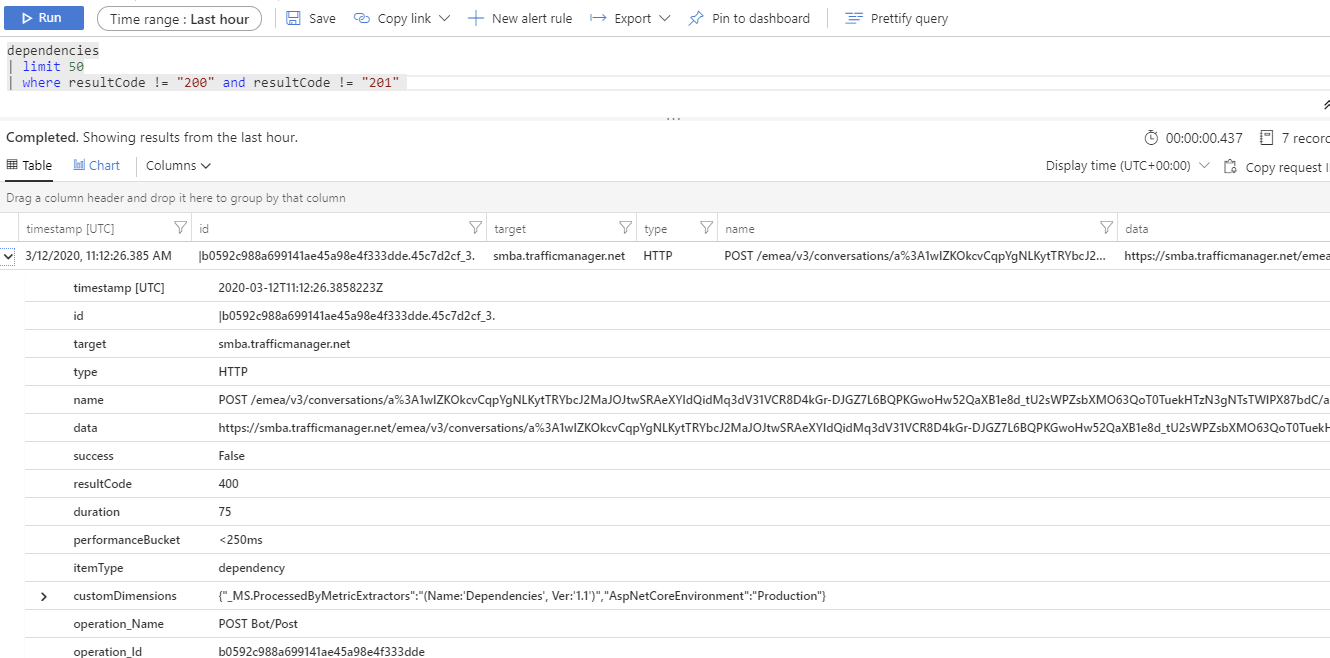
WizX20
on 12 Mar 2020
Hi @WizX20 - I tried the JSON which you shared and was able to send card successfully from code.
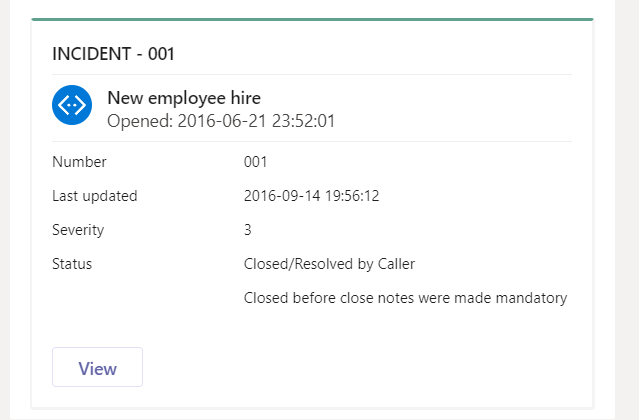
Could you please try this code locally using ngrok?
var cardJson = System.IO.File.ReadAllText("AdaptiveCard.json");

            AdaptiveCardParseResult resultCard = AdaptiveCard.FromJson(cardJson);

            // Get card from result
            AdaptiveCard card = resultCard.Card;

            var reply = activity.CreateReply();
            reply.Attachments.Add(
                 new Microsoft.Bot.Connector.Attachment()
                 { ContentType = AdaptiveCard.ContentType, Content = card });

            try
            {
                await context.PostAsync(reply);
            }
            catch (Exception ex)
            {
                Console.WriteLine(ex);
                // throw;
            }
Please use channel specific data payload in adaptive card.
"data": {
    "msteams": {
        "type": "messageBack",
        "displayText": "I clicked this button",
        "text": "text to bots",
        "value": "{\"bfKey\": \"bfVal\", \"conflictKey\": \"from value\"}"
    },
    "extraData": {}
  }
reference link
That works for me over teams.
 pramodkn
on 18 Mar 2020
pramodkn
on 18 Mar 2020
@WizX20 - Did you get chance to try out the code? Can we consider this issue closed?
Wajeed-msft
on 2 Apr 2020
@Wajeed-msft Hi, my issue was resolved by ditching the background images and reverting to a simpler version of the schema for cards. So, you can close this issue if you like.
Is it fixed? I'm not sure, I still think there are some issues with Adaptive Cards in MS Teams, but I guess those will get resolved over time.
WizX20
on 2 Apr 2020
Related issues
 summertony15
·
3Comments
summertony15
·
3Comments
 ryanzjohnson
·
7Comments
ryanzjohnson
·
7Comments
 jesuspsalas2
·
3Comments
jesuspsalas2
·
3Comments
 serialoverflow
·
4Comments
serialoverflow
·
4Comments
 Har1pr1ya
·
6Comments
Har1pr1ya
·
6Comments