Activitywatch: Server log tab is weirdly empty and logs don't exist
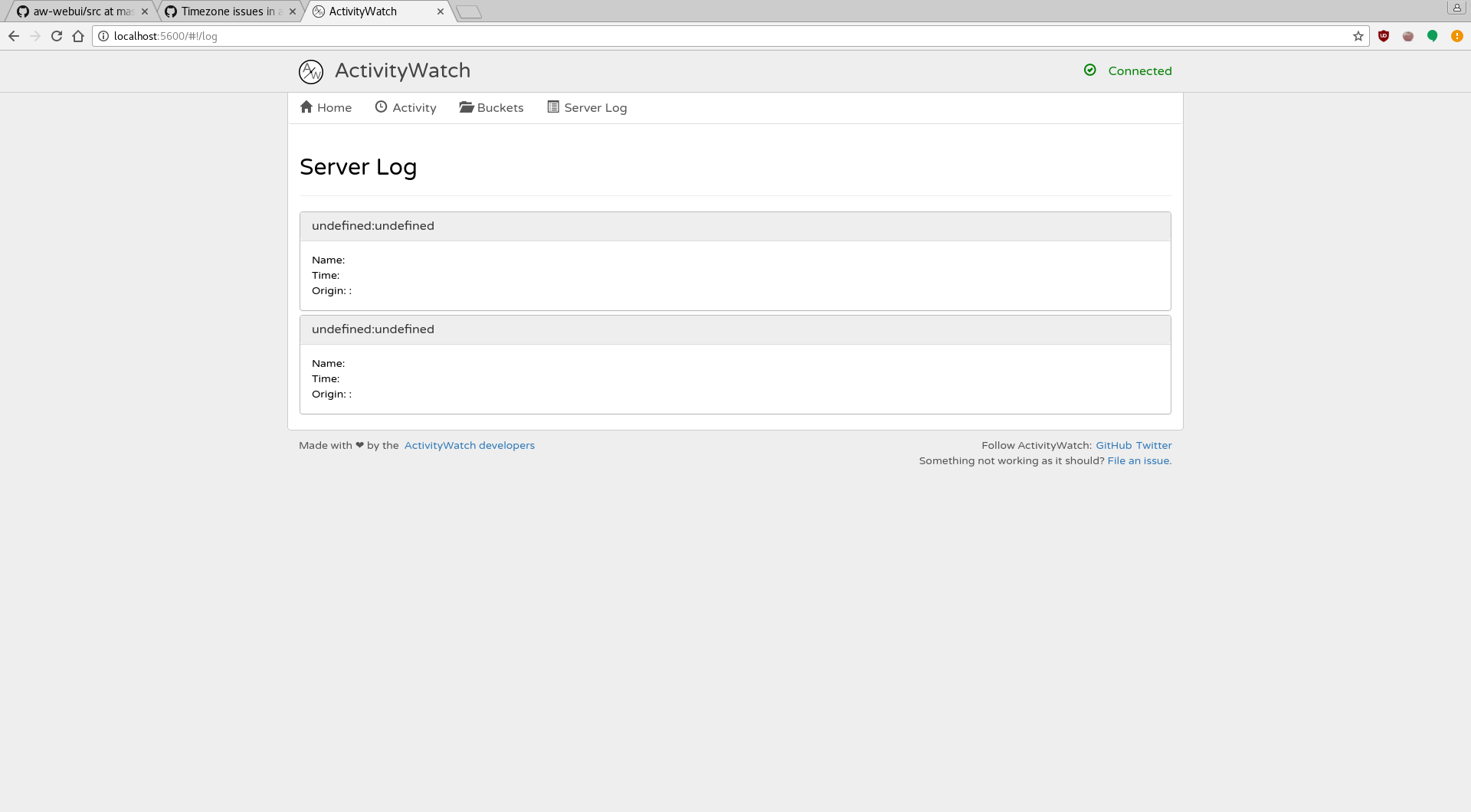
This tab is empty, and shows undefined:undefined values with empty Name/Time/Origin fields, as pictured. Is this meant to be this way or is something wrong in my setup ?
Perhaps relatedly, the "How to contribute" page states that log files on linux should be at ~/.local/cache/activitywatch/logs but on my machine, ~/.local/cache doesn't exist. Where are the logs ?
 nikanar
All 4 comments
Yeah, the WebUI log view has been broken for a few weeks when we did some refactoring and we are aware of it. We are considering to remove it for the time being.
My logs are in .cache/log/aw-{server,watcher-window,watcher-afk}, so the "How to contribute" page should probably be updated
 johan-bjareholt
on 14 Jul 2017
johan-bjareholt
on 14 Jul 2017
Less broken windows will make the project nicer, sure do remove it for the time being imho.
I found my logs (on arch linux), in ~/.cache/activitywatch/log/aw-{same+qt}, almost the same as you but not exactly.
nikanar
on 14 Jul 2017
@johan-bjareholt Could you comment out the link to the log view for now?
I fixed the log path in CONTRIBUTING here: https://github.com/ActivityWatch/activitywatch/commit/a0b1f3487f59013cc0859951e3b8624ac6fc9e4e
Thanks again @nikanar!
 ErikBjare
on 15 Jul 2017
ErikBjare
on 15 Jul 2017
@ErikBjare Disabled the log view here https://github.com/ActivityWatch/aw-webui/commit/a746516d164f8d51fae4abfe1896a1a4ed5085ed
I'll close this for now then.
johan-bjareholt
on 15 Jul 2017
Related issues
 ankushdas9
·
8Comments
ankushdas9
·
8Comments
 MarcManhart
·
3Comments
MarcManhart
·
3Comments
 robingithub1
·
4Comments
robingithub1
·
4Comments
 austil
·
3Comments
austil
·
3Comments
 TheOrigins
·
6Comments
TheOrigins
·
6Comments
Most helpful comment
@ErikBjare Disabled the log view here https://github.com/ActivityWatch/aw-webui/commit/a746516d164f8d51fae4abfe1896a1a4ed5085ed
I'll close this for now then.