Abp: Generate-proxy:Multiple modules cannot be generated
An API endpoint has multiple modules
After producing one module, generate other modules will report an error
ENOTEMPTY: directory not empty, rmdir
Am I using it the wrong way?
PS D:\Document\Desktop\Mobest\mobest-alain> abp generate-proxy -m cms
......(the right generate )

PS D:\Document\Desktop\Mobest\mobest-alain> abp generate-proxy -m asm
[10:54:42 INF] ABP CLI (https://abp.io)
[10:54:42 INF] Version 3.1.0 (Stable)
? Please enter backend api name, a.k.a. remoteServiceName. (default: "default")
ENOTEMPTY: directory not empty, rmdir 'D:Document\Desktop\Mobest\mobest-alain\src\app\proxy\cms\organizations'
This is the API definition screenshot

 hexianggui
All 5 comments
Is your Angular application running? If so, can you stop it and try again?
@armanozak can you check this?
 hikalkan
on 6 Sep 2020
hikalkan
on 6 Sep 2020
I don’t think this is about a running app. We have generated several modules in succession and have never received that error. The command even removes everything and regenerates all modules.
This error may be sth. about folder permissions, but I cannot reproduce it. Can you @hikalkan ?
 armanozak
on 6 Sep 2020
armanozak
on 6 Sep 2020
I also haven't had this error before. I generally stop the angular app before proxy generation.
hikalkan
on 6 Sep 2020
Hi @hexianggui,
Are you running the command as administrator?
armanozak
on 6 Sep 2020
Hi @hexianggui,
Are you running the command as administrator?
Sorry for the late reply!
I think I've figured it out.
Error executing command when I open project with VS.
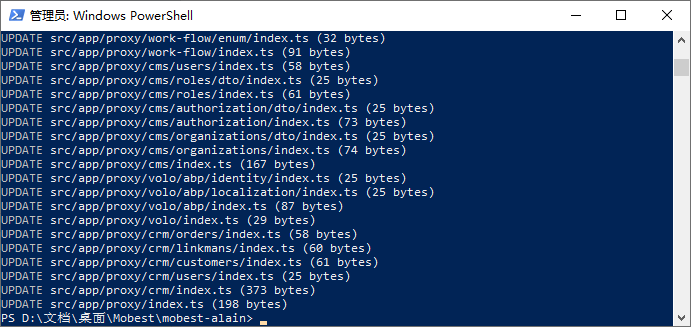
Successful execution, when I close the project, execute the command using the PwoerShell.
So this has nothing to do with ABP!
Runing the command as administrator, or close all IO for the project.
Using vs

Using powershell
thank you very much!
hexianggui
on 7 Sep 2020
Related issues
 hitaspdotnet
·
158Comments
hitaspdotnet
·
158Comments
 natiki
·
15Comments
natiki
·
15Comments
 Trojaner
·
16Comments
Trojaner
·
16Comments
 Stirda
·
17Comments
Stirda
·
17Comments
 crashsol
·
16Comments
crashsol
·
16Comments
Most helpful comment
Sorry for the late reply!
I think I've figured it out.
Error executing command when I open project with VS.
Successful execution, when I close the project, execute the command using the PwoerShell.
So this has nothing to do with ABP!
Runing the command as administrator, or close all IO for the project.
Using vs


Using powershell
thank you very much!