Abp: Publishing to local IIS failed to include JS files for Pages when using 'abp-script' Tag
Tested publishing to local IIS using sample Bookstore App
Navigating to the Books pages fails - log file as follows:
2019-06-06 13:27:17.912 +08:00 [ERR] An unhandled exception has occurred while executing the request.
Volo.Abp.AbpException: Could not find file '/Pages/Books/index.js' using IWebContentFileProvider
at Volo.Abp.AspNetCore.Mvc.UI.Bundling.BundlerBase.GetFileInfo(IBundlerContext context, String file)
at Volo.Abp.AspNetCore.Mvc.UI.Bundling.BundlerBase.GetFileContent(IBundlerContext context, String file)
at Volo.Abp.AspNetCore.Mvc.UI.Bundling.BundlerBase.Bundle(IBundlerContext context)
at Volo.Abp.AspNetCore.Mvc.UI.Bundling.BundleManager.<>c__DisplayClass17_0.b__0()
at System.Collections.Generic.AbpDictionaryExtensions.GetOrAddTKey,TValue
at Volo.Abp.AspNetCore.Mvc.UI.Bundling.BundleManager.GetBundleFiles(BundleConfigurationCollection bundles, String bundleName, IBundler bundler)
at Volo.Abp.AspNetCore.Mvc.UI.Bundling.TagHelpers.AbpTagHelperResourceService.ProcessAsync(TagHelperContext context, TagHelperOutput output, List1 bundleItems, String bundleName) at Volo.Abp.AspNetCore.Mvc.UI.Bundling.TagHelpers.AbpBundleItemTagHelperService1.ProcessAsync(TagHelperContext context, TagHelperOutput output)
at Microsoft.AspNetCore.Razor.Runtime.TagHelpers.TagHelperRunner.RunAsync(TagHelperExecutionContext executionContext)
at AspNetCore.Pages_Books_Index.b__22_0()
at Microsoft.AspNetCore.Mvc.Razor.RazorPage.RenderSectionAsyncCore(String sectionName, Boolean required)
at AspNetCore._Themes_Basic_Layouts_Application.<>c__DisplayClass15_0.<b__1>d.MoveNext() in /Themes/Basic/Layouts/Application.cshtml:line 45
--- End of stack trace from previous location where exception was thrown ---
at Microsoft.AspNetCore.Razor.Runtime.TagHelpers.TagHelperExecutionContext.SetOutputContentAsync()
at AspNetCore._Themes_Basic_Layouts_Application.ExecuteAsync() in /Themes/Basic/Layouts/Application.cshtml:line 11
at Microsoft.AspNetCore.Mvc.Razor.RazorView.RenderPageCoreAsync(IRazorPage page, ViewContext context)
at Microsoft.AspNetCore.Mvc.Razor.RazorView.RenderPageAsync(IRazorPage page, ViewContext context, Boolean invokeViewStarts)
at Microsoft.AspNetCore.Mvc.Razor.RazorView.RenderLayoutAsync(ViewContext context, ViewBufferTextWriter bodyWriter)
at Microsoft.AspNetCore.Mvc.Razor.RazorView.RenderAsync(ViewContext context)
at Microsoft.AspNetCore.Mvc.ViewFeatures.ViewExecutor.ExecuteAsync(ViewContext viewContext, String contentType, Nullable`1 statusCode)
at Microsoft.AspNetCore.Mvc.Internal.ResourceInvoker.InvokeResultAsync(IActionResult result)
at Microsoft.AspNetCore.Mvc.Internal.ResourceInvoker.InvokeNextResultFilterAsyncTFilter,TFilterAsync
at Microsoft.AspNetCore.Mvc.Internal.ResourceInvoker.Rethrow(ResultExecutedContext context)
at Microsoft.AspNetCore.Mvc.Internal.ResourceInvoker.ResultNextTFilter,TFilterAsync
at Microsoft.AspNetCore.Mvc.Internal.ResourceInvoker.InvokeResultFilters()
at Microsoft.AspNetCore.Mvc.Internal.ResourceInvoker.InvokeNextResourceFilter()
at Microsoft.AspNetCore.Mvc.Internal.ResourceInvoker.Rethrow(ResourceExecutedContext context)
at Microsoft.AspNetCore.Mvc.Internal.ResourceInvoker.Next(State& next, Scope& scope, Object& state, Boolean& isCompleted)
at Microsoft.AspNetCore.Mvc.Internal.ResourceInvoker.InvokeFilterPipelineAsync()
at Microsoft.AspNetCore.Mvc.Internal.ResourceInvoker.InvokeAsync()
at Microsoft.AspNetCore.Builder.RouterMiddleware.Invoke(HttpContext httpContext)
at Volo.Abp.AspNetCore.Auditing.AbpAuditingMiddleware.Invoke(HttpContext httpContext)
at Microsoft.AspNetCore.StaticFiles.StaticFileMiddleware.Invoke(HttpContext context)
at Swashbuckle.AspNetCore.SwaggerUI.SwaggerUIMiddleware.Invoke(HttpContext httpContext)
at Swashbuckle.AspNetCore.Swagger.SwaggerMiddleware.Invoke(HttpContext httpContext, ISwaggerProvider swaggerProvider)
at Microsoft.AspNetCore.Localization.RequestLocalizationMiddleware.Invoke(HttpContext context)
at Volo.Abp.AspNetCore.MultiTenancy.MultiTenancyMiddleware.Invoke(HttpContext httpContext)
at Microsoft.AspNetCore.Authentication.AuthenticationMiddleware.Invoke(HttpContext context)
at Microsoft.AspNetCore.StaticFiles.StaticFileMiddleware.Invoke(HttpContext context)
at Microsoft.AspNetCore.Diagnostics.ExceptionHandlerMiddleware.Invoke(HttpContext context)
2019-06-06 13:27:18.088 +08:00 [INF] Route matched with {page = "/Error/Index", controller = "", area = "", action = ""}. Executing page /Error/Index
2019-06-06 13:27:18.089 +08:00 [INF] Executing handler method Volo.Abp.AspNetCore.Mvc.UI.Theme.Shared.Pages.Error.IndexModel.OnGet - ModelState is "Valid"
2019-06-06 13:27:18.094 +08:00 [INF] Executed handler method OnGet, returned result .
2019-06-06 13:27:18.094 +08:00 [INF] Executing an implicit handler method - ModelState is "Valid"
2019-06-06 13:27:18.094 +08:00 [INF] Executed an implicit handler method, returned result Microsoft.AspNetCore.Mvc.RazorPages.PageResult.
2019-06-06 13:27:18.099 +08:00 [INF] Bundling __bundles/Basic.Global.D41D8CD98F00B204E9800998ECF8427E.css (0 files)
2019-06-06 13:27:18.099 +08:00 [DBG] Bundle files:
2019-06-06 13:27:18.099 +08:00 [INF] Minifying __bundles/Basic.Global.D41D8CD98F00B204E9800998ECF8427E.css (0 bytes)
2019-06-06 13:27:18.099 +08:00 [INF] Bundled __bundles/Basic.Global.D41D8CD98F00B204E9800998ECF8427E.css (0 bytes)
2019-06-06 13:27:18.099 +08:00 [DBG] Added bundle 'Basic.Global' to the page in 0.33 ms.
2019-06-06 13:27:18.100 +08:00 [INF] Authorization was successful.
 274188A
All 14 comments
hi @274188A
Why did you delete the comment? What did you find?
 maliming
on 6 Jun 2019
maliming
on 6 Jun 2019
sorry - i closed it then found what i thought was the answer did not work.
274188A
on 6 Jun 2019
Ok, I will try to use the bookstore to publish it locally.
maliming
on 6 Jun 2019
after reading this doco: https://abp.io/documents/abp/latest/AspNetCore/Bundling-Minification
it seems all that is needed is to bundle a single script for a single page is to use the abp-script tag.
in fact this _fails_ for me.
i have added the correct dependency attribute to my module - AbpAspNetCoreMvcUiBundlingModule
runs under visual studio ok
fails when publish for my custom pages (which are really really basic)
bit stuck...not sure if a bug
274188A
on 6 Jun 2019
hi @274188A
Configure<VirtualFileSystemOptions>(options =>
{
    options.FileSets.AddEmbedded<BookStoreWebModule>("Acme.BookStore.Web");
});
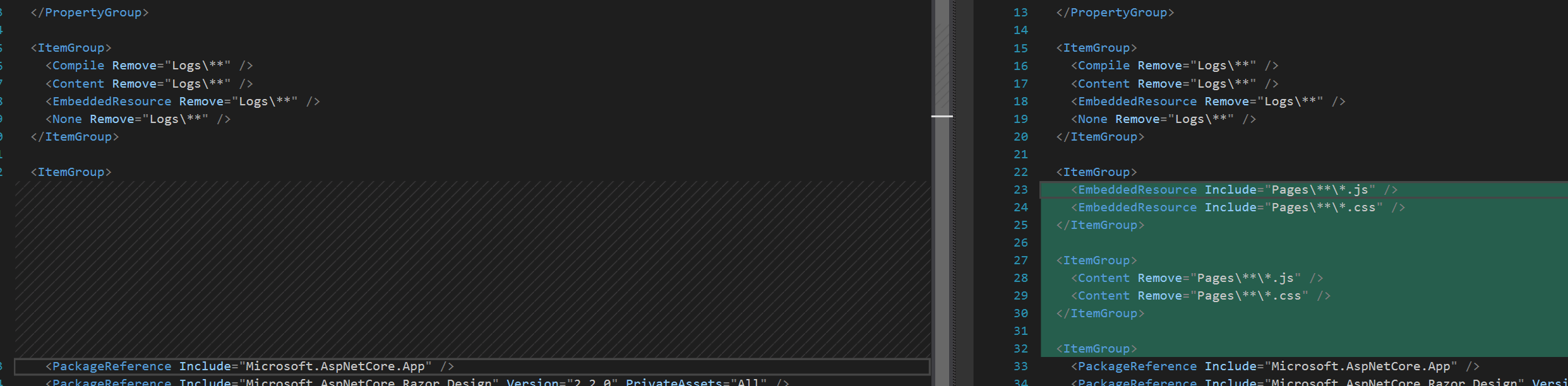
<ItemGroup>
<EmbeddedResource Include="Pages\**\*.js" />
<EmbeddedResource Include="Pages\**\*.css" />
</ItemGroup>

<ItemGroup>
<Content Remove="Pages\**\*.js" />
<Content Remove="Pages\**\*.css" />
</ItemGroup>

maliming
on 6 Jun 2019
All working now - (once I synched my code with latest).
Recommend updating Samples
274188A
on 6 Jun 2019
The new MVC template doesn't require to have views as embedded resources. We found it not pratical and natural for the final application UI.
So, please rollback your commit: https://github.com/abpframework/abp/commit/b707f2e8533dbbf3b0776ffbca7608c91c81704f
 hikalkan
on 6 Jun 2019
hikalkan
on 6 Jun 2019
I temporarily roll back the commit, but js and css need to be used as embedded resources.
I will commit again later today.
maliming
on 7 Jun 2019
Latest template (which is not released yet) doesn't require any embedded resource in the web project. It works with physical files, not virtual files. I re-created BookStore based on the new template and it works properly. Do I skip something?
hikalkan
on 7 Jun 2019
If there is no embedded resource for js/css. After the application is published, the relevant js/css file cannot be obtained.
/Pages/Books/index.js is available when debugging (PhysicalFileProvider)
maliming
on 9 Jun 2019
How can I reproduce this @maliming ? Should I get the latest code from GitHub, publish BookStore.Web and run under IIS? If so, I will try it.
hikalkan
on 12 Jun 2019
Recurring the problem is very simple.
- Use the latest samples\BookStore code.
- Execute
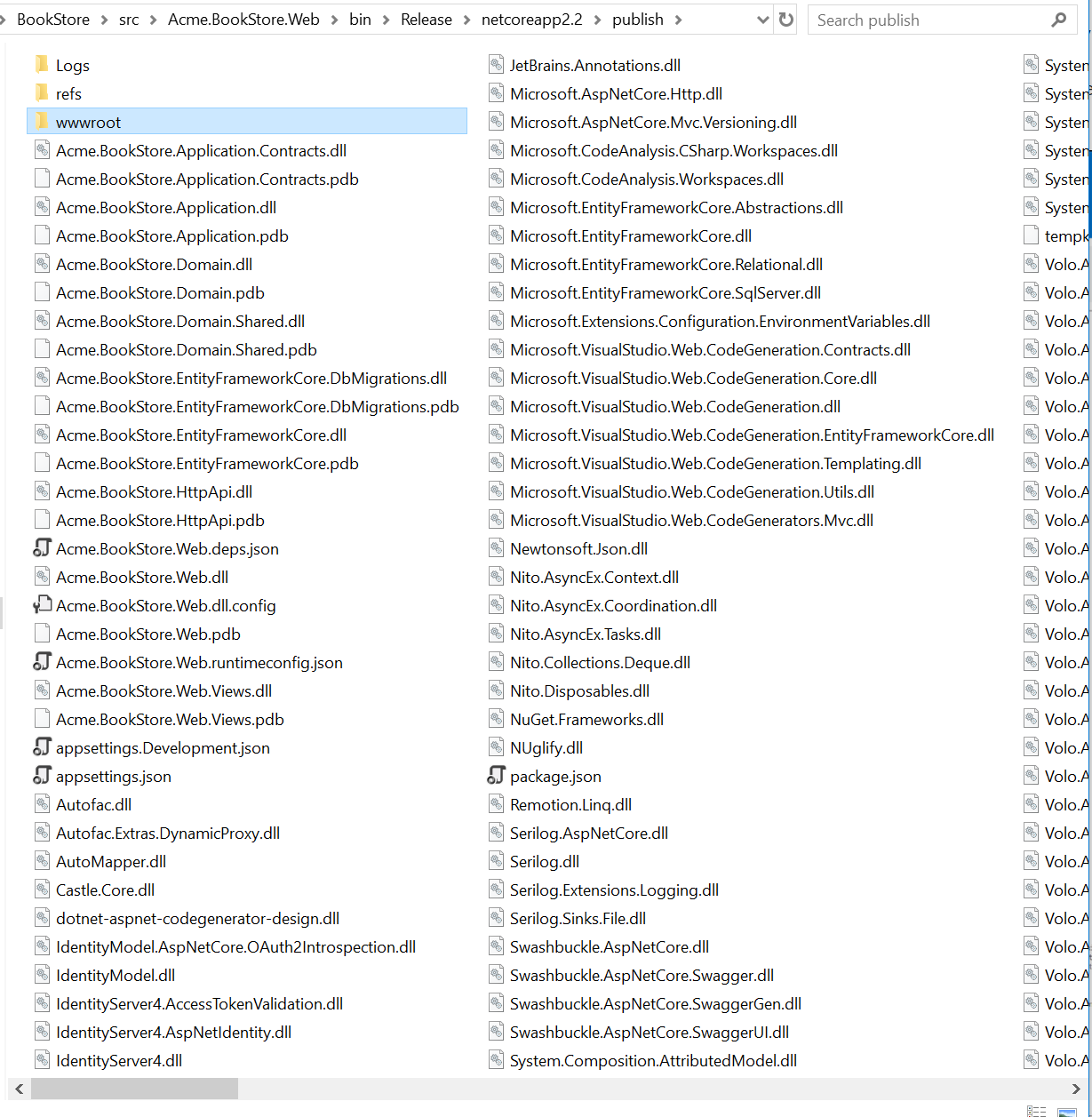
dotnet publish -c Release(samples\BookStore\src\Acme.BookStore.Web\) - Go to the publish directory.
samples\BookStore\src\Acme.BookStore.Web\bin\Release\netcoreapp2.2\publish\) - Execute
dotnet .\Acme.BookStore.Web.dll
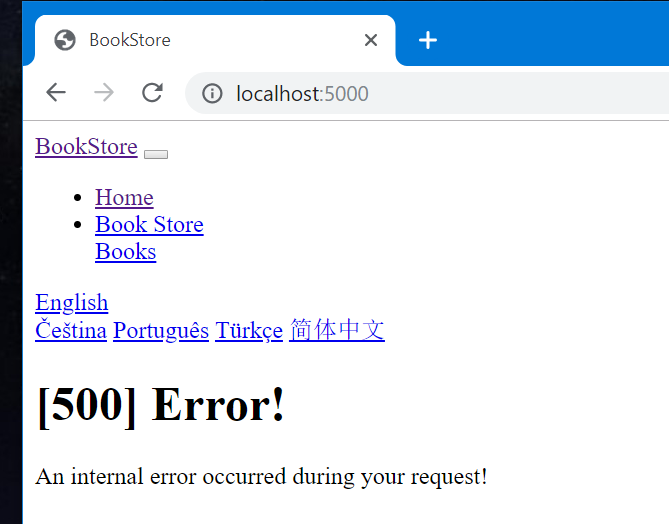
Browser: http://localhost:5000
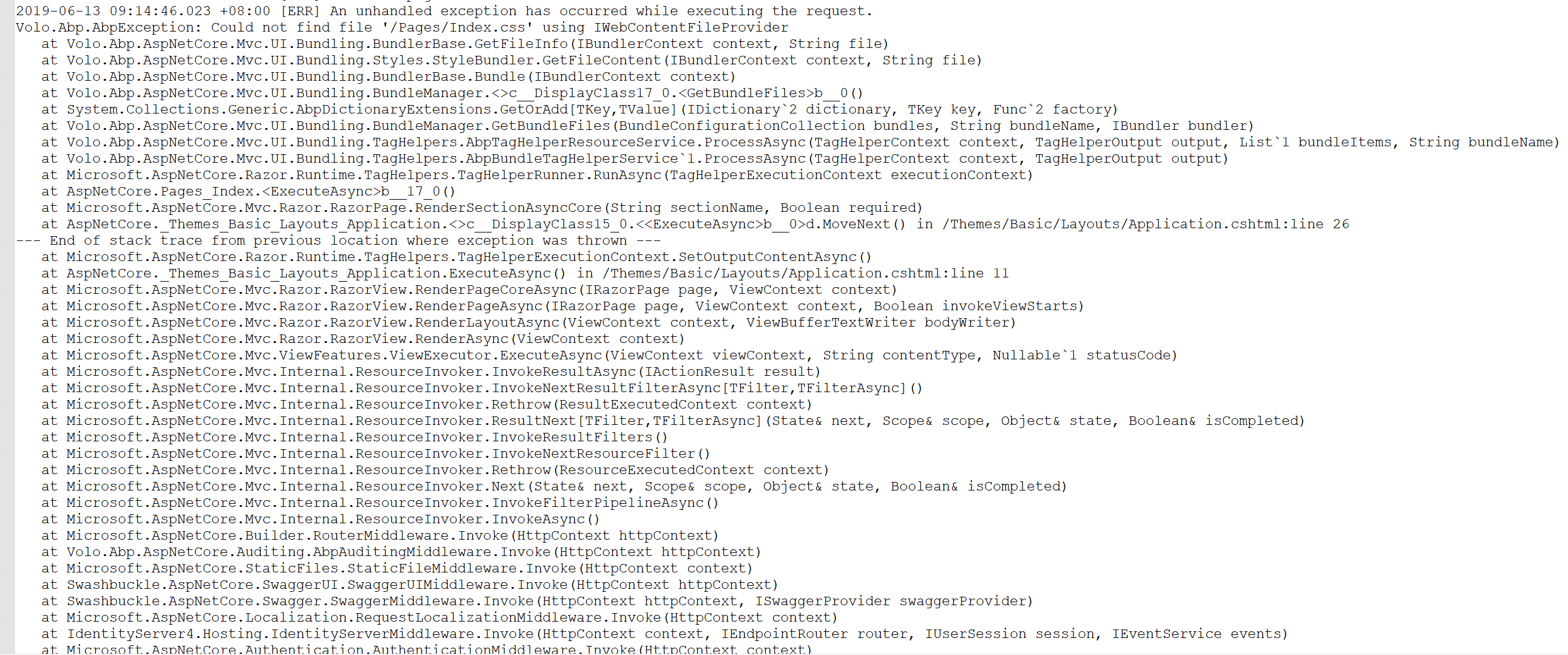
The reason is that after the application is published.
PhysicalFileProvider can't find the related file because there is no Pages directory in the publish directory.
VirtualFileProvider could not find the relevant file because it did not configure the embedded resource for the js/css file.
But when you use VS to debug the application, PhysicalFileProvider can read the files in the Pages directory, because the file exists. It will not cause the above problem.
maliming
on 13 Jun 2019
Thanks @maliming for the steps.
hikalkan
on 13 Jun 2019
https://github.com/abpframework/abp/commit/94bb9b4bb8ddba5815aa7919d16f37fc8c0d6e8b fixes the problem.
@maliming can you apply this to startup templates? Then close this issue please.
hikalkan
on 13 Jun 2019
Related issues
 Trojaner
·
3Comments
hikalkan
·
3Comments
hikalkan
·
3Comments
Trojaner
·
3Comments
hikalkan
·
3Comments
hikalkan
·
3Comments
 wocar
·
3Comments
hikalkan
·
3Comments
wocar
·
3Comments
hikalkan
·
3Comments