A32nx: [BUG] Autopilot systems not functioning after MSFS update
Mod Version
Latest Dev Version from Installer
"built": "2020-11-24T08:08:38+00:00", "ref": "refs/heads/master", "sha": "b570de8c53cd5b52a21c81f8120bfa57d8c53830", "actor": "wpine215", "event_name": "push"
Describe the bug
Multiple issues on my first flight today after downloading the FS2020 1.11.6.0 update, downloaded the latest Dev build before flying:
- After takeoff, engaged AP but the aircraft wouldn't follow the flight plan in managed heading.
- Set heading to manual, aircraft would not bank right to new heading (straight line).
- Tried left heading instead, plane banked ~40 degrees to setting.
To Reproduce
- Filed flight plan through FS2020 world map
- Start-up, taxi, takeoff as per normal
- Issues noticed after turning on auto pilot systems.
Expected behavior
Expected aircraft to bank right and take up the managed heading selection as per the flight plan.
Actual behavior
Aircraft maintained current heading, would not respond to a right turn in heading selection mode and banked over 40 degrees when selecting left heading instead. Flight plan indicator on the FD shows as straight line to infinity. AP will not capture.
References
N/A
Additional context
Was this working before/when did the issue start occurring?
Not an issue until today's update.
Is this a problem in the vanilla unmodded game?
I've repeated the same flight / flight plan without the A32NX mod, and the issue does NOT exist there.
In the first screen shot below, I've engaged the AP and the aircraft immediately banks a little to the left, when I should go right. It then maintains a straight line and immediately, the flight plan switched to a waypoint 3 down the list but doesn't track in that heading.

In the next screen shot, I've switched to heading selection mode and made a selection for a right turn, but the aircraft is not responding.

 Teslix
All 233 comments
Same problems with AP described above after downloading the patch.
 drforweb
on 24 Nov 2020
drforweb
on 24 Nov 2020
the flight plan line points straight and never changes.
That's the new track line.
 Benjozork
on 24 Nov 2020
Benjozork
on 24 Nov 2020
the flight plan line points straight and never changes.
That's the new track line.
Ack, but it shouldn't show up then in managed heading mode, it should display the flight planned route, which was behind me by that time.
Teslix
on 24 Nov 2020
TCAS gave off an error while aligning (orange code in display), but eventually the systems came alive.
This is normal and has been that way for a long time.
Benjozork
on 24 Nov 2020
TCAS gave off an error while aligning (orange code in display), but eventually the systems came alive.
This is normal and has been that way for a long time.
I can't say it's been that way for me. Once I switch the TCAS alignment switches, it usually displays TCAS align in X min until the system aligns, then dissapears. It switched from that to "TCAS ERROR" in orange writing for a few minutes, then the systems came alive.
Teslix
on 24 Nov 2020
There is no such thing as TCAS align.
Can you take screenshots of the behaviour ?
Benjozork
on 24 Nov 2020
the flight plan line points straight and never changes.
That's the new track line.
Ack, but it shouldn't show up then in managed heading mode, it should display the flight planned route, which was behind me by that time.
If you have a reference for the correct behaviour, please open a separate issue.
Benjozork
on 24 Nov 2020
There is no such thing as TCAS align.
Can you take screenshots of the behaviour ?
Correction (am not a pilot) IRS align.
Teslix
on 24 Nov 2020
I'll go in and try to get some specific screenshots.
Teslix
on 24 Nov 2020
Yes, i've this, but, when i've retried, it works

 floufille
on 24 Nov 2020
floufille
on 24 Nov 2020
NAV TCAS FAULT is correct behaviour when IRSs are not aligned.
Benjozork
on 24 Nov 2020
For this one:
- After takeoff, engaged AP but the aircraft wouldn't follow the flight plan in managed heading.
Indeed, i've this kind of issue :

floufille
on 24 Nov 2020
NAV TCAS FAULT is correct behaviour when IRSs are not aligned.
So, this may be cause I don't typically start the engines prior to the IRS aligning, but I get this TCAS fault MASTER CAUTION warning only when the engine is started prior to IRS align. If this is the normal behaviour, then I'll remove it from my bug. The remainder of the AP issues are still an issue.
Teslix
on 24 Nov 2020
For this one:
- After takeoff, engaged AP but the aircraft wouldn't follow the flight plan in managed heading.
Indeed, i've this kind of issue :
Strange, for me it heading to the left at about the same angle... Also, this happens when I removed the A32NX mod. I think Asobo might have borked something up...
 A320PHX
on 24 Nov 2020
A320PHX
on 24 Nov 2020
Just tested with v0.4.1. and not having any issues with the AP following the route correctly in managed heading mode. Haven't tried on the vanilla.
 TheoBearman
on 24 Nov 2020
TheoBearman
on 24 Nov 2020
I have the same problem on the alpha, (24/11/2020)
 Roboplayer999
on 24 Nov 2020
Roboplayer999
on 24 Nov 2020
I have the same problem on the alpha
What alpha ?
Benjozork
on 24 Nov 2020
Once I turn AP on, it wants pulls a continuous, hard left turn.
 SimGuy9590
on 24 Nov 2020
SimGuy9590
on 24 Nov 2020
I have the same problem after new update. First after engaging AP airplane banks hard left,then I turn off and on AP, after that airplane doesn't follow fligt plan.
I have latest master version.
 jsid87
on 24 Nov 2020
jsid87
on 24 Nov 2020
I confirm. When on AP in HDG mode the plane barely turns right. It also doesn't keep the course which is shifted to the left.
 messer79
on 24 Nov 2020
messer79
on 24 Nov 2020
Hello, please refrain from adding comments if your issue is the exact same, unless you have new information like how to reproduce it more accurately. Use the thumbs up reaction on the main post instead. Too many comments makes it hard for us to dig through.
Benjozork
on 24 Nov 2020
Tested both the dev version and the stable version, both installed using the downloader shortly after 8pm CET. Dev version has the issue of not following the flightplan, stable version however seems to be working fine. Maybe not all hope is lost yet;)
 vlbreda
on 24 Nov 2020
vlbreda
on 24 Nov 2020
I've updated my original post, since I've had time to try now. When the mod is removed, the AP system works fine, appears to be an A32NX issue only.

Teslix
on 24 Nov 2020
Already shared this on Discord but just in case it gets lost, here's what I found trying to figure this out - when you turn the AP on, whatever the FD is directing laterally seems to become the 'middle' - ie. if you turn the AP on with the FD line pushed hard left, it'll treat that as wings level and try to bank further left for any left turn and back towards true level for a right turn. If the FD isn't commanding a turn when it's first turned on, it seems to behave roughly as expected.
Reproduced by starting C&D, lining up on the runway with HDG set to a hard-right bank, taking off normally and turning the AP on once above accel height, then trying to turn back left which only gets as far as levelling the plane but never actually banks to the left. Doing the same thing with the heading bug set straight on takeoff allows the plane to turn both ways after accel height.
I've noticed some people on Discord reporting that the AP sort of works but will consistently fly slightly to the left/right of the flight plan, which seems consistent with what I'm seeing here - if the FD is centered wrong, it'll pull 'level' (by it's wrong definition of level) once it's on the path, but will drift one way, so will correct by banking left/right to compensate, until it hits actual level flight, so you end up in some accidental equilibrium as a result.
Also, I've tested starting on the runway and starting C&D (since this came up on Discord), both seemed to have the same behaviour.
 pareil6
on 24 Nov 2020
pareil6
on 24 Nov 2020
Hi @pareil6, can you confirm what versions of the aircraft you did these tests on? Dev, latest stable and/or vanilla?
TheoBearman
on 24 Nov 2020
Latest-ish dev, SHA b570de8c53. Only occurs with the mod, tested with the vanilla A320N and this bug didn't occur.
pareil6
on 24 Nov 2020
I'm not sure if it's a concurrent issue or not, but when AP was selected (while in managed heading mode), the MCDU flight plan page skipped the FS2020 custom waypoints D0 and DLast (custom departure WPs) and went direct to the first real life WP, VLR (but the aircraft did not bank to go there).
Teslix
on 24 Nov 2020
Same here, after start, AP on - and my plane tried to heading left, hard left with > 40 Degrees, and does not follow the programmed route, but holding the high. He accepted V/S and altitude changes. I play with self loading cargo. I used your Dev package (master)
 fingerratte
on 24 Nov 2020
fingerratte
on 24 Nov 2020
Again, please refrain from adding comments if your issue is the exact same, unless you have new information like how to reproduce it more accurately. Use the thumbs up reaction on the main post instead. Too many comments makes it hard for us to dig through.
Benjozork
on 24 Nov 2020
yep it really wants to follow the lateral flight director (and possibly ignore vertical? or the horizontal might just be too aggressive to let the vertical have any say) even when it's horrifyingly wrong. Starting from cold and dark, supposed to have a 90ish degree left turn after takeoff on departure, hand flew the first turn past the waypoint, levelled the wings before enabling AP, but as soon as AP is enabled, 60+ degrees hard left bank in a downwards spiral (assuming the latter is caused by the former and vertical unable to compensate.)
Starting spawned in the air without a flight plan allowed selected heading to work (apparently) correctly; I'm going to try taking off with in selected heading set to runway heading before turning on the AP, then switch to managed, see if that works as a temporary fix? Also planning to test a straight out managed heading departure; possibly it's merely the presence of the bank as the first step in the flight plan that the AP is getting hung on.
 Lvandus17
on 24 Nov 2020
Lvandus17
on 24 Nov 2020
yep it really wants to follow the lateral flight director (and possibly ignore vertical? or the horizontal might just be too aggressive to let the vertical have any say) even when it's horrifyingly wrong. Starting from cold and dark, supposed to have a 90ish degree left turn after takeoff on departure, hand flew the first turn past the waypoint, levelled the wings before enabling AP, but as soon as AP is enabled, 60+ degrees hard left bank in a downwards spiral (assuming the latter is caused by the former and vertical unable to compensate.)
Starting spawned in the air without a flight plan allowed selected heading to work (apparently) correctly; I'm going to try taking off with in selected heading set to runway heading before turning on the AP, then switch to managed, see if that works as a temporary fix? Also planning to test a straight out managed heading departure; possibly it's merely the presence of the bank as the first step in the flight plan that the AP is getting hung on.
My initial issue arose from a straight out departure and then turning on AP into managed heading mode to turn towards my flight plan, same issues. It’s looking like the attitude that the aircraft takes on AP ON is directly related to the initial attitude prior to engaging it. People that engage it in level flight seem to be banking left a little as a result, and people who engage it in a turn seem to aggravate it and bank steeper into a dive.
Teslix
on 24 Nov 2020
can confirm this behaviour is also present in the earlier dev build i use which is #6befad1 for Nov20
 vstaritz
on 25 Nov 2020
vstaritz
on 25 Nov 2020
@vstaritz could you please send me that build please ?
 mikecbr
on 25 Nov 2020
mikecbr
on 25 Nov 2020
I’m not sure how the installer works, but I tried overwriting the dev version with the stable version about 30 mins ago, and the issue is still there.
Teslix
on 25 Nov 2020
Just thought I'd verify what everyone else is experiencing....
With the Dev build, after departing, I climb to 5000 in manual mode, then enable the AP button. The plane did not turn to follow the selected course. I had to enable heading mode and manually turn it to get it started. It followed the waypoints, albeit off a few miles from course, but was very troublesome to get it to follow correctly.
I'm going to try the stable build here shortly, see what it does.
 doolok
on 25 Nov 2020
doolok
on 25 Nov 2020
I tried this out KSEA->KPDX leaving KSEA 16L with the generated route from the world map.
I noticed that when engaging the autopilot it stayed heading in the direction it was going and also had a slight left tilt going. However, when I manually hit the "Level off" (push I think on the V/S knob) it leveled the aircraft and leveled the wings to the horizon also. It flew the rest of the route as expected.
 LoungeFlyZ
on 25 Nov 2020
LoungeFlyZ
on 25 Nov 2020
I noticed that problem with AP not following route and banking hard left only happens when starting from cold and dark state. When I start from the runway everything is ok.
jsid87
on 25 Nov 2020
Could this be related to the problem i already had before the update ?
 duckietm
on 25 Nov 2020
duckietm
on 25 Nov 2020
Problem only exists when starting cold and dark.
I DID have the same problem with the vanilla A320 (from c & d start) after removing the A32NX mod too. It's NOT isolated to the A32NX on my machine.
There are several users on the flightsimulator.com forum reporting similar AP issues with the vanilla A320, so this may well be an in-sim issue in the flight model.
 AlphaMA1
on 25 Nov 2020
AlphaMA1
on 25 Nov 2020
I also encountered the same problem. After planning the flight plan, it is expected that from YSSY-YMML, the AP (automatic flight) will be turned on after takeoff, and the aircraft will not turn according to the planned route. Repeated attempts to turn off the AP and restart it. He will only fly straight in the direction the nose of the aircraft is currently facing. Even if the automatic flight is cancelled, the aircraft is manually controlled to turn, and the AP is activated again, he will only automatically return to the level flight state and go straight forward.
The video I recorded is provided below for the reference of the development team, thank you for your unpaid work and dedication.
https://youtu.be/7o9zwCkb1-I?t=1799
by 1.11.6.0 version and A32NX version is Development version
build info: { "built": "2020-11-25T09:44:14+00:00", "ref": "refs/heads/master", "sha": "29398d31d99ff98313277c2bef2991ec21d13ab4", "actor": "wpine215", "event_name": "push" }
 dc1ps2
on 25 Nov 2020
dc1ps2
on 25 Nov 2020
Same issue. Started cold and dark, after putting thrust lever in thrust climb and activating the AP the aircraft banked hard to the right and didn't follow the flight plan. FL was set to 100 but the Airbus stopped climbing at FL90 and started descending. Manual heading didn't work also. A32NX 4.1, MFS 1.11.6.0
 Knallhartmuth
on 25 Nov 2020
Knallhartmuth
on 25 Nov 2020
Problem only exists when starting cold and dark.
I DID have the same problem with the vanilla A320 (from c & d start) after removing the A32NX mod too. It's NOT isolated to the A32NX on my machine.
There are several users on the flightsimulator.com forum reporting similar AP issues with the vanilla A320, so this may well be an in-sim issue in the flight model.
That's definitely weird that people are getting different results on this. C&D start with mod, I get the issues, delete the mod completely, C&D start with the vanilla A320neo, same flight plan/procedure and the issue is gone for me. Put the mod back in, issue returns.
Teslix
on 25 Nov 2020
There are multiple issues at play here and how they each interact with the mod and what each is caused by is still unknown atm. We have one issue narrowed down and are looking into what's causing it, but it's only a fix for a small part of the AP problem.
Benjozork
on 25 Nov 2020
In my case with the latest Dev, apart from not following the FP, the aircraft after AP engagement climbed and maintained 4500 and kept a shallow, continuous turning left bank (3 degrees or so). It was set to climb to 8000. There were no ALT constraints in the flight plan. I am happy to help out with testing if the team needs help.
 ntlgr
on 25 Nov 2020
ntlgr
on 25 Nov 2020
Problem only exists when starting cold and dark.
I DID have the same problem with the vanilla A320 (from c & d start) after removing the A32NX mod too. It's NOT isolated to the A32NX on my machine.
There are several users on the flightsimulator.com forum reporting similar AP issues with the vanilla A320, so this may well be an in-sim issue in the flight model.That's definitely weird that people are getting different results on this. C&D start with mod, I get the issues, delete the mod completely, C&D start with the vanilla A320neo, same flight plan/procedure and the issue is gone for me. Put the mod back in, issue returns.
I tried this a few moments ago. Without the mod the AP works but it behaves not as expected. Altitude works fine. Also it somehow tries to follow the flight plan without banking extremely, BUT... the aircraft is way offset the route, wheather or not it will arrive at the destianation eventually I can't tell yet. I had this offset before, but not as extreme as it is now.
And it seems not to follow the manual heading accurately (with A32NX 4.1 it doesn't react on manual heading input at all...)
Manual Heading. Aircraft seems not to follow heading bug

When engaging Nav mode again after manually following the route. Aircraft leaves route but seems to go roughly in the correct direction. But generally AP reacts on inputs.

Edit: The offset of the aircraft to the route is about 7NM to the right
Knallhartmuth
on 25 Nov 2020
Cold and dark start.
My Flight Director is always showing full left and the Aircraft banks to the left (but 50-60°+) going full circles and losing altitude.
After a few minutes in the air flying the SID by hand I activated the AP again and it only holds the current heading (with a slight left and right rocking, FD still showing full left) and the set altitude (NAV). ATHR seems to be working normally.
MSFS 1.11.6.0
A320NX is current DEV (05:05pm UTC, 25. Nov)
 TomMaverick
on 25 Nov 2020
TomMaverick
on 25 Nov 2020
I've had another shot at testing this, and ended up with different results to my earlier comment: this time, two attempts spawning on the runway led to the AP/FD working as expected, whereas four attempts spawning C&D didn't. I did also notice the initial offset the FD seems to show isn't actually anything to do with how far you are from where the AP is supposed to be going (ie. difference vs. manual heading or flight plan route depending on which is enabled), which was my assumption last time.
However, when I had the IRS alignment set to instant instead of realistic, the lateral offset in the FD seemed to be far smaller (ending up with a sub-5-degree bank) than when the IRS alignment took longer (with a 30+ degree bank both times). I'm wondering if there's some correlation between time spent sitting at the gate and/or taxiing with how badly the offset seems to be, which might explain why spawning on the runway seems to help for some people but not others?
(All done on the same dev version as last time, b570de8.)
pareil6
on 25 Nov 2020
Had the same issue every flight plane does not follow course plan after hitting AP button seems it just keeps flying str8 also the rocking of the plane is back also.
Dev mod not stable version forgot to note that, on a cold start and departing.
 Pridechaser
on 25 Nov 2020
Pridechaser
on 25 Nov 2020
I'm wondering if there's some correlation between time spent sitting at the gate and/or taxiing with how badly the offset seems to be, which might explain why spawning on the runway seems to help for some people but not others?
(All done on the same dev version as last time, b570de8.)
That may be true. In my flight is was really long at the gate, programming MCDU, doing the checks and waiting for traffic. The offset was quite big.
Knallhartmuth
on 25 Nov 2020
When starting cold and dark for me, the plane entered a sharp bank and dove into the ground. When starting at the runway, the plane still only vaguely followed course. I though maybe it would eventually fix itself, but it did not. As the flight progressed, it remained off course and would sometimes turn again, making the offset greater.
A320PHX
on 25 Nov 2020
when i turn off the flt/ctrl and let them off and then turn on the autopilot evrything is working for me . starting from cold and dark after take off just turn them off.
 airfirefighter
on 25 Nov 2020
airfirefighter
on 25 Nov 2020
i turn off the flt/ctrl
Could you please explain this @airfirefighter ? I don't know what you mean to turn off.
fingerratte
on 25 Nov 2020
For me, turning on the autopilot just causes the plane to immediately bank 90 degrees to the right and plummet strait to the ground. Very strange.
 SuperPyroManiac
on 25 Nov 2020
SuperPyroManiac
on 25 Nov 2020
For me, turning on the autopilot just causes the plane to immediately bank 90 degrees to the right and plummet strait to the ground. Very strange.
Exactly the same for me. This is issue behaves precisely the same as one I've had on numerous occasions, ever since the sim's release (including GA planes like the TBM 930). Usually restarting the sim was enough to 'fix' the issue, alas, that doesn't seem to be the case here. Can't help thinking it's an Asobo issue though, especially given the length of this thread with no progress so far :(
 intelligentvending
on 25 Nov 2020
intelligentvending
on 25 Nov 2020
i turn off the flt/ctrl
Could you please explain this @airfirefighter ? I don't know what you mean to turn off.
I believe he is talking about the augmented flight control switches on the right side of the Overhead.

Normally all of these are blank ( ON ) by default in FS2020 and are meant to be this way.
I am running a test flight right now.
Departed PHTO from C&D in roughly 8 minutes from spawn to take off.
Before take off i turned off the four FLT/CTL switches.
Departed normally, straight into a left 90 turn followed by another left turn a little while later done by hand. The Flight Director arrow was behaving normally besides being stuck during the first corner but it was aligned on take off and aligned after the first corner as expected. Turned on AP after the second corner and the aircraft behaved normally.
I did notice the trim wheel being very jittery.
After a while reactivated the FLT/CTL buttons and the aircraft kept going normally. But a right hand turn came up and while it made it safely it was oscillating a fair bit.
It's hard to tell with 100% certainty but i tried several times deviating in selected heading and aligning back on track with managed heading while deactivating each switch and it looks like having SEC3 turned OFF mitigates the oscillations or gets rid of them entirely.
vstaritz
on 25 Nov 2020
Easyjetsimpilot on You Tube claims the DEV version of about 1 week ago is fine with 1.11.6.0, and he always starts cold and dark.
But he updated to yesterday's DEV (24th) and the AP failed to follow the flight plan, in 1.11.6.0
From his build_info.json that works ok:
{ "built": "2020-11-17T00:49:32+00:00", "ref": "refs/heads/master", "sha": "7993adf777d91172b966f8b86db2d79623a95018", "actor": "wpine215", "event_name": "push" }
That narrows down to a change made about a week ago.
 Gamma36
on 25 Nov 2020
Gamma36
on 25 Nov 2020
I just found this on the fs2020 forums... It might not be a a32nx problem, but a sim bug. Here is the link so you can check out what people say.
https://forums.flightsimulator.com/t/any-solution-to-a320-ap-bug-yet/327231

 jf96g
on 26 Nov 2020
jf96g
on 26 Nov 2020
Easyjetsimpilot on You Tube claims the DEV version of about 1 week ago is fine, and he always starts cold and dark.
But he updated to yesterday's DEV (24th) and the AP failed to follow the flight plan, in the latest MSFS update.From his build_info.json that works ok:
{ "built": "2020-11-17T00:49:32+00:00", "ref": "refs/heads/master", "sha": "7993adf777d91172b966f8b86db2d79623a95018", "actor": "wpine215", "event_name": "push" }That narrows down to a change made about a week ago.
Looks like commit 7993adf, so I'm going to try to find anything after that commit that might have an impact. It will be slow, but maybe testing the dev branches one by one until it breaks will be a good (albeit slow) approach to this. I haven't yet tested that the dev branch cited in the youtube video works yet, so this could all be for nothing. Will update if I find anything.
 tstopak
on 26 Nov 2020
tstopak
on 26 Nov 2020
Tested old dev version from 1-2 weeks ago as per Easyjetsimpilot's YouTube video. This is inconsistent with C&D takeoffs. Flight deviated from track heavily with a right turn and then leveled off continuing straight but ignoring the track on NAV. ILS deviated as if was assuming a go-around. Fly ILS by hand and landed fine.
 h20genie
on 26 Nov 2020
h20genie
on 26 Nov 2020
I have tested all day. Tried many scenarios. The only way I found out starting cold and dark and take off without nose diving to the right is to not touch the MCDU before take off. So no INIT A and B. Create a flight plan, go trough the procedures except the MCDU, start engines, taxi, take off. Flight plan is being followed lateral and vertical. After take off you can set INIT A without problems. In all other scenarios with INIT A or B will trigger the issue.
 Xiomar33
on 26 Nov 2020
Xiomar33
on 26 Nov 2020
I have tested all day. Tried many scenarios. The only way I found out starting cold and dark and take off without nose diving to the right is to not touch the MCDU before take off. So no INIT A and B. Create a flight plan, go trough the procedures except the MCDU, start engines, taxi, take off. Flight plan is being followed lateral and vertical. After take off you can set INIT A without problems. In all other scenarios with INIT A or B will trigger the issue.
Question - to clarify, simply just not touching the MCDU at all when starting in C&D helps? All I have been doing is making a flight plan in World Map and then setting a flex temp.
h20genie
on 26 Nov 2020
Agreed, without touching the MCDU, this works OK.
Otherwise I have the same bank left/nose dive issue when using AP with F/D stuck hard left. Turning of SEC1 seems to fix the banking but the AP wont follow NAV.

 kielyscott
on 26 Nov 2020
kielyscott
on 26 Nov 2020
I have tested all day. Tried many scenarios. The only way I found out starting cold and dark and take off without nose diving to the right is to not touch the MCDU before take off. So no INIT A and B. Create a flight plan, go trough the procedures except the MCDU, start engines, taxi, take off. Flight plan is being followed lateral and vertical. After take off you can set INIT A without problems. In all other scenarios with INIT A or B will trigger the issue.
Question - to clarify, simply just not touching the MCDU at all when starting in C&D helps? All I have been doing is making a flight plan in World Map and then setting a flex temp.
Yes. Don't enter anything. It's the only way I can use AP/FD after. Just use MAN TOGA for take off. But this is only my experience. But I thought it was worth mentioning.
Xiomar33
on 26 Nov 2020
I have tested all day. Tried many scenarios. The only way I found out starting cold and dark and take off without nose diving to the right is to not touch the MCDU before take off. So no INIT A and B. Create a flight plan, go trough the procedures except the MCDU, start engines, taxi, take off. Flight plan is being followed lateral and vertical. After take off you can set INIT A without problems. In all other scenarios with INIT A or B will trigger the issue.
Hi buddy, for the information input on the PERF when we take the ATIS is not advisable at the moment?
To keep it manageable for the devs please ask questions on the discord server https://discord.gg/flybywire . Use the #help channel.
Xiomar33
on 26 Nov 2020
So i've done multiple tests.
My first flight after the update using #2068 11/20 1850 was a fail as i said in my first post it did the left bank turn into the ground and didn't follow the plan at all.
I've tried two more flights with that version while playing with the FLT/CTL buttons and the aircraft seemed to behave normally when taking off with them off and SEC3 seemed to cause oscillations when taking corners
Now i've tried two flights with the vanilla 320 one with normal FLT/CTL and it worked fine, albeit slow to turn it seemed to behave. The other flight with FLT/CTL off was pretty much exactly the same.
I then download the latest dev branch #2098
Both attempts with and without FLT/CTL enabled failed and NAV, HDG did not work and i was stuck in a slow bank.
I tried the #2068 build again with all mods off and it worked perfectly fine with FLT/CTL switches on normal. It did still oscillate in some corners which SEC3 OFF seemed to mitigate. So honestly this is quite confusing. The only difference i can think of between this last run and the first one i did that failed using this build is that i'm in Tucson instead of KLAX and i have removed liveries and all other mods such as the WorkingTitle garmin expansions. But it behaved the same way with these mods in Hawaii when i first tried the FLT/CTL fix.
All attempts doing the same departure from C&D
vstaritz
on 26 Nov 2020
Mod Version
Latest Dev Version from Installer
"built": "2020-11-24T08:08:38+00:00", "ref": "refs/heads/master", "sha": "b570de8c53cd5b52a21c81f8120bfa57d8c53830", "actor": "wpine215", "event_name": "push"Describe the bug
Multiple issues on my first flight today after downloading the FS2020 1.11.6.0 update, downloaded the latest Dev build before flying:
- After takeoff, engaged AP but the aircraft wouldn't follow the flight plan in managed heading.
- Set heading to manual, aircraft would not bank right to new heading (straight line).
- Tried left heading instead, plane banked ~40 degrees to setting.
To Reproduce
- Filed flight plan through FS2020 world map
- Start-up, taxi, takeoff as per normal
- Issues noticed after turning on auto pilot systems.
Expected behavior
Expected aircraft to bank right and take up the managed heading selection as per the flight plan.
Actual behavior
Aircraft maintained current heading, would not respond to a right turn in heading selection mode and banked over 40 degrees when selecting left heading instead. Flight plan indicator on the FD shows as straight line to infinity. AP will not capture.
References
N/A
Additional context
Was this working before/when did the issue start occurring?
Not an issue until today's update.Is this a problem in the vanilla unmodded game?
I've repeated the same flight / flight plan without the A32NX mod, and the issue does NOT exist there.In the first screen shot below, I've engaged the AP and the aircraft immediately banks a little to the left, when I should go right. It then maintains a straight line and immediately, the flight plan switched to a waypoint 3 down the list but doesn't track in that heading.
In the next screen shot, I've switched to heading selection mode and made a selection for a right turn, but the aircraft is not responding.
I removed the.mod from the comunitat folder and the issue still ocurs with default a320.
Update 1.11.27 killed the aircraft.
 Tibu73
on 26 Nov 2020
Tibu73
on 26 Nov 2020
11.11.24 update sorry.
Tibu73
on 26 Nov 2020
I just found this on the fs2020 forums... It might not be a a32nx problem, but a sim bug. Here is the link so you can check out what people say.
https://forums.flightsimulator.com/t/any-solution-to-a320-ap-bug-yet/327231
Confirmed, i troy with and without the mos and the issue persist in default a320.
Tibu73
on 26 Nov 2020
Potentially related to USB device mapping again. Second time that’s caused
issues now if I’m right. Clearing my mapping and reseating my hotas when on
the stand seems to resolve it
kielyscott
on 26 Nov 2020
I think it's safe to say this is looking more like a vanilla bug than a FBW one. The Asobo forums are full of threads about it.
kielyscott
on 26 Nov 2020
Can confirm like @kielyscott said. Was having the same AP issue as described above, reset mapping and set dead zones and it works as it should from C&D.
 luke-stec
on 26 Nov 2020
luke-stec
on 26 Nov 2020
Potentially related to USB device mapping again. Second time that’s caused issues now if I’m right. Clearing my mapping and reseating my hotas when on the stand seems to resolve it
The entire AP not following your flight plan is related to peripherals? What do you mean??
 collinbrady
on 26 Nov 2020
collinbrady
on 26 Nov 2020
Potentially related to USB device mapping again. Second time that’s caused issues now if I’m right. Clearing my mapping and reseating my hotas when on the stand seems to resolve it
The entire AP not following your flight plan is related to peripherals? What do you mean??
It seems that something, somewhere is misreading joystick input. You can see this in my screenshot where the flight director is stuck to the left hand side of the PFD. If I enable AP it'll flight straight however the second I attempt I correct my course, the plane hard banks left.
If I reseat my HOTAS before start up and clear my mapping, the problem goes away. If I load up the exact same flight again without doing that, I see the issue.
I'm not saying the mapping is to blame, but clearly the issue lies around usb input configuration as that is the only viable difference in all of my control tests.
kielyscott
on 26 Nov 2020
This seems to be three different issues:
- FD banks extremely hard in one direction and barely enough in the other (most common)
- AP does not follow flight plan at all (rarer)
- Autothrust and/or managed speed seem wonky (rarest)
1&2 could be resolved by reloading the aircraft mid-air (although that sometimes does not solve 1)
2 could be resolved by reloading the MCDU using devkit
3 is still unclear
Benjozork
on 26 Nov 2020
This seems to be three different issues:
FD banks extremely hard in one direction and barely enough in the other (most common)
AP does not follow flight plan at all (rarer)
Autothrust and/or managed speed seem wonky (rarest)
1&2 could be resolved by reloading the aircraft mid-air (although that sometimes does not solve 1)
2 could be resolved by reloading the MCDU using devkit
3 is still unclear
Yep. Seems right.
The FD being stuck to the right also appears to be a symptom of 1. Or vice versa.
I would still argue this appears to be a vanilla issue though. Happens to me without the mod and a fair few others according to Asobo Zendesk.
kielyscott
on 26 Nov 2020
Just finished a test flight with a dev in discord:
Flight completed. From C&D, nothing put into Init B, AP problems persist (latest dev update "built": "2020-11-25T18:46:03+00:00", "ref": "refs/heads/master", "sha": "5b0a8f2b7fa725ab7427e8092a74f1610a8c8d3a", "actor": "wpine215", "event_name": "push").
Issues include ~3-4 degree bank to the left when AP engaged, not tracking flight plan. Turned off AP and manually banked 5 deg right. AP selected and returned to ~3 degree left bank constant. Heading selector mode causes aircraft to bank in right direction, but will not stop at selected heading.
Enabling developer mode in game and reloading the aircraft mid-flight corrected all issues, with NAV heading and selected heading mode both working perfectly. Performed ILS landing with no issues and tracking fine. No altitude capture or autothrust issues noticed in either phase (before or after resetting the aircraft in flight).
Teslix
on 26 Nov 2020
If I reseat my HOTAS before start up and clear my mapping, the problem goes away. If I load up the exact same flight again without doing that, I see the issue.
By reseating and remapping, do you mean unplugging and reconnecting the hardware, then manually removing all binds in-game then re-binding them before each flight?
 ischmal
on 26 Nov 2020
ischmal
on 26 Nov 2020
I hit reset on the keyboard mappings, deleted flight control related binds and rebound my numpad for custom cameras as before. Didn't touch my stick or gamepad binds only toyed with sensitivities a little bit. Took off from C&D at gate using the latest build. Didn't see anything abnormal, tried a few selected turns and managed switches left and right. No problems. SEC3 OFF still seems to make the turns smoother.
vstaritz
on 26 Nov 2020
i turn off the flt/ctrl
Could you please explain this @airfirefighter ? I don't know what you mean to turn off.
elac1 sec1 fac1 off, guys its working.....i have also a lot of videos of that... https://streamable.com/7bnq99 i would like to add that i have change ADIRS alignment time in fast
airfirefighter
on 26 Nov 2020
@airfirefighter When do you turn them off? Anytime during cold and dark setup? Just before takeoff? Immediately after takeoff? And have you tried turning them back on after taking off and getting established on your course?
 MichaelE919
on 26 Nov 2020
MichaelE919
on 26 Nov 2020
Two more data points - as an experiment, I tried spawning on a runway, taxiing back to a gate, killing the engines (but otherwise leaving the plane configured) and restarting, and after TO the same AP bug appeared (FD immediately directed a turn to the left despite being on course).
Enabling developer mode in game and reloading the aircraft mid-flight corrected all issues, with NAV heading and selected heading mode both working perfectly. Performed ILS landing with no issues and tracking fine. No altitude capture or autothrust issues noticed in either phase (before or after resetting the aircraft in flight).
I also tried reloading the plane from dev mode once in the air and it fixed the issues, with the plane immediately straightening up onto the flight planned route.
pareil6
on 26 Nov 2020
@airfirefighter When do you turn them off? Anytime during cold and dark setup? Just before takeoff? Immediately after takeoff? And have you tried turning them back on after taking off and getting established on your course?
i start from cold and dark i established on course first i turn them off and i turn on the AP
airfirefighter
on 26 Nov 2020
By the way, i immediately had the ap banking left issue, removed mod, and with vanilla the ap was working if starting from the runway.
 Relox5
on 26 Nov 2020
Relox5
on 26 Nov 2020
Excellent work guys.
I use Save/Load FLT a lot on long haul. Load was poor back in September, I reported in Zendesk and attached. FLT files.
Now loading is good, but AP and FD need enabling. After trimming for wind the AP and A/T work correctly.
So we have anecdotal evidence that:
1 Loading FLT files
2 Reloading plane via dev menu
3 Spawning at a runway
all initialise the sim 'correctly'.
As a retired developer I can imagine a missing call to init_fms() somewhere in the C&D workflow.
Also I suggest we encourage saving .FLT files, giving a repeatable setting of sim initial conditions. Look at them with Notepad++
Gamma36
on 26 Nov 2020
Ok new update. Got and older dev version, started cold and dark from gate, ap yellow number were not displaying even with max lightning, reloaded via dev mode, takeoff and now ap works like a charm.
{ "built": "2020-11-17T00:49:32+00:00", "ref": "refs/heads/master", "sha": "7993adf777d91172b966f8b86db2d79623a95018", "actor": "wpine215", "event_name": "push" }
Relox5
on 26 Nov 2020
So, removing all community addons with the exception of A32NX's latest dev build has resolved the severe banking issue for me. (For reference, I had Navigraph, the liveries "megapack," and a handful of airports. But, obviously, no idea what the actual culprit was right now.)
With that managed, I am now subsequently seeing the gradual course deviation that Benjozork listed as problem no. 2.
ischmal
on 26 Nov 2020
Today, I will also try to remove all the files of the Community (including A32NX), and install only the A32NX package, and repeat the comparison to find out which block is wrong. This remains to be clarified. Thanks again to the flybywiresim team for the most outstanding work
dc1ps2
on 26 Nov 2020
Here is a screen recording with the latest Developer version at the time of this post. No matter what the plane wants to go into a 45 degree plus bank to the left when enabling autopilot in managed or selected heading mode.
https://www.youtube.com/watch?v=jAFOA3aQul0&feature=youtu.be
 dcherrie
on 26 Nov 2020
dcherrie
on 26 Nov 2020
Update 2. Now with new dev version even if i do the save reload procedure on ground, after takeoff the ap bank hard rigt, until another reload of the plane. I tried already with the deadzone and remap.
{
"built": "2020-11-26T02:30:05+00:00",
"ref": "",
"sha": "",
"actor": "devsnek me@gus.host",
"event_name": "manual"
}
Relox5
on 26 Nov 2020
Why don't we all hold fire as there are clearly still issues and let the devs investigate. Pls remember they do it from their own time.
We all need an updated build or a confirmed procedure to follow.... endless reports of the same problems don't help.
ntlgr
on 26 Nov 2020
I had a different problem with a new version , i thaught this could help the dev. Now until there is a new version there is no need for updates
Relox5
on 26 Nov 2020
Why don't we all hold fire as there are clearly still issues and let the devs investigate. Pls remember they do it from their own time.
We all need an updated build or a confirmed procedure to follow.... endless reports of the same problems don't help.
I'm not sure I understand this reasoning. Perhaps I am wrong, but isn't this an issue thread dedicated to the discussion of the issue? From my perspective, the more people that can post their own personal experiences, the quicker we can find patterns that lead to a solution.
ischmal
on 26 Nov 2020
After comparative testing, it is found that there are same problems with autonomous driving regardless of whether the A32NX kit is installed or not. After taking off, it will reach a certain altitude and turn on the AP (autopilot) and it will start to hover to the left, at an angle of about 10 degrees
 javaflans
on 26 Nov 2020
javaflans
on 26 Nov 2020
A reproduce is to centre yoke/sidestick fully before AP engagement and ensure the plane is not banking and have the plane turn itself on magenta.
 thenicholashenry
on 26 Nov 2020
thenicholashenry
on 26 Nov 2020
After comparative testing, it is found that there are same problems with autonomous driving regardless of whether the A32NX kit is installed or not. After taking off, it will reach a certain altitude and turn on the AP (autopilot) and it will start to hover to the left, at an angle of about 10 degrees


Just tested the latest version
{
"built": "2020-11-26T02:30:05+00:00",
"ref": "",
"sha": "",
"actor": "devsnek me@gus.host",
"event_name": "manual"
}
Autopilot is functioning normally, but it is slightly offset, just like the picture above, but after passing a waypoint, he returns to the center. Thanks to the FlyByWire team for their hard work, I enjoy it very much.
---------------------------------------------------- split line --------------------------------------------------
I just tried two possibilities to find out what is more likely to go wrong:
Type A: It is to directly generate SIM on the runway, start from YSSY-34L, and take off directly in the warm state, and retract the wheel after the ground is off. After turning on the auto pilot, the aircraft will turn very smoothly, and the turning angle is not large, and The speed is well controlled, and the aircraft is flying on the route correctly.
The picture below is the inclination of Type A turning.

Type B: Generated from the dark cabin at the boarding gate, through the dark cabin boot procedure, and pushed back and taxied to runway 34L, continue to get off the ground according to the example A above, and turn on the auto pilot. At this time, the aircraft will be at a large angle Turning to the left and causing a severe drop in altitude, and even a major warning sound, the auto pilot must be cancelled and manually corrected, and then restarted to improve the auto pilot. But even so, the aircraft will not fly stably on the sidewalk, but Will fly to the left parallel to the course
The picture below shows Type B that can see the excessive inclination when turning, and it is parallel to the left of the course.


I don't know what is the difference between the two? Why is there such a difference in the same procedure when the dark cabin is activated?
dc1ps2
on 26 Nov 2020
Also did some testing (on latest patch), all out of EDDF on the CIND2S SID, confirming the above mentioned problems.
a) Using 0.4.1 : Continues left turn, leading to death roll.
b) w/o 32nx: Track offset for vanilla A320 (cross-check TBM930 tracks fine in comparison).

c) Master Build from today: Track off set as vanilla A320, but left turn is fixed.

Joystick/Hotas: all perfectly centered. Actually when disengaging AP, aircraft flys stably.
All take-offs were hot starts.
Also look at wind. Almost seems as if wind pushes the aircraft off-track without AP compensating for it. It seems that in general, also for other aircraft, Asobo has turned down the Gain (P) without increasing the Integral (I) term of the AP in a futile attempt to reduce the previous oscillation problem - but this is just a guess.
Thanks a lot to you guys... pls. take your time. I really appreciate your efforts - without them I would have given up on MS2020 by now.
 PM3Delta
on 26 Nov 2020
PM3Delta
on 26 Nov 2020
I am using the latest STABLE build of A32NX with MSFS build 1.11.6.0
Started from cold and dark. (Starting from runway seems fine on previous tests I did)
Autopilot just randomly steers to one side.
MDCU is okay.
MDCU detects the current waypoint and moves along with the waypoint.
FD just refused to follow the flightpath.
Changing to Heading mode does not work. Same behaviour as FD turned on.
Managed speed seems to be fine.


 aminhusni
on 26 Nov 2020
aminhusni
on 26 Nov 2020
FD just refused to follow the flightpath
Save and upload a .FLT file please, I'll test it on my system (latest Dev* and 1.11.6.0)
You have a slight wind from Port side, which could be why you are roughly 0.5nm right of flight path. Without seeing the next waypoints we don't know if the FMS is taking a more efficient route - it might be flying the great circle line.
I've noticed it can take a long time to remove the cross-track error at cruise.
cheers
*
{
"built": "2020-11-26T02:30:05+00:00",
"ref": "",
"sha": "",
"actor": "devsnek me@gus.host",
"event_name": "manual"
}
Gamma36
on 26 Nov 2020
FD just refused to follow the flightpath
Save and upload a .FLT file please, I'll test it on my system (latest Dev* and 1.11.6.0)
You have a slight wind from Port side, which could be why you are roughly 0.5nm right of flight path. Without seeing the next waypoints we don't know if the FMS is taking a more efficient route - it might be flying the great circle line.
I've noticed it can take a long time to remove the cross-track error at cruise.
cheers
{
"built": "2020-11-26T02:30:05+00:00",
"ref": "",
"sha": "",
"actor": "devsnek [email protected]",
"event_name": "manual"
}
5kts crosswind doest take you off course. Before you had 120kts crosswind at 370 for example and it'll follow the flp. This is an AP issue after the last update.
 felixalmont09
on 26 Nov 2020
felixalmont09
on 26 Nov 2020
So now a COLD START - that is the problem ! (Again, as above same .pln loaded out of EDDF on the CIND2S, RWY180 with latest A32nx master-built from today).
Although IRS was properly aligned and all pre-take off check are ok.
The FD points simply in a continues left turn. Even when hand flying the aircraft nicely on track. As soon as AP gets engaged the left turning starts and bank becomes steeper and steeper until overspeed warning. (I did not cross-check if the vanilla A320, when cold started also has the same problem).

PM3Delta
on 26 Nov 2020
Fellas :D This is not a flybywire issue, it is a MSFS issue for someone reason with the A320neo. I fixed the issue (not sure if a perm or not, i will try again in a couple of hours).
It has to do with your joystick/yoke - controller. There is some kind of spike the game is picking up in the control when you turn on the AP and causes the aircraft to bank right.
I deleted ALL of my joystick AXIS controls, saved and applied, then reassigned them. After doing this I was able to engage AP without the sudden roll to the right. Now I did notice after the next waypoint it started to do the same thing, just not as bad. I just rolled my joystick all the way to the left and back to the center and it was fine.
This happens in the default A320 and the Flybywire. I haven't experienced this issue with any other aircraft.
 chrisjk84
on 26 Nov 2020
chrisjk84
on 26 Nov 2020

I just installed the latest development version and it was working fine! Started from cold and dar, setup MCDU as usual and AP followed the heading as planned! However the swaying from left to right continued when reaching higher altitudes
jf96g
on 26 Nov 2020
I see the current version is about 23 hours old. I had downloaded that one yesterday and still noted the same behavior. I have deleted the A32NX from my community folder, reinstalled the downloader and will see if anything changes with the one I just added.
A320PHX
on 26 Nov 2020
It has to do with your joystick/yoke - controller
Ahh. I have disabled all switches in my Honeycomb yoke - to fix the Saitek autopilot making strange alt changes. It sends continous USB messages for each switch to the sim, causing internal sync problems.
I've _never_ had the heading roll of death when engaging AP, although the A/T can get into TOGA lock heading fast to overspeed.
Gamma36
on 26 Nov 2020
Well if its the same version from yesterday, the onlu thing I did different was before takeoff I selected on the MCDU direct to a waypoint, and then it worked perfectly, don't know if that info may help the FBW team!
jf96g
on 26 Nov 2020
Just did a test flight from SAN to LAX and can say that while I was still off course a little, like 1.0/1.5 miles off, this has been the best it has tracked a flight path since the new patch. Managed speed seemed very off though. It would speed up and retard the throttles unless I placed in selected speed. No wobble so far.
After Departure:

During Cruise:

A320PHX
on 26 Nov 2020
Fellas :D This is not a flybywire issue, it is a MSFS issue for someone reason with the A320neo. I fixed the issue (not sure if a perm or not, i will try again in a couple of hours).
It has to do with your joystick/yoke - controller. There is some kind of spike the game is picking up in the control when you turn on the AP and causes the aircraft to bank right.
I deleted ALL of my joystick AXIS controls, saved and applied, then reassigned them. After doing this I was able to engage AP without the sudden roll to the right. Now I did notice after the next waypoint it started to do the same thing, just not as bad. I just rolled my joystick all the way to the left and back to the center and it was fine.
This happens in the default A320 and the Flybywire. I haven't experienced this issue with any other aircraft.
I think everyone's pretty aware this was introduced by the base game - that doesn't mean we all need to help see if it can be correct by the mod team or if we have to wait.
So this thing gets 100% correct by wiping my yoke and rudder bindings, saving, then rebinding them manually (not clicking the 'back to default' reset?) - what about throttle? Is anything else busted whatsoever after you do this?
collinbrady
on 26 Nov 2020
Update:
The rest of the flight went fine, except for the horrible stuttering around the LAX 25R approach. The autopilot and ILS continued to remain 1.0-1.5 miles off course though. I had to take over the approach and hand fly in to correct the plane and put it on course for a visual landing.
A320PHX
on 26 Nov 2020
I have a fault in the cabin and can you excuse the error?
 this version https://flybywiresim.com/a32nx
 ajljazek16
on 26 Nov 2020
ajljazek16
on 26 Nov 2020
Problem of not following the flight plan / localizer is also present in the stable version I found out. That's a shame. Occured in a flight after a C&D start.
vlbreda
on 26 Nov 2020
I am using the Thrustmaster TCA Officer Pack (Sidestick/Throttle Quadrant). Did some test flights and here are my results:
- Vanilla A320, works as intended (following FP, capturing LOC and G/S)
- A320nx latest dev; when starting at the runway, works as intended
- A320nx latest dev; cold and dark; aircraft banks after engaging AP
 ErikNL80
on 26 Nov 2020
ErikNL80
on 26 Nov 2020
Hope there is a fix soon. For the time being, I found a working recent version of the mod, offered by a guy named easyjetsimpilot: https://www.dropbox.com/sh/4ojtcqzgq6h9xti/AACFDabQsBwlGaZ7FbQ30Czsa?dl=0
As far as I can tell, this one has none of the above issues and works fine. Can work as a substitute untill there is a solution from FBW.
vlbreda
on 26 Nov 2020
@vlbreda Thanks, that version was tagged yesterday and is being studied.
Gamma36
on 26 Nov 2020
@dc1ps2
You seen to be overspeed with flaps down, or am I wrong?:

That might accentuate the roll perhaps?
Gamma36
on 26 Nov 2020
Hope there is a fix soon. For the time being, I found a working recent version of the mod, offered by a guy named easyjetsimpilot: https://www.dropbox.com/sh/4ojtcqzgq6h9xti/AACFDabQsBwlGaZ7FbQ30Czsa?dl=0
As far as I can tell, this one has none of the above issues and works fine. Can work as a substitute until there is a solution from FBW.
Tried this as a Solution, C&D Still having issues and doing the death roll. Flew from KIAD to KJFK setting up by manually inputting my Flight Plan. Second AP is put in it dives to the Right.
I have tried to use the development and AP just won't stay on course properly, almost seems like it's drunk! I did this as a direct Depart from a RWY it flew the turn from take off OK but also did the swaying once at cruise of FL200,
Didn't get round to doing a C&D Start.
 Samsamtheambulanceman
on 26 Nov 2020
Samsamtheambulanceman
on 26 Nov 2020
I've noticed the You Tube pilots go through a methodical flight plan, SIDS, weather reports, STARS, ILS frequencies. Spawning from a gate with ground power, from cold and dark.
Checklists for everything. Fuel, weight and trim are programmed in the MCDU.
With a SID the plane will follow the runway heading, remove flaps then proceed to first waypoint on similar heading a few miles away. The rest of the SID won't require steep banked turns. LNAV and VNAV will be documented and followed.
Simbrief is popular with pilots, it accepts a Navionics code to use the latest cycle, which will also be in MFSF. Then everything syncs together.
Perhaps this methodical approach keeps the sim working within its boundary?
If only we had replays - we could debug the replays and use them as test cases. But we don't, the next best is .pln and .flt files which contain a lot of "initial conditions" for the code.
Regarding stability, the latest release has tuned ai.cfg. I merged the PID (Proportional, Integral, Differential) params into the mod. The plane is smooth at cruise using today's dev (26th) and updated ai.cfg
Gamma36
on 27 Nov 2020
@dc1ps2
You seen to be overspeed with flaps down, or am I wrong?:
That might accentuate the roll perhaps?
This is also a phenomenon I explained. In the Type A test case, the climb and speed increase are very stable, but the speed increase when it comes to Type B has become more dramatic. I am not sure if this factor causes the inclination angle to be too large.
dc1ps2
on 27 Nov 2020
It seems that this Youtuber is also experiencing the same problem, but her troubles are more serious, and she keeps turning sharply to the right. What happened to Microsoft's update this time?
dc1ps2
on 27 Nov 2020
Well, it turns out that my good flight was just luck... I loaded up a longer flight from Kelowna to Denver and it put me in a steep left turn and then leveled off and would not climb past my first altitude. Wow, Asobo really messed up this time!
A320PHX
on 27 Nov 2020
As some other users, the plane hard bank on the left when I activate AP. The FD is on the extrem left, either AP is turned off. I tried to desactivated and réactivite the FD and AP but that do not resolve that issue.
 modzin79
on 27 Nov 2020
modzin79
on 27 Nov 2020
Please react with the thumbs up message on the main post if you are experiencing the exact same issue, to avoid commenting and cluttering the discussion and potentially making information harder for us to find.
Benjozork
on 27 Nov 2020
I've noticed the You Tube pilots go through a methodical flight plan, SIDS, weather reports, STARS, ILS frequencies. Spawning from a gate with ground power, from cold and dark.
Checklists for everything. Fuel, weight and trim are programmed in the MCDU.With a SID the plane will follow the runway heading, remove flaps then proceed to first waypoint on similar heading a few miles away. The rest of the SID won't require steep banked turns. LNAV and VNAV will be documented and followed.
Simbrief is popular with pilots, it accepts a Navionics code to use the latest cycle, which will also be in MFSF. Then everything syncs together.
Perhaps this methodical approach keeps the sim working within its boundary?
If only we had replays - we could debug the replays and use them as test cases. But we don't, the next best is .pln and .flt files which contain a lot of "initial conditions" for the code.
Regarding stability, the latest release has tuned ai.cfg. I merged the PID (Proportional, Integral, Differential) params into the mod. The plane is smooth at cruise using today's dev (26th) and updated ai.cfg
I haven’t used the 32NX since I attempted a flight last Tuesday immediately after the update (stable version), but during that flight I used Simbrief and went through a slightly abridged version of the NPs, but still extensive, from cold and dark to climb out, like you are saying. I only didn’t use a SID because the airport I was flying from doesn’t have any, but from the runway heading, I didn’t require any great banking to get to the track to the first WPT.
The AP still had the same issue of a slight rightward bank off course and selected heading mode not functioning. So I don’t think working anymore methodically or by the checklists would help. 🙂
 arby36
on 27 Nov 2020
arby36
on 27 Nov 2020
avoid commenting and cluttering
Roger on the clutter.
I'm struggling to reproduce the problem (Honeycomb yoke, Saitek throttle, Logitech .290 driver, all switches deactivated)
There is a known bug that USB switches confuse the sim, Honeycomb support said Asobo is working on a fix.
Info on yokes/sticks would be useful, we might see a pattern emerge.
Gamma36
on 27 Nov 2020
avoid commenting and cluttering
Roger on the clutter.
I'm struggling to reproduce the problem (Honeycomb yoke, Saitek throttle, Logitech .290 driver, all switches deactivated)
There is a known bug that USB switches confuse the sim, Honeycomb support said Asobo is working on a fix.
Info on yokes/sticks would be useful, we might see a pattern emerge.
I tried deleting my profile on my TCA Stick. Seemingly no effect.
Samsamtheambulanceman
on 27 Nov 2020
I'm having the same problems as others have stated. But, in my case, I have issues with the stock A320 as well as the A32NX mod. I'm very sad these past few mornings as I only have a small window in the wee morning hours to fly before the house becomes an asylum run by my kids.
 DevWish
on 27 Nov 2020
DevWish
on 27 Nov 2020
Problem solved by me after deleting Asobo A320 and A320NX_vers0.41 deleted und new installed both.
After start manually, then AP HDG RWY direction, then NAV. Start ist working and later also capturing the ILS and follow it correctly.
Started with engine running.
 HubertGer
on 27 Nov 2020
HubertGer
on 27 Nov 2020
Problem solved by me after deleting Asobo A320 and A320NX_vers0.41 deleted und new installed both.
After start manually, then AP HDG RWY direction, then NAV. Start ist working and later also capturing the ILS and follow it correctly.
@HubertGer Did you start from the runway or cold&dark?
 Watsi01
on 27 Nov 2020
Watsi01
on 27 Nov 2020
C&D. I've deleted the mod, and tried to fly the stock. It is just borked. AP immediately banks hard right into the ground. I downloaded the version of A32NX from youtuber simpilot, and that didn't work either. I reset all my controls, too. Which is a larger pain in the butt than it should be.
DevWish
on 27 Nov 2020
Which is a larger pain in the butt than it should be.
Yeah!!! Did that too. No effect.
Watsi01
on 27 Nov 2020
FWIW: I'm flying the 747 right now, and AP is working as it should.
DevWish
on 27 Nov 2020
I'ts working for me. Delete ASOBO A320 and MOD, then re-install both. working from runway & cold/dark. all it's working here with the developer version. thank you HubertGer
 yardpanz
on 27 Nov 2020
yardpanz
on 27 Nov 2020
@yardpanz I did, bud. I deleted the mod, tried the stock; same problem. I've reinstalled the mod, same problem. I've started c&d and on the runway - AP freaks out and crashes the plane.
edit: I should mention that I reset my HOTAS prefs, too - which is a MASSIVE pain in the rear.
DevWish
on 27 Nov 2020
here it's ok, all perfect. I've done what written from HubertGer, very strange
yardpanz
on 27 Nov 2020
Problem solved by me after deleting Asobo A320 and A320NX_vers0.41 deleted und new installed both.
After start manually, then AP HDG RWY direction, then NAV. Start ist working and later also capturing the ILS and follow it correctly.@HubertGer Did you start from the runway or cold&dark?
start with engines running
HubertGer
on 27 Nov 2020
@HubertGer Yeah, the problems mostly occur when you start your flight at the gate (C&D). Many users report no problems with starting on the rwy.
I tried it anyway. Removed the mod and removed the Asobo A320 (restarted sim after every step). Downloaded vanilla again, then installed the latest A32nx dev again. Started form C&D (without saving and reloading the flight). Problem still exists. No NAV or HDG following. No left bank. Next I try the save and reload workaround.
EDIT: with this testflight, the right side PFD kept beeing off during the whole test. Dim switch didn't do anything. Have to check if this was just random.
Watsi01
on 27 Nov 2020
I tried both starting on the runway (engines running) and cold and dark. That didn't change the AP behavior.
DevWish
on 27 Nov 2020
If everyone who complains here were to complain about this problem in the forum of Microssoft I believe that Asobo would have already made a correction for this. The problem is that the group of NX programmers are only making improvements to the aircraft by implementing things that the two companies did not do, so they have no obligation to fix the errors that occur with each update in FS, who has an obligation to fix these "crap" "is Asobo. I'm sorry, because I got tired of seeing it, as soon as they release an update and ruin everything, they run over here to complain about it. I myself have posted several complaints on the Microsoft forum, but the vast majority of idiots do not understand aviation and are only praising each update that is released just worrying about FPS and graphics. So I would like to ask everyone who is complaining here to make a complaint in the Microssoft forum reporting all that happens with each update, and understand once and for all the FlyByWire team was not created to fix bugs in the game, they created this team simply to make the A320 functional, things that were not implemented in the A320, now the manufacturer has the obligation to make all aircraft perfectly functional for flights. Including Asobo, who already got used to doing "shit" and the people at FlyByWire are fixing the crap they do and this needs to end.
 Brathwa
on 27 Nov 2020
Brathwa
on 27 Nov 2020
If everyone who complains here were to complain about this problem in the forum of Microssoft I believe that Asobo would have already made a correction for this. The problem is that the group of NX programmers are only making improvements to the aircraft by implementing things that the two companies did not do, so they have no obligation to fix the errors that occur with each update in FS, who has an obligation to fix these "crap" "is Asobo. I'm sorry, because I got tired of seeing it, as soon as they release an update and ruin everything, they run over here to complain about it. I myself have posted several complaints on the Microsoft forum, but the vast majority of idiots do not understand aviation and are only praising each update that is released just worrying about FPS and graphics. So I would like to ask everyone who is complaining here to make a complaint in the Microssoft forum reporting all that happens with each update, and understand once and for all the FlyByWire team was not created to fix bugs in the game, they created this team simply to make the A320 functional, things that were not implemented in the A320, now the manufacturer has the obligation to make all aircraft perfectly functional for flights. Including Asobo, who already got used to doing "shit" and the people at FlyByWire are fixing the crap they do and this needs to end.
3/4 of the problem is the seeming lack of liason between MS/Ashbo with 3rd Party development. They say pre patch beta will come but not before we go through this every 8 weeks or so when they hack in major "fixes"
It seems the lack of beta testing with both Vanilla stuff and modded stuff is one of the biggest issues for playability with the title.
Samsamtheambulanceman
on 27 Nov 2020
I think, that was misunderstanding. The problem for me was, to empty the communtity folder before the update. That was my fault. Now, and after deleting the ASOBO A320 und new installing both aircraft all goes fine.
PS: Thanks for the great work for the developer in your free time by github
Sorry, my english is not my native language
HubertGer
on 27 Nov 2020
I installed a stable build through the installer and everything works fine
 PatriotBY
on 27 Nov 2020
PatriotBY
on 27 Nov 2020
Guys, in the assistence settings there is an option for 'Autorudder'. I had it on all the time but switched it off a few days ago. Today installed the latest dev and enabled this option, and was able to do a flight from LYNI to LOWG without issues (except the small F/P offset). I have to test further, but it might be a clue?!
ErikNL80
on 27 Nov 2020
Here I have autorudder OFF and all is OK. I don't think this is the problem, but my opinion.
yardpanz
on 27 Nov 2020
Today, after updating the Attempts to fix AP issue (#2107) of the A32NX Dev Version, after the dark cabin is activated, the problem of excessive inclination turning in AP mode has been resolved. Thanks to FlyByWire for its efforts, it is worthy of recognition, but It will still not be aligned with the flight path during cruise. Before the update, it will be parallel to the flight path to the left, but now it is parallel to the right. I hope that with this correction, it will be perfect.
now

{
"built": "2020-11-27T09:16:34+00:00",
"ref": "",
"sha": "",
"actor": "DerL30N leon.beeser@yahoo.de",
"event_name": "manual"
}
dc1ps2
on 27 Nov 2020
Uninstalled MOD and Vanilla. Reinstalled Vanilla ans latest dev. Everything works now. (from cold and dark)????
Like @HubertGer said.
 MStallen
on 27 Nov 2020
MStallen
on 27 Nov 2020
How do you uninstall the a320?
On Fri, Nov 27, 2020 at 09:46 MStallen notifications@github.com wrote:
Uninstalled MOD and Vanilla. Reinstalled Vanilla ans latest dev.
Everything works now. (from cold and dark)????
Like @HubertGer https://github.com/HubertGer said.—
You are receiving this because you commented.
Reply to this email directly, view it on GitHub
https://github.com/flybywiresim/a32nx/issues/2089#issuecomment-734868990,
or unsubscribe
https://github.com/notifications/unsubscribe-auth/AR44RHAJJFEZA6SEY6ZV3ZDSR63UZANCNFSM4UBHUQTQ
.
felixalmont09
on 27 Nov 2020
Via the content-manager in MSFS 2020
MStallen
on 27 Nov 2020
just delete from my d:\packages\Official\Steam\
PatriotBY
on 27 Nov 2020
Uninstalled MOD and Vanilla. Reinstalled Vanilla ans latest dev. Everything works now. (from cold and dark)????
Like @HubertGer said.
No that does not solve it when starting from cold&dark.
Did the delete and the reinstall of the A320neo via the Content Manager - still same problem (FD pointing and AP banking to the left into a death spiral), when starting from Cold&Dark in the vanilla (w/o 320nx) installed.
PM3Delta
on 27 Nov 2020
Strange, but I reinstalled the latest dev also....maybe that did it?
MStallen
on 27 Nov 2020
Strange, but I reinstalled the latest dev also....maybe that did it?
i reinstalled the a320 and downloaded the latest dev, im going to test it now.
felixalmont09
on 27 Nov 2020
Uninstalled the A320 via mod manager and made sure the files are deleted, restarted the sim, installed A320, exited the sim, installed the A320NX (Dev).
Still the same problems (Cold & Dark)
TomMaverick
on 27 Nov 2020
I.m gonna try again, see if it fails now, Started C&D, manually programmed the FCU LFKJ (20)-LONSU-LFMN (04R). ADIRS-Fast, Flex-T/O manually steered 241 at 400ft after T/O then engaged CMD-A. A/C flew perfectly (small wobbeling (lateral) at FL160) SID and STAR APP mode-on on final turn. AP-off at 500ft
MStallen
on 27 Nov 2020
I tried the save and reload flight method. So far the only method which kind a works for me. Very low bank to left though (11°). Stays on FP (a little to the right). Steeper bank to the right (25-30°). Started wobbling beyond ~FL240. I'm playing with the FACs and SECs to see if something helps. I don't think the ELACs are the issue.
Doesn't overshoot speed. Although I recognized, before update 7, the autothrust did go down, when reaching CRZ alt (as it would like to go to idle), and then powered up again. Now, reaching CRZ, the A/T kept beeing on full CLB thrust until reaching CRZ alt and then slowly lowered thrust to hold CRZ speed.
EDIT: on my side it seems to be SEC 2 (right hand side).
Watsi01
on 27 Nov 2020
Reinstalled the a320 and the latest dev build, still the same problem.
felixalmont09
on 27 Nov 2020
None of the fixes mentioned seem to be a permanent solution so far. Sometimes you are lucky and can fly without a problem, next time it just doesn't work. Some form of update from the FBW team would be highly appreciated.....
vlbreda
on 27 Nov 2020
By turning off the Elac1, Sec1and Fac1 on the left upper side of the overhead panel, before T/O starting on the runway engines running, flying KPWM to KBOS, one of my frequent test routes, the FD and the AP flew very nicely, following the magenta line with a slight offset to the right, less than 1 mile.
I turned the Elac1, Sec1and Fac1 on again once AP was following the FP and it kept flying fine.
I am on the 2020-11-26T02:30:05+00:00 Dev build from last night, the same one that was not working at all for me yesterday.
On the ILS there was a slight offset to the right as well, but only by one "dot". I hand flew the last 2500' using the LS display, the FD was off to the right but the diamonds were right on.
This is nice but a bit strange. I will do another test flight a bit later. The sim is running great and I like the WX meter and ATIS you can get o the MCDU, this and current WX is working fine this morning here in New England at least.
Sim on and be safe. I will post more results later.
 olofekbergh
on 27 Nov 2020
olofekbergh
on 27 Nov 2020
Today, after updating the Attempts to fix AP issue (#2107) of the A32NX Dev Version, after the dark cabin is activated, the problem of excessive inclination turning in AP mode has been resolved. Thanks to FlyByWire for its efforts, it is worthy of recognition, but It will still not be aligned with the flight path during cruise. Before the update, it will be parallel to the flight path to the left, but now it is parallel to the right. I hope that with this correction, it will be perfect.
now
{
"built": "2020-11-27T09:16:34+00:00",
"ref": "",
"sha": "",
"actor": "DerL30N leon.[email protected]",
"event_name": "manual"
}
Nope. Does not solve it - sorry. Still C&D - bank to left into death spiral out of EDDF, RWY18, CIND2S SID (which has a left turn after take off anyhow, but also not following when on straight path and handflown to AMTIX still FD points to left). In every instance, I entered the FP manually.
(I re-downloaded the dev-built .zip via the link and I even cloned the git into my GitDesktop to no avail, unless I am not catching the correct branch here or the above mentioned fix was not yet merged to the master branch, which I did not check).
PM3Delta
on 27 Nov 2020
By turning off the Elac1, Sec1and Fac1 on the left upper side of the overhead panel, before T/O starting on the runway engines running, flying KPWM to KBOS, one of my frequent test routes, the FD and the AP flew very nicely, following the magenta line with a slight offset to the right, less than 1 mile.
I turned the Elac1, Sec1and Fac1 on again once AP was following the FP and it kept flying fine.
I am on the 2020-11-26T02:30:05+00:00 Dev build from last night, the same one that was not working at all for me yesterday.
On the ILS there was a slight offset to the right as well, but only by one "dot". I hand flew the last 2500' using the LS display, the FD was off to the right but the diamonds were right on.
This is nice but a bit strange. I will do another test flight a bit later. The sim is running great and I like the WX meter and ATIS you can get o the MCDU, this and current WX is working fine this morning here in New England at least.
Sim on and be safe. I will post more results later.
Also nope, sorry to be the party-pooper here today. Again, same route out of EDDF, CIND2S and C&D start. When switching off Elac1, Sec1and Fac1 yes the green FD lateral needle centers, but as soon as one engages the AP it veers off course to its left turn death thingy (see pics attached below). ( Besides it does not make operational sense to switch them off).

PM3Delta
on 27 Nov 2020
It is working great for me, on a flight from ESSA toEGPK, using setup in my previous post. If I turn the Elac1, Sec1and Fac1 on then I get the "Dutch rolls" at times, if I turn them off I get stable flight.
So for me this is a good work around, sorry it is not working for everyone. I am using the FBW livery BTW
olofekbergh
on 27 Nov 2020
I had the same issue with VNKT DARK1D SID - instead of following the plan to the left it banked right and steep bank angle loosing altitude. HDG mode did not help - stayed in right bank. Need to test more but maybe this is also a hint to find the issue.
 frankkopp
on 27 Nov 2020
frankkopp
on 27 Nov 2020
Same issue 👎🏼
 waar19
on 27 Nov 2020
waar19
on 27 Nov 2020
@vlbreda there is no update to be given at the moment as there is no progress with this issue
Benjozork
on 27 Nov 2020
I have this issue too. Today I've started a flight, turn autopilot on and it going crazy. Stable version (release version of mod). Waiting for an update.
Dear developers, any update? Are you planning to support this mod? About 1 month we have v.0.4.1
 vyacheslavpilguj
on 27 Nov 2020
vyacheslavpilguj
on 27 Nov 2020
Hi,
It is working fine for me now, using the developer version, and:
By turning off the Elac1, Sec1and Fac1 on the left upper side of the overhead panel, before T/O starting on the runway engines running, flying KPWM to KBOS, one of my frequent test routes, the FD and the AP flew very nicely, following the magenta line with a slight offset to the right, less than 1 mile.
I turned the Elac1, Sec1and Fac1 on again once AP was following the FP and it kept flying fine.
I am on the 2020-11-26T02:30:05+00:00 Dev build from last night, the same one that was not working at all for me yesterday.
On the ILS there was a slight offset to the right as well, but only by one "dot". I hand flew the last 2500' using the LS display, the FD was off to the right but the diamonds were right on.
This is nice but a bit strange. I will do another test flight a bit later. The sim is running great and I like the WX meter and ATIS you can get o the MCDU, this and current WX is working fine this morning here in New England at least.
Sim on and be safe. I will post more results later.
Above is from a copy of one of my recent posts.
On Nov 27, 2020, at 14:36, vyacheslavpilguj notifications@github.com wrote:
I have this issue too. Today I've started a flight, turn autopilot on and it going crazy. Stable version (release version of mod). Waiting for an update.
Dear developers, any update? Are you planning to support this mod? About 1 month we have v.0.4.1
—
You are receiving this because you commented.
Reply to this email directly, view it on GitHub https://github.com/flybywiresim/a32nx/issues/2089#issuecomment-734962815, or unsubscribe https://github.com/notifications/unsubscribe-auth/AR4NAUXG3QFXADSMS4IIF6TSR75SLANCNFSM4UBHUQTQ.
olofekbergh
on 27 Nov 2020
Disabling SEC1 is only a temporary solution.
It disables autotrim which makes hand flying more difficult. However it stops the wing dip at 30ft.
Can I ask people to describe their joystick/yoke including custom profiles please. The devil is in the detail!
Also please add the contents of build_info.json, to show everyone the precise mod build you are using.
It's in the Community folder for the A320, open it with Notepad.
Gamma36
on 27 Nov 2020
Dear developers, any update? Are you planning to support this mod? About 1 month we have v.0.4.1
- We have stated many times this appears to be a game issue. Please join our Discord for detailed updates as that is our official communications channel
- There have been 391 changes the the codebase since v0.4.1, and the progress of v0.5.0 can be seen here.
- We will not release a new version with the AP broken in the base game.
Benjozork
on 27 Nov 2020
Everyone, this issue is about the broken autopilot in MSFS 1.11.6. The rocking issue was present before. Please limit conversation about this issue and stick to #2005 for that.
Benjozork
on 27 Nov 2020
@Benjozork This may sound strange, but this rocking is a different one. It's more a wobbling. I'm pretty sure this is not the same. The rocking before was an unrealistic instability during winds. This wobbling now occurs without winds above a certain height and stops if you turn off some of the FLT/CTL computers. And immediatly starts again, when you turn them on. It occurs while the AP is trying to bank or not to bank or whatever. This wobbling is deeply connected with this issue right now. And the "rocking" is actually gone. At least on my side.
Watsi01
on 28 Nov 2020
@Watsi01
This technical thread is about not following the flight plan when AP is engaged.
People found nothing happened
when AP engaged, the plane never banked to the waypoint.
Death roll and wobbles are different AP problems, discussed elsewhere. They do seem related and it is confusing, but devs need forensic info about ignoring a flight plan.
Gamma36
on 28 Nov 2020
This technical thread is about not following the flight plan when AP is engaged.
People found
nothing happened
when AP engaged, the plane never banked to the waypoint.
ABSOLUTELY!, this also applies to my (closed) #2104, plane not following ILS APP _locator._ G/S is OK, but LOC is not! But the plane was following the FlightPlan to T/G, using EDDH SID AMLU1B direct into STAR NOLGO. The FMC has even realized that it could skip the waypoints AMLUH and NOLGO and go directly from DH115 to DH609.
Let me try to share some ideas/experiences: I remember a similar bug in FS9/Phoenix AB family. At the time, the AB did not follow at all the FPL. The reason was that some variables had not been initialised properly, which broke the connection from the FMC to the AP. The work around was, flying Cessna, setting all switches to the right pos, and then reverting back to the AB. Mind you! Asobo changed heavily the GA GARMIN glass cockpit in this version. I wonder if they made some significant changes to the AP setup/connectivity/messaging for this. Apparently they manged these changes for their own ACFTs (see #2104), but "forgot" to tell 3rd parties or even to implement the right SDK for it.
There may be a 2nd issue. Asobo stated that they changed the Rudder sensitivity. I guess they talk about the PID not the sensitivity curves for various sticks! I have the impression that Asobo is fooling around with ALL AP PIDs and they seem doing it by trial and error! A bad configured PID (with I-Parameter close to 0) implies a constant proportional difference (Offset) between the target and actual values. This offest may prevent the locking mechanism of being able to lock.
 lve0200
on 28 Nov 2020
lve0200
on 28 Nov 2020
I also have an issue with the AP. when enabling the plane banks sharply (can be to either side) - please note than the plane banks way over the max 30 degrees I think more like 67 (should be max only achievable by stick input momentarily)
The altitude is also not kept and the same goes for speed.
It is not possible to do non-managed AP flight - aka pulling knobs towards you either.
Such a shame.
Also crank noise on start is gone..
Finally also seems like the ground resistance is set very low. Taxieng is going way to fast at idle speed.
 Annolago
on 28 Nov 2020
Annolago
on 28 Nov 2020
Sorry - saw that information was also needed on flight controls. Use Thrustmaster TCS Airbus edition. Have extended the dead zones to ensure it does not send anything that would confuse the AP
Annolago
on 28 Nov 2020
{
"built": "2020-11-27T16:35:47+00:00",
"ref": "",
"sha": "",
"actor": "hotshotp <[email protected]>",
"event_name": "manual"
}
Today, I updated to the latest development version and found that the Auto pilot function started to have problems again. I left the YSSY 32R and turned left to fly to YMML. However, the vertical line of the ND instrument has not been centered, causing it to spiral at the maximum inclination angle. Turning left, causing a stall, it seems that this problem has to be resolved by the Asobo team
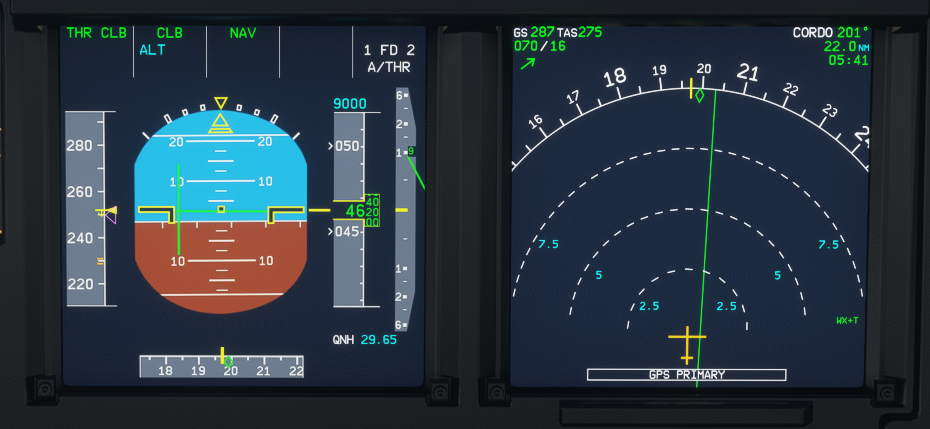
dc1ps2
on 28 Nov 2020
I tried to take off with the FD OFF.... not a solution
The only workaround I found (like others) is to take off....then save the flight, reload the flight (sometimes MSFS crash) and fly. FD will work correctly.
You have to set the flightplan again, manually.
regards,
Stefano
 Marenostrum66
on 28 Nov 2020
Marenostrum66
on 28 Nov 2020
I have (lukily) to amend my previous post.
Using last dev version.
A320NEO standard livery
take off from the runway (test LIPE-LIMC) (engines on)
OR
take off from C&D from the gate
both worked with the following procedure:
When I have the engines on
- Elac1, Sec1and Fac1 turned OFF (they are on by default when from C&D and I press batt/ext power)
- OFF lights on the 3 buttons lit up
- then press them again to turn them ON (at the gate before pushback)
- proceed as usual and take off...FD working perfectly.
NO offset, NO bank, just like before the last MSFS2020 update
many thanks to olofekbergh
other tests will follow...hope to have to thank olofekbergh again :)
Regards,
Stefano
Marenostrum66
on 28 Nov 2020
I've tried both - dev and release build, but no luck :( Tried to delete the mod and autopilot is working good. Such a pity, I really love this mod, but can't fly with it. Only can fly a320 without this mod.
vyacheslavpilguj
on 28 Nov 2020
Yesterday I had the same problem as described by Teslix, I deleted the stable release and tried it with the Asobo A320Neo. Everything worked normally there.
But I wanted the A32NX again, so I installed the developer build. Again the problem.
Now I've made my community folder completely empty (only the A32NX was in it) and also deleted the Asobo A320Neo. After rebooting the PC and restarting FlightSim, I downloaded the original Asobo A320Neo again via the Content Manager. And what can I say, same problem…
So I'm more likely to assume that it is a bug in FlightSim 1.11.6.
 Beudi
on 28 Nov 2020
Beudi
on 28 Nov 2020
I have (lukily) to amend my previous post.
Using last dev version.
A320NEO standard liverytake off from the runway (test LIPE-LIMC) (engines on)
OR
take off from C&D from the gateboth worked with the following procedure:
When I have the engines on
- Elac1, Sec1and Fac1 turned OFF (they are on by default when from C&D and I press batt/ext power)
- OFF lights on the 3 buttons lit up
- then press them again to turn them ON (at the gate before pushback)
- proceed as usual and take off...FD working perfectly.
NO offset, NO bank, just like before the last MSFS2020 updatemany thanks to olofekbergh
other tests will follow...hope to have to thank olofekbergh again :)
Regards,
Stefano
That didnt work for me.
felixalmont09
on 28 Nov 2020
Next test with the default Asobo A320Neo (no mod installed):
Start on runway, no input to the MCDU, FD automatically on by start on runway (not changed)... the airbus follows the route as expected.
Next test, same flight (KDAB/KIAD), also with the Asobo A320Neo an no mod installed:
Start cold&dark, no input on MCDU, FD activated... the airbus doesn't follow the route.
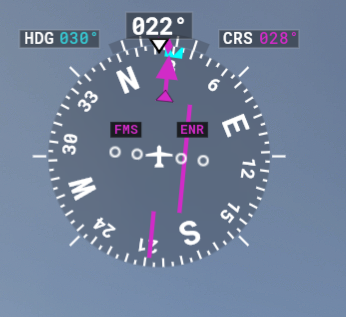
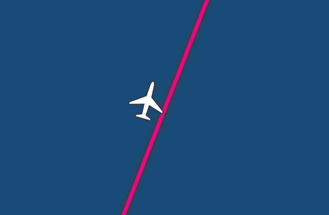
I'm relatively sure that the bug doesn't come from the A32NX.
Beudi
on 28 Nov 2020
After many hours testing, trying and searching the js-files for some kind of bug, there are a few conclusions to be drawn:
- Default asobo A320 is working fine. AP follows flightplan, localizer and ILS work as should be the case. Didn't encounter any bug here.
- A32NX mod keeps having problems. Solutions as provided above or on the FBW discord don't work, at least not in the majority of flights, especially when starting C&D.
To me, the only conclusion that makes sense is that there is some kind of bug in the mod, not in the Asobo files. That's not in any way meant to criticize the FBW team. Wish I could do something to solve this.
My best guess is that there is something with the variables that describe the AC's horizontal X and Y position in the sim. Maybe the added ADIR-alignment function has something to do with it, since the problem especially occurs in flight from C&D where you have to align them. Maybe the wrong GPS-position is imported into the FMC/MCDU? But again, that's just a wild guess.
vlbreda
on 28 Nov 2020
After many hours testing, trying and searching the js-files for some kind of bug, there are a few conclusions to be drawn:
- Default asobo A320 is working fine. AP follows flightplan, localizer and ILS work as should be the case. Didn't encounter any bug here.
- A32NX mod keeps having problems. Solutions as provided above or on the FBW discord don't work, at least not in the majority of flights, especially when starting C&D.
To me, the only conclusion that makes sense is that there is some kind of bug in the mod, not in the Asobo files. That's not in any way meant to criticize the FBW team. Wish I could do something to solve this.
My best guess is that there is something with the variables that describe the AC's horizontal X and Y position in the sim. Maybe the added ADIR-alignment function has something to do with it, since the problem especially occurs in flight from C&D where you have to align them. Maybe the wrong GPS-position is imported into the FMC/MCDU? But again, that's just a wild guess.
That makes sense
Brathwa
on 28 Nov 2020
Hi, new in here. I have the same problem. When I kick in the AP the A320 make bank turns up to 65 degrees. I use the A320 then without the mod, but then, after put in the AP the Aircraft doesn´t follow the progamme path, but no banking to the right or left, as with the mod.
Roland
 Hor1463
on 28 Nov 2020
Hor1463
on 28 Nov 2020
Just to reiterate - this has been added as a known issue by Asobo and definitely does happen with the vanilla A320. It also happens to other planes. I had to exact same issue with the 787.
kielyscott
on 28 Nov 2020
Finally also seems like the ground resistance is set very low. Taxieng is going way to fast at idle speed.
@Annolago there is no bug here and this behaviour has been confirmed as realistic by all of our IRL A320 pilots.
Benjozork
on 28 Nov 2020
My best guess is that there is something with the variables that describe the AC's horizontal X and Y position in the sim. Maybe the added ADIR-alignment function has something to do with it, since the problem especially occurs in flight from C&D where you have to align them. Maybe the wrong GPS-position is imported into the FMC/MCDU? But again, that's just a wild guess.
@vlbreda we have had many people, including users in this thread experience the same issues in the default.
Also our simulation of ADIRS is nowhere near accurate enough at the moment to allow such failures to be possible, just FYI.
Benjozork
on 28 Nov 2020
@Benjozork: haven't had the issue in the default A320 so far, but if that's the case, we will just have to wait for an Asobo fix. All resistance is futile untill then.....
Thanks anyway for your answers and commitment! Hope everyone who is mentioning the problem here, will also send it to the Asobo zendesk: https://flightsimulator.zendesk.com/hc/en-us/requests/new
vlbreda
on 28 Nov 2020
Just to reiterate - this has been added as a known issue by Asobo and definitely does happen with the vanilla A320. It also happens to other planes. I had to exact same issue with the 787.
@kielyscott what is your source for this being added as a known issue by Asobo?
TheoBearman
on 28 Nov 2020
I have (lukily) to amend my previous post.
Using last dev version.
A320NEO standard liverytake off from the runway (test LIPE-LIMC) (engines on)
OR
take off from C&D from the gateboth worked with the following procedure:
When I have the engines on
- Elac1, Sec1and Fac1 turned OFF (they are on by default when from C&D and I press batt/ext power)
- OFF lights on the 3 buttons lit up
- then press them again to turn them ON (at the gate before pushback)
- proceed as usual and take off...FD working perfectly.
NO offset, NO bank, just like before the last MSFS2020 updatemany thanks to olofekbergh
other tests will follow...hope to have to thank olofekbergh again :)
Regards,
Stefano
That didnt work for me.
Beudi
on 28 Nov 2020
Please avoid commenting if you do not have any new information to add. Use the thumbs up reaction instead.
If this thread keeps getting spammed and it keeps getting harder to sift through information, we will lock it.
Benjozork
on 28 Nov 2020
@Benjozork
Given that spawning at the runway is reliable, its logical the code is initialised correctly in that use case.
I know the IRS and GPS always agree by inspection when spawning at the runway.
Also the two ELAC computers control pitch/roll and rudder coordination in the 3 SEC and 2 FAC computers. See:
All 7 computers and the FMS are (probably) initialised correctly when spawning at a runway; but not necessarily via cold and dark.
Notice the FMS (when AP is engaged) sends signals as the joystick would to the ELAC computers. That makes me think the straight flight (not turning to waypoint) or 66 degree bank (death roll) is a result of poor synchronisation/uninitialised
variables or classes in the code that simulates the 8 flight computers.
Bad external data, like position offsets could influence this also.
Only Asobo can give a definitive answer on the internal code, as we are trying to control a "black box".
It's interesting that one user power cycled the ELAC, SEC and FAC computers prior to takeoff and felt this fixed the problems.
Gamma36
on 28 Nov 2020
I know the IRS and GPS always agree by inspection when spawning at the runway.
Can you provide a screenshot of this ?
Please also understand that 90% of the things you mention are not simulated at all by neither MSFS or the mod, so it is not applicable to use IRL Airbus logic here.
Benjozork
on 28 Nov 2020
90% of the things you mention are not simulated at all by neither MSFS or the mod
Have you hacked into the Asobo code servers? ha ha.
Joking aside, the 33 degree roll limit code is somewhere between the flight stick/FMS outputs and the aileron control surfaces. 67 degrees of bank is only possible with sustained side stick pressure.
Item 3 in the bug description says "plane banked ~40 degrees to setting", so the 33 degree limit, which we know is modelled, is overridden by an FMS heading command, which should not happen unless the code depends on variables/arguments yes?
I might be wrong, but everything points to a missing call to initialise_something_important() or 'didn't think that would happen' in the bank angle code. I almost paid my mortgage fixing bugs like that ha ha.
Gamma36
on 28 Nov 2020
Are you on our discord ? We are currently looking into the issue so if you have a theory it would be easier to discuss it there. Could you provide me your username ?
I just wanna warn that we should not overestimate the complexity of the systems here, many many things are "faked" to make it look like they exist. IRS is just knobs that add overlays on the PFDs at the moment for example.
Benjozork
on 28 Nov 2020
I have (lukily) to amend my previous post.
Using last dev version.
A320NEO standard livery
take off from the runway (test LIPE-LIMC) (engines on)
OR
take off from C&D from the gate
both worked with the following procedure:
When I have the engines on
- Elac1, Sec1and Fac1 turned OFF (they are on by default when from C&D and I press batt/ext power)
- OFF lights on the 3 buttons lit up
- then press them again to turn them ON (at the gate before pushback)
- proceed as usual and take off...FD working perfectly.
NO offset, NO bank, just like before the last MSFS2020 updatemany thanks to olofekbergh
other tests will follow...hope to have to thank olofekbergh again :)
Regards,
StefanoThat didnt work for me.
This worked for me using the Stable Build - thank you!
 StevieCanuck
on 28 Nov 2020
StevieCanuck
on 28 Nov 2020
@Benjozork
Not on your discord yet, "paul95". I don't use it much but I'll check tomorrow morning.
I understand about "faked" buttons, simplification is a good thing and the users just want it to work!
Gamma36
on 29 Nov 2020
Finally also seems like the ground resistance is set very low. Taxieng is going way to fast at idle speed.
@Annolago there is no bug here and this behaviour has been confirmed as realistic by all of our IRL A320 pilots.
I disagree if left at idle the plane will get to about 50-60 knots on the external view display. I agree that the Neo rolls forward at idle but that much seems unlikely.
One or two more items I discovered a little while ago. The overhead panel has a switch to illuminate all lights in order to check for lights not working. For some reason that has now been disabled. Pushing it gives no reaction.
Also I incidentally lifted the gate cover on one of the fire fighting buttons. Now I cannot put it back into place.
Something is fishy with the entire panel. The GPS alignment is also to fast - not the initialization but after turning the knob there should be a delay before light disappears.
Annolago
on 29 Nov 2020
back to the original problem. I turned off all 3 flight computers above my head and was able to fly in a straight line. I dont know if that has anything to do with it, but i'm currently flying as intended no issues. started on a runway, not cold and dark.
doolok
on 29 Nov 2020
did you leave it off the whole time?
On Sat, Nov 28, 2020 at 21:40 doolok notifications@github.com wrote:
back to the original problem. I turned off all 3 flight computers above my
head and was able to fly in a straight line. I dont know if that has
anything to do with it, but i'm currently flying as intended no issues.
started on a runway, not cold and dark.—
You are receiving this because you commented.
Reply to this email directly, view it on GitHub
https://github.com/flybywiresim/a32nx/issues/2089#issuecomment-735320359,
or unsubscribe
https://github.com/notifications/unsubscribe-auth/AR44RHGYRPV3YZTA7UXHESTSSGYDDANCNFSM4UBHUQTQ
.
felixalmont09
on 29 Nov 2020
Yes, I did
doolok
on 29 Nov 2020
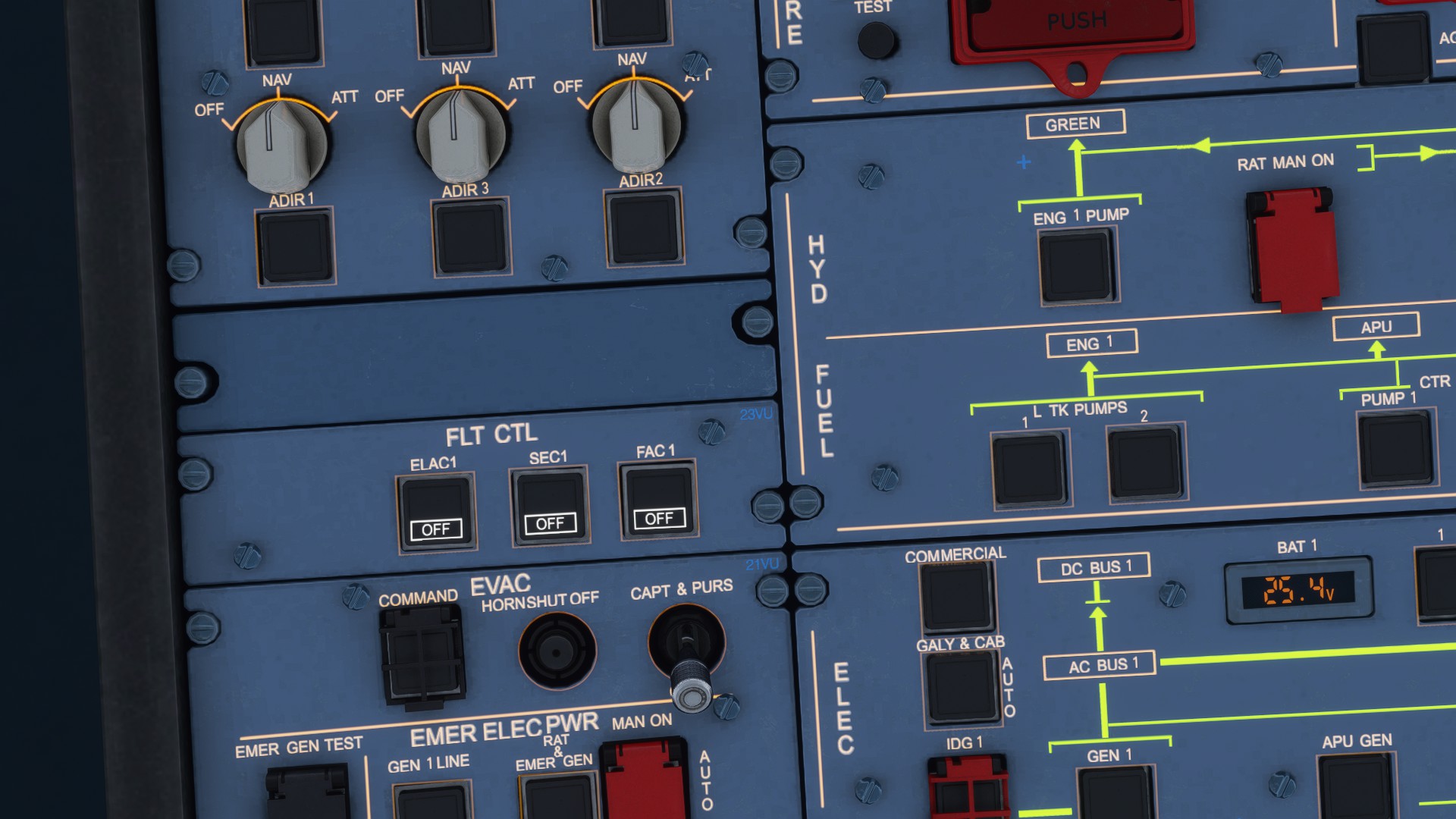
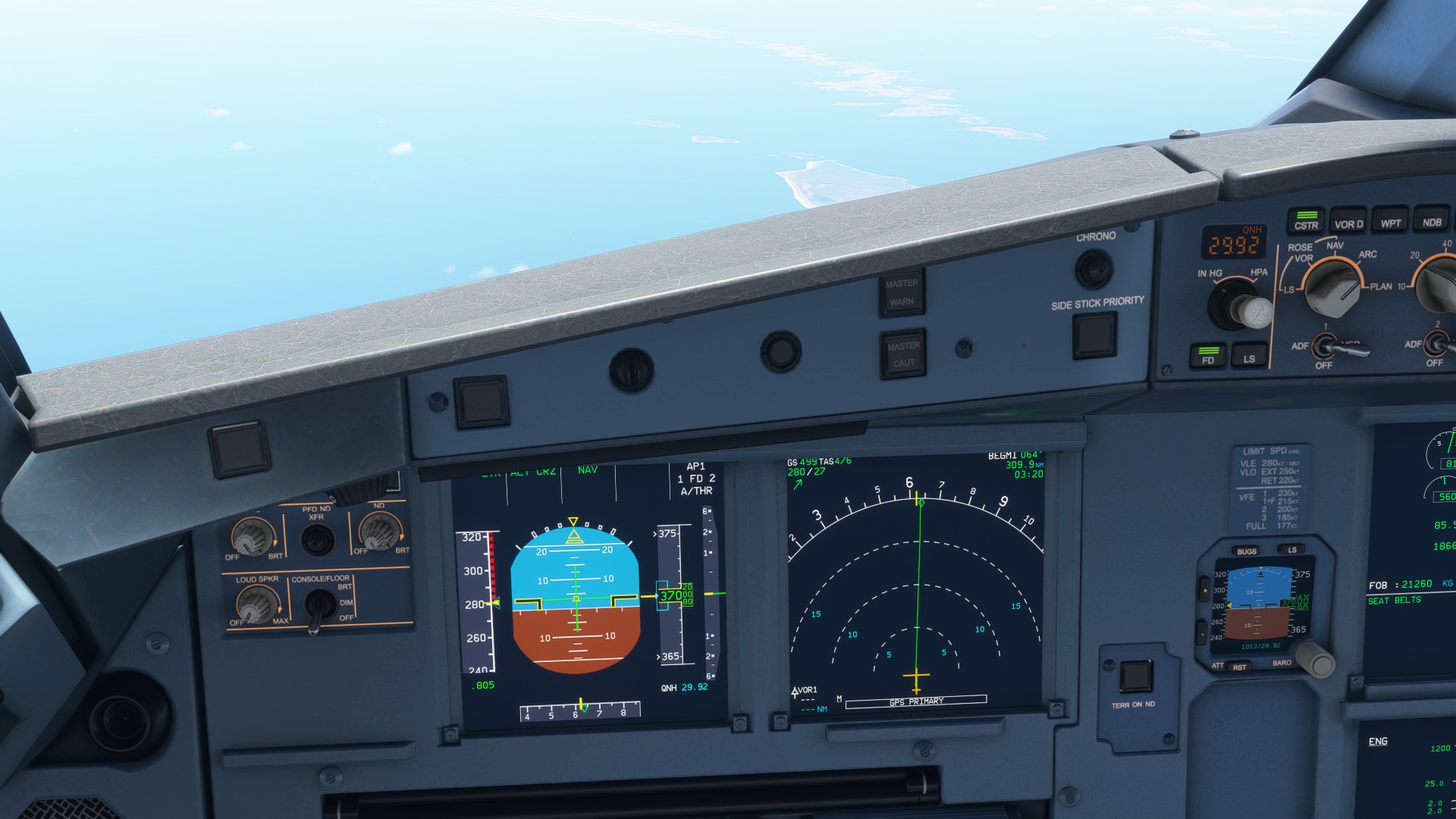
Current situation....it's flying beautiful.
doolok
on 29 Nov 2020
Did a test flight this morning from EGKK (08R) to EGLL (09R). All ELACs, SECs and FACs were switched off for the duration.
There were no death banks but the aircraft was clearly flying 10 degrees off for the duration. At times, I would select a heading and the PFD heading would recognise the offset (e.g. I selected a heading of 270 degrees in the FCU and the PFD would settle at 280 degrees). Other times, such as on the ILS (the aircraft did establish on the LOC and follow the GS) the PFD would display the heading as 090 degrees (landing 09R) but would observably be flying at 100 degrees (see photo below).
This test was done with the master with navigraph beta disabled.
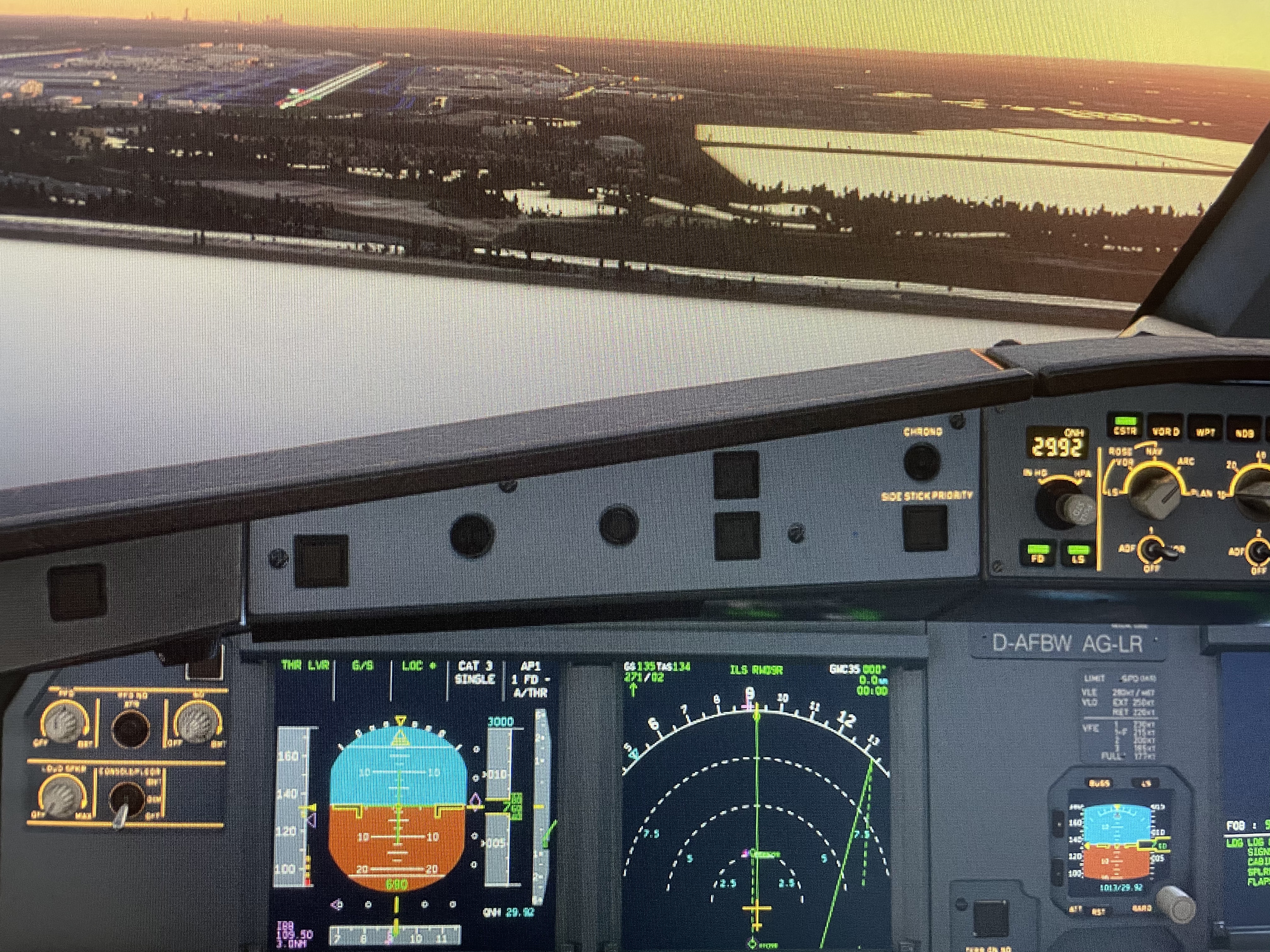
TheoBearman
on 29 Nov 2020
Good morning, I think, that is not fine and I will wait, until a new patch will be out. This is not the way, I would like to fly the Bus in MSFS 2020.
Roland
Hor1463
on 29 Nov 2020
Good Morning!
I have now tried the latest stable version of the A32NX, as recommended by StevieCanuck. My airplane follows the route, but not exactly. Unfortunately always about 2NM to the left of it.
Another problem: I set the autopilot to FL390, but at around 35200FT he reduce climbing to max. 200 FT / min. Throttle ist set up to auto throttle (managed mode), and now he runs additional in overspeed (288NM IAS).
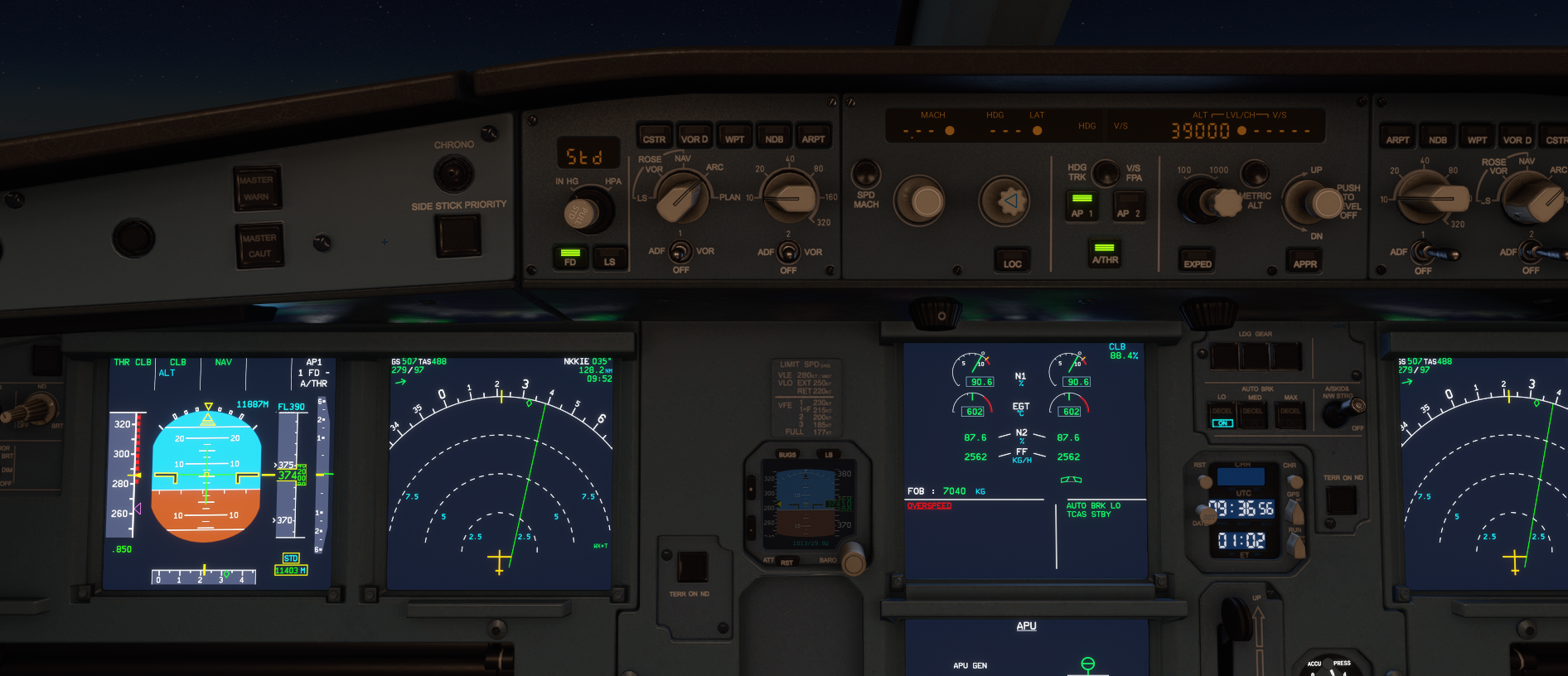
Beudi
on 29 Nov 2020
If I reduce it to FL380, it works again and the speed also fits.
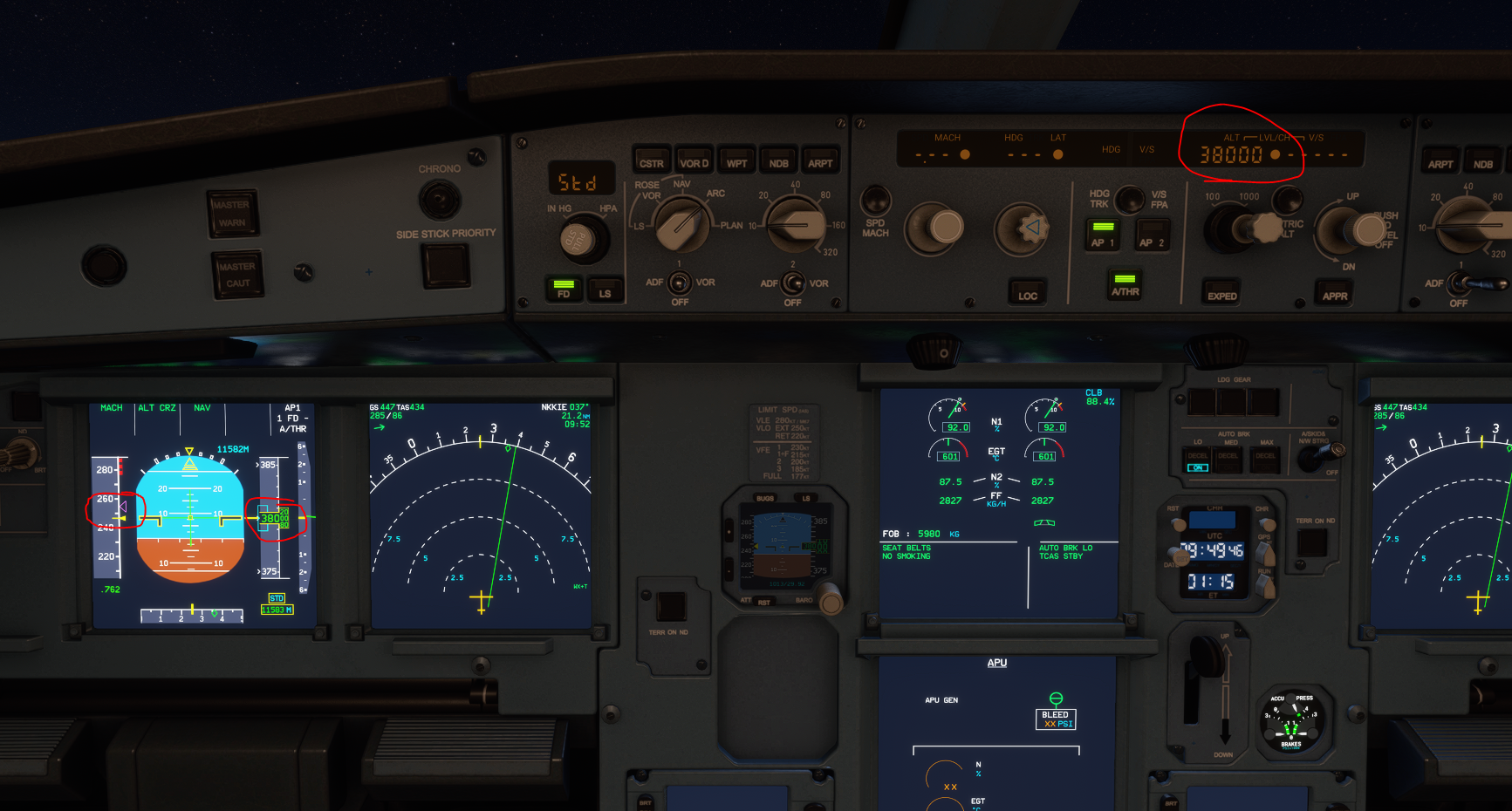
Beudi
on 29 Nov 2020
It was also slightly to the left during the ILS landing in Washington (KIAD / 01R).
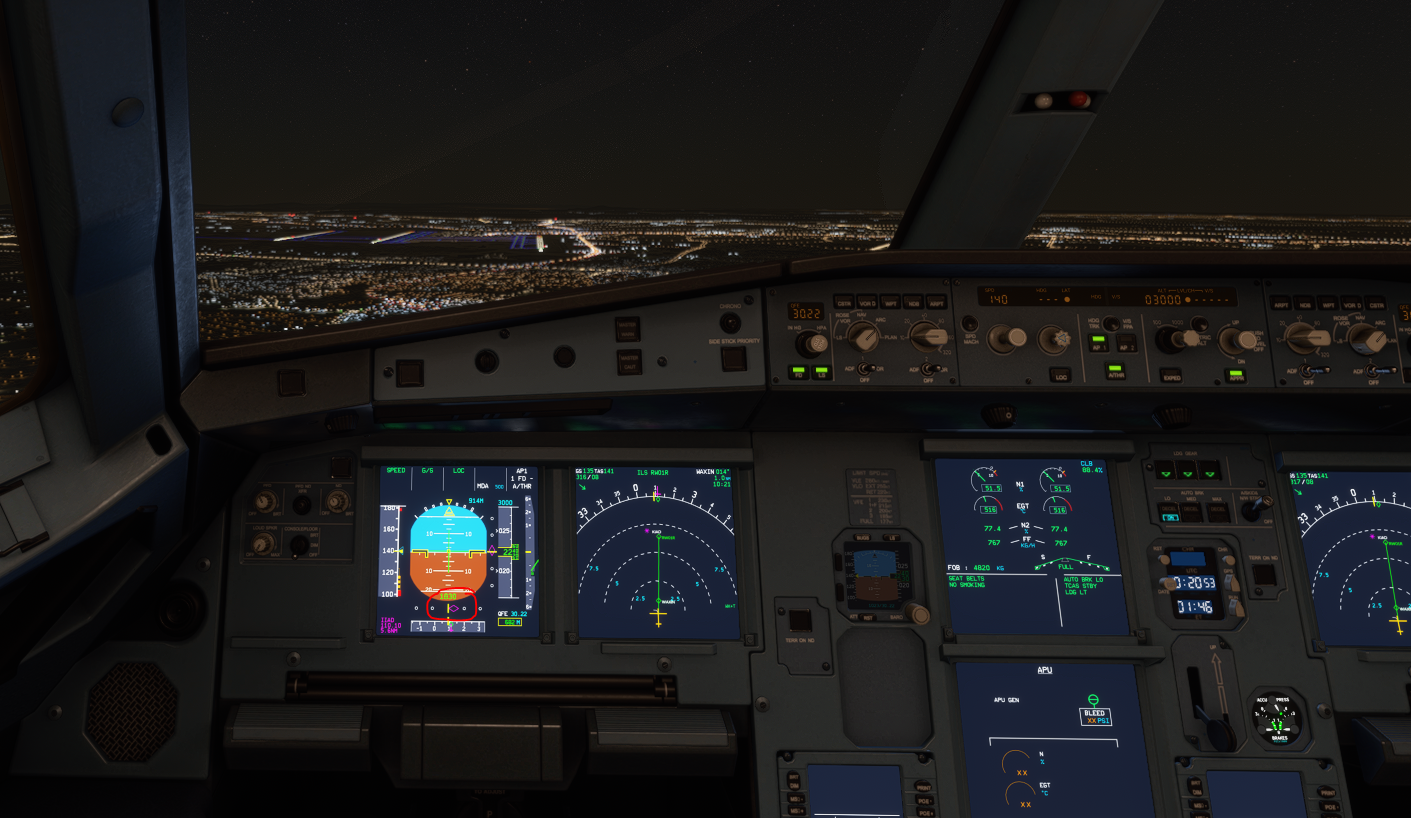
Beudi
on 29 Nov 2020
I've set rudder trim and HDG mode starts working well but this is not how should be. Stable and DEV won't work
 magnuSpain
on 29 Nov 2020
magnuSpain
on 29 Nov 2020
overspeed (288NM IAS).
Toggle A/T off then on. Then the auto throttle will reduce speed.
Gamma36
on 29 Nov 2020
Found another workaround: when offset from the flightplan green line, use the slew function to correct the ac's position. After pressing Y on the keyboard, you can move the aircraft slightly to the right or left, to put it centered on the green flight path or LOC-line . Resume flight by pressing Y again. Not very realistic and not sure if this works all the time.
vlbreda
on 29 Nov 2020
overspeed (288NM IAS).
Toggle A/T off then on. Then the auto throttle will reduce speed.
I've tried this several times with no success.
Beudi
on 29 Nov 2020
Here's my temporary solution.
Turn off all "flt ctl" switches before turning batteries on, start engines and taxi to runway. At runway turn all switches back on, take off and then once at altitude switch "sec2" off which stops the rocking left/ right.
Result is no death spiral and only slight offset, approx 0.5nm.
Switch "sec2" back on before approach and everything lines up perfectly.
 Nezza303
on 29 Nov 2020
Nezza303
on 29 Nov 2020
Well done @Nezza303
I'll try that later, you may have cracked it.
Gamma36
on 29 Nov 2020
Likewise... @Nezza303
This is the first thing that's worked for me so far.
 P1NBA11ER
on 29 Nov 2020
P1NBA11ER
on 29 Nov 2020
Are you also saving and loading at the beginning or just a new flight?
 Tinpanva
on 29 Nov 2020
Tinpanva
on 29 Nov 2020
No saving/ loading required. Generating flight plan in msfs.
Nezza303
on 29 Nov 2020
Well because I like things super overly complicated, I use the Avilasoft EFB, been trying different load sequences to find what works. So far loading the flight in EFB then starting Msfs with no flt pln is working for me, just punching it in the fmc.
Tinpanva
on 29 Nov 2020
I did not save/load and used the world map planner. I'll try again with MCDU punching once I complete this flight. I had been selecting departure location/VFR at the world map and using the MCDU to do the rest prior to today—and of course nothing had been working.
P1NBA11ER
on 29 Nov 2020
It’s not mod issue. Today I’ve had flight from LYTV to LIRQ, noticed AP doesn’t properly.
So, this is 100% simulator issue.
vyacheslavpilguj
on 29 Nov 2020
Here's my temporary solution.
Turn off all "flt ctl" switches before turning batteries on, start engines and taxi to runway. At runway turn all switches back on, take off and then once at altitude switch "sec2" off which stops the rocking left/ right.
Result is no death spiral and only slight offset, approx 0.5nm.
Switch "sec2" back on before approach and everything lines up perfectly.
I think a couple of us tried this when the update first came out - sometimes it works, sometimes it doesn't.
Another potential alternative workaround if anyone wants to test (a couple of us on Discord have had success with this): when spawning C&D, immediately set a heading hold of your gate heading, then set heading mode properly once on the runway (either to managed, runway heading or whatever). Don't turn the AP on while at the gate or anything - just set the heading to whatever you're currently at when spawned (just clicking the heading select knob down should default to this, so that should be all you need to do). I tried this without doing any other workaround, and it seemed to fix the issue on the 3 flights I tried.
My theory as to why this is happening: I think Asobo have tried adding an integral component to their lateral AP logic, except it's not actually disabled when the AP is off, so the time spent sitting at the gate leaves the controller accumulating some kind of offset. That would explain why some of us have spotted that longer spent at the gate seems to make the problem worse and why the results seem to be random (the size of the offset is a function of the difference in heading between your spawn position and the initial heading the FD is targetting, and the time spent in that position) - and would also explain why this seems far less common when spawning on the runway (initial heading should roughly equal the FD's initial target heading, unless your flight plan is weird - which would explain why it still goes wrong for a few people). That also correlates with why the current accepted workaround seems to work (saving + reloading) - looking at the saved flight, it seems to store the selected heading as the heading you're pointing if you've not already set one.
pareil6
on 29 Nov 2020
@pareil6: Hi, thanks for sharing! I'm gonna try this. Hope Asobo will fix this soon, I think rolling out an update which clearly degradates the level of the sim is a bad, bad practice. They should have tested it thouroughly. I encourage everyone on this forum to send their complaints to the MSFS zendesk.
vlbreda
on 29 Nov 2020
Thanks @pareil6 , my start up process was fairly quick which is why my method appeared to work. Just tried 25mins at the gate and hard bank to right.
I'll try your heading mode fix
Nezza303
on 29 Nov 2020
Tried method pareil6 described, didn't work for me neither in dev nor stable version. Too bad. Can anyone confirm that the problem occurs in the default A320 as well?
vlbreda
on 29 Nov 2020
Can answer my own question, problem is present in default A320 as well. So far it hasn't occured in my flights, but now it has:
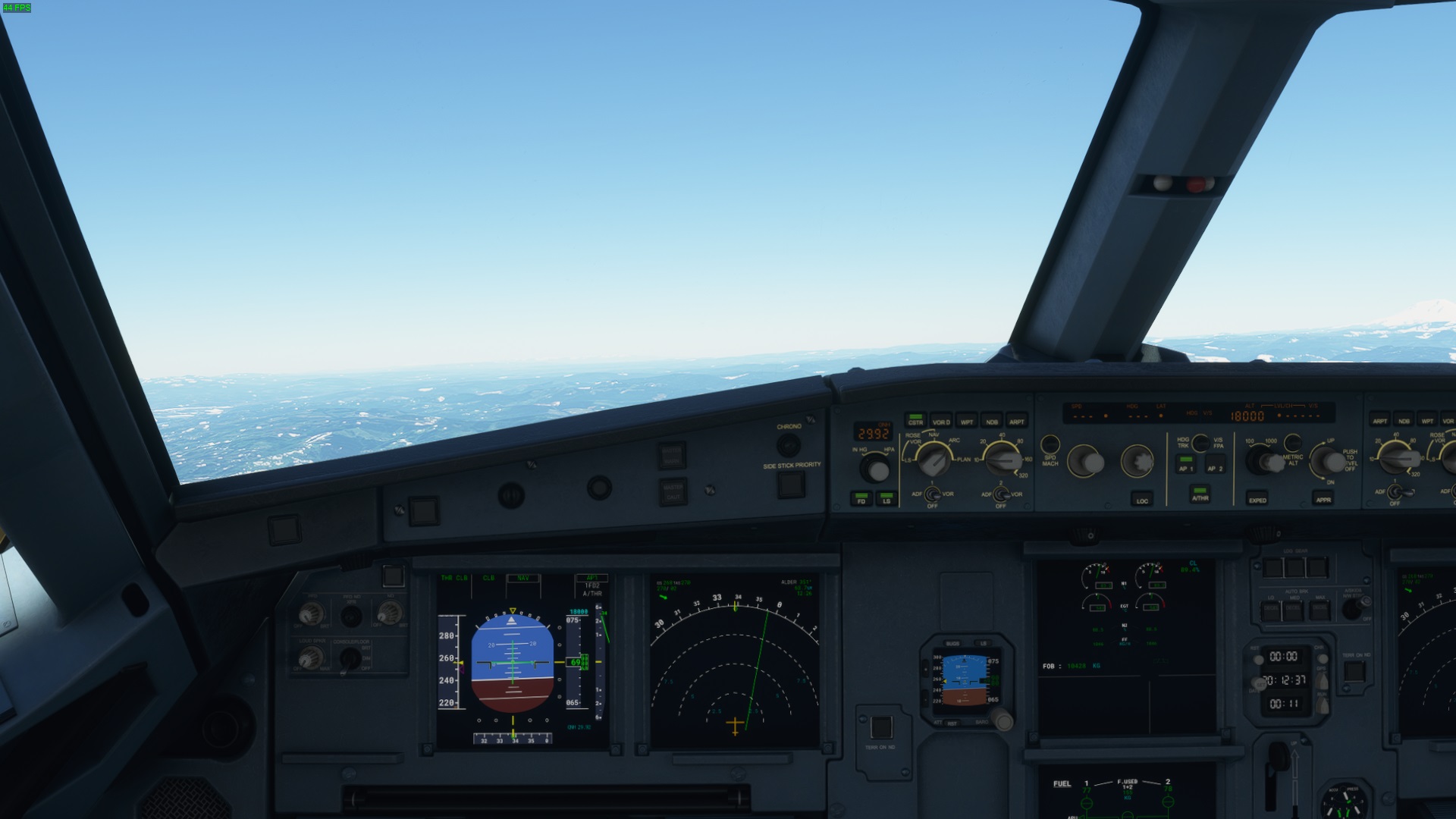
vlbreda
on 29 Nov 2020
So I have done a couple of C&D flights with the most recent Dev version and I tried copying the 787 ai.config file over to both the default A320 and the FBW A320.
What I have discovered, is after about 4 flights (*Not full flights. I have just done pushback, engine start up, taxi, takeoff and let it fly for about 40 mins or so to see what happens) is that while the the banking still feels a little off, it followed the flight plan and was not laterally offset at all. The problem I encountered with this though, is that it would not climb past 30,000 feet. In fact, the auto pilot went in DES mode for some reason thinking there was a constraint of 5300 ft.
I tried remaining at the gate for a while for "boarding" and in all cases I manually programmed the MCDU for the waypoints, INIT A and B, and calculating the PERF information. The FD also remained accurate calling for appropriate commands to maintain course and speed as well.
It could just be that these flights were one of the random ones that work (the fifth flight might have the A320 behaving like it has been with the hard banking), and it should be noted that I haven't yet tried a landing using the LOC and APPR modes yet. But maybe, we should be looking at the ai.config right now for a workaround. I chose to use the 787 for this experiment as I tried a flight with it and it followed all commands without issue. Ironically, it is now the plane with the best autopilot at the moment... lol
A320PHX
on 29 Nov 2020
Tried @pareil6 method with 25mins at gate with 53 degree offset from runway. Aircraft banked right, but not hard over, stopped it by rotating heading to left to compensate, but it was reluctant to turn left. Manual flew back towards first waypoint, engaged nav mode and it started to follow the route but with large offset. Interestingly during turns to next waypoint it would bank to 33 degrees before leveling off at correct heading but offset the track.
Nezza303
on 29 Nov 2020
@A320PHX i tried the dev build from a day or two ago using the trick of setting a selected heading at spawn as suggested by @pareil6 to no success. The FD was slightly off laterally on takeoff but it stabilized after CLB throttle and the first waypoint but it did not follow the flight plan at all and just went straight. On other occasions operating normally or with other tricks sometimes also caused a death dive.
I am trying right now an older dev build from 20/11 and while it oscillates pretty bad in some cases with SEC3 kept ON, it managed to fly the plan somewhat accurately by itself while i was eating. It's still offset. But the issue of the offset, the FD death dive and not following the plan seem to be 3 separate issues. If the older dev build works but the newer ones don't, unless FBW changes the AI config i don't think it should be involved as it's the same throughout all builds unless i'm mistaken.
vstaritz
on 29 Nov 2020
@pareil6 and @ Nezza303
Tried a mix of both workarounds in CYVR:
- C&D at the gate
- all FLT CTL pilot and copilot buttons off before powering on the aircraft
- power on (FLT CTL buttons lights OFF)
- set HDG mode
- normal procedures to the rwy 08R except FD OFF until aligned on rwy 08R
- when aligned for to....all FLT CTL buttons ON, FD ON
- departure is with vectors so HDG mode 083°
Take off and manual climb then AP ON...perfect
when instructed to a DIRECT TO...LNAV mode for AP and ...perfect.
I tried it twice: first time being skewed 180° (from rwy 08R) with a quick powering up-taxi and take off
second time being skewed 90° with a normal setup (about 30 min) before to.
Both worked for me.
I confirm a small offset fomr the normal route
Many thanks
Stefano
Marenostrum66
on 29 Nov 2020
Using todays Dev built at 15:33 I spawned at a runway and checked the IRS and GPS page. Same locations, but both had a track of 1 degree, despite being on runway 220. Punched KJFK/KSFO into the Init page, plus FL350. No other settings, although I set Instant IRS alignment weeks ago.
AP worked fine banking at 25 degrees, as per settings in systems.cfg
Then I spawned at a gate C&D, Ctrl+E quickly started the engines and avionics, and again I punched in KJFK/KSFO and FL350. IRS and GPS had the same track of 4 degrees, but again didn't match actual heading. Push back and taxi to runway. Hand flew to 1000 ft and AP worked fine, again banking at 25 degrees.
Climbed to FL250. Despite a strong, gusty crosswind she coped well:
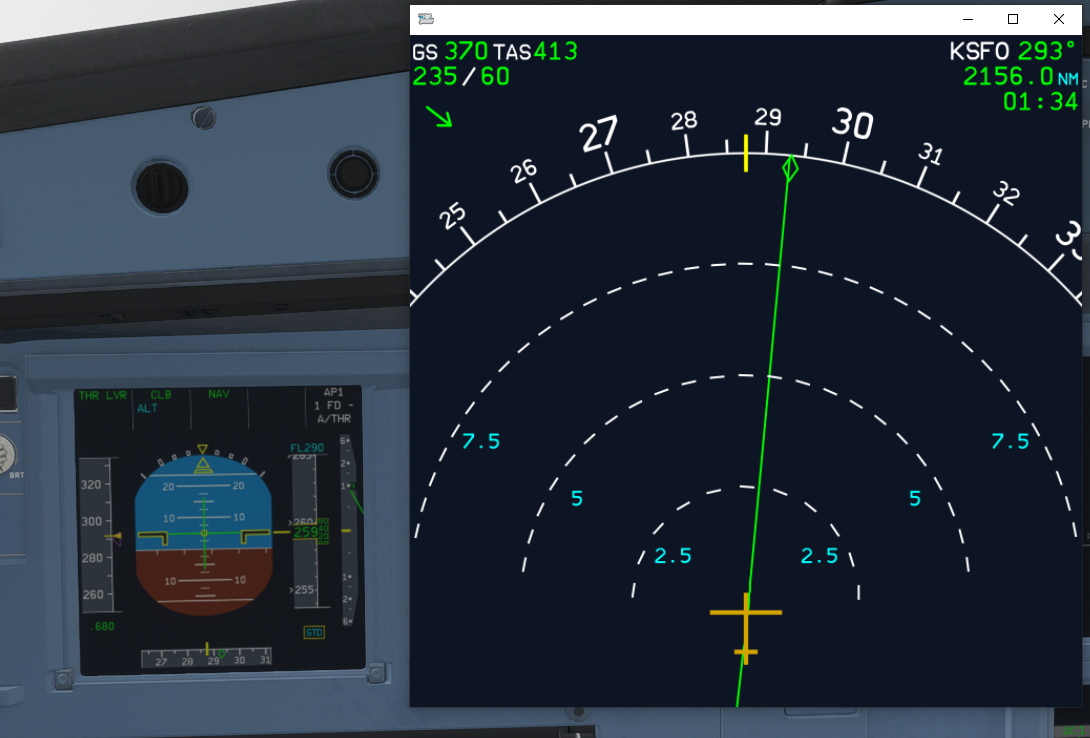
So spawning at a gate with Ctrl+E and spawning at a runway give the same result with Instant IRS alignment i.e. they both initialise correctly.
Thinking a bit deeper, spawning at a runway always gives Instant IRS alignment.
Gamma36
on 29 Nov 2020
Just adding a random note: the same happens when MSFS is installed from scratch as I just confirmed
 jokey2k
on 29 Nov 2020
jokey2k
on 29 Nov 2020
Another potential alternative workaround if anyone wants to test (a couple of us on Discord have had success with this): when spawning C&D, immediately set a heading hold of your gate heading, then set heading mode properly once on the runway (either to managed, runway heading or whatever). Don't turn the AP on while at the gate or anything - just set the heading to whatever you're currently at when spawned (just clicking the heading select knob down should default to this, so that should be all you need to do). I tried this without doing any other workaround, and it seemed to fix the issue on the 3 flights I tried.
Another note to this: could anyone try again with the following step added if not done already -> after pulling the knob, mae note of the heading that appears. Then change it to any value(it doesn't matter which). After that, set it to the value again that you noted at the beginning.
I had 2 successful flights with this additional step. And one crash when I did not do this additional step.
 Saschl
on 29 Nov 2020
Saschl
on 29 Nov 2020
I followed @Nezza303 workaround and the aircraft followed the flight path with no problem from KORD-KBOS. I then I wanted to do a turn-around at KBOS and do KBOS to KDCA. Loaded in the flt plan to KDCA and taxied out to the runway. However, i did not turn off all of the flight controls on the ground like i did at KORD. When i took off, i got the death spiral. Should i be turning off the flt controls like i did for the C&D start at KORD?
 jdohert91
on 30 Nov 2020
jdohert91
on 30 Nov 2020
I can confirm this issue is not isolated to the A320.
After doing a full flight from Auckland to Adelaide, without reloading and after taking off at Adelaide for Alice Springs, engaged LNAV on the 747-8i and the plane did a huge bank to the left. Engage selected heading mode and heading hold mode to go straight or turn right and it kept going off to the left when engaging.
It was exactly the same as my previous YouTube video which is below from my experience with the A320.
dcherrie
on 30 Nov 2020
@Saschl : just tried your method and it was successful. +15mins at gate but with only 30 degrees offset, so will need to try again with larger offset.
Nezza303
on 30 Nov 2020
OK, so tried again but this time with 150 offset to runway. No death spiral but much larger offset, 2.5nm.
For now I'm going to just try to select a gate close to the runway heading and get going as soon as possible.
Nezza303
on 30 Nov 2020
Related issues
 PANAM741
·
3Comments
vlbreda
·
4Comments
PANAM741
·
3Comments
vlbreda
·
4Comments
 javiiberia
·
3Comments
javiiberia
·
3Comments
 Curtis-VL
·
4Comments
Curtis-VL
·
4Comments
 noga-aviator
·
4Comments
noga-aviator
·
4Comments
Most helpful comment
Once I turn AP on, it wants pulls a continuous, hard left turn.