A32nx: [BUG] There is no overlap on the line during automatic flight
Mod Version
{ "built": "2020-11-23T20:54:26+00:00", "ref": "refs/heads/master", "sha": "4786b605d327a9b32db51a7f5ed3ac4c399bd21b", "actor": "wpine215", "event_name": "push" }
Describe the bug
When I perform automatic flight, the aircraft icon seen by the instrument does not overlap with the route, and the same phenomenon appears on the VFR Map.
Before the BASOS waypoint, the plane's flight direction and the route show an angle of about 3 degrees, and continue to move forward.
In theory, it should overlap with the route sooner or later, and continue to follow the direction of the route, but continue to pass
To Reproduce
- Departing from Queenstown International Airport (NZQN) Airport, expected to arrive at Sydney International Airport (YSSY).
- Before the BASOS waypoint, the plane's flight direction and the route show an angle of about 3 degrees, and continue to move forward.
Expected behavior
In theory, it should overlap with the route sooner or later, and continue to follow the direction of the route, and continue to pass
Actual behavior
The flight direction of the aircraft presents an angle of about 3 degrees with the course, and continues to move forward at the same angle
References
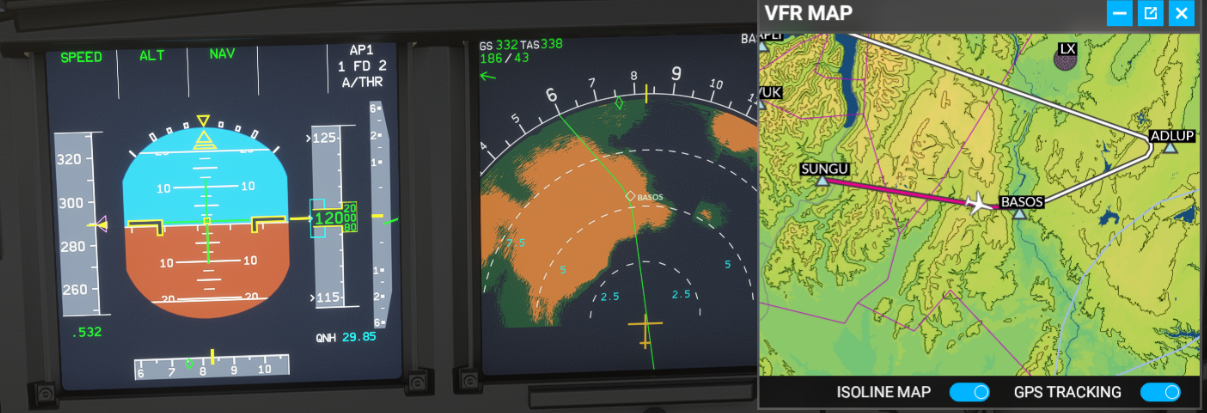
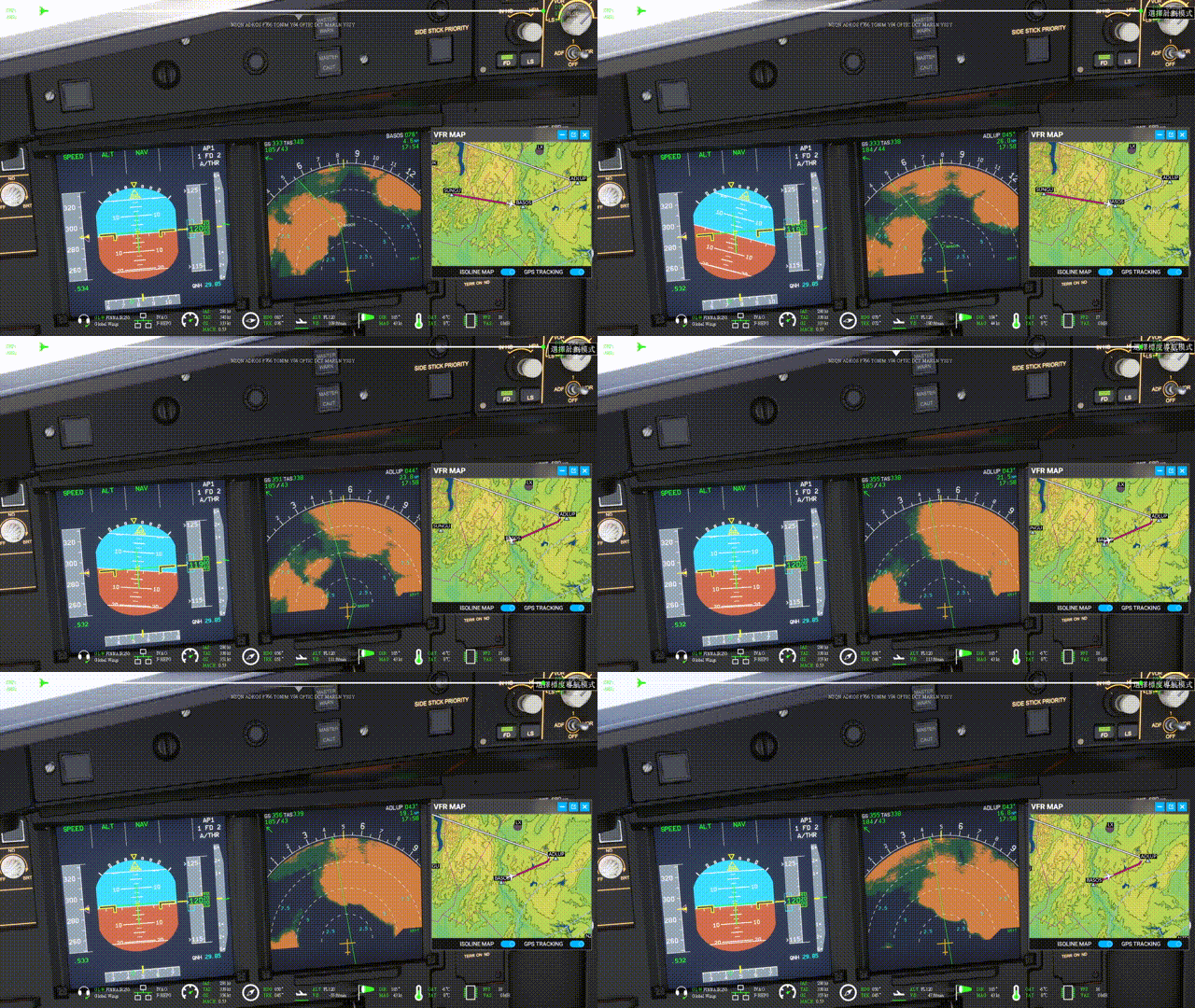
build-info content:
{“ built”:“ 2020-11-23T20:54:26 + 00:00”,“ ref”:“ refs / heads / master”,“ sha”:“ 4786b605d327a9b32db51a7f5ed3ac4c399bd21b”,“ actor”:“ wpine215”,“ event_name“:” push“}
Additional context
Was this working before/when did the issue start occurring?
Is this a problem in the vanilla unmodded game?
Discord username (if different from GitHub):
 dc1ps2
All 10 comments
Mod Version
Either a release version
Please provide your version anyway, and the contents of build-info if using dev.
 Benjozork
on 24 Nov 2020
Benjozork
on 24 Nov 2020
Mod版本
發行版本無論如何,請提供您的版本以及
build-info使用dev的內容。
I don’t know where to check the version number
dc1ps2
on 24 Nov 2020
In your Community folder, A32NX folder, it will be right there.
Benjozork
on 24 Nov 2020
Mod版本
發行版本無論如何,請提供您的版本以及
build-info使用dev的內容。
I don’t know where to check the version number, i use A32NX Installer download development version
build-info info content:
{ "built": "2020-11-23T20:54:26+00:00", "ref": "refs/heads/master", "sha": "4786b605d327a9b32db51a7f5ed3ac4c399bd21b", "actor": "wpine215", "event_name": "push" }
dc1ps2
on 24 Nov 2020
Thanks !
Benjozork
on 24 Nov 2020
You are having quite a bit crosswind, the aircraft leans into the wind to maintain track. Track and Heading can be seen. Compass Rose or Arc will always be in the centered with current heading, so from this perspective it works just fine.
 MisterChocker
on 24 Nov 2020
MisterChocker
on 24 Nov 2020
Or did I missed something? And as long the waypoints isn't classified as overfly, the aircraft will not fly directly above the waypoint (on turns) but follows an optimal path instead.
MisterChocker
on 24 Nov 2020
The problem is that the aircraft center should be on the flightpath, but in the current ND, the "nose" of the aircraft symbol is on the path, which is incorrect
 lukecologne
on 24 Nov 2020
lukecologne
on 24 Nov 2020
gotchu
MisterChocker
on 24 Nov 2020
Thank you for flybywiresim team professional ability and wise judgment, I look forward to A32NX continuing to have such an outstanding job, thank you for your unpaid dedication and work
dc1ps2
on 25 Nov 2020
Related issues
 L-1011
·
4Comments
L-1011
·
4Comments
 javiiberia
·
3Comments
javiiberia
·
3Comments
 AkaiTheOrca
·
4Comments
AkaiTheOrca
·
4Comments
 ukflyer
·
3Comments
ukflyer
·
3Comments
 maor561
·
4Comments
maor561
·
4Comments
Most helpful comment
The problem is that the aircraft center should be on the flightpath, but in the current ND, the "nose" of the aircraft symbol is on the path, which is incorrect