30-seconds-of-code: Website functionality
Some of you might have noticed, we now have a website on Github pages. It's far from complete, but I want to list here what needs to be added/done, so someone can start playing around with it.
First and foremost, as with the README file, never touch the index.html file, unless the changes in it come from a build process (described below). Modify its static parts or script.
What we need
- Search functionality improvements that are based on index and tokenization of the snippets and descriptions. This should be done dynamically to avoid adding overhead to the already heavy-ish html page.
- Style maintenance (CSS). If you are a CSS wizard, please feel free to look for problems in the CSS file. I am using my own CSS framework, mini.css and specifically the latest alpha version, as it is reasonably stable and lightweight. If you see any styling problems, please report them on that repository, so I can fix them permanently for the whole framework.
- If you have any other suggestions or feedback, please feel free to comment below.
Remember, that you can rebuild the website after applying changes to the script or static files, by running npm run webber.
 Chalarangelo
All 14 comments
Oh My Goodness :heart_eyes: In just a few days sooo much progress has been made. Congrats @Chalarangelo. So glad I've been able to be apart of this amazing project & community :confetti_ball: :tada: The site looks amazing.
There is def still so much to work on. Even though I would like to tackle a thing or two on the list above. I def need to still finish adding other lodash categorizes & snippets to backlog #100 & Get them done
 kingdavidmartins
on 17 Dec 2017
kingdavidmartins
on 17 Dec 2017
It looks really nice and clean, good job.
Here's my take on it. (Just edited all the CSS on the page)
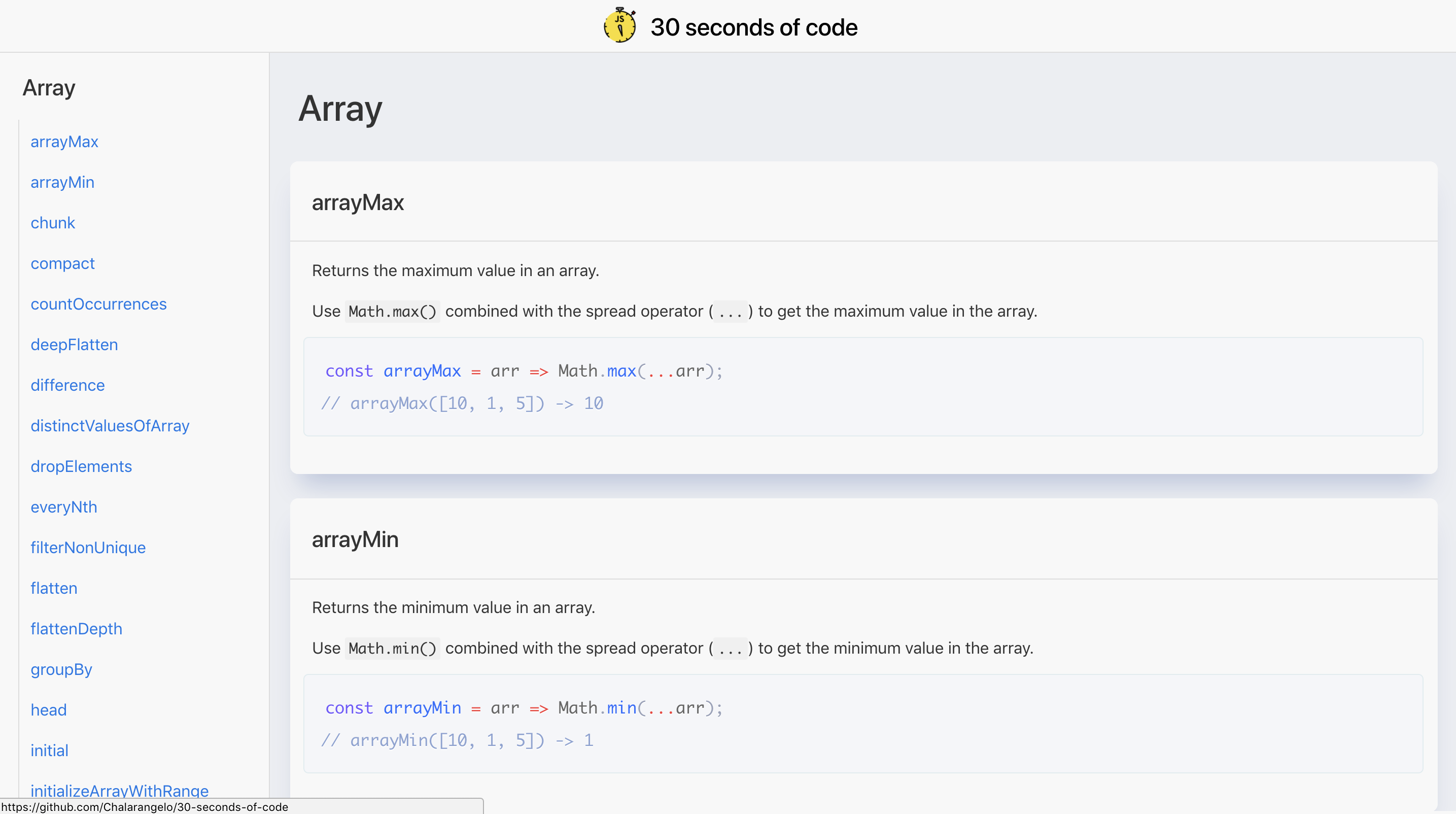
Use native system font as I believe people find it easiest to read (what they're used to). NOTE: On Chrome and Firefox the native font had really poor kerning. I wrote a utility to fix this for the relevant versions
Does anyone know of a syntax highlighter that tokenizers more thoroughly than Prism? The native one in Atom, for example, tokenizes a lot more. It would be nice to have that so we can have more color separation.
 atomiks
on 17 Dec 2017
atomiks
on 17 Dec 2017
@atomiks I'll check the utility tomorrow. I mainly changed the fonts because the native ones looked semi-terrible on my laptop, but that's not usually the case. I want to switch back to the native stack first thing tomorrow.
About the highlighting, Prism was the first one I found that did not require any configuration and it looked pretty decent. But we can easily switch to another one, provided it works properly, it's just a couple of lines in the template file.
By the way shadows, are really easy to add to the cards and I think I like their look. Any other opinions?
Chalarangelo
on 18 Dec 2017
I've always used Prism too, but what about highlight.js?
I checked their demo page and it looks to have a more thorough tokenizer for JS:
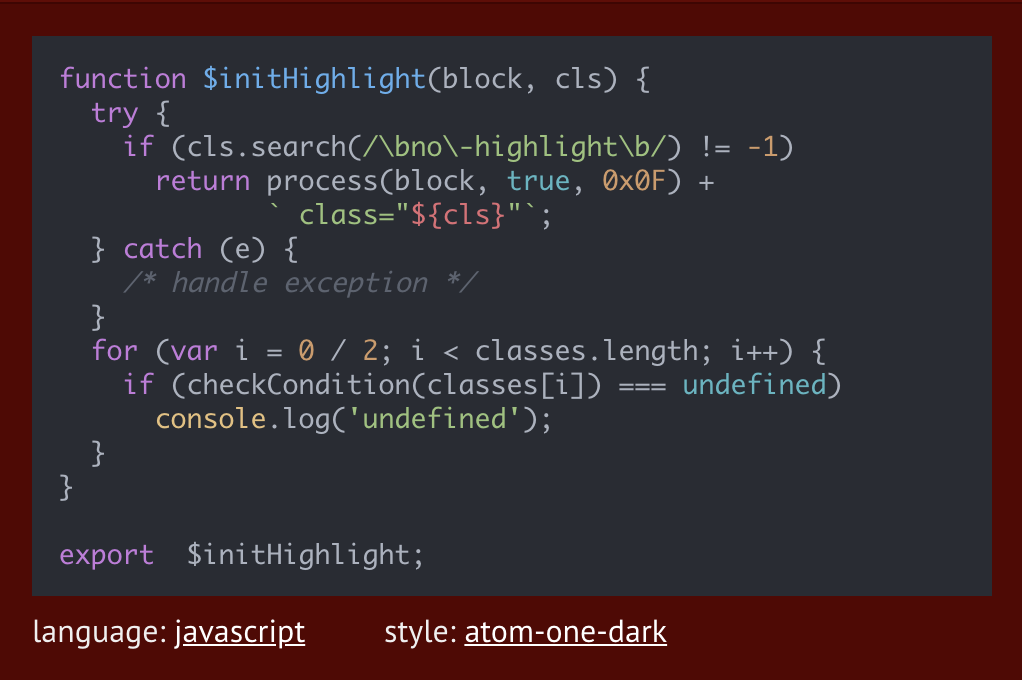
Actually maybe that's what Atom uses cuz it's a web app?
atomiks
on 18 Dec 2017
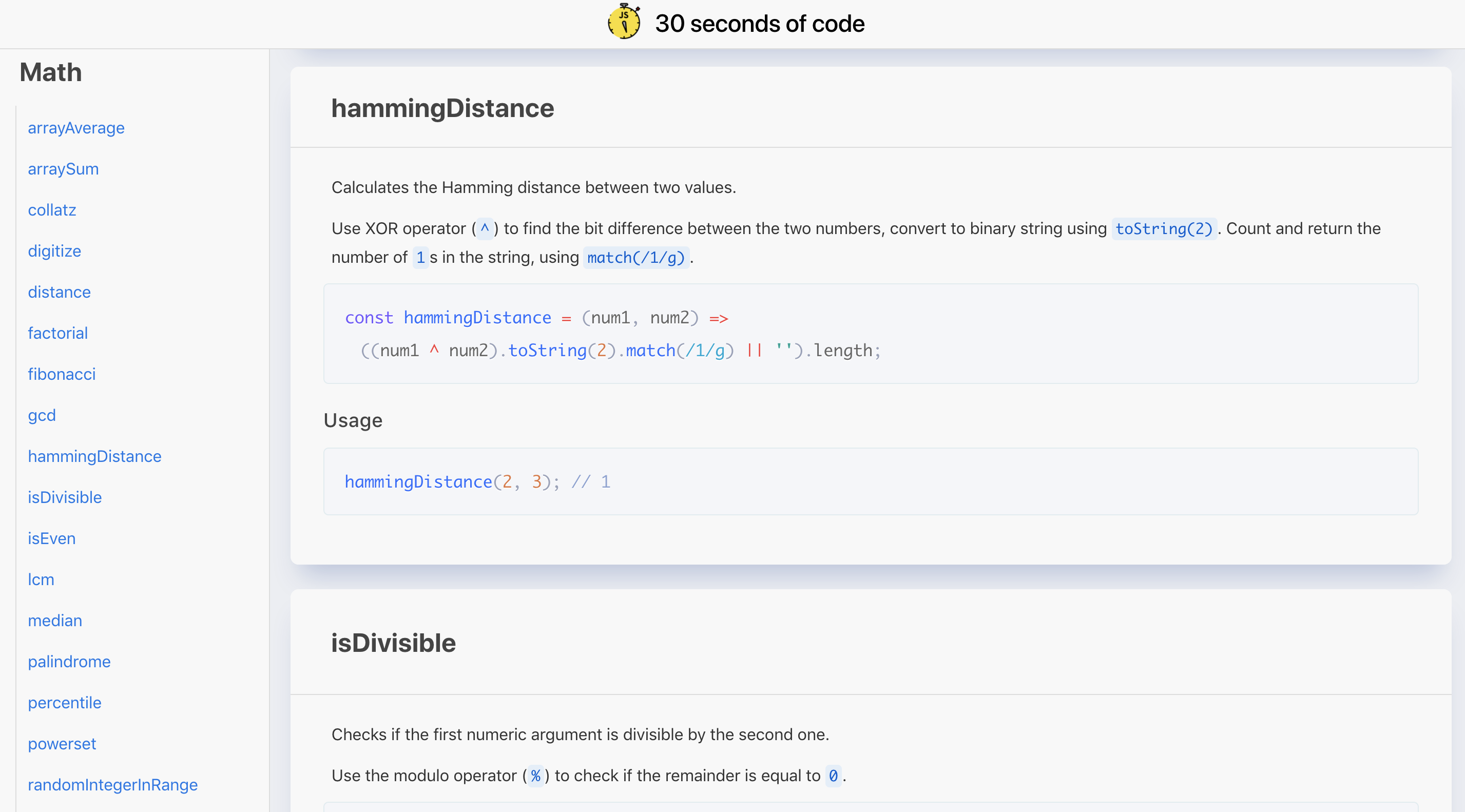
Also regarding the examples/comments underneath each snippet.
In order to reduce clutter, I suggest you put them in an expandable/collapsible container underneath a Usage heading.
This will also allow you to add lots of different examples that showcase the snippet's functionality better. You can add each example with normal heading-code pairs rather than a comment block which looks kinda messy atm.
atomiks
on 18 Dec 2017
In order to reduce clutter, I suggest you put them in an expandable/collapsible container underneath a Usage heading.
This will also allow you to add lots of different examples that showcase the snippet's functionality better. You can add each example with normal heading-code pairs rather than a comment block which looks kinda messy atm.
@atomiks I def agree and think having an expandable/collapsible container underneath the Usage heading. Would def make the page look clutter free as well as also adding different examples that can show the different ways a function/snippet can be used/applied.
kingdavidmartins
on 18 Dec 2017
Like I said in #233, give me a couple of days to get the collapsible spoiler thing ready in the CSS framework (it works, but it needs to be tested) and we can get on that. In the meantime we need examples to be parsed separately in the web script, so that we can split them without having to restructure all of the snippets yet again.
@atomiks I tried highlight and I didn't manage to get it working, but I'll see what I can do. Prism is also a lot lighter in terms of size and is used by MDN, so I expect that the highlighting in it is familiar to most developers. However, I saw some problems with tokenization, maybe I did not set it up correctly. I'll recheck it.
(I mention the fact that it is lighter, because the website will get quite heavy as we add snippets and functionality and we should make sure to make it as lightweight as possible wherever we can.)
Chalarangelo
on 18 Dec 2017
It would be good to get a nice domain name, and host the site on Netlify so that you get nice preview links when people submit pull requests 😃
 Daniel15
on 18 Dec 2017
Daniel15
on 18 Dec 2017
I'm looking at the search functionality and I'm thinking a simple search box that will load the nav and hide the links that don't match the search may be best. Then it won't require too much extra changes except to build the script, and add the meta info to the a tags somehow.
Granted this is just a design idea and coding it is always a different animal
 skatcat31
on 20 Dec 2017
skatcat31
on 20 Dec 2017
I would maybe take a look at implementing searching the next days @skatcat31
 flxwu
on 20 Dec 2017
flxwu
on 20 Dec 2017
... probably
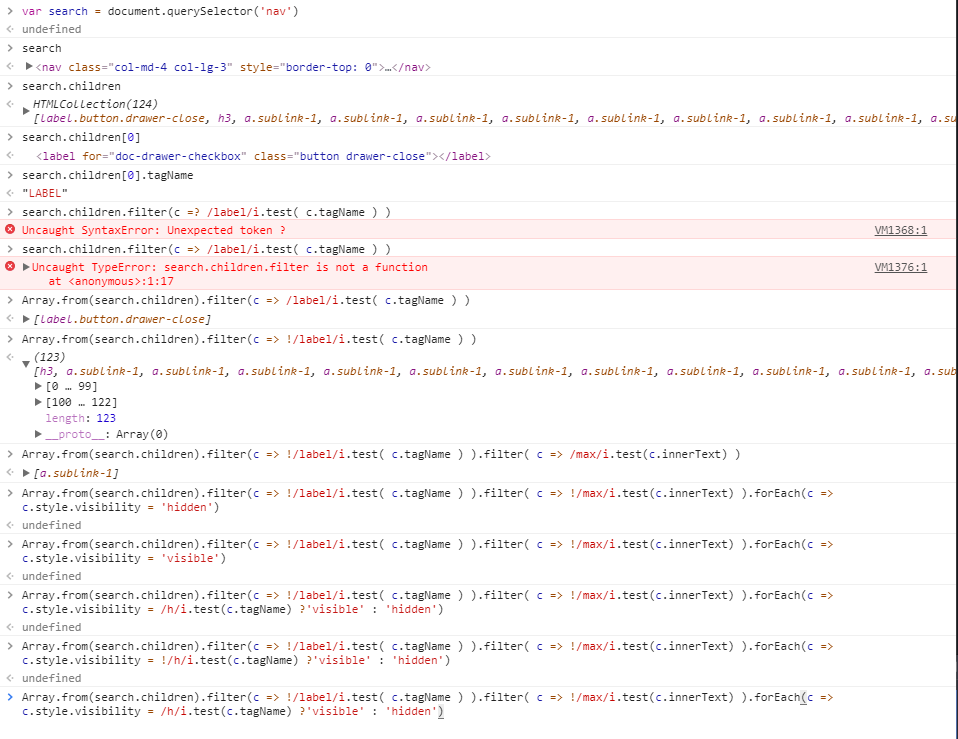
And here I used to think search boxes were hard... They probably are but a simple one isn't too bad
skatcat31
on 20 Dec 2017
@Pl4gue beat me to #268 and did a great job. Commenting it here for documentation purposes
skatcat31
on 20 Dec 2017
As far as I can tell, now that we can copy to clipboard and that we have search and proper styling, the website is mostly complete. Should I close the issue and add a guideline or two in the CONTRIBUTING.md file to state that we are always looking for people to help with CSS and stuff like that in order to close #275, too?
Chalarangelo
on 23 Dec 2017
This thread has been automatically locked since there has not been any recent activity after it was closed. Please open a new issue for any follow-up tasks.
![lock[bot] picture](https://avatars1.githubusercontent.com/in/6672?v=4&s=40) lock[bot]
on 18 Dec 2019
lock[bot]
on 18 Dec 2019
Related issues
 Bruce-Feldman
·
4Comments
kingdavidmartins
·
5Comments
Chalarangelo
·
5Comments
Bruce-Feldman
·
4Comments
kingdavidmartins
·
5Comments
Chalarangelo
·
5Comments
 Speuta
·
3Comments
Speuta
·
3Comments
 ecwyne
·
4Comments
ecwyne
·
4Comments
Most helpful comment
Oh My Goodness :heart_eyes: In just a few days sooo much progress has been made. Congrats @Chalarangelo. So glad I've been able to be apart of this amazing project & community :confetti_ball: :tada: The site looks amazing.
There is def still so much to work on. Even though I would like to tackle a thing or two on the list above. I def need to still finish adding other lodash categorizes & snippets to backlog #100 & Get them done